

Plaude NotePin AI Note Taking Mic Reveiw
The Plaude NotePin records audio in meetings, lectures, church services, or even the doctor’s office, and gives you some useful results thanks to the power of Artificial Intelligence. I tested it out for a few months, and here’s how I use it and what I think of the little recording device you wear like a pin.
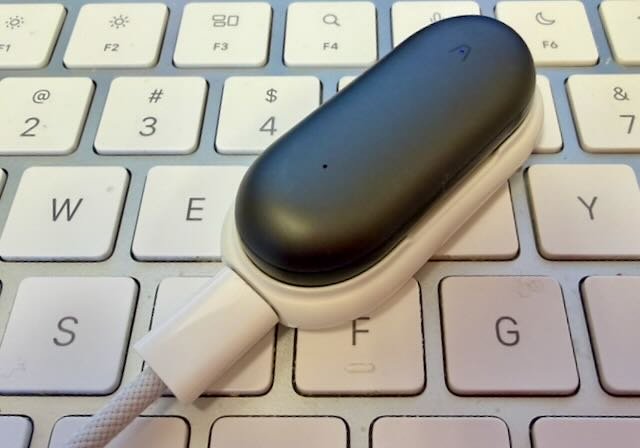
Plaude NotePin - a useful recording device and service that uses AI to transform recordings into useful text.
What Does the Plaude NotePin Do?
The Plaud NotePin records conversations, events, or meetings where people talk or you listen. People call it a “second brain” because it lets you focus on the moment instead of rushing to take notes to remember what was said.
The NotePin has two high-quality microphones that record clear audio. I used it in a church of about 300 people, sitting a third of the way back, and it picked up everything.
Battery life is long. The company says 20 hours of use and 40 days standby. I carried it to church, office meetings, and doctor visits; it only died once after three straight days without charging.
After you record, the Plaude NotePin uploads the files when you open the app. You can also connect directly to the NotePin and quickly transfer longer audio files. Upload and processing take just a few minutes. When it’s done, you can copy, edit, or ask questions about the text.
Plaude uses ChatGPT-4 and Claude 3.5 to transcribe audio from 112 languages into editable text. If you tag a speaker, the app recognizes them later and labels their speech automatically — useful for repeated speakers or regular meeting groups.
The app then summarizes the recording into templates: meeting recaps, mind maps, action-item lists, or full transcripts.
Use it as follows:
Show the mindmap to others to see the relationship of the ideas covered in the recording.
Create transcripts for record keeping.
Summarize the meeting into bullet points.
Create an action list to do things talked about in the event.
Create a converstaion of a lecture to learn the topic and study for tests.
Much, much more…
A video review of the Plaud NotePin
The Plaude NotePin Design and Functionality
The Plaude NotePin looks like a short AAA battery smashed and with one side shaved off. The flat size has magnet in it to attach the Pin to the charger, the pin, and the protective back.
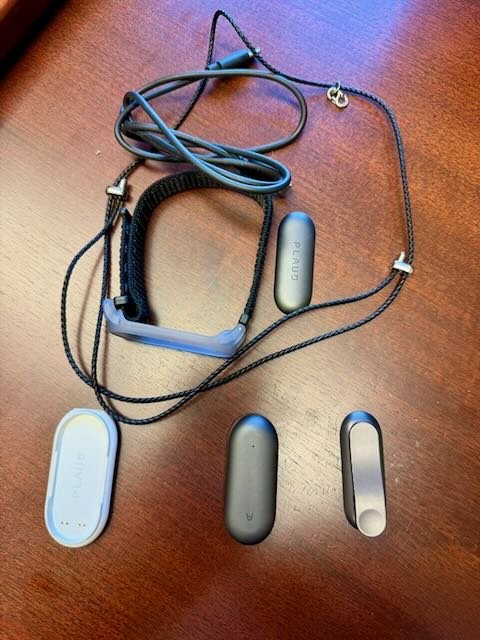
The Plaude NotePin and all the accessories that let you wear it around your neck, wrist, or attached to your shirt.
The accessories you can get with the NotePin or that come in the box include…
An optional lanyard necklace that turns the NotePin into a pendant when attached to the hook on the cord that goes around your neck.
An optional wrist strap that holds the NotePin to your wrist.
The pin that clips to your collar or some other part of your shirt.
A magnetic back that you can put inside a shirt and snap the NotePin to the outside.
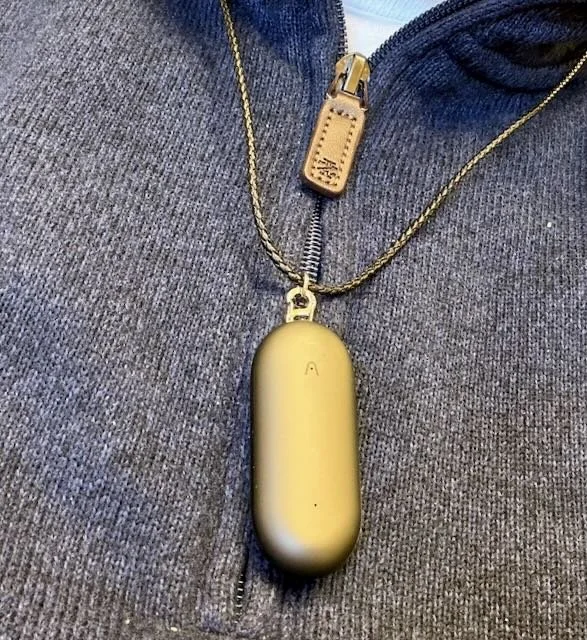
Plaude NotePin and the lanyard to wear around your neck.
The lanyard connection is a bit fidly to unhook. The wrist strap is too small for my big hands to fit over, but once I do, it’s comfortable to wear. My favorite way to wear the NotePin is using the pin attached to my shirt or a jacket with the included clip. I don’t trust the magnetic back to stay connected if you’re moving around much while wearing. The pin secures the NotePin in place more reliable, as do the necklace and wrist strap. You could keep it on the charging connector and just set it on a table.
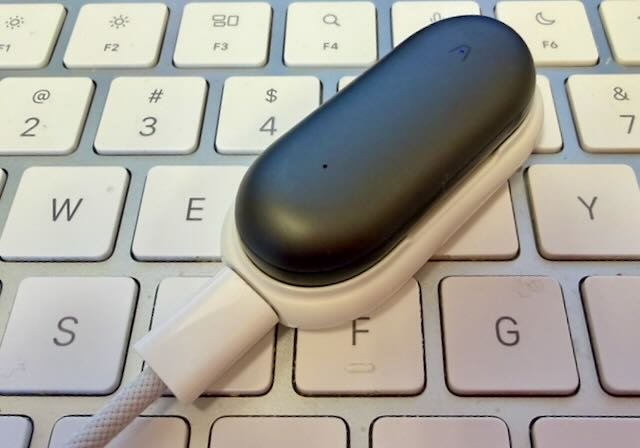
The NotePin connects to the charging dock and USB C cable to recharge the battery.
The charging connector magnetically holds the NotePin. A USB C connector will let you charge the NotePin. It doesn’t let you access the storage from a computer, but that’s not a problem because the iOS or Android app transfers the audio files to the phone quickly. There’s also a desktop version for Mac (both Intel and Apple Silicon) or Windows. and one that runs on the web. During setup you’ll connect the NotePin to your phone or tablet with Bluetooth. You can also connect directly to move files faster.
To use the NotePin first turn it on with a long hard press in the center of the NotePin and it vibrates to let you know it’s turned on and recording. To stop it, press again and it vibrates twice. After you’re finished recording open the app and let the device and the app transfer the file to the app and then the cloud. Now you can interact with the recording in the app or on the desktop app or webapp.
The NotePin comes with Apple’s Find My feature built in. Once you set it up, you play a sound to help find it, use the directional location feature, and even set it up in lost mode.
I had trouble turning the NotePin on and off to start or stop recordings. The vibration that buzzes once when you turn it on and twice when you turn it off feels too weak. I wish it had a physical button or switch and a bigger light to show status.
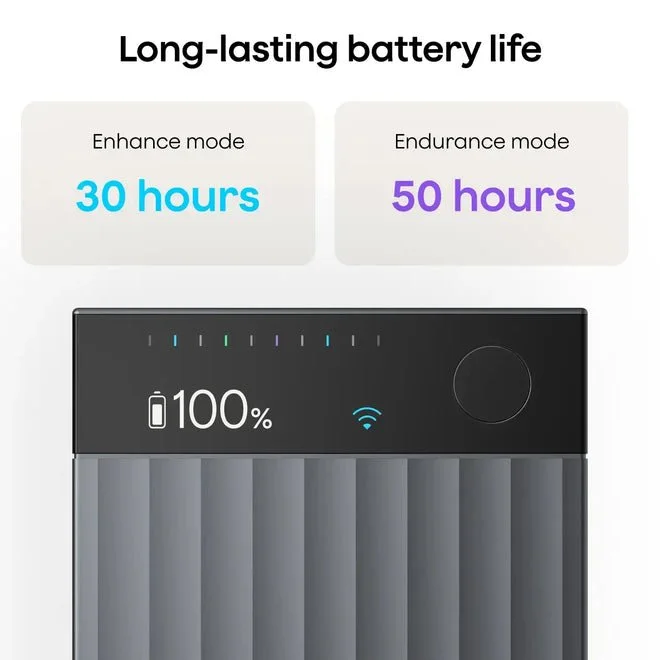
The Plaude NotePro solves some of the frustrations I experienced with the NotePin.
The Plaude NotePro is credit-card shaped and has a physical button and battery meter. If you’re like me, spend a bit more and get the NotePro instead of the NotePin. It won’t be as discreet in meetings, and it’s harder to wear in places where you can’t set it on a table.
The Plaude NotePin’s Value
Some may ask why spend over $100 for the Plaude NotePin plus a subscription. The device gives excellent audio quality, frees your phone, and the app converts recordings into useful, searchable files. It runs templates to turn audio into study, memory, and archive tools, lets you ask the AI questions about recordings, and organizes content into things like meeting To‑Dos and mind maps.
Automation makes the process much faster than manually copying a phone recording, transcribing it, and uploading it to an AI chatbot for summaries, mind maps, and other outputs. However, if you don’t think that brings enough to value to justify the expense, then you might not want to bother.
People who take a lot of notes or go to events like lectures, conferences, and meetings will find the Plaude NotePin useful. Some prefer writing notes by hand because it helps learning and memory, so students learning new skills or information may choose handwriting. However, the recordings of the NotePin will serve as a great backup.
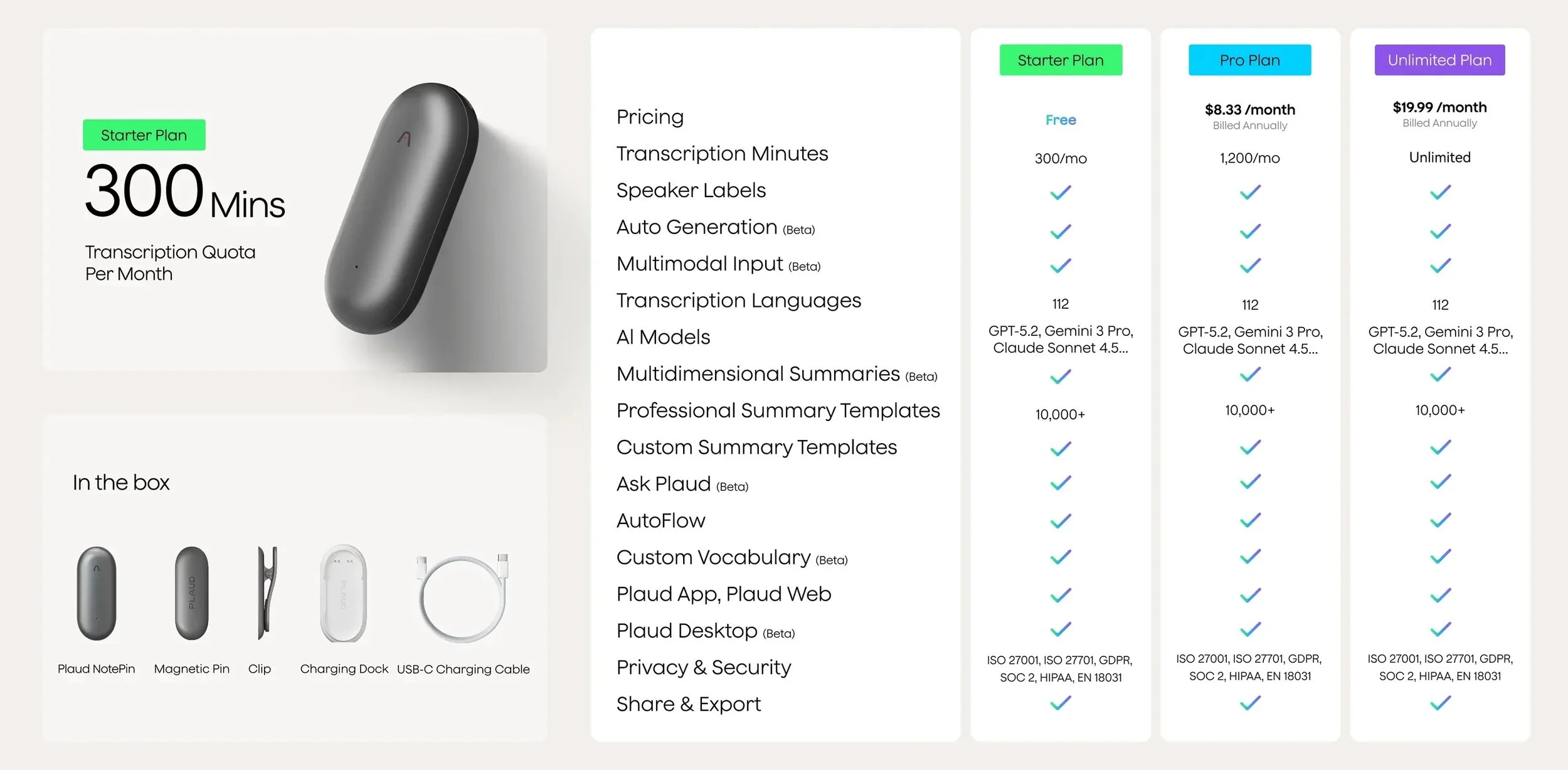
Plaude offers three levels of service including a Free tier that will give you 300 minutes/month. You can add 1,200 minutes in the Pro Plan for $8.33/month. The most expensive service costs $19.99/month for Unlimited Plan with no limit on the number of minutes of transcription.
Get the Pro Plan for $8.33/month. It’s the best value for most users with up to 1,200 minutes/month. The prices applies to annual billing not monthly billing.
Should You Buy a Plaude NotePin?
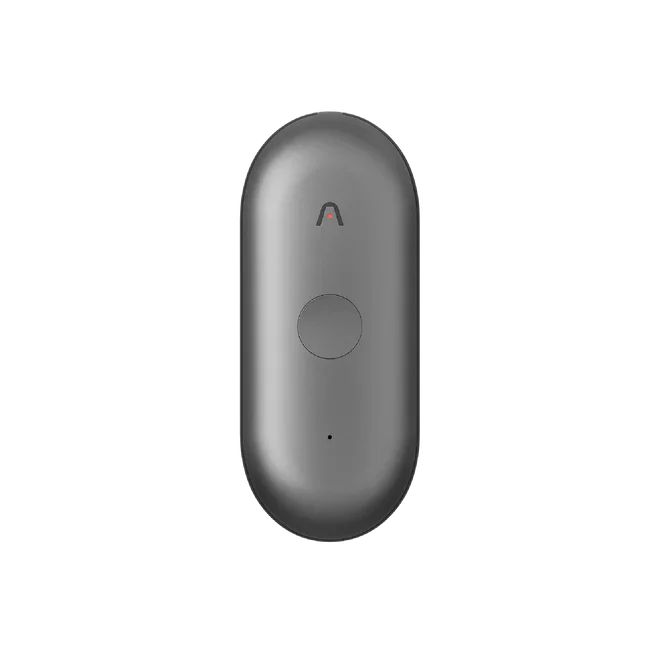
The new Plaude NotePin S has a button instead of the pressure sensitive area used to turn the older NotePin on or off.
Is the functionality of a dedicated recording device like the Plaude NotePin worth the cost of the NotePin and the subscription? That adds up. You can buy the NotePin and the Unlimited Plan for $366.99. The Pro Plan bundled with the NotePin is $226.99. I bought the NotePin Combo, which comes with the lanyard and wrist strap. I wouldn’t bother with them, unless you think you’d rather wear the device around the neck or wrist. The Plaude NotePin is on sale right now for 20% off at $127.20.
I’d get the basic NotePin and then try out the free plan. If you’re happy with it, then add a subscription to the Pro or Unlimited plan.
Pay more and get the new Plaude NotePin S which does have a physical button. I wish I had that device instead of the cheaper NotePin. If you don’t want to wear the device, then get the credit-card shaped Plaude Note e or Note Pro for $189.
I like using the NotePin, but would not go back and buy it now that I’ve used it. I don’t record enough meetings or events to make it worth the cost. You’ll have to decide if you do. And if you do, then I’d recommend getting one of the devices with the buttons to make it clearer when it’s on and recording.