

The New Theotek is Back - Find Out Where You Can Listen
The new Theotek is back. This time we're going all-in with an audio podcast only. No video this time around. Find out where you can find us and what's included.
The day you’ve all been waiting for arrived this week with them new Theotek Podcast. I don’t know if it’s 2.0 or 3.0. In fact it might be the fifth iteration. But this time it’s better than ever, simpler, shorter, worth your time. Read on to find out how to find it, what you can expect from each episode, and who you’ll hear as you listen.

Theotek: the New Format and Who’s Included
The original Podcast was a live video format on Google Hangouts that we then saved to YouTube. You can still watch those old podcasts on YouTube. Sort by date and you'll see the videos about 3 years ago.
We also did the podcasts in audio form here on this website and you could find it on Apple and other places. That’s now dead, but they are still available.
For the new Theotek, we're going all-in with an audio podcast. Will we ever go back to video? We'll see. If enough of you ask for it, then sure. We might. For now, it's all audio, and we're hosting it on Anchor.fm.
Now you’ll want to subscribe to the new podcast using many different platforms. Use one of these links below or search for the podcast by Title. If you do that, be careful not to select the old one. The old one is called "Theotek Podcast" with my name under the title, and it's not separated, so you'll see it as KevinPurcell. Don't subscribe to that one. Instead, look for just Theotek, and my name reads as "Kevin Purcell" separated.
This time around, there’s just a pair of us. I’m one host, and Rick Mansfield from Accordance Bible Software will join me. We will occasionally add some of our friends who helped us create the old Theotek Podcast.
Where to Find Theotek
Here’s the list of links to use to subscribe on your chosen platform:
Live Streaming Your Church: Theotek Podcast #095
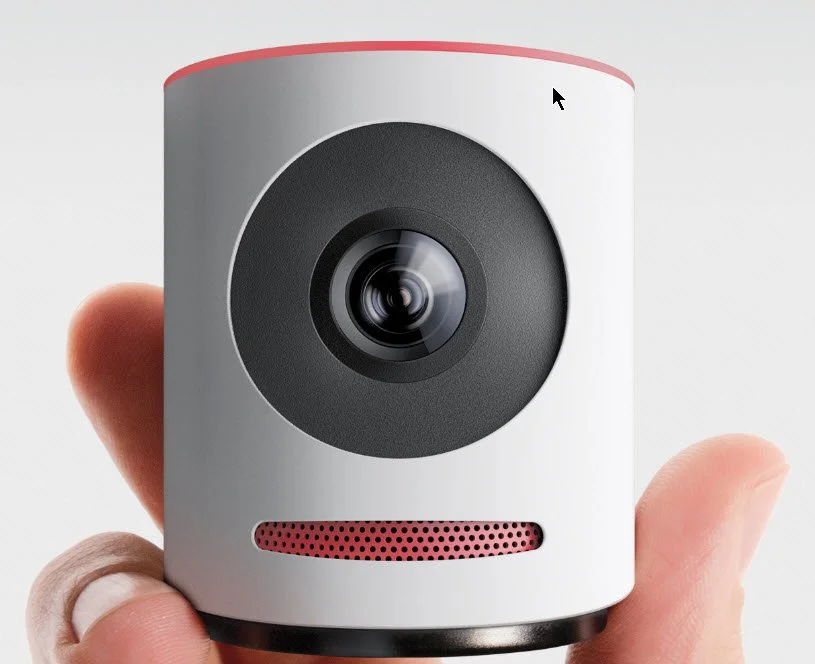
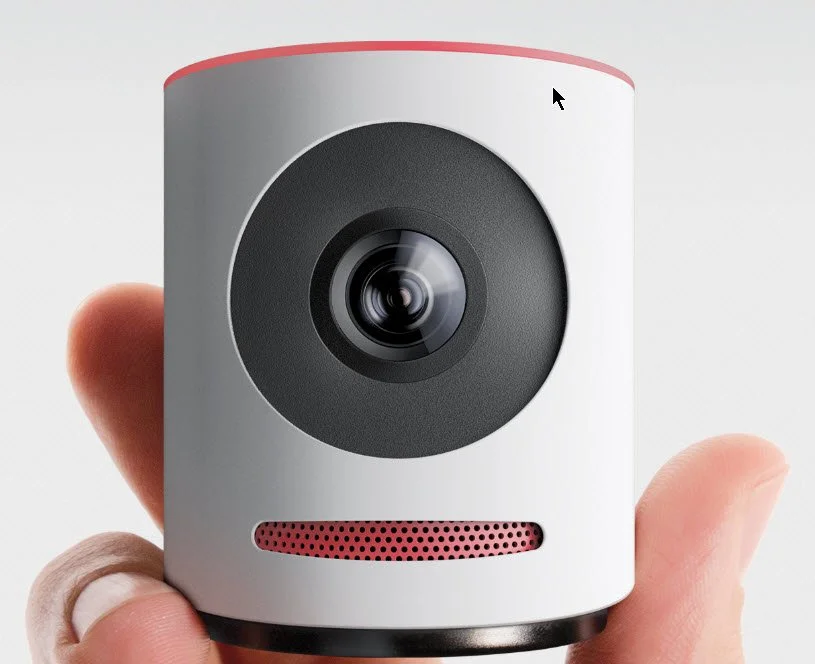
We do a live streaming podcast each week at Theotek Podcast so we thought we'd talk about whether a church should stream their services live each week. Then, we got into the best reasons to live stream and where to do it. Finally, we looked at the Mevo from LiveStream, which streams in high quality to Facebook Live and LiveStream. The company just announced a service which will live stream to YouTube as well.https://www.youtube.com/watch?v=ROkVBFKJ7LM&feature=youtu.be
Live Stream with Mevo
The Mevo camera that I mentioned in the podcast offers a great way to stream to Facebook Live and other services. The free version of the service only works with Facebook Live and LiveStream, but a paid service that costs $10/month just opened up. It streams to the following:
- Facebook Live
- Livestream
- YouTube Live
- Periscope
- Twitch
It claims to do this at the same time. I've not tried it out yet, so I can't say how well it works streaming to all five sites. I have tested it on my Facebook page and it worked well considering I don't yet fully get how to use the software.The Mevo streaming app runs only on iOS right now. They may come out with an Android version.
Our Favorite Things
For our favorite things this week, I talked about the Mevo camera. Just a few more details about the camera:
- Sony 4K Sensor.
- 12.4 Megapixels.
- 4K video resolution but streams at only 720p.
- 16:9 aspect ratio.
- 30fps streaming.
- H.264 codec.
- Dual analog mics with 65db signal to noise ratio.
- Streams audio in 8kHz to 192kHz at 8/10/12 bits.
- Inputs for audio via iPhone.
- Only works with iPhone, iPad, or iPod Touch.
- 802.11a/b/g/n Wi-Fi in either Access Point mode, which then streams through the iPhone or iPad's LTE network connection or over Wi-Fi through your local network's connection to the Internet.
- Bluetooth 4.0 used only for configuring the camera.
- Up to 1 hour battery life.
- 100Mbps over Ethernet if you get the Mevo Boost attachment which costs $249.99 and adds a USB charger and lifts the camera 6.18-inches and adds up to 10 hours of battery life.
 There's a bundle that buyers can get that includes the camera, the Mevo Boost and a case for carrying. It costs $699.97. You can get a $50 off coupon if you use this link.
BAGSMART Travel Universal Cable Organizer
 Rick shared a slightly less expensive accessory. The BAGSMART Travel Universal Cable Organizer costs less than $19 and keeps all of your cables and adapters in order in a nice zipper pouch.
How to Start a Podcast: Theotek Podcast #092
This week we talk about how to start a podcast with tips for getting started, where to host it and how to handle the workflow. We used LaRosa Johnson's Devos.hiphop podcast as our case study. Make sure you check it out. Would you like to post your sermons online or maybe create a weekly show to tell members of your church about upcoming news. Maybe you've got something you want to say the Christian world or just want to give tips for how to make mac and cheese. An audio podcast can bring your message to the greater world in a fun and interesting way. Watch the video below to learn more about how LaRosa creates and Devos.hiphop podcast. And make sure to subscribe to our YouTube Channel as well.https://www.youtube.com/watch?v=_pxLNlF9jRA&feature=youtu.be
Podcast Recording Hardware
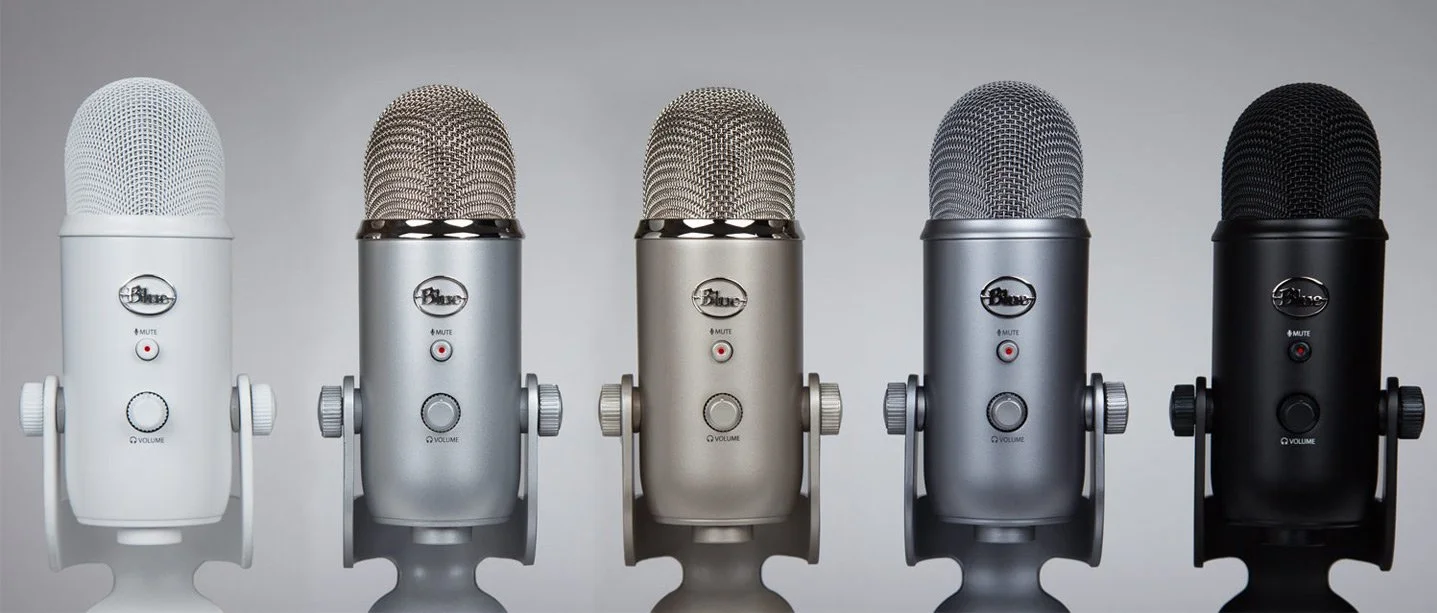
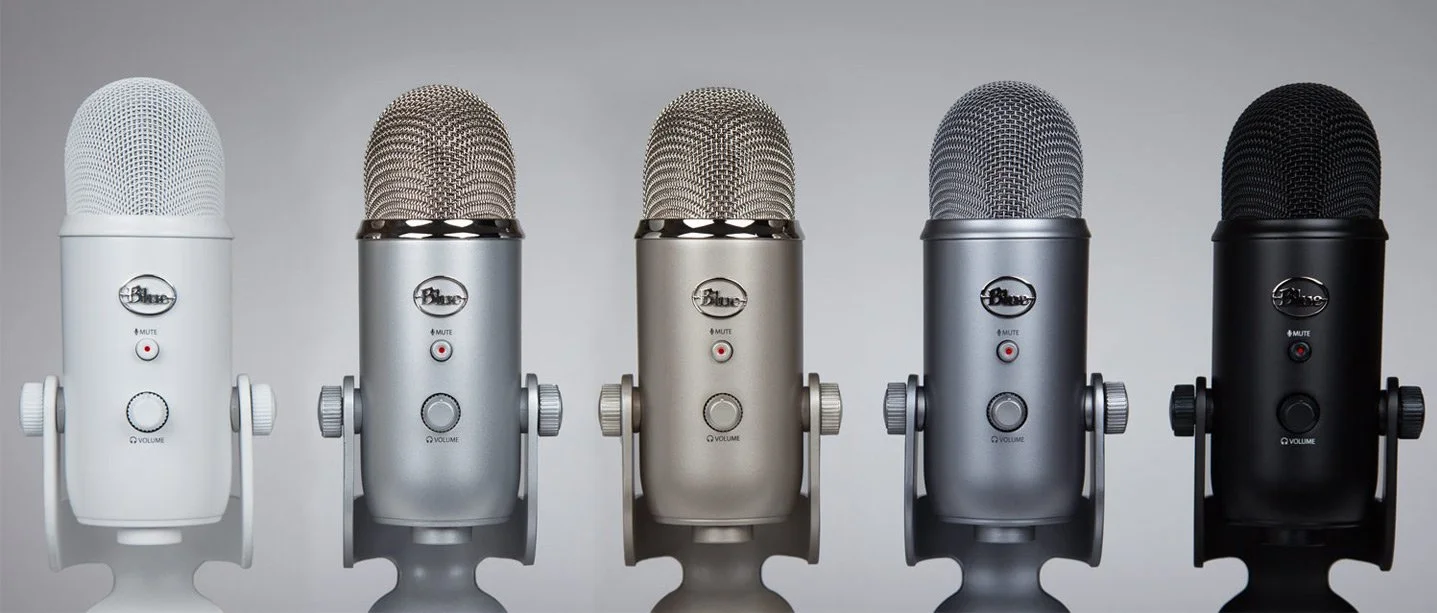
In the video we talked first about the tools needed for recording a podcast. You can record on your computer with a mic hooked up to it. That's how LaRosa records his podcast. He and Rick Mansfield both use the Blue Yeti microphone. The mic will plug into your computer's USB port. It's got a number of modes great for using solo, with 2 people on either side of the mic, or with a group of users. It's noise cancelling too, so you get a pretty good recording.
 Some people record their podcast using their iPhone or Android phone. Others use a tablet like an iPad or Android tablet. We also talked about using the Zoom Recorder, which records to flash storage. Then you can copy it over to a computer or mobile device.The computer used doesn't need to break the bank. Most basic machines work great. Any Mac or Windows computer made in the last five years will work. It's the same for phones or tablets.
Podcast Recording Software
 A great piece of software called Audacity records audio and makes for easy editing. It's free and open source, has a great community of users supporting it and is both easy to learn and powerful enough for complex multi-track recording.Other recording options include the high-end tools like Pro Tools or Adobe Audition. On a Mac, use Garage Band. Most phones or tablets have an audio recording app either pre-installed or available in the app stores. We talked about Ferrite Recording Studio, a great iOS app.
Hosting Your Podcast
Lybsyn is a great service for hosting your podcast. It costs $5/month to upload up to 50mb/month. If that's not enough, you can pay $15/month for 250mb. Our podcast runs about an hour and takes up about 20-25mb each file. Since we do more than 2/month we'd need the 250mb/month tier. Theotek uses a host and WordPress to run our site. I upload the file to our host and link to it in WordPress using a plugin called Seriously Simple Podcasting. It puts a section at the bottom of your WordPress screen where you can either upload the MP3 file or past the link, if you use something like Lybsin. Then add other information. Notice in the screenshot above you can add the following info:
- Episode Type - click audio or video.
- Podcast file - either paste the link here or click on Upload File and choose the MP3 file on your hard drive and it uploads it for you.
- Duration - this will fill in automatically when you save the page or publish it.
- File size - this also will fill in automatically like the duration.
- Date recorded - click the box and a calendar pop lets you choose the date you recorded the podcast.
- Explicit - hopefully churches or ministers won't need to check this.
- Block - if you don't want this one to show up in iTunes for some reason check this.
You could upload the files to the Internet Archive or to YouTube. The first will host your files. LaRosa used to use that for his Blaizin' Faith podcast. With YouTube, you're really creating a video, but the focus will be on audio. Just use your album cover art as the image.
Tips for Podcasting
Finally, we've got a few tips for a successful podcast.
- Pick a topic that's interesting and that you're passionate about so you can keep going.
- Edit your ID3 Tags, so your podcast has the details embedded in the MP3 files (title, artist, description, copyright, etc).
- Share your podcast on iTunes and Google Play Store podcasts (follow Libsyn's How To).
- Make an attractive cover art, which shows up in your podcast app or the podcast service like iTunes.
- Use Google's Feedburner to make a good RSS feed that will work with iTunes and the other services.
Favorite Things
Rick Mansfield shared his Favorite Things - the KDLinks Dash Cam. Find out more about it at their website. Here's a couple of samples of the video you get from the camera.Antoine Wright joined us at the tail end of the podcast because he was travelling. His favorite thing was more of a tip. He suggested using something like Impact Hub, a coworking space. This is an office for those who don't have one. It provides a workspace with Internet, a mailbox and address for deliveries, and camaraderie of being with others even if you work alone. This might offer a nice option for solo pastors or those who are planting a church and don't own property yet.
Online Bible Study: Theotek Podcast #055
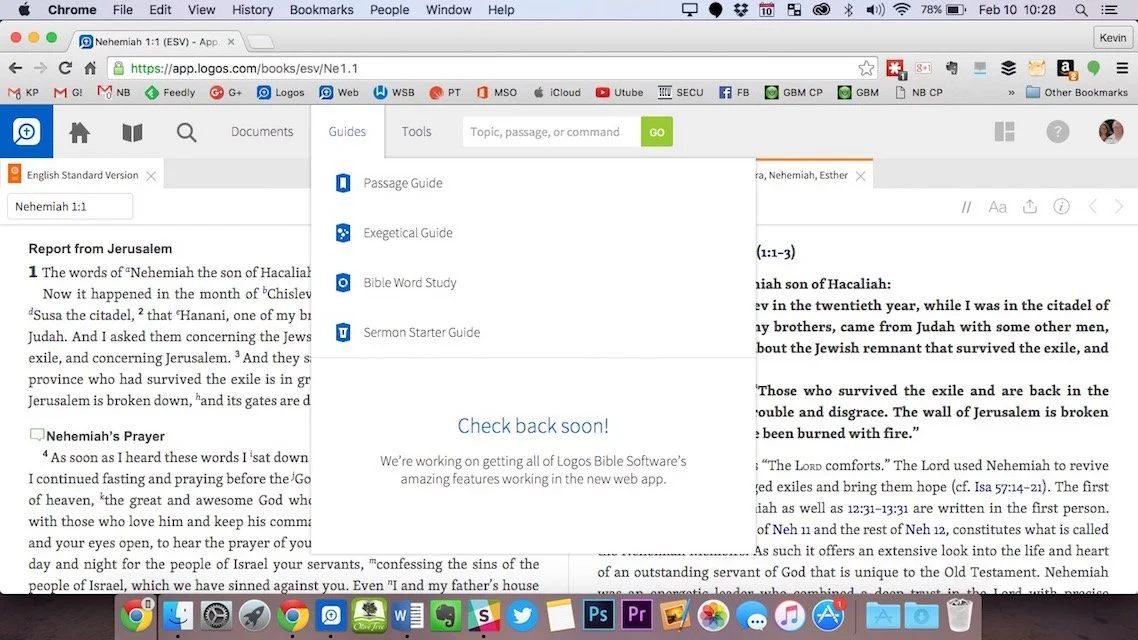
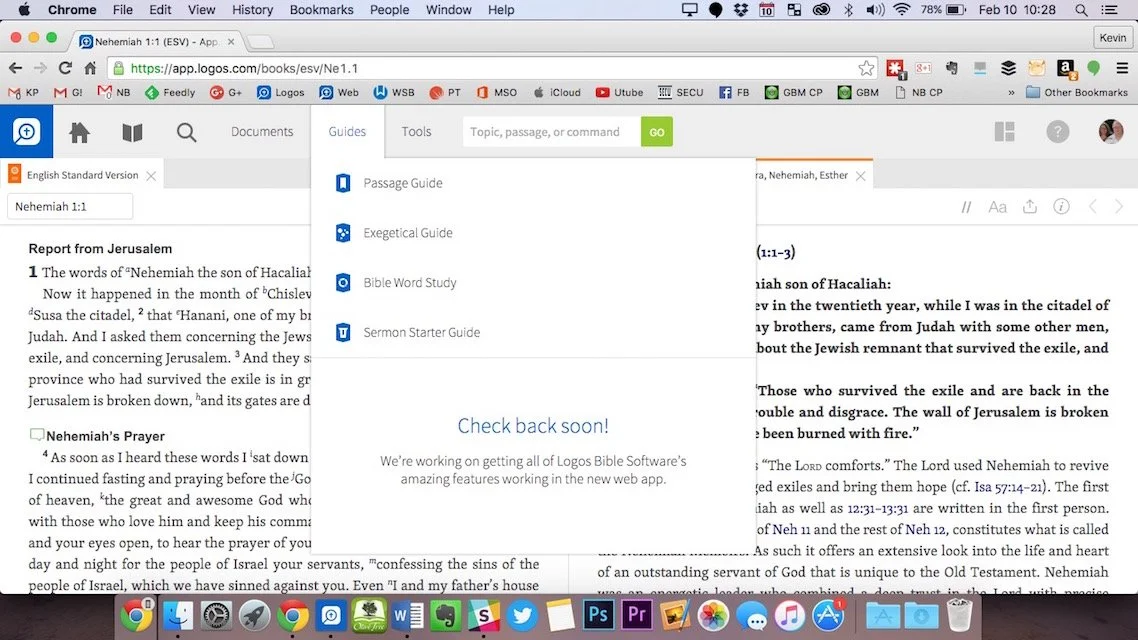
Can you prepare your sermons using online Bible study sites? We try to answer that question and give a few recommendations if you choose to give it a try. At the end of the podcast we also give a few recommendations in our new segment, "Our Favorite Things".https://www.youtube.com/watch?v=Nj4ixnyNm9sWe only had three of our team members in this podcast. Rick Mansfield works with Accordance Bible Software and didn't think that online Bible study sites were good enough to do full sermon prep yet. Users often don't have access to the Internet or they don't have a reliable connection. Most of the online sites don't give users enough power to do serious word study. Most them include limited options for commentaries and word study tools. The ones included usually are only public domain works.Antoine Wright from Mobile Ministry Magazine was a little more bullish since he's a mobile-first kind of guy. He recommended a site called Bible Web App. It suffers from the same weaknesses of the other online sites with limited options and mostly public domain. It's fast and clean and does most of what Antoine needs. I like online sites and use a few. Last year I reviewed 6 online Bible sites in a two-part post. You can find part one and part two to see the video demos of the 6 sites (three in each post). Two of the sites I reviewed are no longer my favorites. Instead of My Study Bible from WORDsearch and Lifeway, I now recommend their new site MyWSB.com. Second, Logos has a site for subscribers to either their Logos Now or Logos Cloud services. Learn more about Logos Now in a recent post and Logos Cloud in another post.
 The online sites from WORDsearch and Logos above will cost you a little bit. The best option for those looking for a free site comes from Bible.org. It's called Lumina.
Our Favorite Things
 In "Our Favorite Things" this week we recommended some apps, a utility and an accessory. Rick recommended a USB C dock for the new 12-inch MacBook (not the Air or Pro). It's the HyperDrive USB Type-C 5-in-1 Hub with Pass Through Charging for $50. It connects to the USB C port on the MacBook and adds ports for an SD card, micro-SD card, 2 USB 3.0 ports and a USB Type-C port for charging or hooking up a 4K video adapter.Antoine recommended a list of Lent Apps he put together on his website. They can help Christians who observe Lent.
 My recommendation comes from github. It's a free utility that helps the user switch their MacBook screen resolution. It's called DisableMonitor and runs in the OS X menu bar. A drop down box shows all the resolutions your monitor supports. This gives you far greater control over the screen resolution settings than the built-in Display Settings in System Preferences in OS X. I wrote up a full How To post on it at Notebooks.com.
Look Back to the Future: Theotek Podcast #050
On this week's episode we look back to 2015 and think about what were the biggest stories affecting church and Bible technology. We also look ahead at 2016 and try to predict what the headlines will be at the end of the new year.https://www.youtube.com/watch?v=3idNGHKgfYcGive it a listen below or watch on YouTube above. If you're a YouTube users, please subscribe to our channel and share it with your friends that might have an interest in Church and Bible Technology.
Church Tech Solutions: Theotek Podcast #048
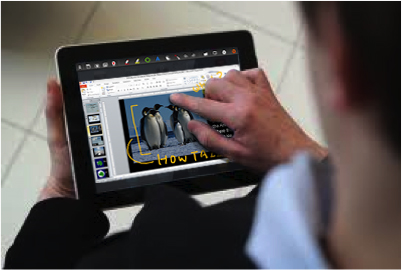
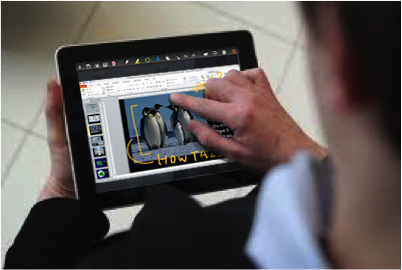
More and more congregations seek church tech solutions to help them present the message, interact with their members and keep tabs on people's needs. We talked about some of the problems people face and offer sensible church tech solutions in this week's Theotek Podcast.
Our 4 Church Tech Solutions
We tackled four issues this week. The case of the dim projector, the need for ubiquitous Wi-Fi, the disappearing worship presentation computer (hidden in another room) and putting new tech into old wine skins (installing AV in an old sanctuary that has no good projection spot). Here's the YouTube version of the podcast, which we hope you'll watch and subscribe to. Then read the text version of our answers below. The audio version of our discussion of church tech solutions shows up at the bottom of this post.https://www.youtube.com/watch?v=14Ako_nqpeI
Case of the Dim Projector
 At my church we have projectors in the front and back, but occasionally they look a little dim. In our fellowship hall we have to turn out the lights to see any video, which always look darker than graphics. How does a church fix this problem without buying a new projector?
- Avoid the problem in the first place by borrowing a projector to see how it looks
- Use higher contrast images or brighter videos
- Dim the windows or cover them up entirely
- Stop using the projector if it's really bad - this is more of a distraction than the media adds to the worship service
- If you stop using it, then make any really needed images available in another form (paper, use an app like YouVersion Bible app or Proclaim from Logos that supports doing group presentations within the app instead of on a screen)
What would you suggest. Leave us a comment below or on the YouTube video above.
Need for Ubiquitous Wi-Fi
Churches increasingly offer free Wi-Fi to their church members. What's the best option for getting the network throughout the church and how do you protect the church's computers?
- Install two networks to put a firewall between the public Wi-Fi and the private network. Some routers support this natively.
- Use a power line Ethernet device to add a network access point to remote parts of the building. These turn your electrical power lines into network cables. Here's an article on Engadget about some of the best options.
- A great and powerful Wi-Fi solution that supports mesh networks (multiple access points showing up as once network) and public and private networks in one device is the Ubiquiti Networks Enterprise AP Unifi which costs about $65 for one.
- A couple of our team suggested to not bother. Let people use their phones. That only works if people have access to good Internet at your church's building location. Some churches are in pockets of poor coverage.
- Remember to use something like OpenDNS filtering to keep young people safe and to keep people from using the network for porn or pirate software and media.
How does your church offer Wi-Fi to its members and what do people need to consider when allowing this?
The Case of the Disappearing Worship Computer
I sat in on a church media class at North Greenville University and one of the students went to a church that put their worship computer in a room behind the sanctuary so they couldn't see the screens. I asked our team how to deal with this.
- Move the computer into the sanctuary
- If you can't do the first one, then use remote control technology like Splashtop, which has an app that you install on a tablet to control the computer running the Splashtop Streamer app.
- Some worship programs support remote control with an app installed on a phone or tablet. Examples include OpenLP.
- Get a tablet like a Microsoft Surface Pro 4 which supports wireless display. Plug a Microsoft Wireless Display Adapter into the projector(s) and use the tablet to wirelessly stream to the projector from the sanctuary making the computer superfluous.
 If you keep the computer in the other room, make sure to rotate volunteers so that no one person has to miss being in the worship service every week. I thought there should always be someone at the computer, but others said it's not necessary since the remote control solutions are pretty reliable and even if it does fail you can just shut them down and move on. I think that's distracting so I'd always put someone on the computer. However,
Putting New Tech in Old Wine Skins
Some older church sanctuaries have no good place to install a projection system. There's no blank wall or a screen would block a baptistery or some ornate decoration that members would hate to no longer see. How do you use presentation technology in a worship space that makes it nearly impossible to use heads up display projection?The problem is a lot like the previous question about dim displays. Other than changing the way the media looks, just follow those tips for that problem with this one.What church tech solutions do you have for our four problems and what problems do you see in your church's technology? Answer below.

Theotek Podcast #031: Heard It, Lived It, Reddit

This week on the Theotek Podcast we talked about the recent controversy over a Reddit person getting fire. What can we learn about how to talk about staff and volunteer conflict management from this story.https://www.youtube.com/watch?v=g3qCYIV4ANMThis past week Microsoft also released a new version of Microsoft Office for Mac 2016. Rick and I shared a little about our first impressions of the app.You can listen below or watch it above. Check out our Podcast page for more info on where to listen or watch live.