


Effective Methods for Application in Sermon Application
Master the art of Application in Sermon Development. Understand how to incorporate Biblical truths into your listeners'effectively into.

Every sermon listener inevitably asks, “So what?” They want to understand why they spent the last 20-40 minutes listening to this preacher. How does a text written two to four thousand years ago resonate with me in the present? This is the essence of Application in Sermon Development. Applying the text is perhaps the most crucial task a preacher tackles. Application takes the text and implants it into the will and potentially the listener's lifestyle.
We will explore what applications help listeners incorporate the text into their lives. The application emphasizes the ancient texts' timeless relevance, which can transform a person's daily life. It seeks to change the hearers' lives in specific ways, as presented by the text we preach.
What is Application in Sermon Development?
As our previous posts on the 4 Essential Elements of Sermon Development said, we seek to help our listeners...
- Understand the message or Big Idea by explaining the text and the idea we're preaching from the text.
- Believe the Big Idea through proof or argumentation that helps the listener believe what we're saying is true.
- See what the Big Idea looks like or use natural analogies, quotations, statistics, or other illustrations that helped us develop the sermon's Big Idea.
- Now we explain how to apply the Big Idea to a person's life.

My home shower has tiles with grout between each tile. The builder failed to seal it properly, and the grout deteriorated, causing leaks behind the shower wall. We got the grout fixed, and now we need to seal it. We bought a can of material that promises to seal the grout, and a guy who knows far more than I do said this was good stuff. Right now, that sealant still sits in the can it came in from Lowe's. We have yet to apply it to the shower tiles.
Like that can of sealant, my sermon will only make a difference if I help my audience actively engage with the idea and put it into action in their lives. I need to spray the sermon development dispenser to apply the Biblical notion, just like I need to spray the grout sealant onto my shower tile. It's not enough to study the passage, craft a message that we effectively explain with accessible information and good illustrations the audience can imagine, and prove the truth of our message. We must also guide them in applying the message to their lives.
What does it mean to apply the text? What does good application in sermon development look like?
An Example of Applying a Biblical Idea from Romans 12:3

We'll use Romans 12:3, which says…
For I say, through the grace given to me, to everyone among you, not to think of himself more highly than he ought to think, but to think soberly, as God has dealt to each one a measure of faith.
Romans 12:3, NKJV
We want to help our audience understand, believe, and imagine the practical meaning of the message from verse 3, which says we're not to "think of himself more highly than he ought to think." We should remain humble as we seek to present our bodies to God as "living sacrifices" (Romans 12:1). Let God control your mind. You do that by humbling yourself even to the point of personal sacrifice, like Jesus, who died for us.
Our message states, "We can only serve God sacrificially when we humble ourselves willingly."
We would explain that sacrifice comes from verses one and two, which ask us to present our bodies to the Lord as living sacrifices. Do a word study to explain the kind sacrifice Paul asks of us. Then, prove the truth of humility as a prerequisite to proper self-sacrifice.
We should show our listeners what that looks like and explain how they can live a humble, self-sacrificing life before God.
How to Give Away the Praise - Apply Rom 12:3
As a pastor, I often received far more attention and glory than deserved. Our church would hold Vacation Bible School and bring in many guests who didn't usually attend church. The worship time, the games, the food, and the lessons came together with precision. We ended the week with a great time of celebration, and parents came to watch their little tikes perform kids' songs and quote memory verses. In the end, some people would tell me what a great job I did, but I didn't do it. I always followed the advice of Dr. Thom Rainer, one of my seminary professors, during my time at Southern Seminary.

Dr. Thom Rainer said in Church Growth class...
Always give away the praise.
It's tempting to gobble up praise and accolades for yourself. Praise feels good and boosts your ego. But, even if you know you are responsible for something good happening, find a way to give away the praise. Sacrifice what you think you deserve by building up the people who serve along with you. They will want to continue to serve when they feel appreciated.
My experience as a pastor during VBS and Rainer's quotation illustrates how a pastor can humble himself sacrificially and willingly to fulfill his calling to build up people in his congregation.
Consider getting Thom Rainer's book, Who Moved My Pulpit, for great discussions on Biblical leadership (note that's an Amazon Affiliate Link).
Methods of Effective Kinds of Sermon Application
Illustrations are helpful tools for preachers who aim to apply their message to the lives of their congregation. For guidance on how to use them effectively, please look at our previous action in sermon development. Illustrations help people see how they can live the truth through their experiences.
You can use several tools for application in sermon development, such as:
- Natural Analogies: Illustrations from the real world become metaphors for our ideas.
- Examples: Illustrations demonstrate how a person applies the truth.
- Quotations: Effective quotes should come from famous people everyone respects or knows. They should be worded creatively, cleverly, and succinctly state the truth. Long quotes should be avoided, as they may be difficult to follow.
- Cross References: Quotes from other portions of scripture or stories from the Bible that speak to how to live a truth. However, it is essential to remember that unless you can effectively prove your idea, these alone won't help as some listeners may not accept scripture as accurate. Also, carefully choose passages that prove your point, and don't take them out of context. We call that proof-texting.
- Suggest Community Support: Please encourage your listeners to discuss the idea with fellow believers and let each other know how to apply Biblical truths in their daily lives.
The Final Product of Application in Sermon Development
Let's take our Biblical idea. It says, "We can only serve God sacrificially when we humble ourselves willingly." The overall sermon tells us to present our bodies as living sacrifices. What does that mean? We serve God sacrificially only as we serve humbly. Earlier. I offered an example of how I did that as a pastor. Since we must change our attitudes, we might need an illustration or natural analogy that deals with a humble attitude.
We can only serve God sacrificially when we humble ourselves willingly.
Our sermon idea from Romans 12:3
Here's an example of sermon development crafted to develop our Biblical idea.

A pair of cardinals live behind my office building. I see them occasionally land on my window sill. One day, the female cardinal flew into the window. I presume she thought she could fly into my office and didn't realize the window wasn't an opening. Or she's stubborn and didn't believe a window could stop her.
As I considered each cardinal's coloring, I wondered if the male's beauty and bright red feathers made him a greater target for predators. Do they notice him first and attack him instead of his less colorful mate?
Too often, we exaggerate our accomplishments and try to win the glory of others instead of giving it away. We become targets of people frustrated by our arrogance. If a man humbles himself, he will succeed in serving the Lord because God will bless his humble service and, by God's grace, use the man to achieve more for the kingdom.
Give away the glory people bestow on you. Respond to praise by saying, "Thank you, but Jane deserves the credit. She worked tirelessly to make that dinner a success. I hope you will tell her how much you like it. I know I will. But I thank you for your kind words. I'll share them with all who helped make it a success."
Explaining How Our Application Example Works
The above example includes the natural analogy of a pair of cardinals I see regularly outside my office window. Their coloring illustrates humility versus pride. In reality, no one blames male cardinals for looking prettier. God designed them that way. However, the natural, real-world analogy illustrates the concept.
Our cardinal couple explains, in a natural analogy, the concept of our Biblical truth (explanation). We can understand (the mind) and see (the imagination) what we're discussing from Romans 12:3.
Our example proves that God blesses us when we sacrifice the glory.
Finally, the application in sermon development comes in our example of someone who gave away praise from a person regarding this church dinner. He said Jane deserved the credit. It was humble because he thanked the person for their kind words but clarified that he didn't do what the person praised. Instead, Jane deserved it.
Be Careful of the Heresy of Improper Application

Photo by Ron Lach on Pexels.com
Preachers often get the text's main idea and explain it well. However, when they attempt to apply it to real life, they improperly apply it. This takes a good message and tries to force people to do what God never wanted to say they should do. It's like working a puzzle; you think a puzzle piece fits in one spot, but it's intended to fit in another. It doesn't fit; you must force it, mangling that puzzle piece. Haddon Robinson called this the Heresy of Application.
Haddon said in an interview about the concept of application that preachers introduce more heresy through application than in any other part of sermon development. The example he offered came from the book of Ruth. He once heard a sermon on the story, and the preacher said that this taught him how to properly deal with in-laws. He continued...
Now, it’s true that in Ruth you have in-laws. The problem is, Ruth was not given to solve in-law problems. The sermon had a lot of practical advice, but it didn’t come from the Scriptures.
The preacher he mentioned likely got the Explanation and Proof wrong, too. The whole Big Idea missed the target completely.
We hit the mark with our Sermon Idea: "We can only serve God sacrificially when we humble ourselves willingly" from Romans 12:3. I'd explain what sacrifice means and how we should humble ourselves and sacrifice praise for the glory of God and to bless others.
A Good Example of Bad Application in Sermon Development
What if I applied the text to sports? We don't want athletes who play more for the name on the back of their jersey than the name on the front of the jersey. For those who don't follow sports, teams often print the team name on the front and the player's name on the back.
Why is the above sports application a heretical application of Romans 12:3? In context, Romans 12:3 clearly applies to building the church. We could correct our mistake by turning the illustration into a natural analogy instead of an example of proper application.

Aaron Rodgers played quarterback for the Green Bay Packers when they won their last Super Bowl following the 2010 season. He became insufferable to many fans. They believed he promoted himself more than he supported his team. He seemed to promote his own name on the back of his jersey instead of the team's name on the front.
Many preachers today lead their churches for their own glory, robbing others of the proper praise they deserve for well-done jobs. More importantly, too many pastors rob God of glory by never directing praise to Him.
It's one thing to thank people after they compliment you on a message. It's ungodly to preach that message for the compliments of people instead of for the congregation and the kingdom and the joy of the Lord.

Proving Your Point with Argumentation in Sermon Development - Part 3
In our series on sermon development we come to proving your points using good argumentation. What does that mean and how do you do it. Plus we've got more Logos deals.

In your sermon development, you should include 4 essential elements: explanation, illustration, application, and a fourth one that too many preachers leave out. We call it either argumentation or proof.
Each kind of sermon development answers a question:
- Explanation: What does that mean?
- Application: Why does it matter to me?
- Argumentation or Proof: Is that true?
- Illustration: What does that look like?
Why Do We Need to Prove a Biblical Truth with Argumentation?
Have you heard this popular statement among Bible-believing Christians? "The Bible says, I believe it, and that settles it." I've also heard people shorten it to, "The Bible says it so that settles it."
The Bible says, I believe it, and that settles it.
Well-known evangelical quote.
Unfortunately, we preach to people who don't believe things just because the Bible says it. Some guests at your church don't believe the Bible is infallible. Even church members might choose only parts of the Bible to believe and apply. A recent Barna study defined a Biblical worldview and found that most Christians disagreed with that definition. So, we must consider these people as we prepare to preach our message.
Many Christians believe something until it forces them to change their assumptions or behavior; then, they willingly give up their Biblical convictions and choose to live like they want. We must prove to them that applying the Bible in their lives brings them into proper obedience and makes it in their best interest to obey.
My seminary preaching professor, Wayne McDill, wrote:
Sermons are designed to persuade. But if you are to be persuasive, you will have to make a case for your ideas. You will have to demonstrate that your point is reasonable and worthy of belief, that what you are saying makes sense. Argument is that part of your support material in which you give reasons for accepting the principles you are presenting.
McDill, Wayne. 12 Essential Skills for Great Preaching.

Click here to get it in Logos Bible Software.
Tying Your Sermon Argumentation to the Context
Advanced preachers use multiple sermon types or outline styles to carry the text's message, and we want to describe where we should place argumentation or proof in our sermon development.
You might call yourself an expository preacher because you work through books of the Bible and take a verse-by-verse approach. It's like a commentary that covers each verse separately. That's a form of preaching, but it's not Expository Preaching.
Truly Expository Preaching follows the Big Idea of the text, as well as the tone and form of the passage. For example, if you preach poetic language and imagery from a Psalm, you won't preach a didactic sermon with few mental images. Use the mental images the Psalmist offers and share them to make your points. Explain the imagery and how it relates to the theological concepts your message presents, following the author's approach in both content and tone. Your sermon development might contain a modern-day version of the psalmist image to explain your idea.
Once you've explained the idea and tied it to the text, you will argue the truth of the concept for your audience. Don't assume they will believe it because David wrote it. This is where we fit proof or argumentation in our sermon development.
An Example of Where Argumentation Fits from Psalm 1
Look at Psalm 1, which includes several metaphors to describe the godly man. We learn that he's like a person taking a walk. He won't walk by ungodly influences and get distracted by them. We get a mental image of someone stopping to look at what the ungodly are doing. Then he sits down with them. The progression of walking by, stopping, and taking a seat is the mental image of being drawn into the sins of the ungodly.
Blessed is the man
Who walks not in the counsel of the ungodly,
Nor stands in the path of sinners,
Nor sits in the seat of the scornful;Psalm 1:1, NKJV (italics mine)

You will first need to show the hearer what you mean by describing the scene or telling a story about a time when you were distracted by something while taking a walk or driving along the road. You've used an illustration or natural analogy to explain what you mean by the concept of distractions from a spiritual relationship with God.
As the Deer Panteth for My Attention

I once drove home at night along Yellow Banks Road near my home in the rural area of Wilkes County, NC. A home along that road has a huge field in front and to the left. There's a row of trees about an acre off the road. We recently moved here and, at dusk, saw some deer. It grabbed my attention, and my wife counted. The number grew while my speed decreased. Finally, I nearly came to a stop to see for myself. We counted more than a dozen deer in that field.
Those deer grabbed my attention to the point where I nearly stopped. Sometimes, as we walk along God's path, we get distracted and slow down to see something. We stop and might take a seat to examine it for a while.
After explaining the concept using an illustration, you must prove it to your modern hearers who don't assume the Bible's truth. This leads us to the next step in proving your point with Biblical argumentation.
Consider Arguments People Might Make Against the Big Idea and Answer Them

You've shown the audience what you mean and explained how it relates to the text. Next, brainstorm possible arguments against the Big Idea. How might someone object to the text and your statement of the idea?
You could write the idea at the top of a page or type it into your sermon notes. Then, use bullet points to list arguments against it.
You're not writing or typing what you believe are valid arguments against the idea; you're brainstorming what a listener might say in response to the Biblical truth. Imagine a teenager or a young mother who might struggle with the issue. Picture people who might sit in the congregation listening.
Using our example above, consider the following possible arguments against the truth. Sinful influences won't easily distract a godly man living for God.
Sinful influences won't easily distract a godly man living for God.
We'll clean up the above statement in a future part of our sermon design to make it pithy and memorable. At this point, it's a good idea to write it out in detail to give you a complete idea of your concept, which will help you brainstorm. List the possible objections. Consider these two.
- I won't get distracted because I've been a strong Christian for many years.
- Didn't Jesus tell us not to neglect lost people?
- I get easily distracted by sins. I can't stop ... (fill in the blank with any sins people might habitually commit).
Answering Arguments Against a Truth
You might think of other arguments against the truth. Let's consider an answer to one of the arguments listed above.
You're at a coffee shop with a friend. You discuss the concept found in verse one of Psalm 1. He looks at you thoughtfully, looks away, and then says, "I get distracted by sin all the time. I find it really hard to resist certain temptations."
We need to convince the person that they can walk with the Lord, and this helps us overcome temptations as we continue in the faith. Where would you find a convincing argument to help your friend trust that they can overcome sin if they do something new?
Is the Bible a Valuable Source for Argumentation?
We're tempted to rush to other passages that will prove our point. I immediately thought of a passage in 2 Peter 1 that says...
5- But also for this very reason, giving all diligence, add to your faith virtue, to virtue knowledge, 6- to knowledge self-control, to self-control perseverance, to perseverance godliness, 7- to godliness brotherly kindness, and to brotherly kindness love. 8- For if these things are yours and abound, you will be neither barren nor unfruitful in the knowledge of our Lord Jesus Christ. 9-For he who lacks these things is shortsighted, even to blindness, and has forgotten that he was cleansed from his old sins.
2 Peter 1:5-9, NKJV
That passage might help someone who trusts God's word. When you first believe God can answer your problems, this kind of faith adds virtue. We progress from virtue to knowledge. You find great self-control when you learn about God's love, grace, and support through His Holy Spirit. That brings perseverance and less failure. The more perseverance you find, the more godliness you gain in your behavior, and you can better resist temptation. That leads to an abundance of fruit-bearing behavior.
However, this alone won't help the skeptic. Scripture is powerful, so use passages like this to support your argument. However, you will usually need more for an unbelieving person and even for Christians who don't yet submit willingly to the Word just because "God said it."
Other Sources for Argumentation in Sermon Development
You can find many sources for proof or argumentation in your sermon development. Statistics, examples, stories that show the truth applied effectively, and quotations from trusted people all help the preacher prove the truth.
For example, I used a Barna Research stat to prove that believers might not trust Scripture alone for proof in a sermon. I could strengthen my argument with an example of someone I knew who claimed to serve Christ but didn't believe some clear Biblical idea.
Returning to Psalm 1:1, we see that our friend at the coffee shop didn't agree that living for God can help them fight off the distractions of temptation. What if we used 1 Peter 1, an example or testimony from our own lives, and a quote from someone the person trusts? Together, with the conviction of the. Holy Spirit, might convince our friend.
Find Argumentation or Proof for Sermon Development in Bible Software

I use Logos Bible Software to study passages and topics found in those passages. You could open Logos Bible Software and run a Topic Guide from the Guides menu. Type the topic in the search box and wait while Logos returns content from your library. Look through the results to find some possible support material.
Logos Sale on Lexham Press Collections

You can now save 40% on the Logos Lexham Press Collections, which include their Master Collection, the NT or OT Collections, and their language suite of tools.
These can get pricey. However, you can also get something free..

Check out the free book of the month. It's Warfare in the Old Testament and John Chrysostom by Boyd Seevers.
These sales are good until the end of May 2024. You can find the latest deals on my affiliate page if you're reading this after that date.
Tools for Sermon Development in Logos Bible Software - Part 1 Explanation
Every good message includes 4 essential tools for Sermon Development. We look at Explanation and using Logos 10 to find out what a passage or topic means so we can explain it to our audience.
Every sermon should include four essential tools of Sermon Development. We looked at these in the last post here on this site as we study how to develop a sermon. Now, let’s look at how to use Logos Bible Software to explain a text. We’ll look at illustration, proof, and application in three other parts of this series on how to develop a sermon outline that we can transform into a great message.
If you read our previous post that defined each of the four essential aspects of Sermon Development, you know that one helps achieve the other three. An influential preacher uses many illustrations to explain his sermon's ideas. Illustrations show what we mean so the hearer can understand the passage.

Jesus Used Illustrations to Explain His Teaching
Read scripture, and you'll see Jesus used illustrations called Natural Analogies in his parables. He explained the concept of faith using the example of the Temple Mount and mustard seeds, two things his listeners would know about. You either have faith, or you don’t.
20- So Jesus said to them, “Because of your unbelief; for assuredly, I say to you, if you have faith as a mustard seed, you will say to this mountain, ‘Move from here to there,’ and it will move; and nothing will be impossible for you. 21- However, this kind does not go out except by prayer and fasting.”
Matthew 17:20-21, NKJV
Jesus explained the concept of faith using the Natural Analogy of a mustard seed. We might want to make this point in a sermon on this passage.
Today, we talk about degrees of faith, from weak to strong. However, Jesus taught that faith is binary. You either have it or you don't. You believe, or you don't. A mustard seed is the smallest seed that people commonly saw in Jesus' day. He might have even had one to show the audience.
A Modern Example of an Illustration Used to Explain Faith in Sermon Development
Since people today don't often plant mustard seeds, we might use a different Natural Analogy that we commonly experience, like a slight switch.

Photo by Mikhail Nilov
The average homeowner controls her overhead lights with a binary light switch with only off and on positions. It’s unlike a dimmer switch, which turns a light on in degrees of light. You can slide the switch up to ten percent for a romantic evening, halfway for average use, or 100 percent when you’re looking for a lost earring.
Jesus didn’t have two kinds of light switches. He didn’t have any light switches. Instead, he used a mustard seed. You either have faith, or you don't. You can't get less than that tiny seed's worth of faith. If you have it, then you can do something extreme, like commanding the Temple Mount to hurl itself into the nearby Dead Sea. That would seem insane to those listening to him and modern audiences if the temple still existed. But he said, if you have as much as a mustard seed of faith, you could command such a thing, and the Temple Mount would obey. This assumes you're acting in God's will; He'd need to want the temple mount thrown into the sea by an ordinary person's command.

The mustard seed illustration explained Jesus’ teaching about the binary nature of faith. He used a real-world or natural analogy to accomplish this.
Exegetical Guide in Logos Bible Software for Sermon Development
When I first discovered Logos in version 3 almost 20 years ago, the Guides sold me on the value of the software. Enter your passage, and Logos finds all the tools or books in your library that refer to a passage or topic. You can do this with the Exegetical Guide and discover many language study tools to help you understand the passage. Then, you’re ready to explain these Biblical ideas to your audience.
To open the Exegetical Guide, use either the right-click menu or the Guides button on the toolbar when selecting your passage. See the screenshot below.

You'll see a list of the different sections in the Exegetical Guide. These include tools for language study.

The WORD BY WORD Section of the Exegetical Outline
I focus on using the WORD BY WORD section. It shows your passage in both Greek or Hebrew on the left and English on the right (see below). Click a word to jump to that word's entry in the section. Each word's section shows the Greek or Hebrew lemma, an icon that, when clicked, will pronounce the word, a transliteration, and a simple translation.

The second line shows the parsing info. On the third line, you get the Sense info, a kind of translation that shows how the text uses the word in context. After the Sense, you get a list of your lexicons, which displays a short translation. Click on any of the blue links to get more information.

For example, in our passage on Matthew 17:20-21, we see the word for seed in the WORD BY WORD section. You can click the blue link to open NTGED if you own it and read more about the word translated seed in The New Testament Greek English Dictionary from Gilbrant, Thoralf. 1991. The New Testament Greek-English Dictionary comes as part of The Complete Biblical Library. There you find under "New Testament Usage" the following:
In all of its New Testament occurrences kokkos is used figuratively. Even with faith the size of a small mustard seed, one can live a miraculous life.
Gilbrant, Thoralf. 1991. “Κόκκος.” In The New Testament Greek-English Dictionary. The Complete Biblical Library. WORDsearch.
The above might help you as you study and try to explain the idea of a mustard seed representing such an infinitesimal amount of faith to explain that you either have faith or don't have faith. If you have it, you can move mountains, like the Temple Mount, which eventually happened in 70 AD after Jesus made the temple sacrifice moot.
If you don't own the NTGED or the Complete Biblical Library, head over to Logos to get it (Affiliate Link).
Passage Guide in Logos Bible Software for Sermon Development
Like the Exegetical Guide, the Passage Guide starts by asking you to enter your passage. The Guide will then show you different kinds of content when compared to the Exegetical Guide. It focuses less on language study and more on references like Commentaries and other tools like Biblical People, Places, and Things or Sermons and Illustrations. Let’s take a look.

Follow the same procedure as opening the Exegetical Guide. Select the passage, right-click it, and choose the Reference on the left list of the popup and the Passage Guide on the right list. The Guide will open and search all of your books in the Passage Guide categories for the selected Reference.
Alternatively, open the Passage Guide from the Guides button on the toolbar of Logos 10 using the same steps above when opening the Exegetical Guide.
Using Search Results to Explain an Idea in Logos 10
Let's use our Matthew 17:20 example from above. With the Passage Guide open as instructed in the previous section, begin opening tools by clicking on them in the Guide. I prioritized the New American Commentary so the Matthew volume sits atop the list of commentaries near the top of the Passage Guide.

When you read the section on verses 19-20 you'll see the author of the commentary writes:
“Nothing will be impossible for you” must thus be interpreted as nothing Jesus has given you the authority to do, such as this exorcism.22 Obviously, many other things are impossible for believers—based on the limitations of their humanity and of God’s will. As v. 22 immediately makes plain, even Jesus’ own miracle-working abilities did not permit him to escape the cross despite repeated temptation to do precisely that.
Blomberg, Craig. 1992. Matthew. Vol. 22. The New American Commentary. Nashville: Broadman & Holman Publishers.
This helps us explain that faith is not like a blank check. We can use the ideas presented in the commentaries and then give an illustration of a blank check to help our listeners understand that godly, Biblical faith is not an unlimited promise to let us do anything we please outside God's plan.

You'll find other excellent lists of resources in the Passage Guide. Look at the Cross References section, which refers to Luke 17:6, the parable of the Mustard Seed, modified by Jesus to refer to the miraculous ability to transplant a mulberry tree. The Passage Guide also includes links to the Factbook. So you could head down to the Biblical Things section of our Passage Guide. There, you'll find links to images from the Factbook.
You will also find these sections in other Guides like the Sermon Starter Guide and Topic Guide.
Power Lookup to Learn What a Passage Means for Explanation in Sermon Development
Users often forget the Power Lookup tool, but it works like a kind of Guide to search for content on a selected text or word. Right-click on the Passage and either choose the Selection or Reference on the left side of the popup. Scroll down to the Lookup section on the right side of the popup. You'll find Power Lookup.

The Power Lookup window opens in a small section along the right side of the Logos screen. It includes links to and short previews of things like...
- Footnotes
- Bible passages
- Commentaries
- Language tools
The Power Lookup panel links to the Bible you have active and moves when you move to a new passage. This helps when studying longer passages.
Note that all links to Logos resources are Logos Affiliate Links. I will receive a small percentage of the price if you purchase them using my links.
4 Exciting Tools in Logos Bible Software to Find Great Sermon Illustrations
We teach you how to use 4 exciting tools in Logos 10 to discover great sermon illustrations. They will help you paint pictures with words.
Logos Bible Software includes many valuable tools to help preachers find sermon illustrations as they write sermon outlines. Good sermon development always includes sermon illustrations, which the preacher can use to explain the text, prove its truthfulness, and then apply the text to the lives of their audience. So, we'll look at 4 useful tools in Logos to help you find good sermon illustrations.
For those who don't already own Logos 10, head over to my affiliate link and order one of the great packages, which include the tools you read about below. I recommend getting Logos Gold or higher to get the most bang for your buck.
4 Tools in Logos Bible Software to Help Find Great Sermon Illustrations
Let's look at the list of XX tools you can use in Logos Bible Software to find great sermon illustrations, and then we'll examine each one more fully.
Click the list item above to jump directly to the section that focuses on that tool, or just read about them in order below.
1. Factbook Collects Many Tools in One
Users can open many of the tools in the list above directly, but the Factbook will put them in one window with links to open them to your topic, passage, idea, person, place, or thing. That's the benefit of Factbook; it puts everything in one place. So, let's look at what tools you'll find.
In our previous posts on the 4 Essential Tools for Sermon Development, we looked at the passage about faith. Jesus uses the illustration of a mustard seed to show the binary nature of faith. You either have faith, or you don't. That's the point of the tiny seed used in Jesus' illustration. Modern science can measure the volume of a mustard seed, but most in 1st-century Israel would conceive of measuring a mustard seed's volume.

We open the Factbook from the Logos 10 toolbar (see above). Then, type an idea you want to illustrate in the search box. Hit enter, and the Factbook shows all it can find in the Factbook search tools. Some of the things you'll find in the Factbook include...
- Key Article - Each Factbook idea comes with a Key Article, often from a Bible Dictionary. Faith's Key Article is the entry for Faith from the Lexham Bible Dictionary.
- Further Reading - You'll see articles about your topic from other books or resources. For example, "Faith" shows the Lexham Theological Wordbook article.
- Media - the Factbook finds media related to your search, like videos or graphics.
- Key Passages - think of a cross-reference tool finding all the instances of your topic in the Bible with Key Passages and then a See Also section with other passages. They all appear as links you can hover over or click to open.
- Biblical Senses - if you search for a word with an original language like faith and the Greek word pistils (transliteration of the Greek term sometimes translated faith) that is translated as your word, then the Factbook lists Biblical Senses, which show the kind of word and the basic usage in Scripture.
- Dictionaries - articles from your dictionaries covering your topic or word.
- Journals - a search of your journals related to the topic or word.
- Sermons - sermons about your topic that may include great Sermon Illustrations.
- Preaching Resources - mostly sermon illustration databases.
- Biblical Events - you can discover places related to your passage or subject. This might not help us with faith.
- Biblical Books - maybe you're studying a book and want information about the book, the author, and the book's audience.
- Theological Topic - find information in your library about a topic like faith.
- Greek and Hebrew Words - some original language terms come with "word pictures," which help us understand a topic or an idea because the word etymology illustrates the concept concretely.
- Other Books from Your Library - a broad search for your word in your library.
- Factbook Tags - other books with Factbook tags related to your topic.
- Logos Store Links - links to buy books related to your search.
- Other Tools and Links - links to run one of the Guides on your topic or word.
The results listed in a Factbook search differ depending on what you search for.
How to Make Use of the Factbook Results
Some of the above will offer more fruitful results when looking for Sermon Illustrations. For example, Preaching Resources seems like a great way to find illustrations. However, Sermon Illustration Databases often include stale or boring illustrations that modern listeners can't relate to.

I took an illustration from these collections and researched online to learn more. For example, a search for faith shows an entry in the book 1000 Illustrations for Preaching & Teaching. We read about a man named Stewart Alsop who had leukemia. If you search for him and his book mentioned in the illustration database, you can find and read it. You can also read the Wikipedia page about him. Search Google or select the title and author name in the article, right-click, and choose Selection on the left part of the menu and Wikipedia on the right. As a result, this might give you better context about him and help you craft a more effective illustration of the concept of faith.

Other tools in the list above contain great information that you can use to explain your idea and illustrate it to appeal to the mind and the imagination. You'll even find media to display if you use a multimedia system in your worship or teaching environment. Key Passages will take you to cross references where you can let the Bible illustrate your concept. Share an example of faith from the life of someone like Abraham, who, in Genesis 12, was called to leave his home and wasn't told where he was going.

You'll find more images and videos with different searches. Faith is more of a concept than a person, place, or thing. If I'm preaching from the story of Moses in the book of Exodus, I can find media showing plagues, maps of Egypt, or the Israelites' exit. Make sure you also look for Factbook icons in the text of your Bible passage. The above screenshot shows three icons related to Pharaoh and two for the Egyptians.
2. Use Logos Guides to find Great Sermon Illustrations
The Factbook shows a lot of cool content. However, the Logos Guides give us similar results. Find content related to a passage, a topic, a specific word, counseling issues, or theological topics. Logos includes the following Guides...
- Exegetical Guide - for language study of a passage.
- Passage Guide - seeks a wide range of content based on a passage.
- Topical Guide - search your library for a Topic.
- Sermon Starter Guide - takes the Guide concept and finds content to help you prepare a sermon.
- Bible Word Study Guide - like the Exegetical Guide, but focuses on one Biblical word.
- Counseling Guide - focuses on counseling issues.
The Passage Guide, Topical Guide, and Sermon Starter Guide offer the best hope for finding great sermon illustrations. You can open these Guides from the Guides button on the toolbar. The most recently used items will appear at the top, but all of them will appear in the menu's Guides section. Also, each guide will let you search for one part of that guide. Scroll down to the Guide name in the menu and click it to show the sections of the Guides. Click on one, like the

To find some of the Guides, open to your passage and right-click on it. Click on Reference in the left part of the menu and then click on the Guide in the right. You'll see Passage Guide near the top, but if you scroll down on the right, you'll also see things like Sermon Illustrations and a few more Guides further down the list.

Using the right-click method, you can also search for a word or phrase in a passage. Instead of clicking Reference in the right-click menu, choose Selection. You'll find Guides on the right side of the menu. If you search a word you'll find the Bible Word Study Guide at the top and other Guides as you scroll down.
You'll find a wealth of potential Sermon Illustrations in the resulting search.
3. Sermon Builder and New AI Sermon Assistant
The Sermon Builder came with Sermon Illustration tools for a while. Logos added a new feature that uses artificial intelligence to overcome sermon writer's block. This new AI-powered tool requires a subscription to Logos Pro, which costs $9.95 and gives early access to new features like this new Sermon Assistant. See their official description of the Sermon Assistant in the Logos Community Forums.

Open a sermon you're already editing. Click on the Sermon Assistant button in the box's toolbar on the right of your sermon text. Next, choose Illustrations under Sermon and type an idea into the Idea box. You can also copy from the sermon and paste it here. Click Generate, and you'll see the resulting Sermon Illustration ideas. (see screenshot above).

If you like the illustration shown in the search results, hit the Insert or the Copy button. Insert places where your insertion point sits in the sermon text. Copy places it on the clipboard, letting you move the insertion point and paste it manually.
Next to the Sermon Assistant button, you'll see a Quotation icon. Click it to open the Popular Quotes tool, which works like the Sermon Assistant. It finds quotes from your library related to what you type into the box on that screen.
4. Don't Overlook Your Interactive Media and Your Library of Books
The above tools will help you find sermon illustrations, but some people overlook their books and features in Logos. For example, I'm going to do a demonstration of the Passover Seder for two churches in my Association of churches. I own the Rose Guide to the Feasts, Festivals and Fasts of the Bible. Under the Passover section, an excellent graphic shows the Seder Plate with descriptions of each item. This visual illustration will help me teach this feast.

To find these illustrations, search in one of the Guides as described above or open one of your dictionaries, a lexicon, or study Bibles, which often include charts, graphs, maps, or images.
Here's a list of books or features that include images useful to illustrate ideas or sermon points:
- Dictionary
- Encyclopedia
- Study Bibles
- Sermon Collections
- Media Collections
- Handbooks
- Atlas
- Illustration Books
- Bible Backgrounds (IVP, Zondervan, etc)
How Do You Find Great Sermon Illustrations?
How do you use Logos to find Sermon Illustrations? Please comment below to help out the community. I'll edit this article and cite you. If you know of a good YouTube video covering this how-to, share the link, and I'll take a look and update the article with the best videos, too.

Sermon Illustrations and the 4 Essential Tools for Sermon Development - Part 2
In sermon development, 4 essential tools include Explanation, Illustrations, Proof or Argumentation, and Application. Sermon Illustrations help with all four. We look at them and how to use them in a powerful way.

Sermon Illustrations serve the other three essential tools for Sermon Development, which we covered in the introductory post about these 4 tools. To summarize, the 4 tools include...
- Explanation
- Sermon Illustrations
- Proof or Argumentation
- Application
See Sermon Development Always Includes These Four Essentials.
When I explain a concept in my sermons, I usually do so, at least in part, using sermon illustrations. The same is true for proving ideas and applying them. For example, in the text we looked at in the 2nd article in this series, we found that Jesus said that if we have faith as small as a mustard seed, we can command mountains to move into the sea.
How to Use Sermon Illustrations to Explain Ideas in a Sermon
The concept of a mustard seed of faith is not about a small volume of faith, but instead, Jesus means that if you have any faith, even the smallest volume of faith possible, then you have faith. In other words, faith is binary.
We then used the concept of a light switch, not a dimmer switch, to illustrate this binary aspect of faith. This natural analogy shows what Jesus meant in real-world examples.
Natural analogies are relationships, circumstances, events, or other factors observed in the natural dimension that may serve as parallel images for theological concepts. These are analogous, having points of likeness that make them useful in better understanding, visualizing, accepting, and practicing biblical concepts. They are natural, a familiar part of human experience.
McDill, Wayne. 2006. 12 Essential Skills for Great Preaching: Second Edition, Revised and Expanded. Nashville, TN: B&H Publishing Group.
A preacher might state this concept like this:
Any amount of faith is all the faith you need for God to work in your life.
Possible Statement or Sermon Point about Faith from Matthew 17:20
A preacher may compare faith to a light switch: on or off. Jesus taught that faith isn't like a dimmer switch for lights. Having a little faith brings a little blessing while having a lot brings more. The idea of faith as small as a mustard seed disproves the notion of varying degrees of faith.

The Power of Multisensory Sermon Illustrations
Let's look at the power of using sermon illustrations to explain, prove, and apply ideas in a sermon. We use illustrations to visualize the ideas we present. The above illustration, a light switch versus a dimmer switch, visualizes the concept of faith in a way that modern listeners understand. We all use light switches, and most know about dimmers.
We experience our world using the five senses.
- Hearing/Sound
- Sight/Seeing
- Touch
- Smell
- Taste
When we experience the senses above, we remember the things at the top of the list less than the sensual experiences at the bottom. The progression gets stronger the lower we go.
We also remember things more when we experience something using two or more senses. For example, hearing an idea and seeing an image that illustrates that idea on a screen reinforces the idea in the listener's memory. Add one of the other senses, and the audience's memory increases exponentially.
We can communicate more effectively by developing sermon illustrations that use more than one of the five senses.
Examples of Multisensory Sermon Illustrations
Let's use our natural analogy of a light switch versus a dimmer to illustrate the nature of faith in Jesus' teaching in the Parable of the Mustard Seed. If a preacher tells a story about installing a dimmer switch, it impacts memory more than just discussing the devices in the abstract. Showing the effects of the light switch versus the dimmer switch in a video adds to the experience. Now, if the preacher brings one of each kind of switch attached to a piece of wood with a battery-powered light bulb that he can use to show the congregation and let them try it themselves, it will create a more memorable experience.

In a recent sermon on Matthew 28:18-20, I illustrated the power we experience when we understand that Jesus' authority, discussed in verse 18, gives us our power to make disciples. I brought an extension cord into the pulpit and discussed wanting to plug in my phone and charge it. However, without plugging it into the wall, the electricity won't flow. I then plugged the plug into the other end of the extension cord. That clearly won't work; everyone knew it before I said so. However, plugging the cord into the wall and my phone into the other end will let the juice flow. The sound on my iPhone loudly played so people could hear the chime that indicated the cord charged my phone.
Please see 7 Great Sources for Sermon Illustrations.
A Few Warnings About Using Multisensory Sermon Illustrations

Consider the following when using multisensory sermon illustrations...
- When using visuals, text is the least effective. Consider using images with short phrases instead of your sermon outline.
- Show a quotation and read it unless it's a long quote. Then, consider just showing the most impactful phrases from the quote.
- Don't use more than 6-10 words per slide.
- If you absolutely must use text, consider emphasizing ideas with text formatting, like larger fonts, font colors, and clear fonts that aren't full of frilly decoration like script fonts.
- Don't overuse taste, touch, and smell, or you lessen their impact. People can come to expect cute children's-sermon-style object lessons and they can distract from the message itself if the preacher wears them out.

Those are just a few warnings that can help you better use visuals and the less-used senses of taste, touch, and smell.
In our next article, we'll use Logos Bible Software to develop good sermon illustrations to explain, visualize, prove, and apply your sermons.
Sermon Development Always Include These Four Essentials
Effective preachers will also include these four sermon development strategies to help their hearers understand, believe, and apply the text.
I don’t care how entertaining, interesting, or exciting your sermon seems to your audience. You fail your congregation if you don’t include these four essential elements in your sermon development. They are essentials because you have to include them. Can I make it any clearer? You have to do these four things!! They help you learn how to develop a sermon outline effectively.
What four elements should you include in your sermon development, regardless of what kind of sermon you preach? Developing an idea means making it understandable, memorable, and visible. Then, the truth needs to be doable. So, we explain, illustrate, and prove an idea. Finally, we show them how they can apply the truth by doing something, believing something, or understanding something.
Why are these so important to call them essential? A listener must understand what the preacher means and where the scripture says what the preacher said. Then, if I don’t see it, regardless of how much you explain it, the idea won’t come to life and plant itself in the audience's memory.
Not every listener will believe a statement just because they understand it and see it in scripture and they see examples. However, the more concrete the preacher makes their idea, the more the listener will believe it. Eventually, he must prove it’s true for a skeptical listener to accept and live the truth. If they do, we need to help them understand how they can live the truth.
Sermon Development Includes Clear Explanation
There’s a reason why “plain” is at the heart of Explanation. Not really, but that’s one way to think about it. When you state a truth, you must explain what it means. This becomes more important when using creative sermon ideas or sermon points. It’s best to avoid cutesy or gimmicky sermon points if they make things less clear and require you to spend extra time explaining the statement.
Please see part 1 of this series on Explanation.

To explain an idea, you need to make it clear or plain. What does it mean to say, “Discipleship is the heart of growth in Christ?” What do you mean by discipleship, heart, and growth?
The heart could mean something that pumps blood throughout the body. It illustrates driving growth and giving life to your spiritual existence. But most of us would likely mean that it’s central to our spiritual existence, like the heart sitting at the center of the body and circulatory system.
In a recent sermon, I said, “Jesus Empowers Us to Fulfill Our Purpose,” from Matthew 28:18, where Jesus said, “All authority is given to me in heaven and on earth.” Jesus empowers us thanks to his authority. He gave us the proper authority to go and make disciples and teach them.
An Example of Explanation
My sermon answered, “Why did God leave us behind after saving our souls?" We make disciples and stay in communion with Jesus until he returns, or we go to Him in death (v. 20).
To effectively clarify a spiritual truth like the one from my sermon on the Great Commission, the preacher should explain each part of the idea that a listener could misunderstand without it. What do we mean by empowering us? How does empowering us aid in fulfilling our purpose? If the sermon hasn't explained that the Great Commission is part of our purpose, we must do so now.
One tool a preacher reaches for when explaining ideas is natural analogies. These are real-world things that make abstract ideas clearer. We also call these sermon illustrations. So, let's look at that category of sermon development.
Sermon Development Includes Illustration
We've all seen or even used one of those books of stale old sermon illustrations. Back in the nineties, I used a program on my computer that collected sermon illustrations in a database. The illustrations in those books or that program often told stories of 19th-century missionaries or historical figures from the Civil War or Revolutionary War. They were boring and out of date.
Your life and experience provide the best source for natural analogies or sermon illustrations.

Photo by Kenaz Nepomuceno on Pexels.com
A sermon illustration includes anything that one can visualize. Illustrations in books show what the words say. A human anatomy book might illustrate how blood flows through the heart and to the extremities. A book about auto repair will show the proper fuel pump installation on a 2017 Honda Ridgeline.
A sermon illustration aims at the imagination. It shows what an idea looks like. It tells a story about how to live a life of kindness by telling how a friend showed the preacher kindness even though he didn't deserve it. The hearer can see how they might apply this truth, or they can see what the preacher means by kindness.
Illustrations will explain an idea, showing what it means. This clarifies the idea and gives examples of how to live out an idea by applying it. In other words, an illustration can explain, prove, and apply the truth.
Examples of What Many Call Sermon Illustrations
Before we move on to the sermon development element we call proof, let's look at an example of what is not a sermon illustration.
Too many of those sermon illustration websites, books, or databases include quotes by famous Christians or historical figures. Unless that quote includes a natural analogy or a story that shows us something, it isn't a sermon illustration. It might explain, prove, or apply an idea, but quotes are not illustrations unless they appeal to the imagination.
Illustrations can effectively prove ideas. So, what do we mean by proof?
Sermon Development Includes Proof
If explanation appeals to the mind and illustration appeals to the imagination, then proof appeals to the will. We explain by answering, "What does it mean?" We illustrate by answering, "What does it look like?" We prove a truth by answering, "Is this true?"

Image = hardcover and link = Logos Bible Software link.
Haddon Robinson wrote in Biblical Preaching, my favorite text on Expository Preaching:
An initial response of those of us who take the Scriptures seriously is to ignore this question. We assume that an idea should be accepted as true because it comes from the Bible. That is not necessarily a valid assumption. We may need to gain psychological acceptance in our hearers through reasoning, proofs, or illustrations. Even the inspired writers of the New Testament (all of whom believed that the Old Testament was a God-breathed witness) sometimes established the validity of their statements, not only by quoting the Old Testament but by referring to common life as well.
(Robinson, Haddon W. 2001. Biblical Preaching: The Development and Delivery of Expository Messages. 2nd ed. Grand Rapids, MI: Baker Academic. p. 80)
Strategies for Proof
Some effective strategies for proving a truth include:
- Illustrations that show how an event validated the truth in someone's life.
- Quotations from a trusted source that the hearers would believe.
- Statistics, facts, and figures.
- Logical arguments, which philosophers interestingly call proofs.
- Appeal to "a prior" knowledge, which means using ideas we all assume are true.
Most preachers will assume a truth that comes directly from scripture carries enough weight that it should not need proof. "The Bible says it, that settles it." However, if a church does a good job of appealing to non-believers, then a preacher might address people who don't believe the Bible is necessarily true. Also, believers might struggle to maintain their faith in the authority of the Bible. These people need proof! A modern preacher will appeal to Scripture and rely on the convicting power of the Holy Spirit, but will also appeal to the above kinds of proof to bring people to the point of trusting Scripture.
Once the hearer understands what we mean, can see what it looks like, and understands that the ideas are true, then we need to help them see and understand how to live what the Bible says.
Sermon Development Includes Practical Application
One preaching professor said, "If you don't apply the text, you didn't really preach it." I fully agree with this.
Imagine you take your car to a mechanic and he diagnoses the problem. You need to replace the fuel pump. The mechanic explains that the car won't run properly without a new fuel pump. He convinces you with a fantastic argument proving the need for a new pump. Then, the mechanic explains what the fuel pump does and what fixing it would do for the engine. He convinced you, and you're ready to swipe your credit card.
If you don't apply the text, you didn't really preach it.
Unknown Preaching Professor
The mechanic then turned around and walked away, saying, "Thanks for stopping by."
What do you do now? He never explained how you could get the fuel pump fixed or what it would cost. You can't fix it without direct application from the mechanic.
A sermon must also include application for the same reason. If the listener doesn't know what to do now, then you failed in the preaching task. "You didn't really preach."
Examples of Practical Application in Sermon Development
Sermons always include clear, concrete examples of how to apply the truth of the text. My sermon on The Great Commission from Matthew 28:18-20 ended with four ways the listener could apply the text. I told them to begin praying for one person they knew needed to hear the Gospel. Second, I suggested they learn how to share the Gospel. Third, I offered a tool called Life on Mission, an app that takes a person through the Gospel and invites the person to trust Jesus for salvation and forgiveness. You can also buy the book that shows how to present the 3 Circles Gospel Presentation (affiliate link at Amazon). Finally, I suggested that they ask the Lord to give them a chance to be a witness to their friend, not by inviting them to church, but by inviting them to trust Jesus.

Application can take on multiple forms including doing something. That's the most common form of Application as Sermon Development. You ask the congregation to do something based on the message you preach.
Application also means believing something. Sometimes, the passage simply asks us to believe something about God or his Kingdom.
Finally, some sermons ask us to understand something that we need to understand to change our behavior, character, or beliefs.
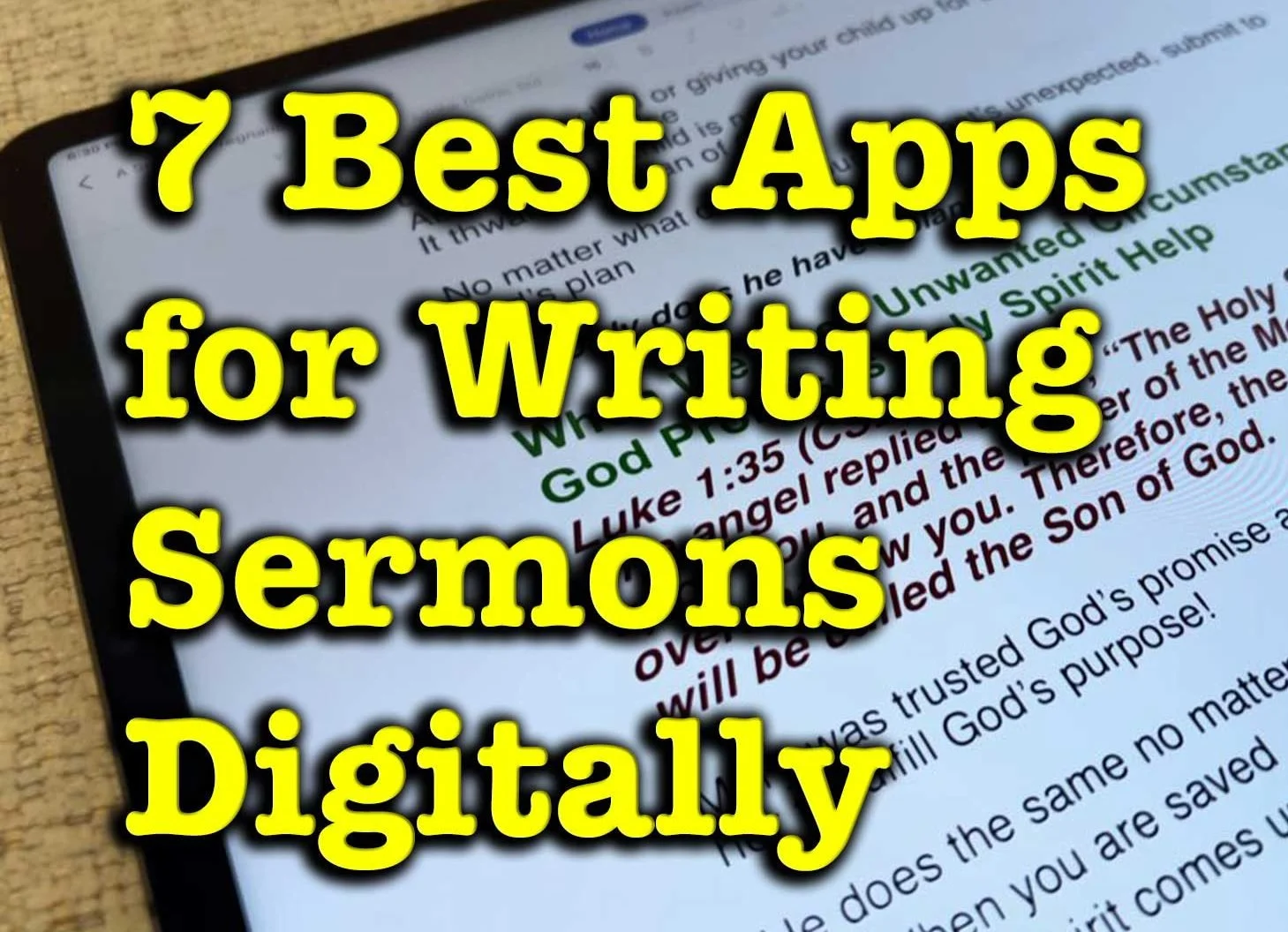
7 Best Apps for Writing Sermons Digitally
What are the best apps for writing sermons? We have a bunch of options in 7 categories for sermon writing tools.
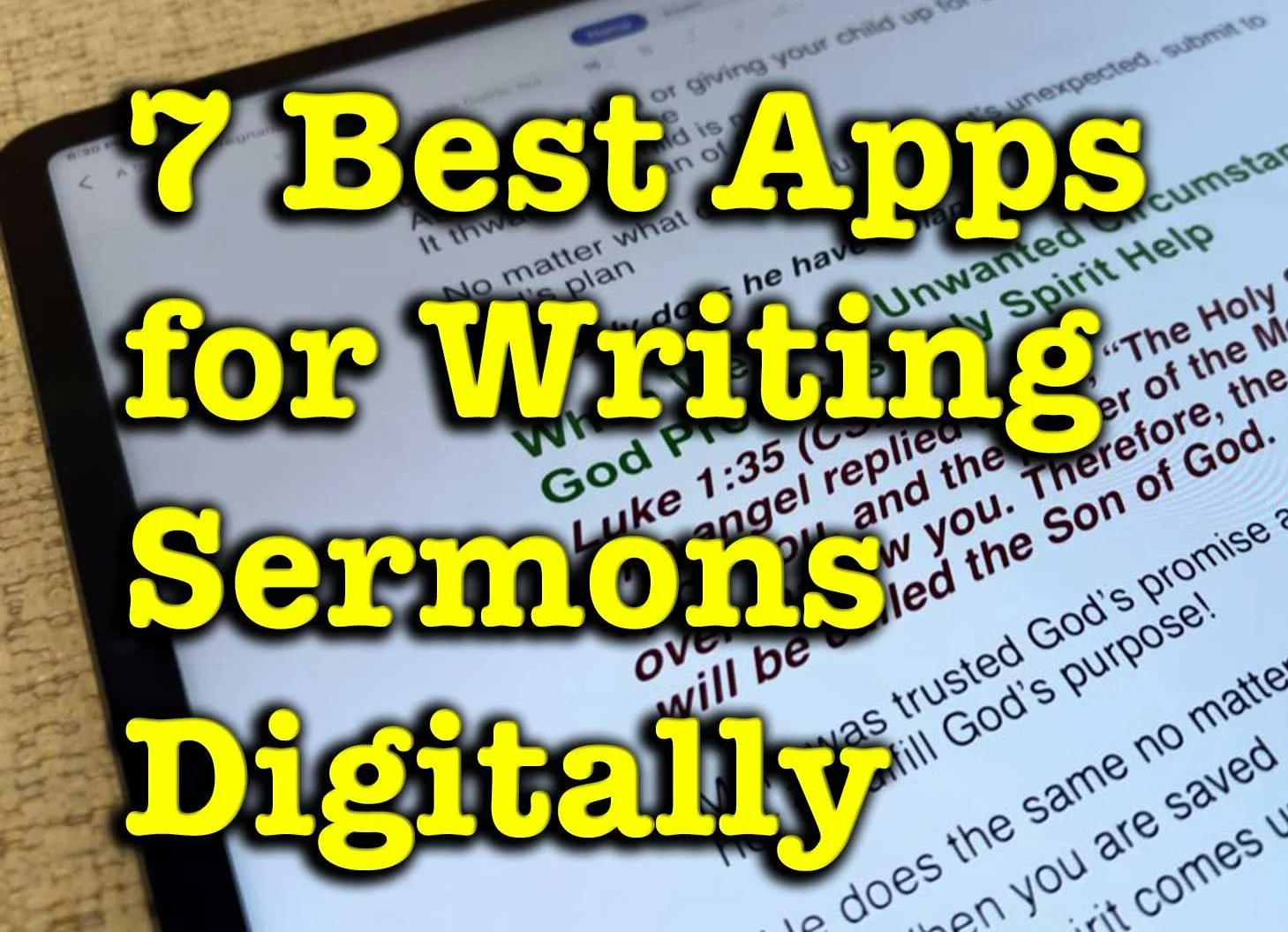
What tools do you use to write your sermons digitally? We've got the best apps for writing sermons digitally and we'll explain why each works great and recommend the best single option.
Most of us no longer write out sermons by hand or type them on an old-fashioned typewriter. We write in Bible study software, a word processor, a notepad app, a note program, or some other software.
Microsoft Word or Another Word Processor are Some of the Best Apps for Writing Sermons Digitally
The granddaddy of word processors comes from Microsoft. Most people who use a word processor write with Microsoft Word. Other options include a form of the open-source OpenOffice, like Libre Office Writer. OpenOffice is the foundation for Libre Office. It's a great tool if you use Linus or want a powerful tool that you can get for free.

and then open the notes on an iPad or Android tablet to preach from them.
If you write your sermons with one of these powerful word processors, you will likely come up with your sermon outline, copy and paste text from a Bible program or the Internet, and formate it for preaching.
When I write in Microsoft Word, I format the document with large text for each major sermon division (read points). Each sermon has large green text so I can see it in the pulpit easily as I preach with my sermon notes open. Bible quotes use large bright red text and standard quotes from people or commentaries use large purple text.
The sermon syncs to my iPad using OneDrive and I open it in Word. The iPad sits on my podium so I can look down and check my notes as I preach through the sermon.
This works with an Android tablet or a Windows computer like a Microsoft Surface tablet.

If you're all in using Apple Hardware and software, go with Apple Pages and iCloud sync. It works well even if Pages doesn't come with all the powerful features of Word or one of these open-source word processors.
Android and Chromebook users can take advantage of Google Docs and Drive.
Remember that Microsoft Word costs at least $6.99/month for the basic Microsoft 365 subscription. You can often find deals online on eBay or Amazon, but be careful that you're buying from a reputable buyer.
Bible Study Software Sermon Writing Tools

Open the Sermon Builder to create one sermon.
Logos 9 includes a useful Sermon Manager to create your sermon preaching calendar for weeks to years out in advance. Then, you open a single document with a tool called the Sermon Builder. This was a huge part of the Logos 9 upgrade. They worked to overall the sermon writing and organizing features to make it more usable.
Logos 9 users will love the way the built-in Sermon Builder syncs with their Proclaim worship presentation software. If you use it in your church, then you can create sermons in Logos 9 and it will sync to Presentation for the date the preacher is scheduled to preach that sermon.

Using Logos and Proclaim together lets the preacher publish his sermon online in text mode. Plus the church can record both audio and video to publish podcasts or worship service videos.
Accordance Bible Software also lets users write inside the software. The Papers option works best. The video below shows how to create and edit Papers in Accordance 12 and later.
You could also use things like Notes files and most Bible study apps. But the above two options work best for creating sermons that you can store inside the program and search later to reuse part or all of the sermon.
The cost of Bible software varies wildly depending on which vendor you buy from, what package of tools you purchase, and whether it's on sale.
To get Logos 9 10% off, I'd appreciate you using my affiliate link at www.logos.com/KevinPurcell where you can buy a package and get a few free books too. I get a commission which helps me do my work here on this site and on my YouTube channel.
Tools like Olive Tree and Laridian PocketBible are free to cheap to get the basic app.
Note Apps Built Into Your Operating System are Useful Apps for Writing Sermons Digitally
As I said above, you could just write plant text or simply formatted text in a Note attached to a passage inside your Bible study program. If you use something Like Olive Tree or PocketBible, this might offer the best option.

Writing in a note gives you a simpler option when compared to complex word processors or advanced Bible software with a Sermon Builder or Paper feature like Logos or Accordance mentioned above.
Notability or Other iOS Apps for Writing Sermons by Hand
For users on iOS and Mac, try out the great note-taking apps like Notability on iPad and macOS. You can write using your handwriting, or typing. When you're finished you can export the results as a PDF or image file.
There's a segment of users who enjoy mind mapping their sermons. I'm not one but I've read about them. People like this will organize their sermon notes by putting the major subject in the center of the screen in a circle or box. Then they will draw lines away from the center to another shape for each major sermon division or point. Under each or around each they show their explanation, proof, and application for each main sub idea in the sermon. Add an introduction and conclusion and you've got a visual method of displaying the sermon.

Above you'll see a visual form of those from my friend Antoine Wright who visited my church and did what he called a "Sketch Note" of my sermon that day. You could do something like this for your sermon notes. If you're not artistically inclined like Antoine, then you can use text or print instead of images.
You could use other note-taking apps like Apple Notes, Good Notes, and more.
Samsung Notes or Other Apps for Writing Sermons by Hand on Galaxy Android Devices
Another option for Android and Samsung users is Samsung Notes. It's built into Samsung's version of Android. I like using it because it's simple and easy to learn. However, it has fewer features than Notability. If you could use. Notability on an Android device I would.
Use Samsung Notes to create notes with handwriting or type using a keyboard. The strategy is the same as it is for iOS handwriting apps.
Sermonary for Online Sermon Writing the Best of Online Apps for Writing Sermons Digitally
A final option includes a website that lets you write online called Sermonary. Here's how it works. Create a new sermon and then add your sermon elements. Add sermon divisions or points. Then create subpoints for the explanation, proof, and application.

Sermonary includes Templates for different styles of sermons. You can use...
- 3 Point Sermons
- Andy Stanley's ME-WE-GOD-YOU-ME format
- Running commentary format
- Defender's Outline for an apologetics sermon
- Children's Leader
- Youth Pastor

The service adds resources to help you preach the word including some visuals, sermon series ideas, and more.
Sermonary costs nothing for the basic editor. Add more features and you'll pay $19/month or $69/month for a bundle with Sermonary and Ministry Pass. That adds sermon series ideas, visuals for presentations, holiday sermons, plus sermon illustrations.
In addition to Sermonary, instead, you could use any online writing tools like...
- Google Docs
- Word Online
- Grammarly
Text-based Writing Tools with Markup to Write Sermons in Plain Text

Some people prefer simple text editors. Almost every computer or mobile device includes a text-based writing app like Notepad on Windows, Apple Text Edit on macOS, and Apple Notes on iOS, iPadOS, or macOS.

If you're an Android user, you might find a good text editor, but sometimes you need to download one from the Google Play Store. Consider Writer Plus a great Android text editor available on both iOS and Android. Use it as a basic text editor or add markdown to format your text. The app is free with the option to donate via in-app purchase.
Recommendation for Writing Sermons
If you have access to Microsoft Word, then go with it. It's cross-platform meaning you can move from iOS to Android to Windows to Mac and back. Second, it's not tied to one Bible study program. The death of Bibleworks and Wordsearch recently proves we should move carefully deeper into one platform's ecosystem. I like to keep as much as possible separate from my Bible software.

What Do We Mean by Creative Digital Sermon Preparation?
In our series on Creative Digital Sermon Preparation, what do we mean by "creative" or "creativity"? This post answers that part of the equation.

We started this series on Creative Digital Sermon Preparation with an overview and introduction to the series. Now we take another look at the overall idea after hitting step one, prayerfully choosing a text. What do we mean by "Creative Digital Sermon Prep."
See our series on Creative Digital Sermon Preparation!
I assume readers understand what we mean by sermon preparation...
- Choosing a passage under God's direction.
- Studying the text using Inductive Bible study.
- Planning to present the message of that text.

That's sermon preparation. We add the term digital because we use digital tools instead of analog paper books and Bibles. This series covers the process of digital sermon prep using Logos Bible Software. We'll then take a stab at it with Accordance and Olive Tree and maybe some others. If you don't use Logos, what do you use? Comment below.
How do we prepare creatively? And then how do we present the message creatively? Here's what I mean by Creative Digital Sermon Preparation and Preaching.
Creativity Pictured
Young Kevin sat in the auditorium listening to Pastor Bob Stiles preach. He couldn't wait to get out of there and eat lunch. Maybe mom would let them go to the Italian place with the great spaghetti and garlic sticks with butter sauce.

"Everyone take out the Hershey's Kiss our ushers passed out before the service began," Pastor Stiles directed. Kevin already ate his. Mom looked at him, wondering where Kevin put his. Kevin looked up at her and smiled as innocently as he could.
"Why did that old man want me to eat a Hershey's Kiss? They're pretty good."
He enjoyed his 25 minutes earlier. Now he wished he had another.
"They say 'Big Things Come in Small Packages.' Remember that the next time you eat a Hershey's Kiss or any other small piece of chocolate candy," the pastor said, unwrapping a Kiss. "The tongue is tiny but can deliver a ton of pain when we say unkind words meant to stab at the heart of a loved one."
Just then, a video played on the screen showing a man building a fire while a narrator read the passage from James 3:1-12.
So too, though the tongue is a small part of the body, it boasts great things. Consider how a small fire sets ablaze a large forest.
(James 3:5, CSB)
For the first time, little Kevin paid attention to the sermon, at least during the sermon.

A few days later, Kevin and his Uncle Mike stood in line at the CVS, waiting to pay for some medicine Uncle Mike needed for his bad back. Kevin looked at him, wondering, "Will he say, 'Yes?'" He did, and Kevin grabbed a small bag of 6 Hershey's Kisses from the rack below the checkout counter.

He wanted Hershey's Kisses after the pastor mentioned them in church Sunday. After Uncle Mike paid, Kevin tore into the bag, unwrapped his first Kiss, and gobbled it up like a starving vagrant.
"Get your fat little brat out of the way," a heavyset older woman yelled at Kevin's Uncle. Did she mean him? He never really considered himself fat, but he was plump. The pain of her words pierced his heart.
Creative Digital Sermon Preparation in Biblical Hermeneutics
As we preach, the creative elements of the sermon make them memorable. In the fictitious example above, a sermon on James 3 grabbed little Kevin's mind. Days later, when he experienced what the pastor exemplified by his candy analogy, it meant more to Kevin. He learned thanks to Pastor Stiles's small object lesson on the potency of the tongue. Candy grabs a boy's attention more than eloquent speech.
A motion video of words from a Bible verse with sound instead of accenting the words grab attention more powerfully than reading the text from a paper Bible. A multi-sensory experience where the audience hears the message, sees the message, feels the massage, and even tastes the message, will tattoo itself to the heart more indelibly than a traditional spoken word.
Creativity in sermon preparation and delivery empowers the message as nothing else can. That's why we want to creatively study the word, looking for the multi-sensory aspects of the text, and take note of those examples so we can creatively reproduce them for our audiences.
Examples of Creative Digital Sermon Preparation for Communicating the the Bible
The Bible is rife with creativity and objects lessons. The Eden tree served as an object lesson of boundaries, commitment, and the temptation of Adam and Even. The flood taught Noah a lesson through an experience of all the senses as no sermon could. God used a dove to illustrate a message of waiting on God to act. The rich sensory experience of sacrifice stamped the idea of atonement on the Israelites' hearts as they smelled, heard, felt, saw, and in some cases tasted that atoning sacrifice.

The Lord's Supper and Baptism are two of the most important worship rituals of the church. We experience them a rich multi-sensory experience that we will unlikely never forget. Who can't remember their own baptism as the water poured over the face and then dripped off a robe or t-shirt and shorts? We taste a tiny cup of juice or wine, depending on our traditions.
Baptism and the Lord's Supper were commanded by Christ for many reasons. I believe that he commanded us to do them in part as a means of indelibly stamping the truth on our hearts reinforced by the sense of taste, touch, smell, site, and hearing.
Find the Sensory Signals in Scripture and Communicate Using Senses
Expository preachers argue that we communicate the Scriptures' messages by letting the message of God's word direct our words as we preach. We don't bring our opinions into the Big Idea of the text. We let the words in the passage direct our main points and message.

I usually preach expository sermons. So, I support the idea of letting the text speak. However, I think we miss another way that the text should direct our message. Let the tone, sensory imagery, creativity, and word-picture of the text direct our presentation methods. A convicting message from a text will contain a more prophetic tone as we preach. A lighthearted story filled with humor should also contain humor. When a Psalm uses strong sensory images, the sermons should grab hold of those same or similar sensory images.
Spotting the art in Scripture becomes part of our preparation while we study a passage. Learn the Big Idea of a text and learn how the Bible communicates the Big Ideas by tickling our five senses.

How Use Logos Important Passages Guide to Create Sermon Series
How can preachers us the Important Passages Guide in Logos 8 to help them craft exciting sermon series on a given topic in the Bible? We'll show you how.

Would you like to preach a sermon series on a topic in the Bible but also want to preach expositorially? You can use Logos Bible Software and the Important Passages Guide to select passages to study and preach for a sermon series on a topic. Each sermon will cover one passage, but the series serves as a topical sermon series instead of preaching through a book of the Bible as many Expository preachers prefer.

I was going over the new features in Logos 8 recently and forgot about the Important Passages Guide. As I looked over this new tool in Logos 8, it hit me - this would work great for picking passages to study and preach while crafting a sermon series on a particular topic.
Most expository preachers like to preach through books of the Bible. I am one of those. But I also like to choose passages that cover a topic and then study the passage covering that topic to preach expository messages on them. We'll show you how to put together a sermon series on passages found using the Important Passages Guide in Logos 8.
What is the Important Passages Guide in Logos?

Logos added the Important Passages Guide when it released Logos 8 back in 2018. Users will see it from the Guides Menu on the Logos toolbar. Find it quickly by typing in the Guides search box the first part of the guide's name "Important" and it will show up as the first item in the Bible Reference Guides section. You can also scroll down to the Bible Reference Guides section.

When it opens, it looks totally blank. Type a passage into the box at the top of the new window like John 3:16. It will search the index and find passages related to the topics in that verse.

After searching for a passage, you'll see the results that will like the image above. You see a few things.
- The top line says "References of All Types To all passage" - these help you choose what will show up in the list of passages. Click on All Types to change the types of passages. Click on To to change whether the passages will go out from the selections below or to the selections below. More on these options below.
- The Add menu lets users add types of datasets. Click it to see what you can add.
- Under each passage you see hyperlinks to various kinds of content found in Logos. These links will open the Factbook. For example, the above image shows the Factbook entry for God: Love. You'll see other kinds of links.
- The links at the bottom of the window will...
- Show more passages found
- Save the list as a Passage List
- Open all of the found passages in your top Bible translation
The To and From links in part 1 above will change the list of passages as follows:
- To - To finds cross references from other passages that link to your passage. So if a passage links to John 3:16 it will show up in this list.
- From - All cross references in your various translations that go out from John 3:16 will show up when you select From.
How to Use The Important Passages Guide to Choose Sermon Topics
I often read a passage in my quite time or while I'm listening to another Bible teacher or preacher and think, "That passage make a great sermon." Then as I look at the passage it leads me to look up others and inspires me to preach a series of 3-6 sermons or more on that topic.
You can quickly find a lot of passages from the Important Passages Guide by entering the verse that inspired you into the search box of the guide. Then read through the resulting searches.
Take this a step further by adding various kinds of datasets. Click on the Add button and choose something like Topics. This gives you more passages from that dataset. A dataset refers to sets of information that Logos organized around that kind of info. In this case, they collected the Topics together into the Topics dataset.
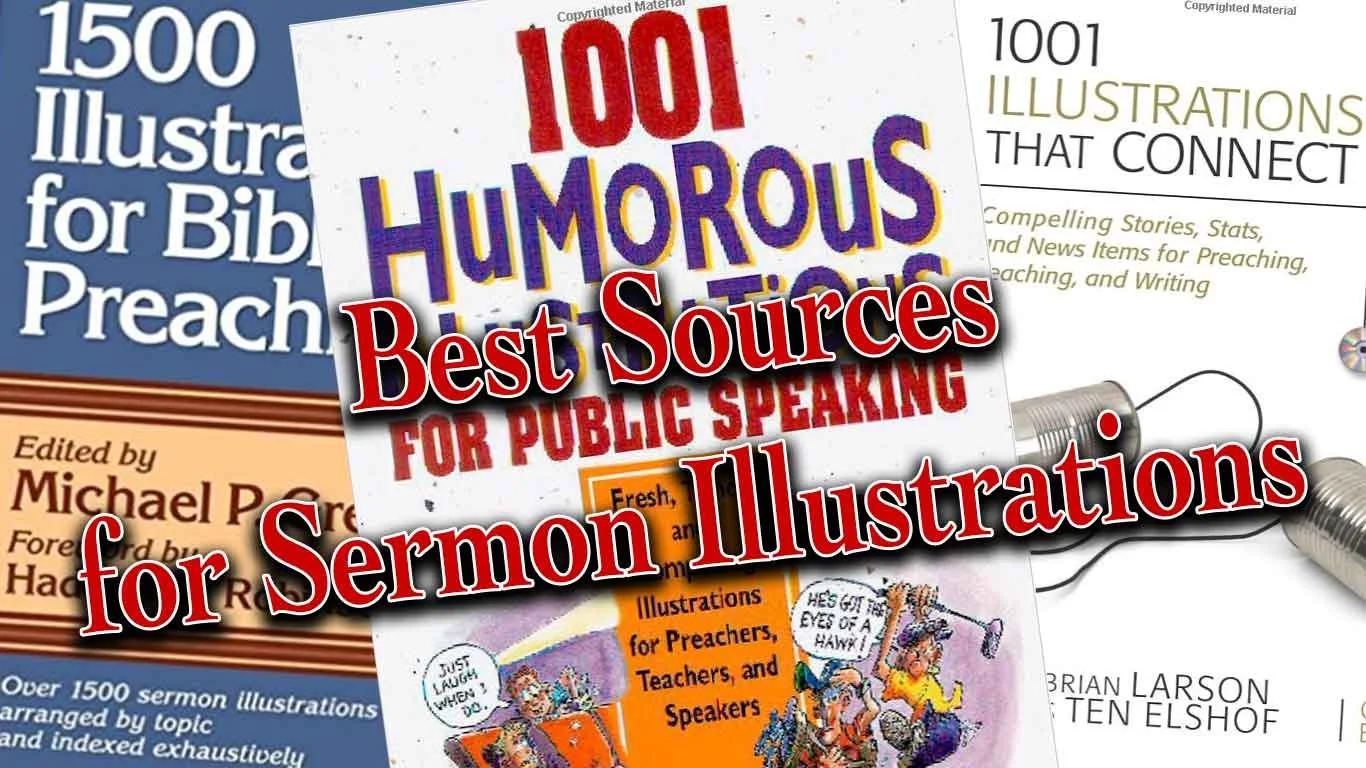
7 Great Sources for Sermon Illustrations
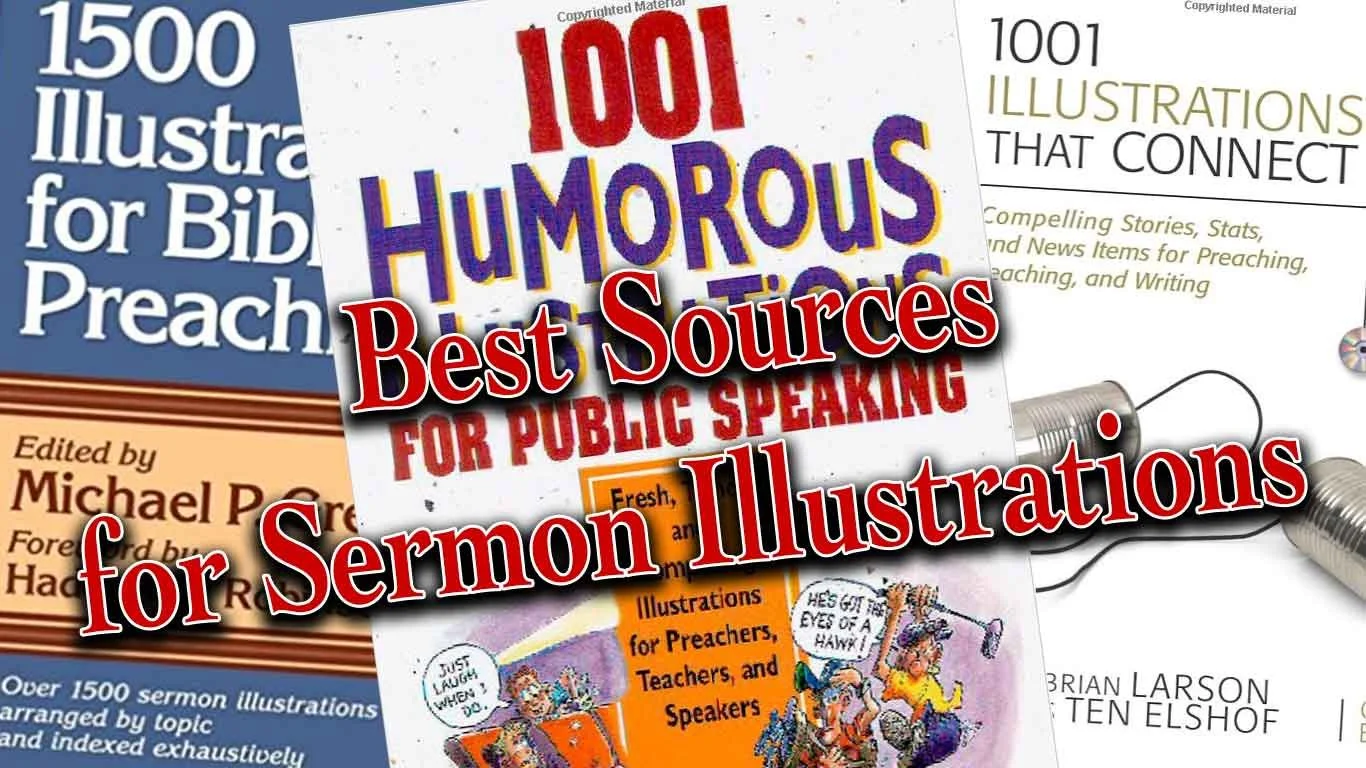
Do you need to find the perfect sermon illustrations to bring life and grab attention for the message for modern-day listeners with limited attention spans? I do and so I seek them from many sources, but a few websites help me find them.In the old days preachers would sometimes find sermon illustrations by consulting books that collected these illustrations by topic and sometimes by scripture reference. These books often suffered from a big problem; they were stale and usually dominated by old missionary stories or quotes of preachers from the 19th century. However, we still bought the books because in Saturday night emergencies we might find something we can use. These illustrations seldom will amaze listens, but they'll get the job done.
Problem with Sermon Illustrations Sites
Today's sermon illustrations databases suffer the same problem as those old illustration books. They can get stale and don't always show us the most interesting or exciting stories or quotes. There's good news because website publishers can update them. Some will also ask users to give their own sites. A few of these offer an incentive, like paying them or giving them access to the site at reduced or free rate.Aside from poor content, users struggle to search the database effectively. Google has billions of dollars to throw at improving their search features, yet they still fail more than succeed in delivering quality results on page one. It's no wonder that even the best funded sermon illustrations websites still struggle to produce useful search results.In spite of the weaknesses of these sites dedicated to sermon illustrations, we'll look at the best sites for finding good sermon illustrations. Not all of them will be these dedicated illustration database sites.
Preaching Today
 My favorite website for finding sermon illustrations comes from Christianity Today. PreachingToday.com gives preachers more than a database of sermon illustrations. It includes...
- Sermon Illustrations - database searchable by keyword, scripture passage and general search. It shows passages that it might fit and topics for preaching. Some even include links to photos that the preacher can display as part of a sermon presentation. If it refers to a movie scene it gives the scene time code (when it occurs in the movie).
- Sermons - database of sermons also searchable the same way the user can search illustrations database with both outlines, sermon series and full text sermons. Search by text, theme, or key word.
- Skill Builders - tips and articles for improving the preaching craft. This can include creative ideas for preaching, tips on how to preach better and more.
- Holidays - section devoted to both holidays and events of the church year like baptism, funerals, etc. that groups all the content available (Illustrations, sermons, videos, and images) by holiday or church event.
- Videos - videos that churches can use in their church if they do presentations.
Preaching Today doesn't come free. Get one year for $69.95 for two for $119.95. You can get some things for free, but not a lot. I pay for a subscription gladly because I have found plenty of fresh and interesting illustrations. Here are the site's strengths:
- Fresh illustrations
- Narrow the search by things like...
- Kind of illustration - the source, audience, type (humor, quote, stats, stories, et. al.)
- Word or Phrase v. Keyword - search the text of the illustrations for the word grace or find all illustrations about keyword grace even if it doesn't include the word grace itself.
- Searching for illustration also searches the other areas (sermons, videos, and more) and shows them in tabs at the top fo the page.
- If you use an illustration you can record this and it will remember that you did so you don't reuse them repeatedly.
Now for the cons:
- Sometimes a search returns illustrations that doesn't really seem to relate to your topic, keyword or passage even though they claim to.
- The cost of the site will keep some from using it.
I often find a true story on Preaching Today and then I'll do a Google search of the story, especially if it's a news story. Then I can fill in details and rewrite the illustration to better fit my preaching idea. I can also find media that fits to display during my sermon. Of course obey all copyright laws.
Google News
As I said above, I'll often find a good news story in a sermon illustrations from Preaching Today, but I need more information. I'll head over to Google and do a search. When. the main page shows few valuable results, then I click on the News tab and often find more pertinent information.Google News will let me find current events to illustrate my preaching idea. This gives the sermon fresh content and they'll come alive in listeners' minds. That's what makes Google News such a valuable tool and it's free. In the example above (see image) I searched for the term "redemption". We get some dictionary definitions and then link to the Internet Movie Database description of the movie titled Redemption. Down the page (not seen above) the results offered very little useful content. I can keep clicking for the next page of results or I can click on the News tab (see the middle tab in image above) and it shows stories about redemption.The second result took me to a NASDAQ news article about redemption of "senior notes". Reading the article helps me think the term redemption as a financial concept, which sparks ideas about relatable sermon illustrations. People might not understand the concept of this article since it covers complex economic issues. However, it serves to spark thoughts about more relatable ideas like covering debt to "redeem" someone's property that might be in foreclosure. I have a friend and family member who went through this. I can relate to it, so many of the people in my audience probably will too.
WingClips
Movies dominate culture, especially very popular blockbusters. They often include interesting scenes that we can use to illustrate our sermon ideas. WingClips partners with the movie studios to let users show these clips without breaking copyright laws. Along the left hand column you'll notice the themes they cover and it shows the number of clips on that theme. You can also search for clips by keyword, movie title, category (meaning film genre like action adventure or animated) and scripture reference. The scripture reference doesn't always work. I'm preaching through Ezekiel so I clicked on Ezekiel 7:25-26 since I'll soon preach that text. WingClips had a link for that passage but showed no results. Stick with the themes. I searched for redemption and came up with a number of useful clips from movies like Les Miserables, The Mummy and Courageous.Most of the clips come in HD and show user ratings (5-star scale) along with written reviews. Preview the clip and see other clips from the same movie on a clip page.WingClips offers some free illustrations and a free subscription. However, to really get the most out of the site, you'll have to either subscribe or pay for clips. They offer subscriptions either monthly or annually. See the image below for costs.
  Monthly subscription prices are as follows:
- $10/month for one clip a month.
- $16/month for 2 clips a month.
- $29/month for 4 clips a month.
If you prefer to save money and will pay annually the cost as follows:
- $89/year for 10 clips a year
- $165/year for 20 clips a year
- $299/year for 40 clips ay ear
If you prefer, you can buy clips one at a time without a subscription. They cost...
- $15 for one clip
- $25 for 2 clips
- $48 for 4 clips
- $219 for 20 clips
Compare paying monthly, annually to buying clips as needed and you'll see that you save some money by subscribing annually. I'd suggest starting out by subscribing to the 10 clips/year and then buy more clips as you need them. If you find you're using more you can upgrade to the 20 or 40 clips per year at any time.
Pixabay
 Frederick R. Barnard once said, "A picture paints a thousand words." Pictures can say quickly what we want to express in our sermons. Here's how I use them in my preaching.
- To illustrate main points - I create a slide with a picture that illustrates the concept of my preaching point. I may never even reference the photo if it obviously says what I want to say (see image above).
- Represent a Sermon Illustration - If I'm sharing a quote, I'll put a photo of the person on the screen with the quote or with a key phrase from the quote. If I'm telling a story about a guy in a fishing boat, then I'll find a photo of a fishing boat to display as I tell the story.
- Comics - these are good ways to share a joke. Just let the people read it. I'm not a great joke teller. Off-the-cuff humor is my thing. So comics are sometimes more powerful than telling a joke. I use this primarily at the beginning of a sermon. I tell the person running my presentation to put the joke up while I'm praying before my sermon. Then I just turn and look at it as I give the audience a chance to read it or look at it. Then I will turn back to the crowd and start preaching, often referring to the joke in the comic.
- Backgrounds to my sermon Bible text - put an image behind a verse that represents what that verse says.
Those are a few ways I use images. I include from 10 to 30 slides in most sermons. I get most of these images from a site called Pixabay, which gives users free images they can download and use under the Creative Commons license agreement. Creative Commons means you can reuse it so long as you give the original creator of the photo credit. Users can search Pixabay's free database of images. Users add to the database and then other users can download the images and use them in their work. The site's free to use. If you're a skilled photographer or artist please consider adding to the site.
 I searched for redemption as I have on the other sites. It showed the above results, including some "adult content" meaning some of the photos show nudes. By default Pixabay blacks out such content and you have to click them to see them. I just ignore them. When the images on the site don't match what I'm looking for, I will either search using a different synonymous term or I'll use the sponsored links to Shutterstock that show up at the top of the page (see below)
 When I find an image I like, then I'll save it and put it in my presentation software. We use MediaShout. I'll usually put something like "Used by permission from Pixabay.com USERNAME - by Creative Commons". If I need to add text for a quote or for my sermon points, then I'll add the attribution on Photoshop or Affinity Photo on my iPad.
freesound
To add some spice to sermon illustrations, my friend Wes Allen who's part of the Theotek Podcast team, uses sound. For example, he said that he was once talking about a criminal investigation and so he used the Law Oder TV show sound. In another instance he was talking about the great cloud of witnesses from Hebrews and used a crowd roar to illustrate it audibly (listen below). I've used sound in this way maybe 2 or 3 times in my life. But it sounds like an interesting tool and church presentation tools like MediaShout can play sound easily.Wes uses freesound as his preferred place to find audio clips. It has a large database of free sound clips. Like Pixabay, it requires attribution since it's a Creative Commons license. Just create an account, sign in and search. Download the audio clip of your choice and play it with an image displayed. On the image show something like this...
Image sed by permission from Pixabay.com USERNAME; Sound used by permission from freesound.org USERNAME - by Creative Commons.
Here's a crowd cheer from freesound user Veridiansunrise; used by permission by Creative Commons. If I used this for a sermon, I'd cut it down since it's pretty long.
Bible Software Illustration Databases
Most of the better Bible software programs include sermon illustrations or let you buy databases of them. For example, Rick Mansfield from Accordance uses his collection in Accordance Bible Software. Rick uses the Research Search function of Accordance. He said:
I run a research search through this group I’ve made according to the subject I’m looking for.
Here's a video where Rick demonstrates how he does this in Accordance.Logos and WORDsearch also offer similar features, so check your Bible software to see if it includes these kinds of tools. If the program doesn't have illustration databases or you don't own any, search your general library for a topic. For example, search redemption in books other than the Bible, commentaries and dictionaries. You will probably find devotional books, Christian Living books and more that cover that topic with stories by the authors.
Personal Experience
You can always access the most important source for sermon illustrations - your personal experience. Wayne McDill offers a great tool for brainstorming sermon illustrations in his book 12 Essential Skills for Great Preaching. Here's how it works.
- Write down your theological idea, such as: Jesus redeemed us by his blood.
- Convert that idea to a non-theological idea: someone acts to free us from our own mistakes through a personal sacrifice.
- Now think of how that might happen in various areas of life, like...
- Family
- Politics
- Sports
- Neighborhoods
- Schools
- Work
- Church
- History
- Current Events
- Now pick two or three that you think you can relate to and your audience can relate to and write out a story to illustrate the idea of personal sacrifice to free someone from their mistakes.
 Here's an example from my personal history.
At Christmas my mom would always make Christmas sugar cookies and my three sisters and I got to help decorate them. One of the favorite decorations were the chocolate Jimmies, little chocolate slivers that to be honest looked like rabbit droppings. However, they tasted great so we often ate them before they made it to the cookies.One year, when I was very young, my mom got home from somewhere and discovered that someone at all the chocolate Jimmies. She was not happy because she made us all promise we would stay away from the sugar cookie decorations while she was out.Nobody admitted their guilt so she sent us all to our rooms. I hated being sent to my room, because like most kids in the seventies, I wanted to play outside. After about an hour I decided that I didn't want to spend another minute in my room, so I worked up some fake tears and then walked down the hall looking as repentant as I could. I found my mom in the kitchen and told her, "I'm sorry. I at the chocolate Jimmies."She was so moved by my performance that she forgave my theft and commuted her intended sentence of grounding the guilty party the rest of the week. I got to go outside.There was one problem. I didn't eat the Chocolate Jimmies. For years, my mom kept telling the story of how sweet I was that day. I never admitted to my deception until I was grown and married. During a Christmas gathering of the family, the story came up. It was then that I admitted to my lie.By then my mom didn't hold that against me. However, none of my three sisters would admit they did it. Either they were liars or more likely forgot. But what I'll never forget is how much my mom chose to forgive me on that day and years earlier. It thought I was really doing something great by admitting to something I didn't do. I thought I was being sacrificial to end this house arrest. But I wasn't the real hero, my mom chose to forgive me not once, but twice.Jesus in his grace will forgive us not just one or twice, but anytime we confess our sins and repent. He's always faithful to forgive us because he also took the blame for something he didn't do. He didn't do it selfishly, l like me. He did it selflessly to redeem me from my prison of sin and hell.
Logos Sermon Prep Part Five: Taking Notes for Observations and Questions
Logos Bible Software helps preachers and teachers prepare their messages thanks to some useful Logos sermon prep tools, but the Notes feature gets more use than any other feature besides offering a library of Bibles, books and reference books. I use Notes extensively for the following:
- Recording my thoughts about a text.
- Keeping rack of ideas for how to preach a passage.
- Record things learned in research of a text.
- Write down questions I need to research.
I use a process called Inductive Bible Study in my Logos sermon prep, where the student reads the text and thinks about the context of the passage before every consulting third-party tools like lexicons, Bible dictionaries, atlases, concordances and commentaries. Those tools help me check my conclusions, find information I couldn't get from my simple observations and learn about things like cultural backgrounds, geography, and language studies.https://www.youtube.com/watch?v=MzyYMcxTIzc&feature=youtu.be
Taking Notes in Logos Sermon Prep
Bible software notes attach text and more to a specific word, phrase, verse or passage. Some programs will also let you record them as topics unattached to anything in a book. In Logos, you can also add notes to other kinds of books and even to tools, like a Passage Guide generated for a passage of Scripture.I attach notes to the passage I'm studying, a range of verses or a single verse. I almost never attach them to a single word in a verse, but you can if you like.Logos lets users create a new Note document for each message or keep on document for all notes attached to a book or the Bible. If I were starting over today, I'd attach one note to each book of the Bible. Instead I have a large notes document called Bible Notes and record all of my notes in that document. I create other documents for other books I read.
Creating and Using the Notes Document in Logos
 To get started, create a new note document, if you don't already have one you want to use. Open Logos and then click on Documents from the toolbar. Then in the window that pops open click on Notes. A new window opens with the new notes document in it. It has the title "Untitled Notes". Click that name in the new document and it turns into an editable text box. Give it a name like Sermon Notes or Ezekiel Notes. I call mine Bible Notes.The ensuing Notes Document will look like a simple word processor. It has the same control box in the upper left corner that all Logos windows show. Click it to see the menu that pops up. Users can sort their notes using different things like name, reference, and date to name a few. This also lets users print their notes or export the note as a passage list or sermon document.
Purpose of Making Observations
After I read and re-read my passage, I take notes on the passage using nothing but the English text at first. I do my language study at a later date. This has a few benefits.
- My first thoughts are not clouded by the views of another researcher.
- This lets me think through the text for myself with the Holy Spirit's inspiration only at first.
- I am going through my passage again, which helps me to internalize the message of the text.
What kinds of observations do I make? I record thoughts and ideas about almost every word in a verse. Let's take John 3:16 as an example.
John 3:16, CSBFor God loved the world in this way: He gave his one and only Son, so that everyone who believes in him will not perish but have eternal life."For" connects this verse with the previous passage. This tells us why Jesus was "lifted up" (John 3:15).God is the one who actively showed us his love in the work he did in giving us his son.The term "loves" shows this is an ongoing, active love. Is this present tense and from agape?God's love is directed not just at his people or Christians, but the entire world. The world refers to all of humanity making his love universal even if salvation isn't universal.How does he show that love? "In this way" denotes the means of his demonstration is presented in the ensuing phrases.
The above observations only cover the first part of the verse. I will go over the entire verse putting a note for nearly every word and definitely every phrase.The underlined part of the observations shows a question that I will need to find an answer by doing a word study of the word "loved". It's a good idea to mark the questions so you can easily find them in your research phase. When I do the research, I will add the answer either replacing the question with the answer or putting the answer right after the question and then removing the marking (underlining in this case).Finish this step by going through every word or phrase in your passage. I also add a note to the entire passage by selecting the range of verses and choosing adding a single note to all the verses using the steps below. In that passage note I will write about the context of the passage showing how it fits in the chapter, the book and the entirety of the Bible. I'll also give a brief outline fo the passage showing the flow of thought. Later I'll come back to this note and record my passage Big Idea.
Working with Notes Documents in Logos
 When you discover something you want to record in a note, create a new note for that verse, word or passage. You can do this by selecting it and right-clicking it. Then choose either the "selection" or the passage in the right-hand column of the pop-up. Use selection (the top item in the list), which shows the text of the words you selected, if you want to add notes to those words or a word and not to a passage. The note will attach to that translation of the Bible only. For example, I've got the Christian Standard Bible open above. If I open the same passage in the KJV, that note won't show up because it's attached the note to the words I selected in the CSB and note the verse reference.To add the note to a verse reference that will show up in any translation that includes that verse, choose the reference. It will attach the note to say John 3:16 instead of that translation of John 3:16. That way when I close CSB or open KJV the note will still show up.After you pick between selection or the passage, click on Add note, Add note to "Bible Notes" or Add community note.
- Add note - this is a new feature that relates to the new Notes features that Faithlife is adding to Logos. These notes will show up in the desktop, the mobile apps and the Logos Web app. Logos is in transition and the new notes feature will become the default soon. Some users might not see this yet in their installation of Logos. You can convert your old notes to the new version when it ships in the final form. For now, I'd avoid this I you don't use the web app.
- Add note to "Bible Notes" - you will add your note to the Notes Document you created above. Its title will show up instead of "Bible Notes". If your preferred Notes Document doesn't show up in the pop-up, then open the Notes Document first from the Document's menu.
- Add community note - Community Notes are public to all people who use them. You can turn these off or on from the Visual Filters toolbar button in the Bible's window. It looks like three dots arranged in a triangular shape (see below).
 I add all my notes to my "Bible Notes" document and will convert them later when the new notes feature gets launched. I'll write a full review and how to article about the new notes feature when it ships, so keep an eye out here.
Other Ways to Record Thoughts and Research
In addition to a Notes Document, users can record research or thoughts using other kinds of documents in Logos. I don't use these features as much, but other users swear by them and use them more than notes. They include...
- Clippings - select text from a commentary, dictionary or other reference tool while studying your passage and shave it to a Clippings Document. Think of this like note cards that you used to use while researching a paper in college or seminary. Clippings helps copy a bunch of snippets of information from other books. At this phase we're focused on the Bible text only, so it's not the best tool for the Observations phase of inductive Bible study.
- Passage List - keep a list of key passages. You might use this to keep cross references from a search performed on a word in your passage.
- Sermon - write your sermon within Logos and then export it or preach from the document in the mobile version of Logos. You can also convert a Notes Document into a Sermon Document.
- Word List - Like a Passage List, but for Greek or Hebrew words instead of passages. Make a list of every theological term in a passage to help you know what word studies you need to do after you've finished taking notes on the English text.
Logos Sermon Prep Part Four: Text Comparison Tool in Inductive Bible Study
The next step on Logos Bible Software Sermon Prep helps us actually learn what the passage we've selected means by reading it repeatedly using the Text Comparison Tool. We're talking about Inductive Bible Study.
What is Inductive Bible Study?
 The phrase Inductive Bible Study refers to studying the Bible hoping to discover the meaning of the text without any prejudices or preconceived notions brought to the task. Seminary students will remember studying the terms eisogesis and exegesis. We call Inductive Bible study exegesis in scholarly circles. It means studying the text and discovering the meaning based on the words, concepts, setting, writer's intent, audience and context. Eisogesis is the opposite. If a student fails to let the word speak for itself, then they might read into the text what's not really there.A lot of heresy comes from eisogesis or reading into the text what's not there. We take verses out of context or don't study them based on the original author's intent, context, setting or the meanings of terms used that we might misunderstand in our time.Inductive Bible Study leads me to discover what God's saying to me and my audience. That's why it's the best approach to Bible study for Logos Bible Software sermon prep.
Theotek Podcast
https://youtu.be/Jx-PYaR_y0o
Steps of Inductive Bible Study in Logos Sermon Prep
You can do Inductive Bible Study using physical books and a notepad or you can use any competent Bible software. Logos Bible Software helps us study the bible inductively thanks to a number of tools. This part focuses on the Text Comparison Tool. The full list of Inductive Bible Study steps include the following:
- Reading the text repeatedly
- Observing what's in the text without any other tools at first
- Ask good interpretive questions
- Diagram the sentence in Greek, Hebrew or English to see the structure of the author's thoughts
- Find answers to questions and check the accuracy of our observations using the tools in Logos Bible Software
- Discover the Big Idea of the text
We started the process with selecting a text covered in three steps (first, second and third steps). Now, it's time to read it repeatedly and we'll show you how using Logos.
Read the Text Repeatedly
We're going to work with Ephesians 1:3-14 as our text. I'm teaching through the passage during my Wednesday night Bible study at church. We already talked about multiple tools and ways to choose the text, so for this step, we'll assume that's a good text to choose, especially since it's one long sentence in Greek.Start by opening your favorite translation and prayerfully read though it in your favorite translation. I say "prayerfully" because you should begin by asking the Holy Spirit to guide your study.You should probably also read the text in context.
- Read the entire chapter.
- Read the whole book if it's not too long - Paul's letters, the Pastoral Epistles, shorter prophetic books.
- Read sections in longer books like the chapters before and after at least.
Use Multiple Translations
 Read the passage itself in a few translations. I always use ...
- Christian Standard Bible - This is my favorite translation. Below I'll explain the value of various translations. I like the CSB because translators targeted a readable translations that's as close to word-for-word without sounding too wooden.
- English Standard Version - A slightly more literal translation that is also very readable.
- King James Version - The standard that most people grew up with in my church and is often the most recognizable translation for popular passages. It's more literal.
- New American Standard Bible - A very literal and highly accurate modern translation. I prefer the 1995 update.
- New International Version - Not a paraphrase, but the translators focused more on readability than literal translation. I prefer the 1984 version.
- New Living Translation - The old Living Bible was a paraphrase, but they updated it in the 1990s and went for more of a translation. However, it is the least literal of these translations with a thought-for-thought approach.
The Range of Translations from Literal to Readable
If you think of translations or paraphrases as sitting on a spectrum, then put the original Greek or Hebrew text to the left of the range. Translation that sit closer to the Greek or Hebrew text show up on the left. We call these "word-for-word" translation. Above, I mentioned that I use the KJV and the NASB in my reading to get this more literal look at the text in English.On the opposite end of the spectrum you find the paraphrases, like the Living Bible, the Good News Bible, The Message or the Amplified Bible. We call these "thought for thought" translations. We use these translations almost like commentaries. They helps us get an idea of what the passage means, even though they don't show us the word-for-word translation of the text.Most modern translations sit closer to the middle of the spectrum between literal and non-literal. Translators like to use the word dynamic or dynamic equivalent. That's a marketing term that makes the ESV, the NIV, and the CSB sound like they're equivalent. They're not as literal as the KJV or NASB, but not as interpretive as a paraphrase like the Living Bible or The Message. See this spectrum for many translations in the image below. The Eccentric Fundamentalist offered this nice graphic, which illustrates where the various translations sit on the spectrum. I don't endorse all that the author says about the translations, but I really like the graphic shown above.
The Text Comparison Tool
How do we read the passage repeatedly using Logos Bible Software tools? You could open the passage in about five or six translations and read them. However, we can do better than that using a tool called the Text Comparison Tool. Before we do, let me suggest setting up a Layout as follows. First, start with a blank layout. Click on the Close all panels button (see above). It looks like a small X inside a circle between the Layouts button and the question mark help button on the right end of the Logos Bible Software toolbar.
 Next, open the Text Comparison Tool from the Tools menu. You now see a screen that shows your top five Bible translations in vertical columns. To change what you see in the columns, click on the hyperlink in that window's toolbar just right of the reference box. A drop down menu appears.
- Type in the text reference in the reference box.
- Click on the hyperlink next to the Text Comparison Tool window. A drop down menu like the one above appears.
- Type in your translation abbreviation.
- Click the box to put a check mark in it when it appears at the bottom of the drop down menu.
- Repeat this until you have all of your chosen translations in the Text Comparison Tool's toolbar above the drop down.
You will see a window with all of your chosen translations in the order you added them. You can now read through each column. However, you might want to see the differences between the various translations. To do that quickly, Logos gives you three options in the Text Comparison Tool.
- Show differences - toggles whether to show or hide differences between the various text compared to the base text (left most translation).
- Show base text - toggles between showing the wording of the base text next to the text of each translation or just show a red circle next to the words that are different from the base text.
- Shows the comparison in either columns or as interlinear. You must certain translations as your base text for this to work. For example, the KJV works fine as seen below, but the Young's Literal doesn't.
 The above shows the Interlinear style Text Comparison Tool. It has the Show differences turned on. Without the Show differences, you'd only see the text without the base text showing up next to the wording that's changed in each row.
 Notice how there's a little red dot next some of the words in the NASB95 column above. This denotes a difference between this translations and the KJV1900 base text.
 In the image above we see the texts in column style. I turned on the Show differences toggle and it puts the words of the base text (KJV1900) next to the words in the NASB95 with a line through them. As an example, in verse 3 we see the word "
hath" with the line through it next to "has" in the NASB95 column.
Save a Layout in Logos
 Now that we have the Text Comparison Tool set up the way we want it, let's add our favorite translations and a Notes document window. Arrange the Text comparison Tool the way you want it. I have it across the bottom half of the screen. Open your favorite Bible. Then open a Notes document. You will use the notes document to record any observations you make you as reread the text repeatedly in your various Bibles.To open a Bible, click the library button and then search for your translation by typing in the abbreviation. Click the title of the translation when it shows up and it will open. If you already have a preferred Notes document, open it from the Documents button on the toolbar. Type the name run the search box. Then click on the title to open it. Now arrange the Bible and the notes document the way you want. You can create a new one for each sermon or for all of your notes in a book of the Bible, the New Testament in general or for the whole Bible. I don't recommend the last one. Your document will get too big.
 We'll save the layout. Click on the Layouts button on the top right of the Logos Bible Software toolbar. In the drop down window, click on Save as named layout. A box opens right there. Type your name and hit Enter.From now on your can open this layout by clicking the Layout button on the toolbar. Then click the Saved Layouts in the column on the left. A list will pop up. Click on the name of the layout you saved in the step above.Now read through the text in each column. If you want, record your thoughts about the differences between the translations by create a note on each verse, for a single word, or for the entire passage. I do this by right-clicking the verse in my favorite Bible. A menu pops up. Select the verse reference in the right column of the pop up menu. Then select Add a note to "your notes document". A new note will show up in the notes document window. Start typing in it.
Next Steps
In our next few parts to this series, we'll look at recording observations in a notes document. You already started this as you reread the text. Then we'll look at questions that the text might present. You'll record those too and start to look for answers in the phase after our inductive study. In the last part of the inductive study, we'll create diagram or outline of the text.
Logos Bible Software Sermon Prep Part Three: Concordance Tool
We've already looked twice at the topic of choosing a text, but let me take a third swing at a tool that you should consider using for Logos Bible Software Sermon Prep. We'll take a look at the Concordance Tool in this third part of the series. I began looking at picking topics and picking passages in parts one and two. Now, how can the Concordance Tool help us in choosing passages to preach or teach.Here's the secret of this powerful tool...
The Concordance Tool Video
My video below shows the basics of the Concordance Tool in Logos 7. https://www.youtube.com/watch?v=asQzvrTeMc4&feature=youtu.be
Benefits of the Concordance Tool in Logos
You may need to put away the old idea of a concordance while still using the principles to figure out what it does. The Concordance Tool, like a traditional Concordance, lists every word in a Bible translation, but here's the cool part of the Logos 7 Concordance Tool. You can change the list based on your own limitations and even use it to create a "concordance" for books other than Bibles. I used to own a hefty NASB Exhaustive Concordance (see above), since that was my favorite translation when I began preaching. I stopped using the huge physical book because Bible software is an exhaustive concordance by itself and its far more convenient than a 5 pound book. So why do we need a tool in Logos or any other program that calls itself a "concordance tool"?First, the Concordance Tool is customizable. I'll show you how to do that below or watch my video demo above.Second, users can create lists of Greek or Hebrew words even in an English Bible if. The tool uses the Strong's tags to do this.Third, you can also index more than just the English words of a Bible translation. It creates lists of other things like lemmas, roots of words, and Biblical entities like people, places and Biblical things. You can even search for references which are tags that link to other books, like a Bible reference in a footnote or in a Concordance or maybe even in a Christian Living book, like something by a popular author.The benefits listed here means the Concordance Tool helps us with picking a passage to preach because we can choose to teach or preach on a particular topic by opening the tool and searching for the most often used words in a book of the Bible. Let's say I want to focus on the idea of redemption, but I don't want to do a topical study of redemption. I want to select a series of passages that focus on the idea or subject of redemption. I could just search for redemption in the Logos search tool. But if I open the Concordance Tool, I can learn one particular author repeatedly discusses redemption.
How to Use the Concordance Tool in Logos
To get started open the Concordance Tool in Logos from the Tools menu. You'll find it in the second column under Reference. Click it to open it. The tool shows the last report generated or runs one if you haven't already used it.
 At the top of the window you'll see the book control drop down that usually shows the cover of the book with a small down arrow to the lower right corner. Click it and you'll see controls like the text size slider, the Find command, print, and the Close command among others.Next to the book control menu you'll see a link that shows the present book or Bible translation (see below). Click that Resource Reference link to change it. The Resource Reference search box shows up with a list of all library resources that you can use to run a Concordance Tool report. You can use a Bible in English or Greek/Hebrew. You can also run a Concordance Tool report on other books like commentaries or books by a single author. This results in an index of all the words in that book, if you do a Word report. More eon that below.
 Let's say you want to work in the NASB 1995 Update. Then, either find the book in the list or type in NASB in the search box and it will show all books with your search string in the title. Click to open the Concordance Tool using the book.
 Next you'll see what to index with the Concordance Tool. Click on the second link over (see above) to create an index. You can create one using one of the following:
- Word - the basic tool that works like a traditional concordance.
- Lemma - finds lemmas instead of words
- Root - finds roots instead of words or lemmas
- Sense - finds senses instead of the above
- Biblical Entity - finds persons, places, things, artifacts or measurements
- Reference - finds reference links
The last link lets the user narrow the search range. For example, in the screen shots here I've run the tool on the NASB 95 Update translation. So, when I click the last link it offers to let me narrow the range from All Passages to just ports of the Bible. You can pick your most recent passage selections or the common ones found in Logos. You can also create a new one by typing in the range at the box below the list labelled New reference range. If you plan to use that range again, give it a name in the Title box below the range box and then click the Save button. It will now show up in the list above the boxes.Along the left there's box that lets the user limit their Concordance Tool index. It's called the REFINE box or section. This changes dynamically based on what you've selected in the three drop down boxes at the top. For example, the index below shows the NASB95 Update with a Word index of All Passages.
 Along the left you can refine the search by omitting things, choosing certain languages only and searching in only parts of the text. So let's do an index of only English by clicking on English. Then only index the Words of Christ and only the Gospels (from the top).
Using Concordance Tool on Commentaries
You can use the Concordance Tool in a commentary on a book to find out what the commentary author seems to think is the most discussed topic. Run an index on a commentary on a particular book of the Bible. Then refine the search using the Refine box on the left. The index Logos creates will show what words the commentary uses most. Look for key theological terms to help you see what that commentary author focused on in that book. This can help you find passage in that book that cover that topic.The index above shows that I ran the tool on a commentary on Matthew. I refined the search to show English only and then limited it also to Heading Text. This shows that there are 6 headings in this commentary that talk about healing. A good sermon or Bible study series might be the healing stories in Matthew. We also see 4 headings with the word Blind in it. Could you do a topical study on Jesus giving sight to the Blind? Those are a couple of ideas.Use this same technique with any book in your library. This will help you find illustrations too. We'll cover that more when we get to the topic of adding illustrations to our sermons and Bible studies.
How This Helps Find Texts to Preach
So why would I use the Concordance Tool for helping find passages to teach or preach?The resulting index (see screen show above) shows the words or word groups (take a look at the second hit, a word group) that show up most in our refined search. If you click on the arrow next to a word, then you'll see a list of the passages that include that word or word group. The image above shows the list under "come comes; coming" which is the fourth most used word/word group in this refined index. So maybe, you'd want to do a sermon series on Jesus is Coming and select passage about why he came, when he might be coming back or what he said about his second coming.Drop down a few and you'll see the word group "go going" which you can also do a similar series but on why we should go or how Jesus wants disciples to go on his behalf.
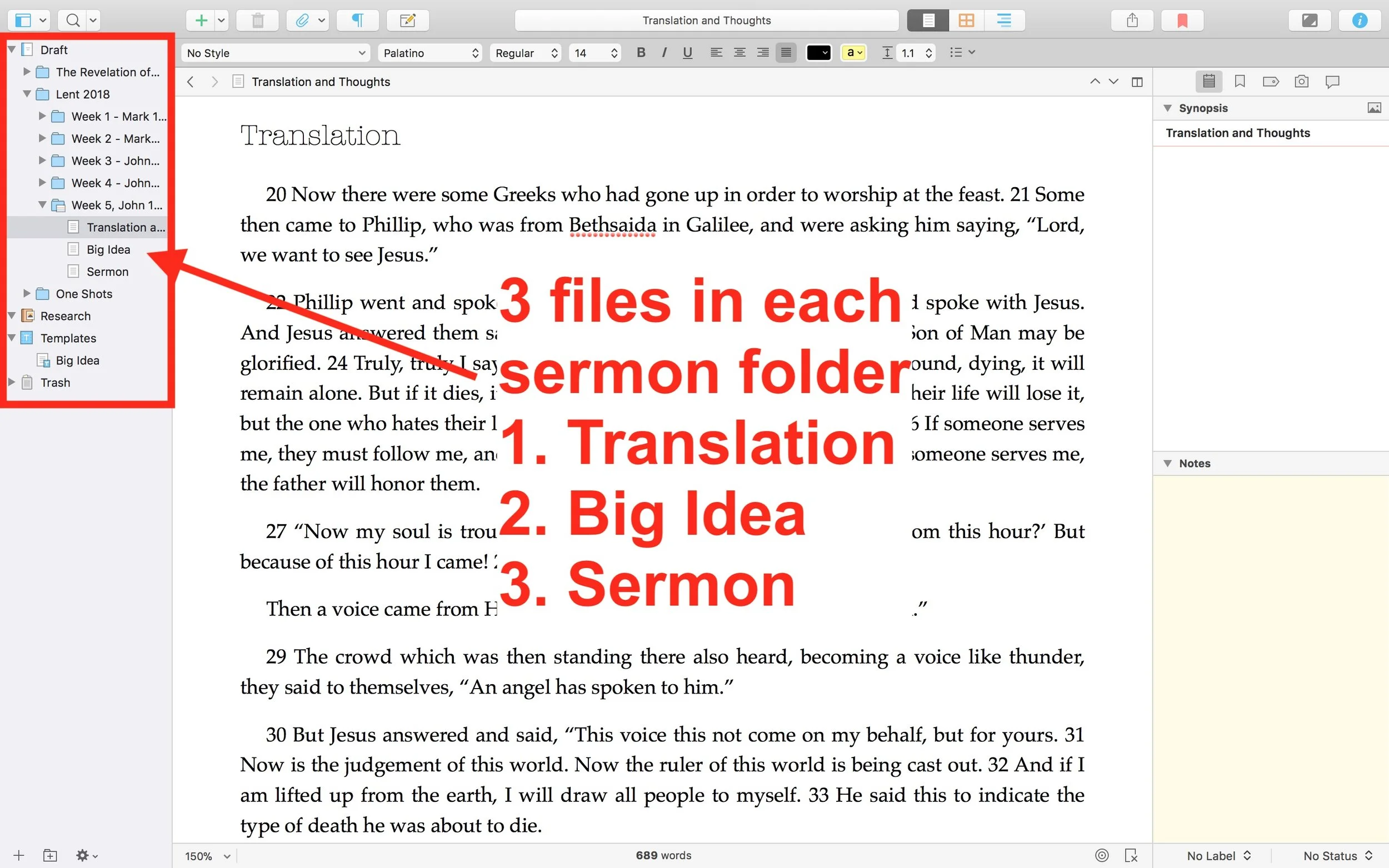
Using Scrivener to Write Sermons
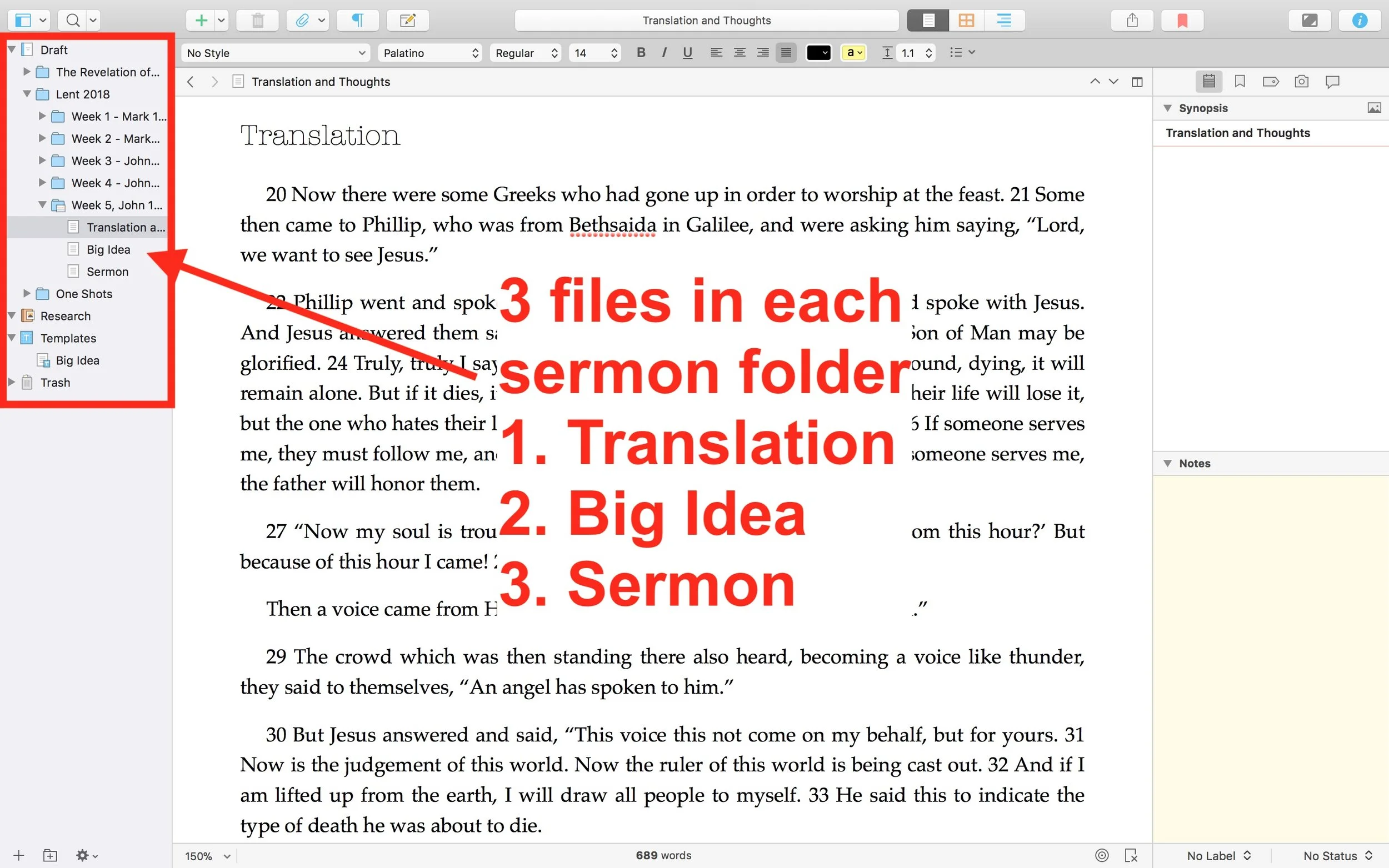
Preachers use different tools to write their sermons, from Microsoft Word, a simple text editor, word processors built into Bible software or something like Scrivener. Wes Allen, one of the Theotek Podcast contributors and American Baptist Church pastor, uses Scrivener to prepare his sermons. We talked about his workflow and why he uses the program in a recent Theotek Podcast that we recorded live on our Theotek Podcast Facebook page.Scrivener is a word processor. That's the simple way to describe it, but there's more to it than that. Some people think of the program as a tool for writing books or long form documents, like a doctoral dissertation. Wes uses it that way, but also uses it for shorter form documents, like his weekly sermons. That's because the built-in organization and writing tools work better for him that what most preachers probably use - Microsoft Word.https://www.youtube.com/watch?v=SHDYJdkAAic&t=30sPlease watch the video above from our YouTube Channel. In it Wes talks about...
- The way to format text using styles
- Setting up templates for outline forms
- Using the dual pane view to see the text of the sermon next to the other documents
- Organizing the files and folders
- Exporting for use in preaching and writing books from a sermon series
... and more!
Scrivener Organization for Sermon Prep
 He uses one Scrivener file per year. He then creates folders inside Scrivener for each sermon series or season. This lets him organize things easily within Scrivener. Under each series or season, he creates folders for each sermon. Then in those folders he places three documents (see image above).
- Translation of the primary text - he creates his own translation of the Greek or Hebrew text.
- Big Idea - the main idea of his message explained in a single document.
- Sermon Text - this document where he writes the sermon itself.
My Scrivener Organization
I really like this way of organizing each sermon. However, I don't do a full translation of my sermon. So I might organize things in Scrivener similarly, but in a slightly different way that better fits how prepare my sermons.First, I will organize my sermons around sermon series instead of year. That's because I sometimes preach through a book of the Bible and this might take more than one year or I might start it in September, take a break for the holidays, and then go back to it in January. Organizing that series by year would break it into two files. So, instead, I'd create a Scrivener file for First, Second and Third John, the last sermon series I recently finished just before the Easter season in February.Next, in each sermon folder I plan to create one Scrivener document for study notes called Text Notes. I create these notes in my Bible software while I'm studying the text. Then, I'll copy and paste the text of the Bible passage and the notes into the Text Notes document in Scrivener. I usually use one of a few sermon outlines and I will create templates in Scrivener (see the video to see what I mean by templates) for each of these formats.
- Motivated sequence
- One-point inductive
- Negative options indicative outline
Motivated Sequence Outline
A Motivated Sequence outline comes from the book 12 Essential Skills for Great Preaching by Wayne McDill, my seminary professor who taught at Southeastern Seminary. Here's the outline for this kind of sermon:
- Attention Getter - a way to grab the audience's attention with an anecdote, controversial statement or quote, joke or video.
- Need Element - some call this the Fallen Condition Focus; it's a way of showing the way the passage deals with our problems, which draw people into listening to your sermon and show the answer from the passage.
- Solution - the body of the message will offer the solution to the need mentioned above with as many outline points as needed to cover the ideas in the passage.
- Explanation - explain how text solves the problem.
- Illustration - illustrates the meaning of the text's main ideas and illustrate how to put the ideas into action.
- Proof - shows that the ideas are true since people don't just assume that the Bible is true like we believers do.
- Application - clear and concrete ways to apply the ideas presented.
- Visualization - show what the solution looks like with an illustration, story or video that helps people see how to apply the message.
- Appeal - tangible way or ways that the audience can respond to the message with specific and concrete steps.
Inductive Sermon Outlines
The other two outlines I use are inductive outlines. They both offer a single main idea. The one-point inductive approach will follow the outline below:
- Grab attention.
- Share a need that the passage solves.
- explain that need
- illustrate how that need affects the hearers
- Explain how the how the passage deals with the need.
- sharing details first
- then offer the main idea
- Illustrate how that passage solves that need.
- Prove the idea
- Apply the passage's solution in that Big Idea with an appeal to the audience to do something with the idea.
The last outline follows a negative solutions offered by people and then turns to the way the passage shows that God solves this problem. It is also inductive and a single main idea presented after exploring some ways the humans try to solve the fallen condition focus. These come from the passage just as the main idea.
Logos Bible Software Sermon Prep Part Two: Choosing a Text to Preach
Many preachers prefer to preach a topic found in multiple texts that the preacher expounds during a single sermon. I prefer to look for a single Bible text and that one text will dominate the sermon. In this second part of our series on Logos Bible Software Sermon Prep, we'll look at how the program can help the preacher choose a text to preach an expository sermon. The first part focused on using Logos to find a good sermon subject, for Topical Preaching or Topical Textual Preaching.This method of preaching will dominate the rest of our sermon prep series.
UPDATED: I added the Lectionary Tool at the end of this post.
What is Expository Preaching
I don't have the space look at the benefits of expository preaching versus topical preaching. Check out Lifeway's helpful list of 9 Benefits of Expository Preaching by Tony Merida. However, let me quickly define what I mean by this. Expository preaching includes the following:
- One single text dominates sermon's content.
- The main message comes out of the text. Some call this the Big Idea, as Haddon Robinson did in Biblical Preaching.
- The text will also dominate the tone and style of preaching. Poetry should have a poetic feel while narrative should include the story as a primary part of the sermon. Positive tone should not result in a harsh sermon.
- The preacher will explain, illustrate, prove and apply the Big Idea of the text while preaching that text.
What Kind of Text Are You Looking For?
Your expository preaching can include the following:
- A single passage or pericope of scripture, like my sermon this week on John 13:31-35.
- Part of a book like The Sermon on the Mount or Jesus' Farewell Discourse in John.
- A full book of the Bible like John's Epistles.
I've preached through all three taking anywhere from a single message to multiple years. This week I'm preaching on John 13:31-35 but I'm not preaching through John or through one section like the Farewell Discourse of Jesus in John's Gospel. I've preached through the Sermon on the Mount, but not through the book of Matthew ... yet. And last year I preached through John's letters. All of the above sermons or series of sermons were expository sermons and my Logos Bible Software sermon prep benefitted from the tools explained below.https://www.youtube.com/watch?v=MV9Viuw_xgc&feature=youtu.be
Tools for Finding a Text in Logos Bible Software Sermon Prep
Logos Bible Software sermon prep will use a number of tools to help you choose a single text or a longer part of a book or a full book of the Bible. In our earlier post we looked at finding a topic to preach. Topical preaching isn't my favorite way to preach. I don't go so far as some to say it's sinful or evil. However, we should use it sparingly.You can use the same tools used in the earlier post to find a single passage for your expository sermon instead of using them to find proof texts for a topical sermon with multiple texts. So head over to that post and use those steps for finding a single text on a particular topic.To find a text for an expository sermon, you can just start reading the Bible and get inspired by what you've read. Or you can hear someone quote a passage or read a book that refers to one. However, you pick that single passage you'll want to start reading it.
One Bible
 My first step is narrowing the text (choosing where to begin and end my sermon). I start by reading the text in context multiple times. In your Logos Bible Software sermon prep process, open your favorite translation. Go to your library by clicking the library button, second from the left next to the home button on the toolbar. Or click in the command box and type Go to John 13:31-35 or whatever your chosen text might be. Read the text in context as follows:
- Narrative - read the story and read those passages before and after.
- Poetry - find the beginning and end of the poem and if it's in context of another genre then read the parts before and after. Psalms are a single unit of text by themselves so just read the chapter.
- Proverbs - read the chapter and decide if your Proverb is part of a collection of Proverbs about a subject, then pay attention to the other Proverbs about this topic. If it's not part of a section of Proverbs on a single topic, then read your single Proverb (note some Proverbs might include multiple verses).
- Didactic - teaching passages like the epistles require us to find the letter's overall argument and then look for this particular part of the argument to find how your text fits in the overall argument. This overall argument might include the entire book or a large section of the book, like Romans 1-11 or Ephesians 1-3.
- Prophetic - find the overall prophecy, often in poetic genre and other times as part of a narrative. One prophetic message will become one preaching text.
- Legal - read laws in context of their overall application, like laws about the priesthood in Leviticus or the feast days, etc. and choose your text-based on this overall section.
You can do this in any software. Logos doesn't do it better or worse than any other program. You can even do it in a paper Bible (shudder to imagine it).
Passage Analysis Tool
Checking out multiple translations can help you decide what verses to include in your passage. Logos Bible Software Sermon Prep will benefit from the Passage Analysis Tool. Go to Tools and click on Passage Analysis. Type your passage into the command box in the upper left corner. It will visually show the boundaries of the various pericopes in your top translations. Next to the command box you'll see a drop down box that reads "Pericope Sets". Click it to choose your translations by putting a check in the check box of your preferred translations. If you own too many books with pericopes, you may need to scroll to show them all. (What is a pericope?) After you finish choosing your translations, they will show up in columns in order of your rankings. Along the left you'll see links to the text that you can click to open your preferred Bible to that verse.The columns will show boxes that represent a pericope. For example, in the image above, notice that the ESV (dark blue column on left) has more pericopes than the NLT (green column third from the right above). Click on a pericope box and it opens in your top translation, but not that specific translation that you clicked. I'd expect it to open in that translation, but it doesn't for some reason.How does this help in choosing your text? You can see how all the various translation teams chose to break up the pericopes. They often vary wildly as in our chosen passage in John 13 above. The ESV, HCSB, NKJV, NRSV and UBS4 all agree that John 13:31-35 forms a single unit or pericope. However, the NASB, NIV 1984, and NLT all include John 13:31-38. If you scroll up you'll see that all but the NASB 1995 agree that the pericope begins with verse 31 (see below)..
 The two steps above should help you find a single pericope. You can probably preach single sermon on that passage. Or it may take too long to preach in a single message and you decide to break it up into a series covered over a few weeks.
Sermon Starter Guide
If you're still struggling to choose which verse to include in your expository sermon in your Logos Bible Software Sermon Prep work, then consider firing up the Sermon Starter Guide. Thanks to Graham Criddle in the Logos forums for this suggestion. You'll find it under Tools in the menu. Click on Sermon Starter Guide from the list along the left of the box that pops up. This opens the guide to the passage in your open Bible. You can type in your text and run the guide.
 For this step, we'll focus on three sections of the Sermon Starter Guide. Look at the Sermons, Sermon Outlines and Outlines sections. Under each you can see how other preachers or scholars have divided the passage and preached it or handled it in a commentary. You'll have to own books that include these three kinds of information. Open them and read over them to see what these other preachers chose as their text.At this early state, be careful to use these tools only as a guide for picking your sermon text. Don't read too much of the content because it might push you in the wrong direction and keep you from discovering your own Big Idea or sermon thesis.
What's Next
Now that you've looked at the text in multiple translations, checked out the Passage Analysis Tool and looked over the Sermon Starter Guide, it's time to pick the beginning and ending of the text.You'll want to consider another issue. How much can you cove run the time given. I preach in a traditional Baptist Church and the people typically expect about a 25 to 35 minutes sermon. I can stretch that to 45 on occasion. On Wednesday evening we have an hour and prayer requests take up about ten minutes, so I can easily go 50 minutes since it's a discussion time and not just my lecture.Choose the first and last verses and stick with your choice. Prayer will also help throughout the process, before, during and after you preach.
Pick a Book or Longer Passage to Preach
The above steps help preachers pick a passage for a single sermon. How do we find passages or books to preach in our Logos Bible Software sermon prep? Use the topical search steps from part one of this series and look at the context of the passages that you discover. You may find that an entire section will make up a good sermon series through a chapter of the Bible. For example, let's say you searched for a passage on prayer. You opened the Sermon Starter Guide and typed in Prayer. It returned the Lexham Theological Workbook. You opened it and found John 15:7. After reading the passage, you decide that you want to cover the entire topic of John 15 on remaining in Jesus. Or maybe you see a group of Psalms and so you decide to pick a few of them to preach through Psalms on Prayer.
 Maybe you like to preach through books of the Bible. Search for some topics that you're concerned about in your church. Use the following steps to search through your commentaries. If you don't already have a Logos Collection that includes your commentaries, create one using the steps in the company's helpful Logos Pro Training on the topic.Open the Logos Search feature from the search button on the toolbar. Choose a Basic search and then click the link labeled Everything, Type the name of your new Collection the box that pops up. Click it from the list that shows up below the search box. Now click in the Search box and type the topic. You'll find commentaries that include that word. Focus on the Introduction sections of the commentaries. You may find that a book fo the Bible talks a lot about a topic. Consider preaching through one of those books based on this search method.
Logos Lectionary Tools
I neglected to include the Lectionary Tool in the original version of this article because I'm not a lectionary preacher. However, many users will want to use it.Even if you're not someone who follows it regularly, it can offer some suggestions for preaching passages when you're not coming up with any ideas using the above tools or when a topical search (from part one) doesn't help. The lectionary follows the church calendar, so it's a good way to keep in step with the rest of Christendom. Logos includes various lectionaries and you can add them to your Home Page. I've done that and you can see it in the upper left corner. Edit your Home Page by clicking on the tiny gear icon in the upper right corner next to your name.
 This opens a new window that pops up. See it below. Along the left there's a list of things you can include on the left column of the Home Page. The list on the right of the pop up will show items to include I the main section of the Home Page.
 For the purpose of this article, notice the various lectionaries included. I have my mouse over the Revised Common Lectionary, one of the more popular lectionaries used today. I have the Christian Worship Three Year Lectionary selected. You can choose more than one or just your favorite by putting a check mark in the box next to the name.Now that you've selected your favorite lectionary or multiple lectionaries, click outside the pop up box to close it. The Home Page will refresh to update to the new settings. The lectionary will show up in the upper left. Click on the verse to open a new desktop Layout. You can also open this using the Layouts menu item from the toolbar. Click on Layouts. Make sure the Home Page Layouts section is open in the Layouts pop up. Then choose Lectionary.
 The Layout will open your Lectionary on the left to that entry. In the center you'll get two window panes. The top pane has your top 5 Bibles listed in the Library prioritization list in their own tabs. The bottom pane opens your top Commentary that includes that verse in one pane and your top devotional in the other pane showing the date of that lectionary entry.The smaller column on the right shows two panes. The top will do a search to find books in your library that include references to the passage from the lectionary. The bottom pane shows a Bible Explorer Tool window open to that passage. The Explorer gives you things like Biblical People, Places, Events, Thing and Media. You'll also see sections for your content, cross references and commentaries for that passage.If you're a lectionary preacher, then you likely already know that you can preach on one of the passages or include more than one. When I have used the lectionary to pick a passage, I just read them all and choose one that I want to preach.
Sermon Prep Part 5: Theotek Podcast #069
We're in the home stretch in our series on writing your sermons and Bible studies using digital tools like Bible study software or online Bible sites. This episode covers tips and trips for actually writing the sermon outline or manuscript. How can digital BIble study tools help in forming your notes and outline?https://www.youtube.com/watch?v=akZN22Rls6YSome of this can be done on an iPad. The new iPad Pro plus the Microsoft Word iPad app makes it easier than ever. See below.
Sermon Prep Part 3: Theotek Podcast
In part 3 of the Sermon Prep series on Theotek, we covered digital reference books. Each member of the team recommends our favorite tools like Bible dictionaries, lexicons, and more.https://www.youtube.com/watch?v=6rsSX2N-shQFor review we covered the first steps of sermon prep in part one of our series. Then inWe started out with English Bible dictionaries. Here's a list of what we recommended.
- Anchor Bible Dictionary
- IVP Bible Dictionary
- Holman Illustrated Bible Dictionary
- Biblical Archaeology Review
- Hermeneia
- Bible Illustration from Holman
- Accordance Photo Guide
- Wikipedia
- CCEL
- Harper's Bible Dictionary
- Dictionary of Early Christian Beliefs
Here's a couple of Bible Background sources we prefer. These help you get at the cultural information that tells us more about the world of the Biblical writers.
- Zondervan Illustrated Bible Backgrounds Commentary
- Accordance Atlas - one of the best digital atlas resources in Bible software
Next we look at Bible commentaries. The series that we each picked included...
- Word Biblical Commentary
- Zondervan Illustrated Bible Backgrounds Commentary
- New American Commentary
- Ancient Christian Commentary
- IVP Bible Background Commentary
- JPS Commentary
 To find the best sources, we all agree that just one series isn't the best approach to building a good library of commentaries. Instead check out Best Commentaries on the web. It lists the commentaries by book of the Bible and rates the best options available. They update it when new works come out.
Our Favorite Things
 I recommend Visual Theology, a work that Olive Tree released recently.
 Antoine recommended the Google Cardboard, their inexpensive Virtual Reality tool that the user can put their phone into to get a VR experience. There are other VR options like Samsung Gear VR, which I don't recommend. The children's version comes from Mattel and uses the old View Master idea.Rick went the opposite direction and shared one of his least favorite things. He doesn't like the 12-inch MacBook. The screen's nice but the keyboard doesn't feel very good and performance suffers when doing more than word processing or surfing the web.
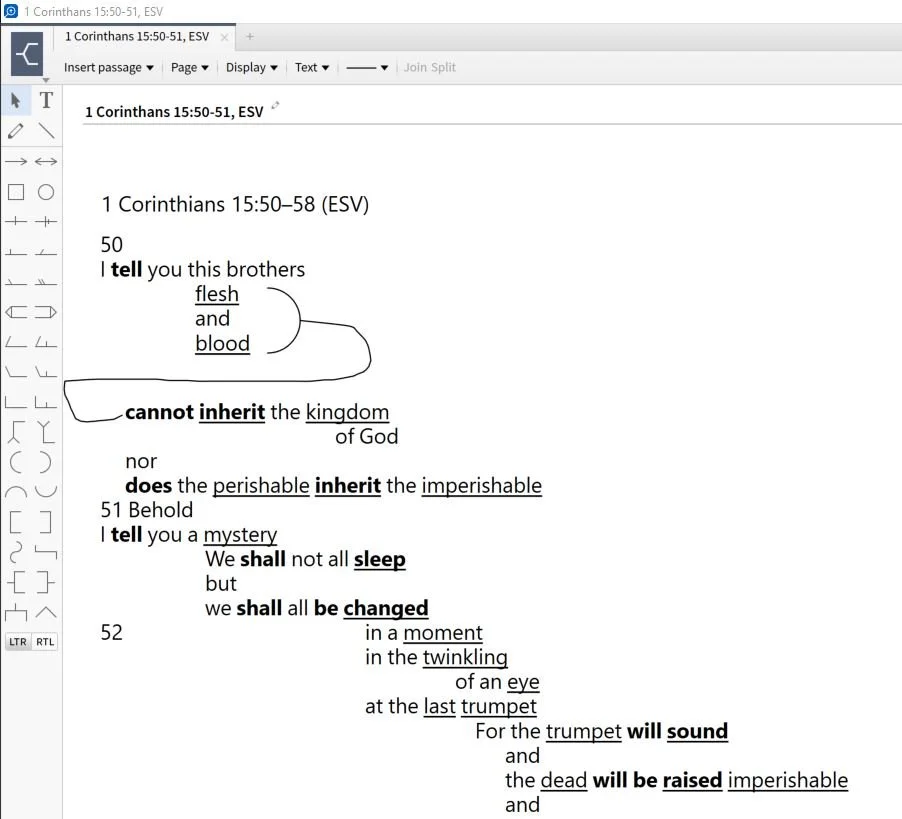
Sermon Prep Part Two: Theotek Podcast #066
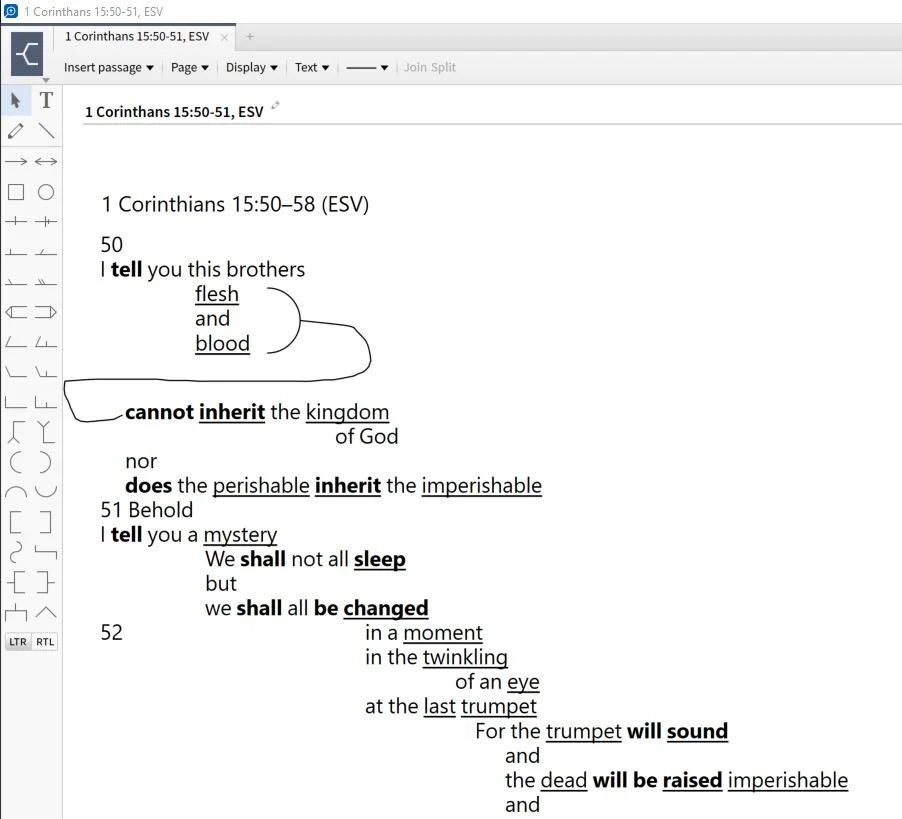
It's part two of our sermon prep series using Bible software to help us write a message. This week just Rick Mansfield and I tackle a little used tool - the passage outline. We show how to do so in a few BIble software packages and talk about doing it in the Notes tool of any program.https://www.youtube.com/watch?v=_1fzw6BndZ4&list=PL1-Xf_HZquDEcTTK8MLMMdmwvB--o1ShY&index=1We looked at the outlining features of both Accordance Bible Software and Logos. You can also do one of these in the notes tool of any Bible software that includes one. Just copy and past the text into the note and use the space or tab keys and the return button to arrange the text on-screen in way that shows the relationship of the ideas. For a good book on how to do good Bible passage outlines in English, see The 12 Essential Skills of Great Preaching by Dr. Wayne McDill, my preaching professor at Southeastern Baptist Theological Seminary.
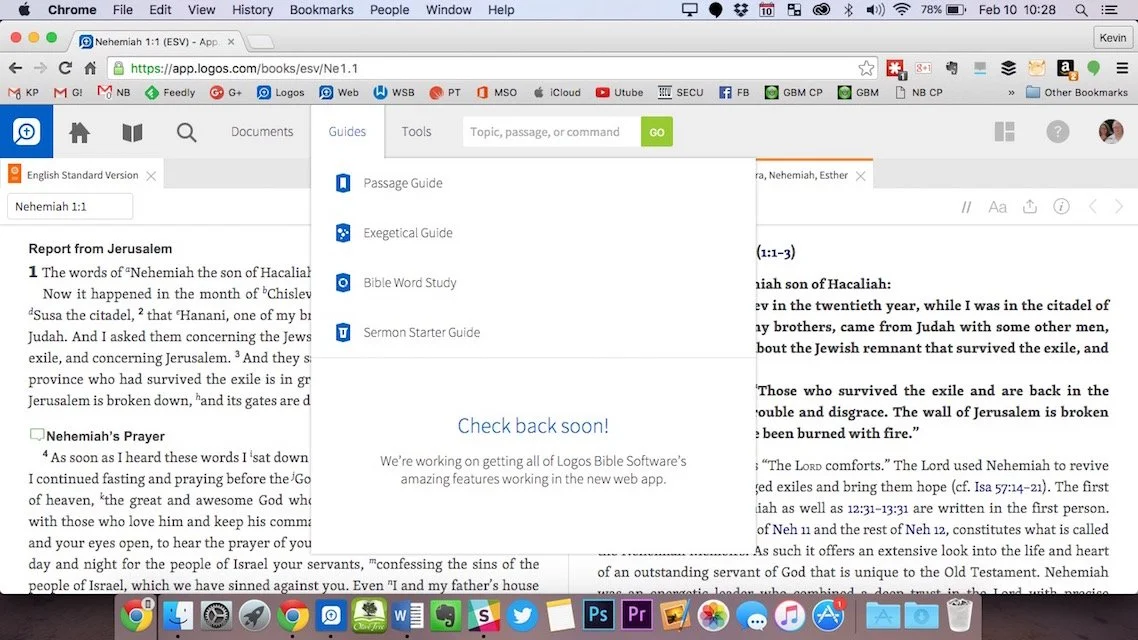
Digital Sermon Prep Part 1: Theotek Podcast #065
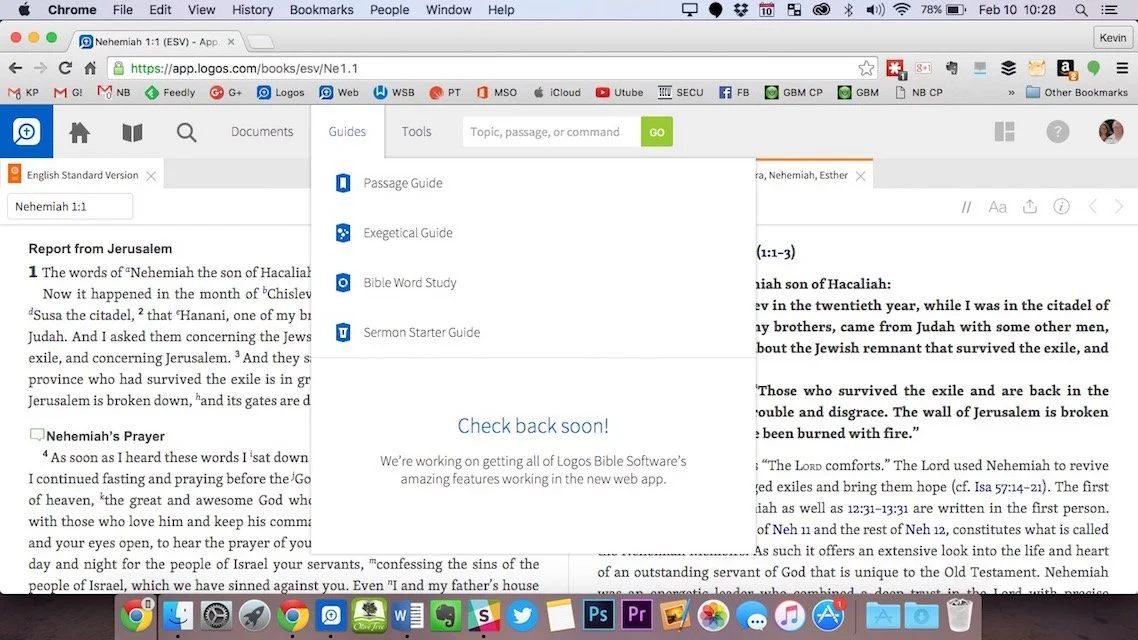
We started a series in this week's Theotek Podcast on doing digital sermon prep. Our team will take you through our steps of sermon prep using Bible software and digital tools.In this first step we focused on choosing a passage. Software packages come with tools to help you figure out what verses to include in your passage, or as the scholars call it, pericope. Then we look at other aspects of sermon prep. Watch the video below or listen to the audio version at the end of this post.https://www.youtube.com/watch?v=nb3ljTSXL3g&list=PL1-Xf_HZquDEcTTK8MLMMdmwvB--o1ShY&index=2We didn't have any recommendations in Our Favorite Things this week.
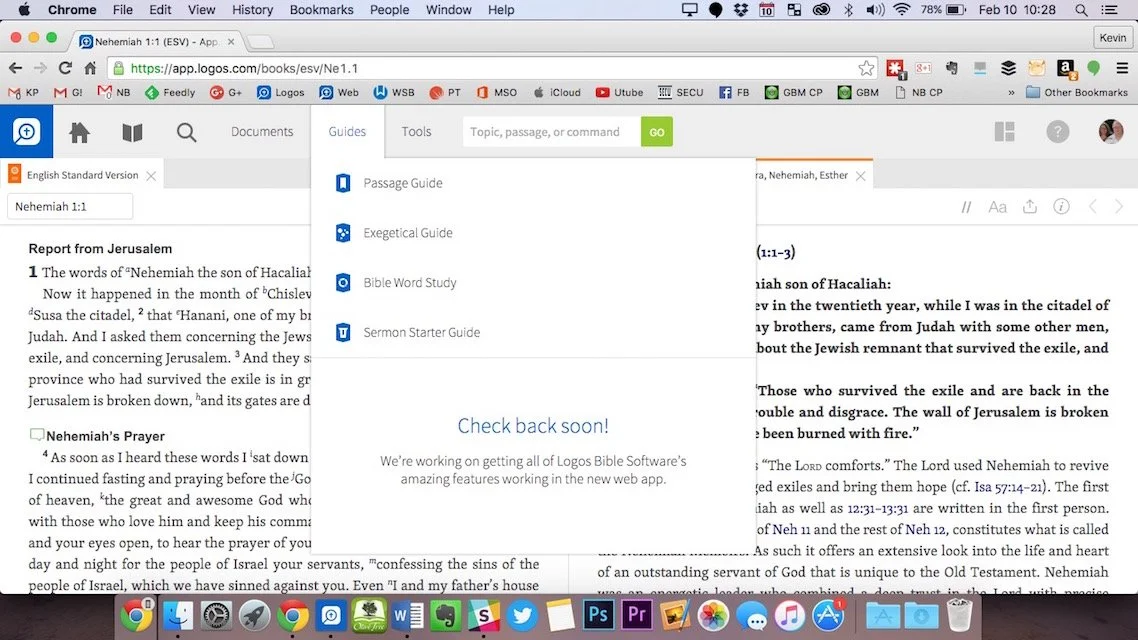
Online Bible Study: Theotek Podcast #055
Can you prepare your sermons using online Bible study sites? We try to answer that question and give a few recommendations if you choose to give it a try. At the end of the podcast we also give a few recommendations in our new segment, "Our Favorite Things".https://www.youtube.com/watch?v=Nj4ixnyNm9sWe only had three of our team members in this podcast. Rick Mansfield works with Accordance Bible Software and didn't think that online Bible study sites were good enough to do full sermon prep yet. Users often don't have access to the Internet or they don't have a reliable connection. Most of the online sites don't give users enough power to do serious word study. Most them include limited options for commentaries and word study tools. The ones included usually are only public domain works.Antoine Wright from Mobile Ministry Magazine was a little more bullish since he's a mobile-first kind of guy. He recommended a site called Bible Web App. It suffers from the same weaknesses of the other online sites with limited options and mostly public domain. It's fast and clean and does most of what Antoine needs. I like online sites and use a few. Last year I reviewed 6 online Bible sites in a two-part post. You can find part one and part two to see the video demos of the 6 sites (three in each post). Two of the sites I reviewed are no longer my favorites. Instead of My Study Bible from WORDsearch and Lifeway, I now recommend their new site MyWSB.com. Second, Logos has a site for subscribers to either their Logos Now or Logos Cloud services. Learn more about Logos Now in a recent post and Logos Cloud in another post.
 The online sites from WORDsearch and Logos above will cost you a little bit. The best option for those looking for a free site comes from Bible.org. It's called Lumina.
Our Favorite Things
 In "Our Favorite Things" this week we recommended some apps, a utility and an accessory. Rick recommended a USB C dock for the new 12-inch MacBook (not the Air or Pro). It's the HyperDrive USB Type-C 5-in-1 Hub with Pass Through Charging for $50. It connects to the USB C port on the MacBook and adds ports for an SD card, micro-SD card, 2 USB 3.0 ports and a USB Type-C port for charging or hooking up a 4K video adapter.Antoine recommended a list of Lent Apps he put together on his website. They can help Christians who observe Lent.
 My recommendation comes from github. It's a free utility that helps the user switch their MacBook screen resolution. It's called DisableMonitor and runs in the OS X menu bar. A drop down box shows all the resolutions your monitor supports. This gives you far greater control over the screen resolution settings than the built-in Display Settings in System Preferences in OS X. I wrote up a full How To post on it at Notebooks.com.