

6 Best Online Bible Study Sites in 2020 - Part One
With Wordsearch about to bite the dust, we lose one of the best online Bible study sites probably by the end of 2020 or early in 2021. So, that means we need to reexamine the online platform for studying God's word.
Five years ago I wrote, "Bible study's going online, not entirely, but increasingly so." Today online bible study is more mainstream, but still not the primary way most people study their Bibles. However, it's better than ever in 2020.
So here's the first 3 of my 6 best online Bible study sites that you can use on a Chromebook, a tablet, or even a smartphone. Fire up any web browser and study your Bible. You'll find that you might not need to run one of the complicated Bible study suites that you install on a Mac or Windows computer.
Why Use Online Bible Study Sites?

With limited storage these computers can't handle huge libraries from the complex Bible study programs like Logos, Accordance or Olive Tree to name some of the most popular.
BibleStudyTools.com

We first look at BibleStudyTools.com. What makes this a viable option for intermediate level Bible study software? Users can search the Bible, read it, track daily Bible reading plans and share scripture via copy/paste or links to post to popular social media outlets. Almost every online Bible can do those things. Here's what this site offers in addition to the basics.
Bible Study Tools adds some public domain tools like ...
- Commentaries
- Dictionaries
- The International Standard Bible Encyclopedia
- Old and New Testament Greek Lexicons
- Classic sermons from past scholars and preachers

The site includes a number of modern and public domain Bible translations. The list of Bibles includes...
- ASV
- CEB
- Douay-Rheims Catholic Bible
- ESV
- God's Word
- Good News
- CSB
- Jubile Bible 2000
- KJV
- Lexham English Bible
- NASB
- NIV
- NKJV
- NLT
- NRSV
- RSV
- The Message
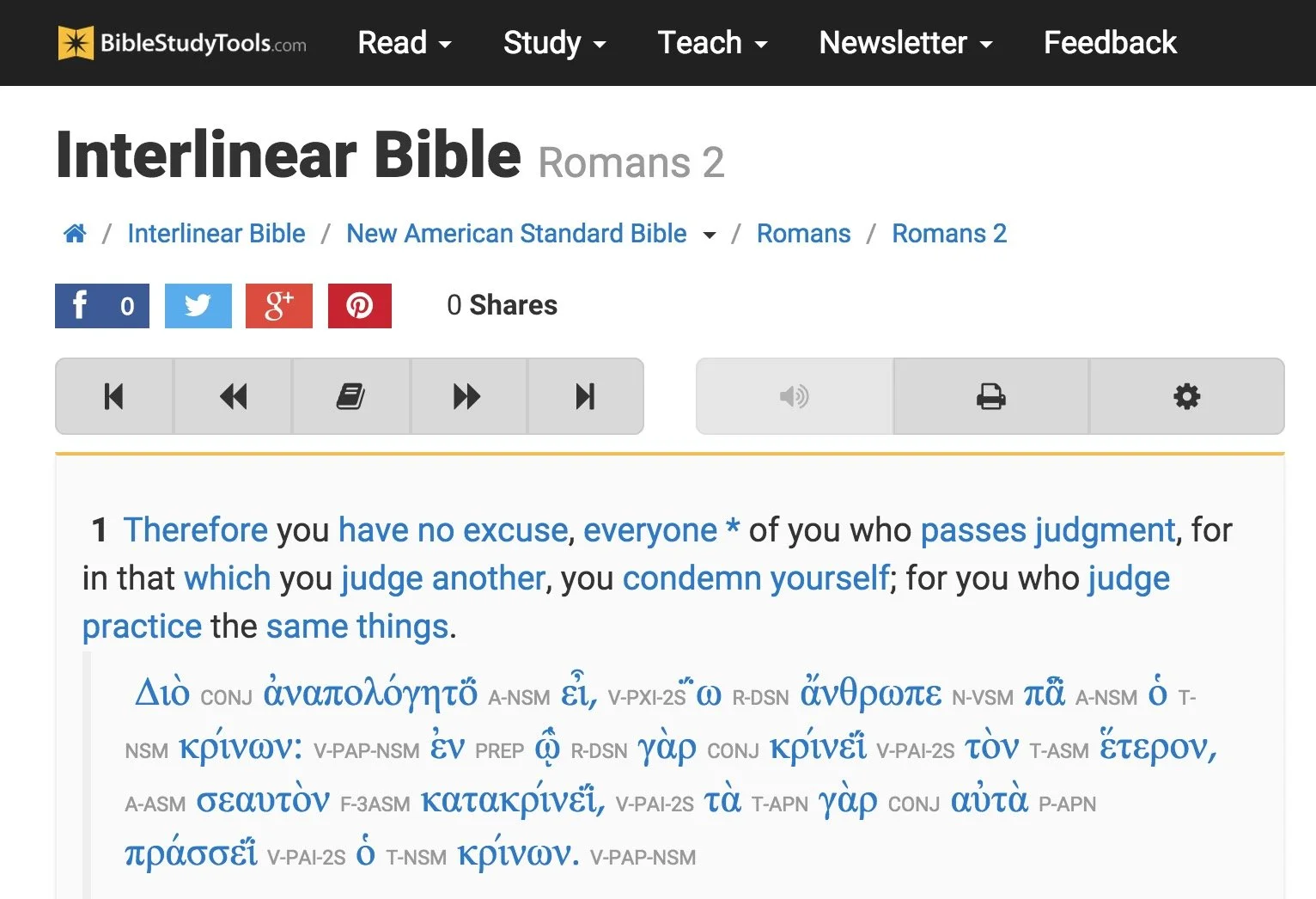
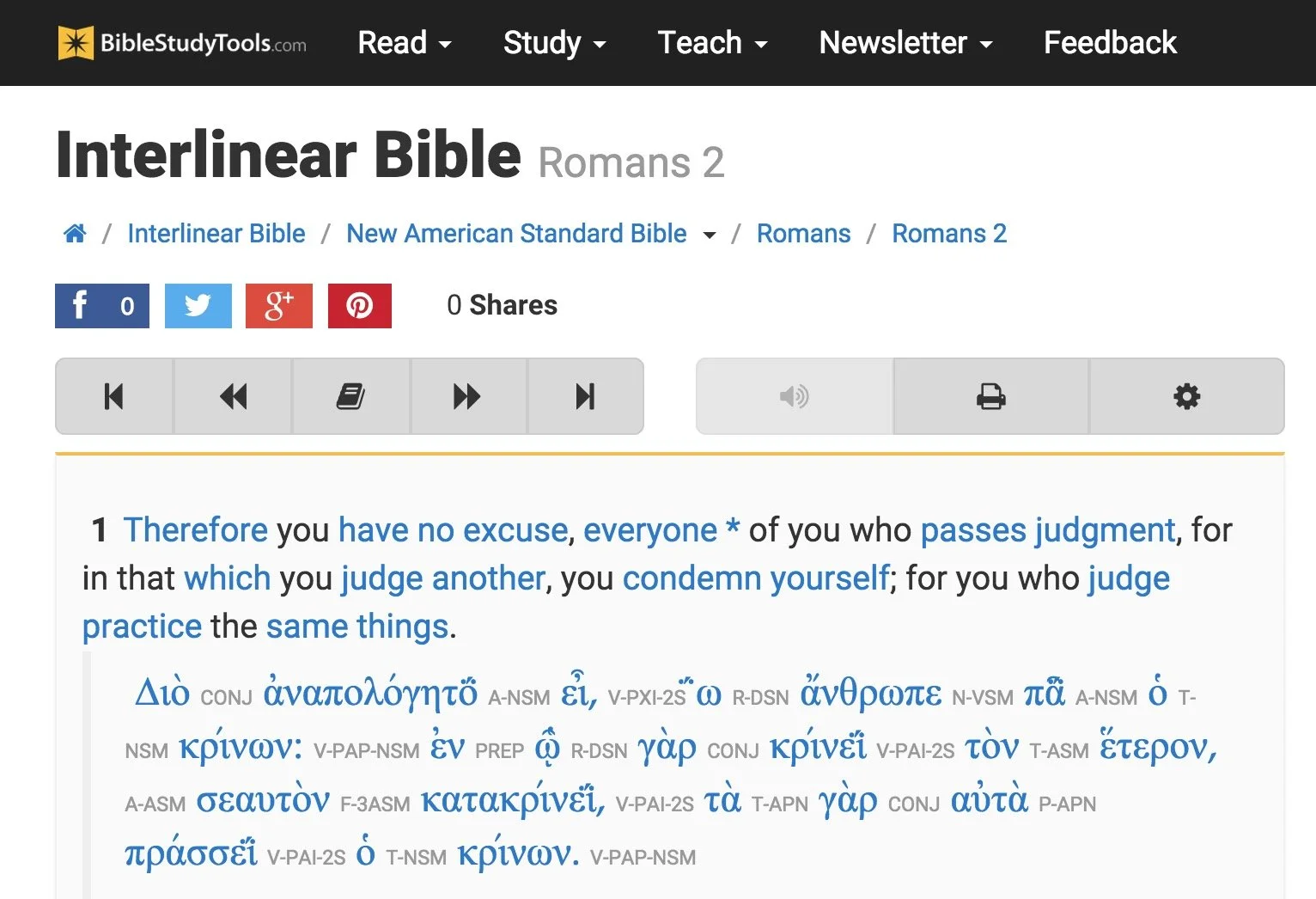
There's also some limited original language study. You can use an Interlinear Bible for languages study.
The site will collect user notes and highlights for those who sign up for a free account. The Bible student can mark up their Bibles and save their study findings for future reference.

While the site doesn't offer as many modern reference tools, a user with simple needs can get a lot done. Read a text, highlight it and write observations in a note attached to a verse. Then open the interlinear Bibles based on the KJV and NASB to do some original language study. Search the text for some cross references related to the topics in the passage. This gives any Bible student a good start in understanding their passage.
The Interlinear Hebrew text comes from Biblia Hebraica Stuttgartensia from United Bible Societies. The Greek text comes from Center For Computer Analysis of Texts, University of Pennsylvania based on Nestle Aland 26.
Here's a demo of the old 2015 site. Look for an updated video soon.
After these early steps, open some commentaries, dictionaries or the ISBE and learn more about the passage and what others said years ago. Record those findings in the notes. Then find the passage's Big Idea and come up with an outline using an online word processor like Google Docs or Office 365's version of Word online.
If I had to compare the site to a piece of Bible software, I'd say it can do almost as much as e-Sword with a few modern translations added to it.
Bible Hub

The next of these six best online Bible study websites comes from Online Parallel Bible Project in the form of BibleHub.com. The interface looks a little cluttered, but it's still a useful site with plenty of resources. In fact, it's a deceptively useful tool.
Enter a Bible reference in the top search box and the site opens the verse in all the translations and commentaries available in the left column. Along the right column we find some helpful tools like the context of the passage, cross references and Treasury of Scripture Knowledge.
Here's a demo of the old 2015 site. Look for an updated video soon.
Across the top of the site there's a toolbar that helps people navigate to specific passages in any of the supported translations. The site includes a large collection of modern and public domain translations. The toolbar also includes some public domain commentaries. Access them through drop down lists.
The toolbar buttons put many of the tools a click away. We get a parallel Bible button, cross references and a context button that shows the single verse within the pericope. In addition there's links to a few specific commentaries and more.
Like the other sites, Bible Hub lets me share to Facebook, Twitter and Google+. It includes some nice pictures, maps and outlines.
Biblia

Logos Bible Software users will want to go first to Biblia.com. The site offers a simplified version of what the company offers their customers in their Logos 9 Webapp. You'll need to own one of their expensive software packages or subscribe to Faithlife Connect to access the webapp. You can also check it out because it's very powerful for an online site. We'll look at it in part two of this article.
Biblia gives users access to their Logos Bible Software library online and a selection of tools and features even if you just sign up for a free account. You'll want to pay to really make good use of Biblia. And in that case you'd do better to use the Logos 9 Webapp. However, mobile users may like Biblia since it has a very nice Mobile version of the site.
Here's a demo of the old 2015 site. Look for an updated video soon.
The left hand column includes four tabs with the following features:
- Home - Shows reading plans and the About Biblia list of links.
- Library - List of books available to a user whether they pay for the suite of Faithlife Bible tools, subscribe to Faithlife Connect or sign up for a free account.
- Search - Search one book or other books in the library.
- Notes - Shows notes on a particular verse or book passage from the Faithflife.com community, but not a Logos Bile Software user's notes created in the computer program or mobile apps. You also have to sign into even see this tab.
The main part of the Biblia screen includes two window pane. The user can open books in either side. For example, open a Bible in the center column and a commentary on the right. The two will sync up to the same verse when a user turns the feature on using instructions explained below.
Use a mouse wheel or swipe on a laptop trackpad to scroll through the Bible from Genesis 1:1 all the way to the end of Revelations 22.

Click on the menu button (three dots) in the upper right corner of the window pane to show view settings. The user can do the following:
- Change the font size
- Sync the two panes
- Open the book's table of contents
- Change the reading view from column, stretched across both pans or full-screen reading view
- Toggle the community notes from other Faithlife users (but not personal notes from the computer or mobile apps_
The sharing tool will let you post to Twitter or Facebook, get a link to the verse on Biblia.com to post online or email, and an embed code to post to a website. See image below.

Here's part two of this roundup of the 6 best online Bible study sites.
7 Great Sources for Sermon Illustrations
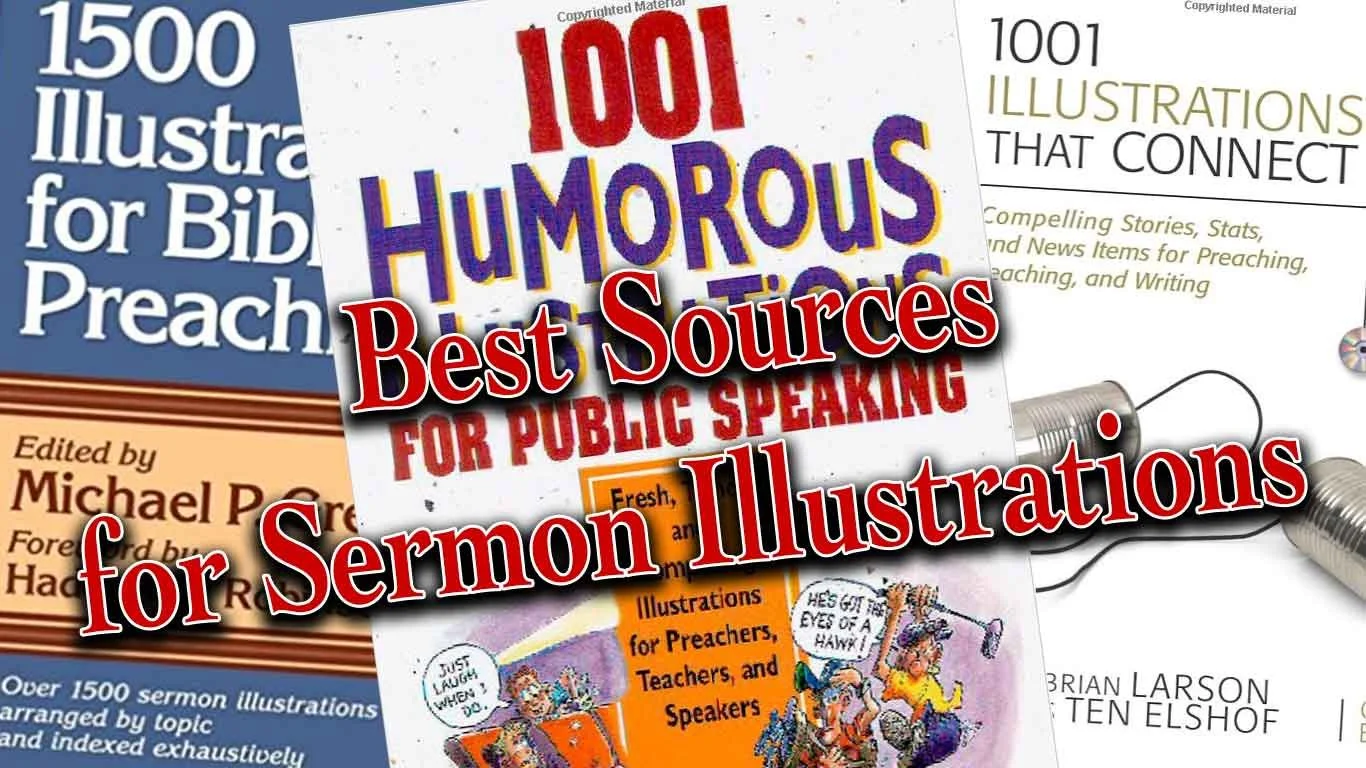
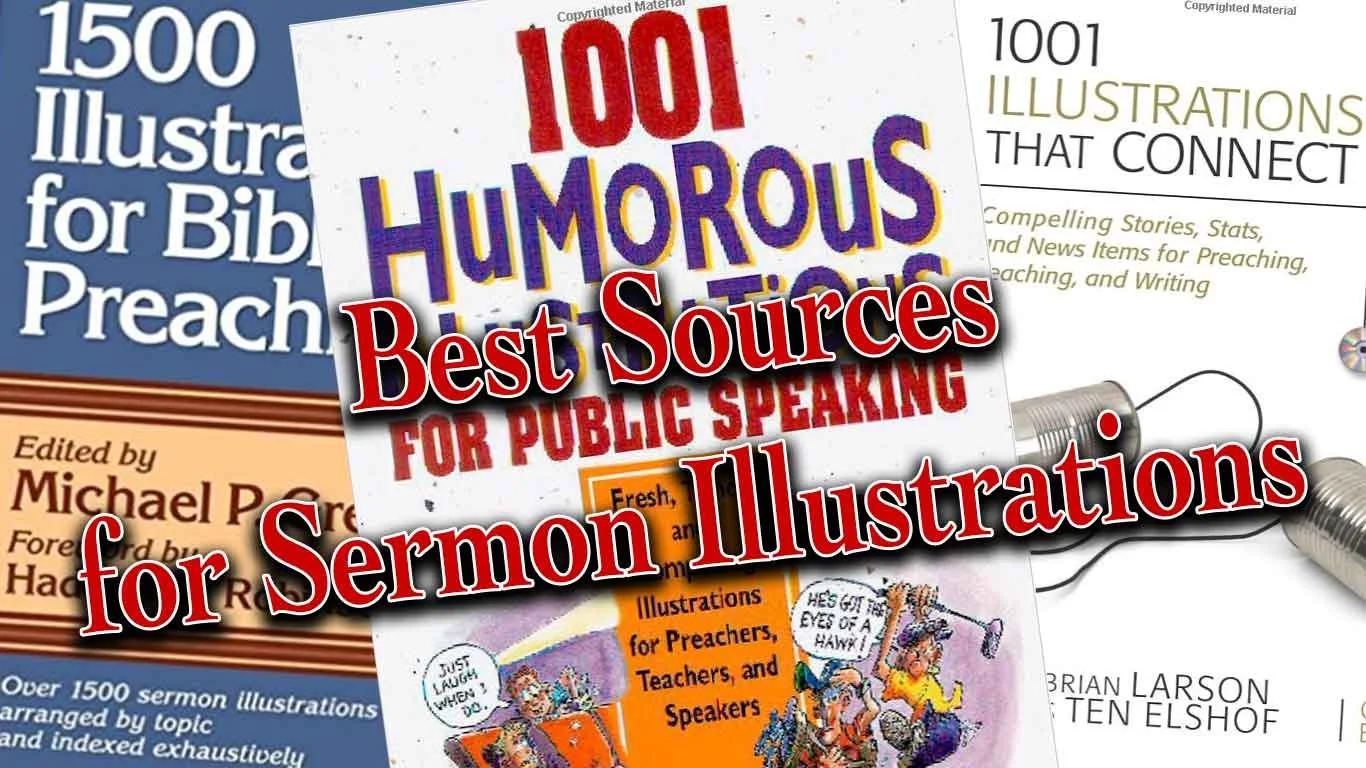
Do you need to find the perfect sermon illustrations to bring life and grab attention for the message for modern-day listeners with limited attention spans? I do and so I seek them from many sources, but a few websites help me find them.In the old days preachers would sometimes find sermon illustrations by consulting books that collected these illustrations by topic and sometimes by scripture reference. These books often suffered from a big problem; they were stale and usually dominated by old missionary stories or quotes of preachers from the 19th century. However, we still bought the books because in Saturday night emergencies we might find something we can use. These illustrations seldom will amaze listens, but they'll get the job done.
Problem with Sermon Illustrations Sites
Today's sermon illustrations databases suffer the same problem as those old illustration books. They can get stale and don't always show us the most interesting or exciting stories or quotes. There's good news because website publishers can update them. Some will also ask users to give their own sites. A few of these offer an incentive, like paying them or giving them access to the site at reduced or free rate.Aside from poor content, users struggle to search the database effectively. Google has billions of dollars to throw at improving their search features, yet they still fail more than succeed in delivering quality results on page one. It's no wonder that even the best funded sermon illustrations websites still struggle to produce useful search results.In spite of the weaknesses of these sites dedicated to sermon illustrations, we'll look at the best sites for finding good sermon illustrations. Not all of them will be these dedicated illustration database sites.
Preaching Today
 My favorite website for finding sermon illustrations comes from Christianity Today. PreachingToday.com gives preachers more than a database of sermon illustrations. It includes...
- Sermon Illustrations - database searchable by keyword, scripture passage and general search. It shows passages that it might fit and topics for preaching. Some even include links to photos that the preacher can display as part of a sermon presentation. If it refers to a movie scene it gives the scene time code (when it occurs in the movie).
- Sermons - database of sermons also searchable the same way the user can search illustrations database with both outlines, sermon series and full text sermons. Search by text, theme, or key word.
- Skill Builders - tips and articles for improving the preaching craft. This can include creative ideas for preaching, tips on how to preach better and more.
- Holidays - section devoted to both holidays and events of the church year like baptism, funerals, etc. that groups all the content available (Illustrations, sermons, videos, and images) by holiday or church event.
- Videos - videos that churches can use in their church if they do presentations.
Preaching Today doesn't come free. Get one year for $69.95 for two for $119.95. You can get some things for free, but not a lot. I pay for a subscription gladly because I have found plenty of fresh and interesting illustrations. Here are the site's strengths:
- Fresh illustrations
- Narrow the search by things like...
- Kind of illustration - the source, audience, type (humor, quote, stats, stories, et. al.)
- Word or Phrase v. Keyword - search the text of the illustrations for the word grace or find all illustrations about keyword grace even if it doesn't include the word grace itself.
- Searching for illustration also searches the other areas (sermons, videos, and more) and shows them in tabs at the top fo the page.
- If you use an illustration you can record this and it will remember that you did so you don't reuse them repeatedly.
Now for the cons:
- Sometimes a search returns illustrations that doesn't really seem to relate to your topic, keyword or passage even though they claim to.
- The cost of the site will keep some from using it.
I often find a true story on Preaching Today and then I'll do a Google search of the story, especially if it's a news story. Then I can fill in details and rewrite the illustration to better fit my preaching idea. I can also find media that fits to display during my sermon. Of course obey all copyright laws.
Google News
As I said above, I'll often find a good news story in a sermon illustrations from Preaching Today, but I need more information. I'll head over to Google and do a search. When. the main page shows few valuable results, then I click on the News tab and often find more pertinent information.Google News will let me find current events to illustrate my preaching idea. This gives the sermon fresh content and they'll come alive in listeners' minds. That's what makes Google News such a valuable tool and it's free. In the example above (see image) I searched for the term "redemption". We get some dictionary definitions and then link to the Internet Movie Database description of the movie titled Redemption. Down the page (not seen above) the results offered very little useful content. I can keep clicking for the next page of results or I can click on the News tab (see the middle tab in image above) and it shows stories about redemption.The second result took me to a NASDAQ news article about redemption of "senior notes". Reading the article helps me think the term redemption as a financial concept, which sparks ideas about relatable sermon illustrations. People might not understand the concept of this article since it covers complex economic issues. However, it serves to spark thoughts about more relatable ideas like covering debt to "redeem" someone's property that might be in foreclosure. I have a friend and family member who went through this. I can relate to it, so many of the people in my audience probably will too.
WingClips
Movies dominate culture, especially very popular blockbusters. They often include interesting scenes that we can use to illustrate our sermon ideas. WingClips partners with the movie studios to let users show these clips without breaking copyright laws. Along the left hand column you'll notice the themes they cover and it shows the number of clips on that theme. You can also search for clips by keyword, movie title, category (meaning film genre like action adventure or animated) and scripture reference. The scripture reference doesn't always work. I'm preaching through Ezekiel so I clicked on Ezekiel 7:25-26 since I'll soon preach that text. WingClips had a link for that passage but showed no results. Stick with the themes. I searched for redemption and came up with a number of useful clips from movies like Les Miserables, The Mummy and Courageous.Most of the clips come in HD and show user ratings (5-star scale) along with written reviews. Preview the clip and see other clips from the same movie on a clip page.WingClips offers some free illustrations and a free subscription. However, to really get the most out of the site, you'll have to either subscribe or pay for clips. They offer subscriptions either monthly or annually. See the image below for costs.
  Monthly subscription prices are as follows:
- $10/month for one clip a month.
- $16/month for 2 clips a month.
- $29/month for 4 clips a month.
If you prefer to save money and will pay annually the cost as follows:
- $89/year for 10 clips a year
- $165/year for 20 clips a year
- $299/year for 40 clips ay ear
If you prefer, you can buy clips one at a time without a subscription. They cost...
- $15 for one clip
- $25 for 2 clips
- $48 for 4 clips
- $219 for 20 clips
Compare paying monthly, annually to buying clips as needed and you'll see that you save some money by subscribing annually. I'd suggest starting out by subscribing to the 10 clips/year and then buy more clips as you need them. If you find you're using more you can upgrade to the 20 or 40 clips per year at any time.
Pixabay
 Frederick R. Barnard once said, "A picture paints a thousand words." Pictures can say quickly what we want to express in our sermons. Here's how I use them in my preaching.
- To illustrate main points - I create a slide with a picture that illustrates the concept of my preaching point. I may never even reference the photo if it obviously says what I want to say (see image above).
- Represent a Sermon Illustration - If I'm sharing a quote, I'll put a photo of the person on the screen with the quote or with a key phrase from the quote. If I'm telling a story about a guy in a fishing boat, then I'll find a photo of a fishing boat to display as I tell the story.
- Comics - these are good ways to share a joke. Just let the people read it. I'm not a great joke teller. Off-the-cuff humor is my thing. So comics are sometimes more powerful than telling a joke. I use this primarily at the beginning of a sermon. I tell the person running my presentation to put the joke up while I'm praying before my sermon. Then I just turn and look at it as I give the audience a chance to read it or look at it. Then I will turn back to the crowd and start preaching, often referring to the joke in the comic.
- Backgrounds to my sermon Bible text - put an image behind a verse that represents what that verse says.
Those are a few ways I use images. I include from 10 to 30 slides in most sermons. I get most of these images from a site called Pixabay, which gives users free images they can download and use under the Creative Commons license agreement. Creative Commons means you can reuse it so long as you give the original creator of the photo credit. Users can search Pixabay's free database of images. Users add to the database and then other users can download the images and use them in their work. The site's free to use. If you're a skilled photographer or artist please consider adding to the site.
 I searched for redemption as I have on the other sites. It showed the above results, including some "adult content" meaning some of the photos show nudes. By default Pixabay blacks out such content and you have to click them to see them. I just ignore them. When the images on the site don't match what I'm looking for, I will either search using a different synonymous term or I'll use the sponsored links to Shutterstock that show up at the top of the page (see below)
 When I find an image I like, then I'll save it and put it in my presentation software. We use MediaShout. I'll usually put something like "Used by permission from Pixabay.com USERNAME - by Creative Commons". If I need to add text for a quote or for my sermon points, then I'll add the attribution on Photoshop or Affinity Photo on my iPad.
freesound
To add some spice to sermon illustrations, my friend Wes Allen who's part of the Theotek Podcast team, uses sound. For example, he said that he was once talking about a criminal investigation and so he used the Law Oder TV show sound. In another instance he was talking about the great cloud of witnesses from Hebrews and used a crowd roar to illustrate it audibly (listen below). I've used sound in this way maybe 2 or 3 times in my life. But it sounds like an interesting tool and church presentation tools like MediaShout can play sound easily.Wes uses freesound as his preferred place to find audio clips. It has a large database of free sound clips. Like Pixabay, it requires attribution since it's a Creative Commons license. Just create an account, sign in and search. Download the audio clip of your choice and play it with an image displayed. On the image show something like this...
Image sed by permission from Pixabay.com USERNAME; Sound used by permission from freesound.org USERNAME - by Creative Commons.
Here's a crowd cheer from freesound user Veridiansunrise; used by permission by Creative Commons. If I used this for a sermon, I'd cut it down since it's pretty long.
Bible Software Illustration Databases
Most of the better Bible software programs include sermon illustrations or let you buy databases of them. For example, Rick Mansfield from Accordance uses his collection in Accordance Bible Software. Rick uses the Research Search function of Accordance. He said:
I run a research search through this group I’ve made according to the subject I’m looking for.
Here's a video where Rick demonstrates how he does this in Accordance.Logos and WORDsearch also offer similar features, so check your Bible software to see if it includes these kinds of tools. If the program doesn't have illustration databases or you don't own any, search your general library for a topic. For example, search redemption in books other than the Bible, commentaries and dictionaries. You will probably find devotional books, Christian Living books and more that cover that topic with stories by the authors.
Personal Experience
You can always access the most important source for sermon illustrations - your personal experience. Wayne McDill offers a great tool for brainstorming sermon illustrations in his book 12 Essential Skills for Great Preaching. Here's how it works.
- Write down your theological idea, such as: Jesus redeemed us by his blood.
- Convert that idea to a non-theological idea: someone acts to free us from our own mistakes through a personal sacrifice.
- Now think of how that might happen in various areas of life, like...
- Family
- Politics
- Sports
- Neighborhoods
- Schools
- Work
- Church
- History
- Current Events
- Now pick two or three that you think you can relate to and your audience can relate to and write out a story to illustrate the idea of personal sacrifice to free someone from their mistakes.
 Here's an example from my personal history.
At Christmas my mom would always make Christmas sugar cookies and my three sisters and I got to help decorate them. One of the favorite decorations were the chocolate Jimmies, little chocolate slivers that to be honest looked like rabbit droppings. However, they tasted great so we often ate them before they made it to the cookies.One year, when I was very young, my mom got home from somewhere and discovered that someone at all the chocolate Jimmies. She was not happy because she made us all promise we would stay away from the sugar cookie decorations while she was out.Nobody admitted their guilt so she sent us all to our rooms. I hated being sent to my room, because like most kids in the seventies, I wanted to play outside. After about an hour I decided that I didn't want to spend another minute in my room, so I worked up some fake tears and then walked down the hall looking as repentant as I could. I found my mom in the kitchen and told her, "I'm sorry. I at the chocolate Jimmies."She was so moved by my performance that she forgave my theft and commuted her intended sentence of grounding the guilty party the rest of the week. I got to go outside.There was one problem. I didn't eat the Chocolate Jimmies. For years, my mom kept telling the story of how sweet I was that day. I never admitted to my deception until I was grown and married. During a Christmas gathering of the family, the story came up. It was then that I admitted to my lie.By then my mom didn't hold that against me. However, none of my three sisters would admit they did it. Either they were liars or more likely forgot. But what I'll never forget is how much my mom chose to forgive me on that day and years earlier. It thought I was really doing something great by admitting to something I didn't do. I thought I was being sacrificial to end this house arrest. But I wasn't the real hero, my mom chose to forgive me not once, but twice.Jesus in his grace will forgive us not just one or twice, but anytime we confess our sins and repent. He's always faithful to forgive us because he also took the blame for something he didn't do. He didn't do it selfishly, l like me. He did it selflessly to redeem me from my prison of sin and hell.
Theotek Podcast #033: Semper Paratus and Stuff
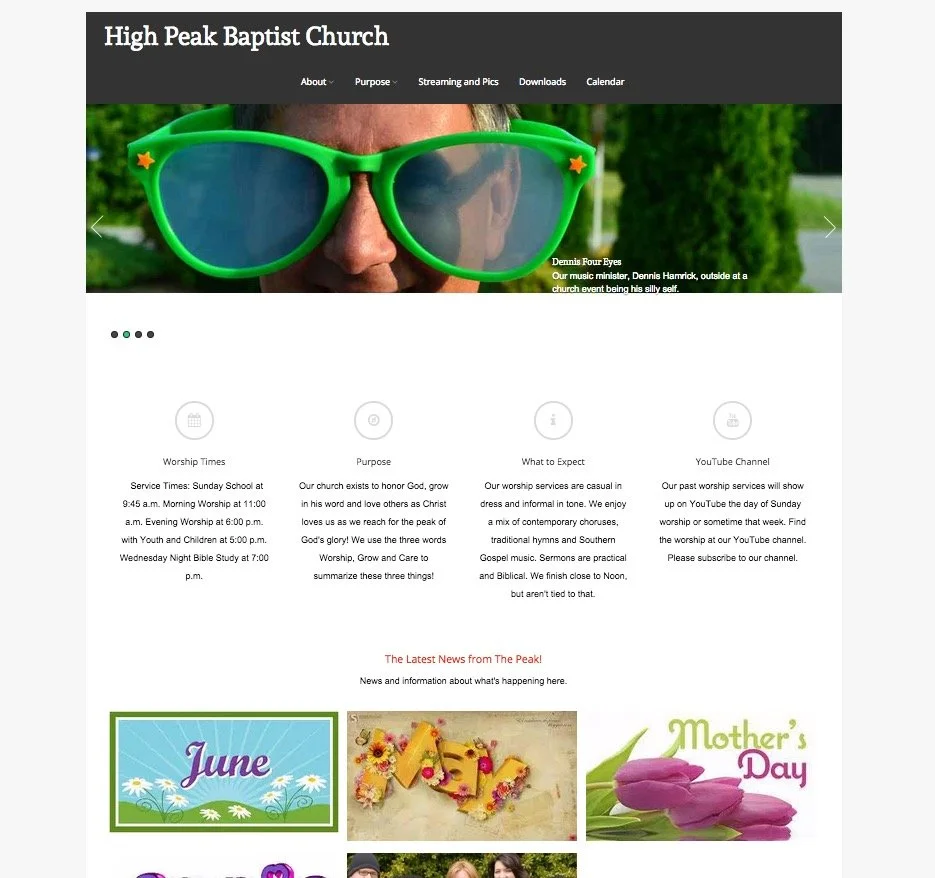
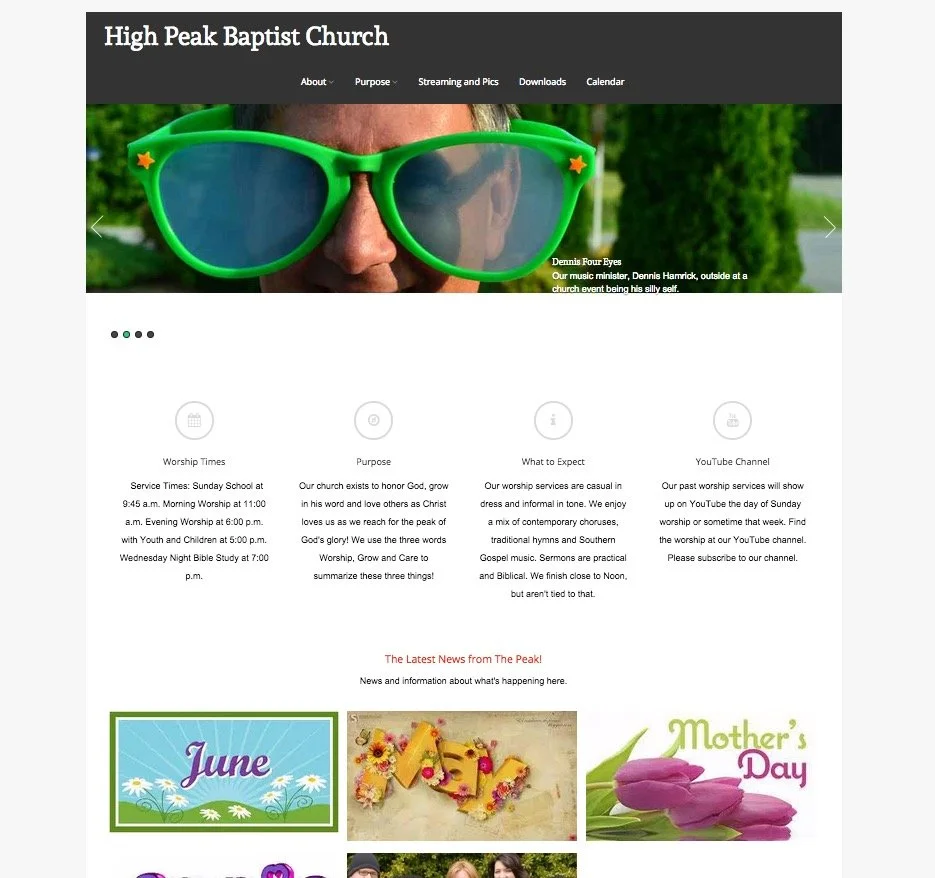
Church websites and their social media presence can have a positive or negative impact on the church. The Theotek Podcast #033 dealt with this subject. Our team included Rick Mansfield of Thislamp.com and Antoine Wright from the Mobile Ministry Magazine and me, columnist with Ministry Tech Magazine (formerly Christian Computing Magazine). Hopefully this was the last week without Wes Allen, the tech director for the American Baptist Church of New Jersey.https://www.youtube.com/watch?v=TieOUtsn1voIn the first segment of the Theotek Podcast we talked about the problems with church websites, using my church's woefully ignored website highpeakchurch.com as a bad example of letting a site flounder with little fresh content. We discussed tips for not letting that happen. Then we looked at the subject of social media and how it can help put a fresh face on the church's online presence. And finally, don't count out email newsletters. They can still give churches a useful way to communicate with the congregation.
 We also talked about our 5 Commandments for Online Communication, which we discussed during our 15th episode.You'll find the Theotek Podcast on my YouTube channel. Please go their and subscribe. The audio version gets uploaded and you can listen using the player below or by subscribing to it on iTunes or Stitcher Radio, which also distributes it to almost all the major podcasting apps on mobile devices. Get the links on our the Theotek page of this website.