

Is Apple Ruining Bible Software: Theotek Podcast #087
It seems that Apple is moving away from macOS towards an iOS-centric future. If the iPhone and iPad replaces the Mac, what does that mean for the church, Bible software and companies that make tools and software to help the church and believers make disciples? That's our discussion as we focused on the question, "Is Apple moving in that direction? If they are does that affect Windows, Mobile devices, and other platforms? What is the future of church software and technology in light of this possibility?"https://www.youtube.com/watch?v=R8EQKw7KXhM&feature=youtu.beThe conversation began, however, with our Christmas tech toys. The gifts we got for Christmas included some fun things like the following:
- Michael Purcell - my son joined us for this episode and got the Surface Pro 4, Type cover and Surface Pen. He explains why he loves his.
- Wes Allen - ThinkGeek toys like the BB8 Waffle Maker and the R2D2 Coffee Press. He also got an Apple Pencil.
- LaRosa Johnson - one of LaRosa's co-workers sold him the Blue Yeti mic.
- Antoine Wright - one of Antoine's Kickstarter campaign investments actually came through in a positive way. He got the Lumos Bike Helmet.
- Kevin Purcell - I got myself a Kindle Fire with the gift card for Amazon that my wife bought me.
You can always listen to the Theotek Podcast using the built-in player below or subsribe to us in iTunes and leave comments if you like us. We're also on other podcasting apps thanks to Stitcher Radio.
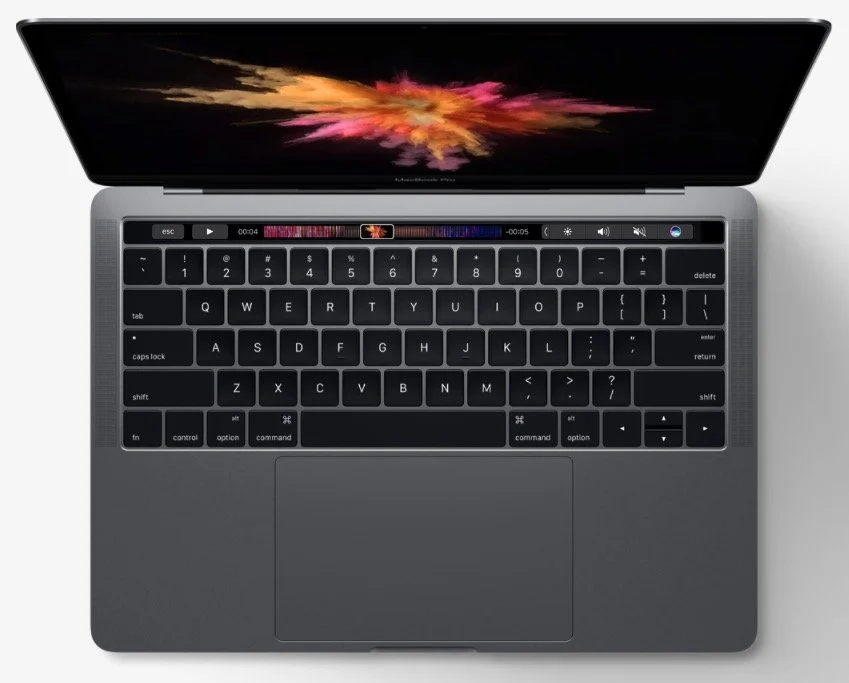
What's New in Accordance 12 and MacBook Pro with Touchbar: Theotek #086
Accordance 12's been out for a little while, but we got a chance to see all the new features demonstrated by Mark Allison, an official trainer for Accordance Bible Software. He showed off the new things like Stacks, Paper and more.https://www.youtube.com/watch?v=h4JqYLAxrp8&feature=youtu.beAlso, Rick Mansfield gave us his mini review of the new MacBook Pro with Touchbar. I showed off my Olloclip for iPhone 7. The shot below shows a wide-angle shot. Here's what it looks like without the Olloclip using only the iPhone 7 Plus camera.
 The Fish-eye is my favorite.
 Olloclip gives you a macro lens in the kit too.
 Wes Allen's favorite thing comes from Edovia. It's an app called Screens that lets you remotely control your computer from an iPad. He loves using it with the iPad Pro.Mark Allison gave us a recommendation called Quad Lock for iPhone. It's a case and mounting system for your phone and it attaches to bikes, a tripod and more.You can listen to the podcast below and the intro music comes from Incompetech.com. Please consider subscribing to our YouTube Channel.
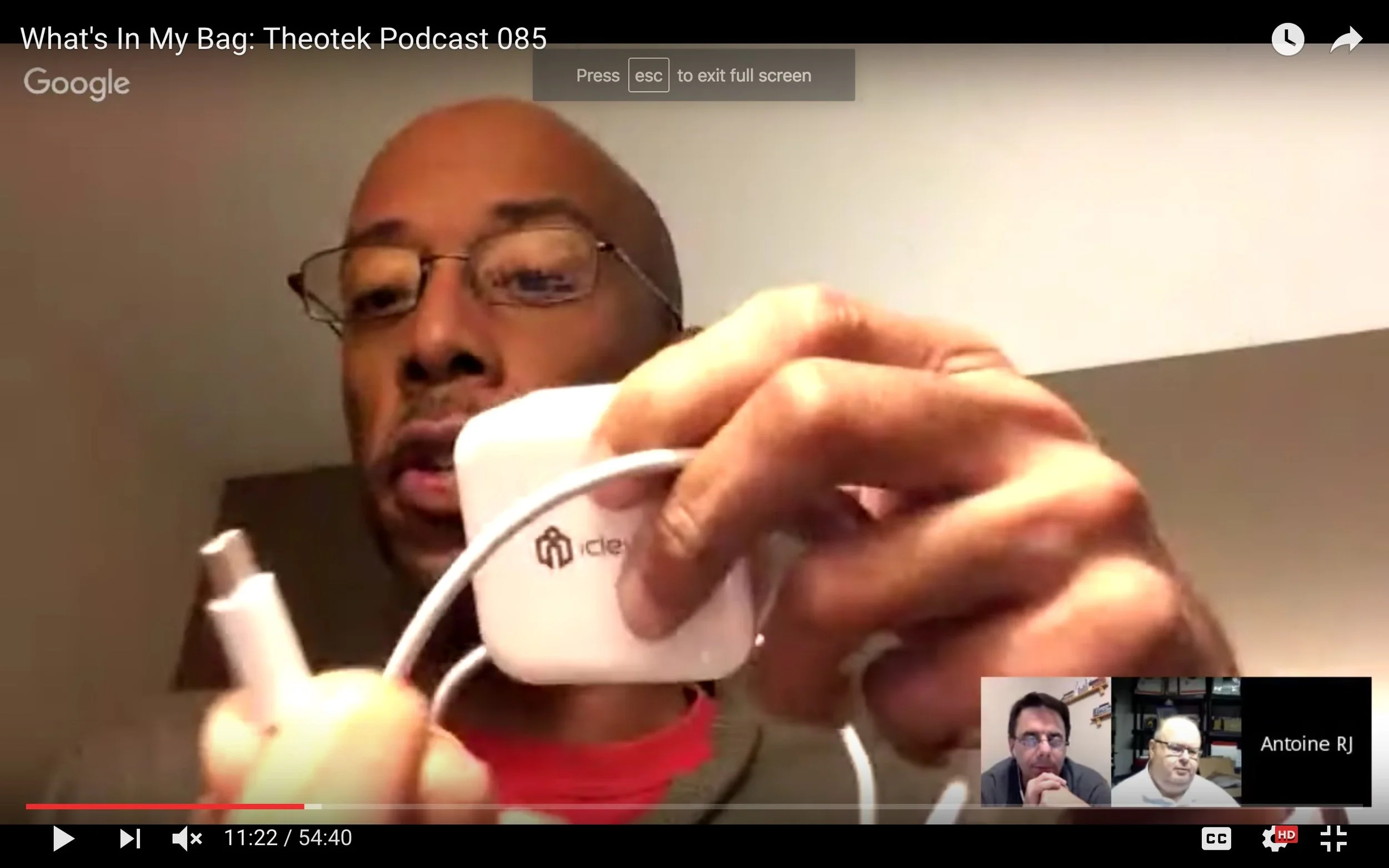
What's In My Bag: Theotek Podcast 085
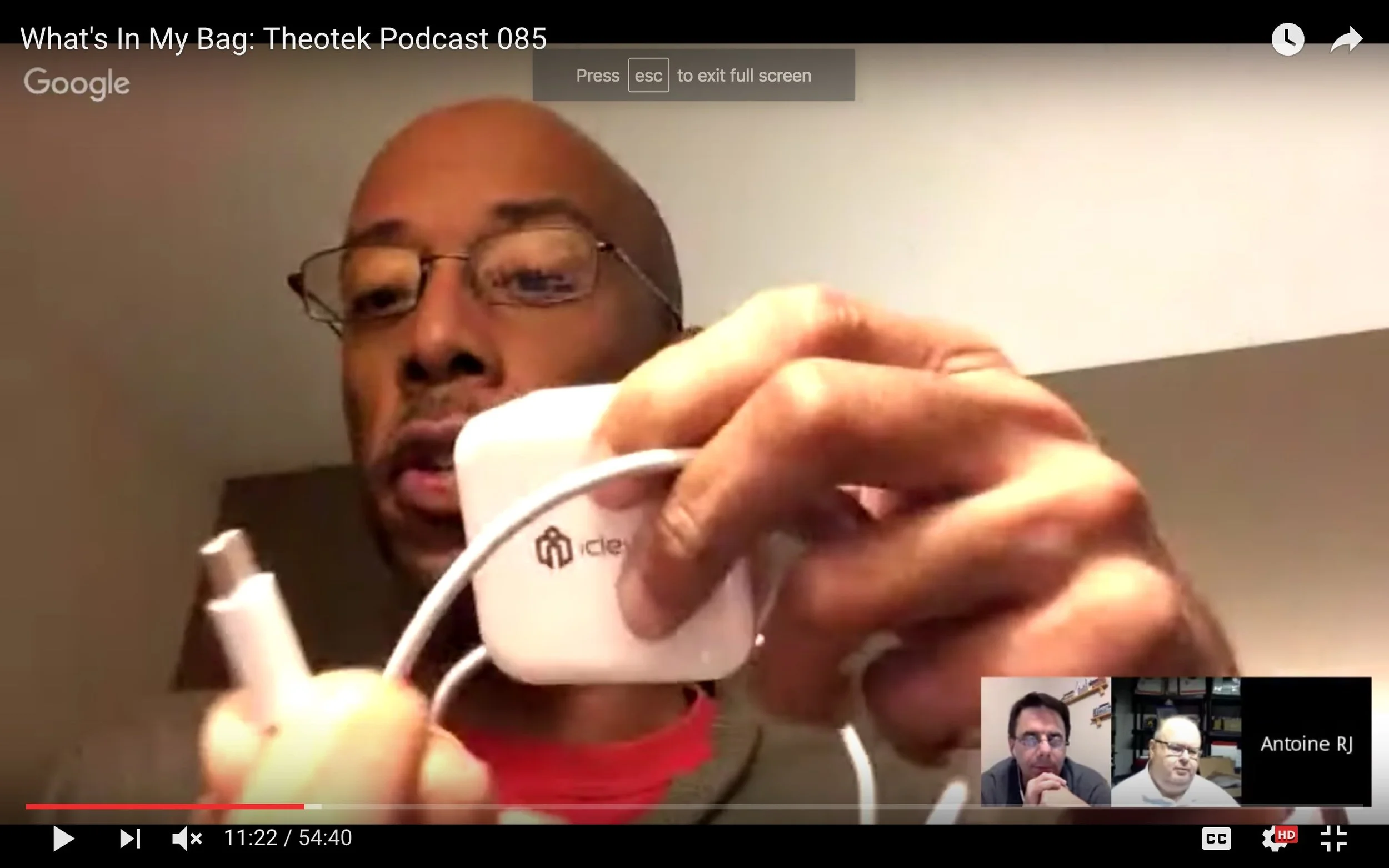
Our team talks about the tech gear we use in ministry and life. In this edition of "What's in my bag?" we'll talk about laptops, tablets, phones, favorite accessories and maybe even the bags themselves.https://www.youtube.com/watch?v=NtHk3qtbqV0This edition won't come in an audio version because it's such a visual show. Come back next week if you prefer to listen.
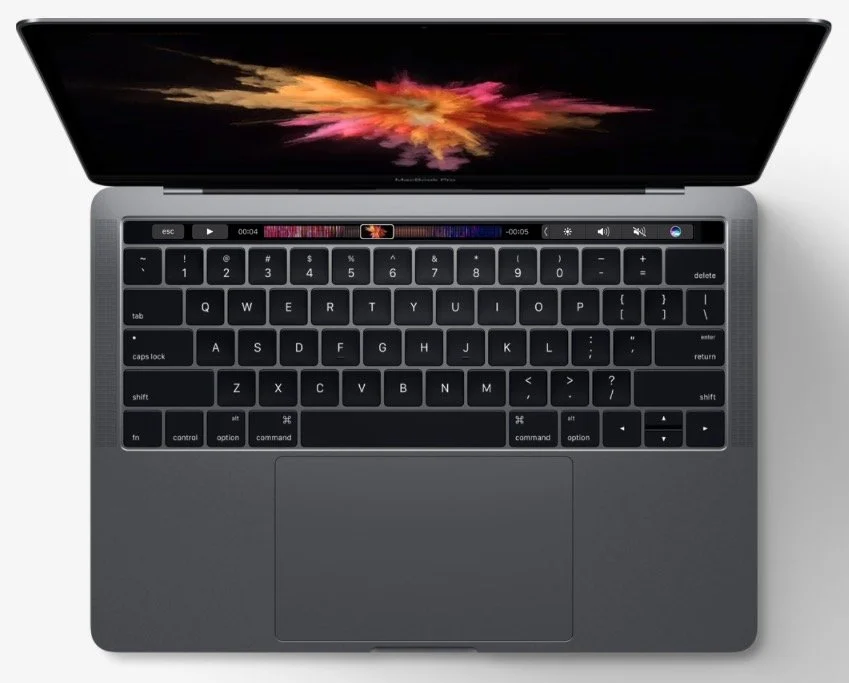
MacBook Pro vs Surface: Theotek Podcast 084
Last week Apple and Microsoft unveiled new computers. Apple showed off a newly designed MacBook Pro with Touch Bar and Touch ID while Microsoft refreshed their Surface Book and introduced a professional creativity focused all-in-one system called the Surface Studio. It will run the new Windows Creative Edition coming out next year. We talk about the two companies and their vision for what customers want in hardware. Watch the podcast below or listen at the bottom of this page.https://www.youtube.com/watch?v=rflTLj4uqpw
Microsoft Surface Studio and Windows Creative Edition
We took the two announcements events in the order they came, starting with Microsoft's unveiling of Windows Creative Edition. Most of what they covered focused on creating content using Windows. They were enamored with 3D since Paint gets an update to include 3D. My colleague Travis Pope of GottaBeMobile tells you all about the new version. The SurfaceBook gets an update to the SurfaceBook 2 (starts at $2,399). It's a two-in-one mobile device that's mostly a laptop, but with a detachable screen. Microsoft first released it last year, but it was extremely buggy. They fixed the bugs and now they put in new processors and upped the video graphics chip for better overall performance and great battery life.
 The biggest news of their event centered around the new desktop all-in-one. It's called the Surface Studio (starts at $2,999) and comes with a huge 28-inch touchscreen that the user can adjust to use upright like a traditional desktop system or fold it down to work on it like a drafting table. Again, check out the GottaBeMobile post about it.
2016 MacBook Pro with Touch Bar
 The biggest controversy in our discussion centered around the gimmicky nature of the new MacBook Pro with Touch Bar. Apple unveiled this updated MacBook. I don't like that it comes with only USB-C ports. They're great ports and I love them, hoping that in a few years that's what everyone uses to sync and charge and connect peripherals, including the iPhone. However, we're not there yet and we need things like an HDMI port or SD card slots. The other guys disagreed with me because they're mostly Apple Fanboys (just kidding, sort of). Read more about it in my post for Notebooks.com.
Our Favorite Things
We ended with Our Favorite Things! My favorite thing was an adapter for the iPhone 7 or iPhone 7 Plus that lets users both charge and listen to their phone at the same time. The ALIWELL Lightning to 3.5mm Headphone Jack Adapter ($18) has a Lightning connector on one end and on the other there's a place to plug both a Lightning charging or syncing cable in and 3.5mm headphone jack. It also has volume keys and a button for answering the phone or play/pause.
 It's not perfect since it slows down fast charging adapters. I plugged my iPad charger that usually boosts the iPhone battery 10% in about 5 minutes. With this it takes longer.
 Rick picked a nice iPad Pro case that comes with a sturdy secure Apple Pencil holder. The Poetic QuarterBack Case for iPad Pro 12.9 with Apple Pencil Holder ($15) covers the back of the iPad and holds your Apple Pencil in place. He loves it and convinced me to get one too. I ordered the Green and Gold version so I can run around with Green Bay Packer colors on my iPad.
 It's compatible with the Apple Smart Keyboard Cover. It also includes all the other button and port cutouts or access.LaRosa ordered an Apple Watch 2 (starts at $369 for 38mm Series 2), so we'll hear more about that when he gets it.
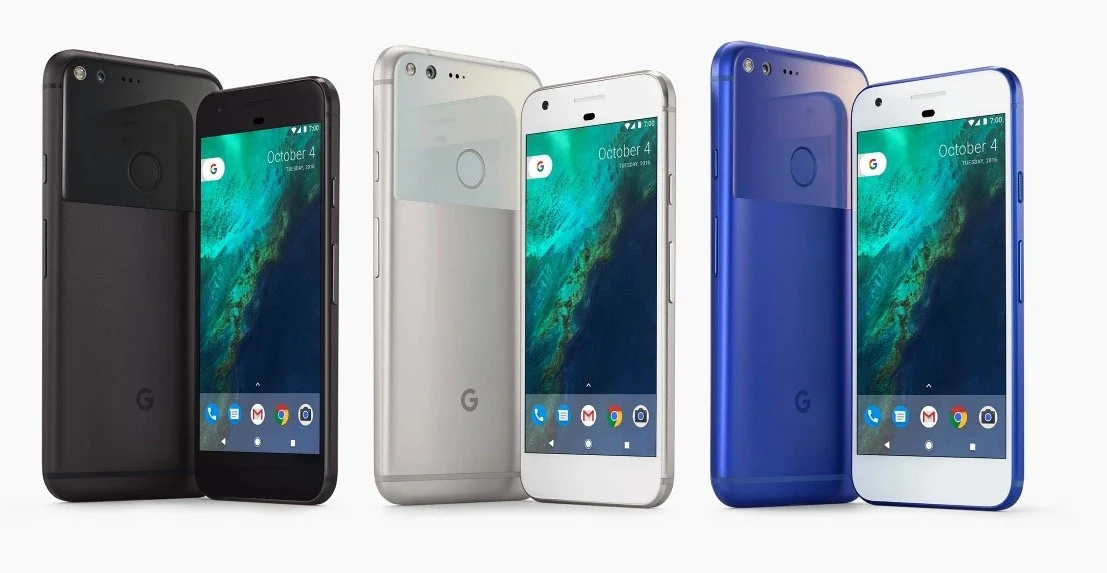
Tech and Small Groups Plus Pixel XL: Theotek Podcast 083
How can technology help in your small group ministry? We examined some ways that tech can help you with a more dynamic small group discipleship ministry. This focused on three areas, content, organization and the small group meeting time.https://www.youtube.com/watch?v=YxKvql_dS0wIn our discussion of using tech in small groups ministry, we got the following recommendations:
- Consider using digital study materials since they are easier to distribute and in the case of free resources easy to share using something like an online storage or sharing tool.
- A flipped classroom approach where the group members watch a lecture or video at home and then come together to discuss it focuses more on discussion and relationships instead of putting one person at the center of the group.
- Shared calendars help keep everyone together for meeting times and reminders about tasks they're asked to do before meetings or after meetings.
- Use some sort of community builder software especially if your church small group has access to a Church Management System.
- Facebook Groups or Slack Chat can help with communication among the group.
- Use a service like Call Them All to get word to group members quickly, if you don't use the previous things on this list.
- Set up reminders in iOS or Android for daily devotions or other regular activities that group members need to do.
- You could even use Google Hangouts to host the group online like we do with the Theotek Podcast.
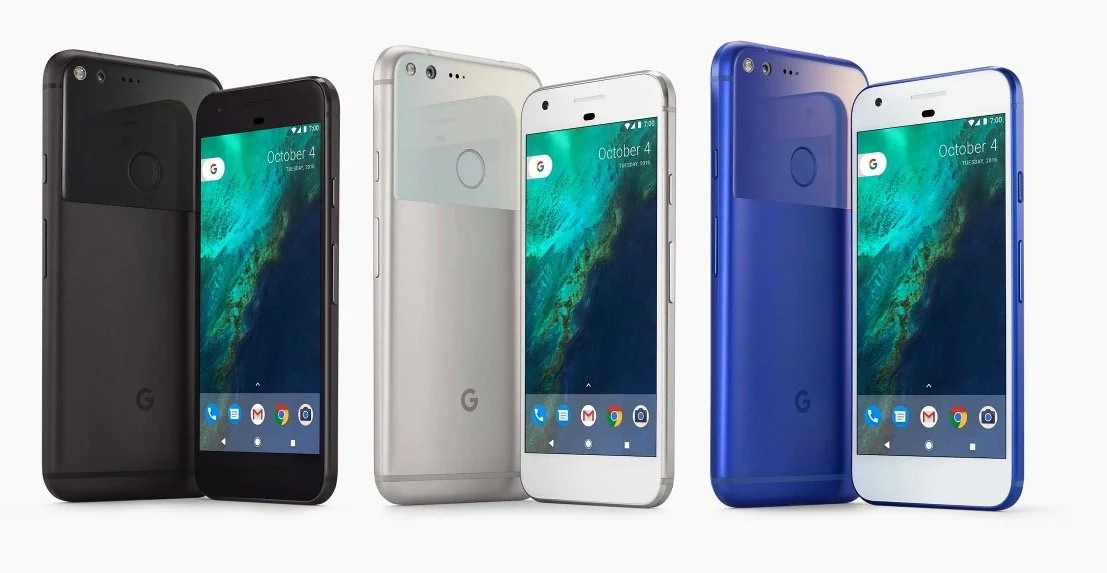
 We also took a look at the Google Pixel XL Phone. I shared my early review after a week's uses.The things that set this phone apart include the following:
- Great battery with longer than all-day life
- A nice AMOLED screen
- Excellent camera (see image below)
- Fast Snapdragon 821 processor
- Excellent build quality
- USB Type-C charging
- Android Nougat 7.1
 In Our Favorite Things, we got recommendations from Antoine and LaRosa. Here's what they offered.
OURA Smart Ring
 The OURA Smart Ring focuses on health over communication. In fact it doesn't offer notifications. Instead the sensors in the ring track your health using things like sleep, activity, heart rate, body temp, and your movement. The companion app will give you recommendations based on what it finds.The OURA Smart Ring isn't cheap at $300. It comes in three styles. Antoine Wright loves his and recommends it despite the cost.
Moxiware Apple Pencil Magnet
 LaRosa's a recent Apple iPad Pro buyer and so he recommended something to help him hold his Apple Pencil. The Moxiware Apple Pencil Magnet is like a sleeve that slides on to the Apple Pencil and magnetically grabs hold of the iPad Pro, kind of like the Surface Pen with Microsoft's Surface Pro 4 and Surface Book line and their new Surface Studio desktop they just announced. The Magnet's not that expensive at only $16.95.
Internet Rumors and the Truth About Burning Galaxy Note 7: Theotek Podcast #082
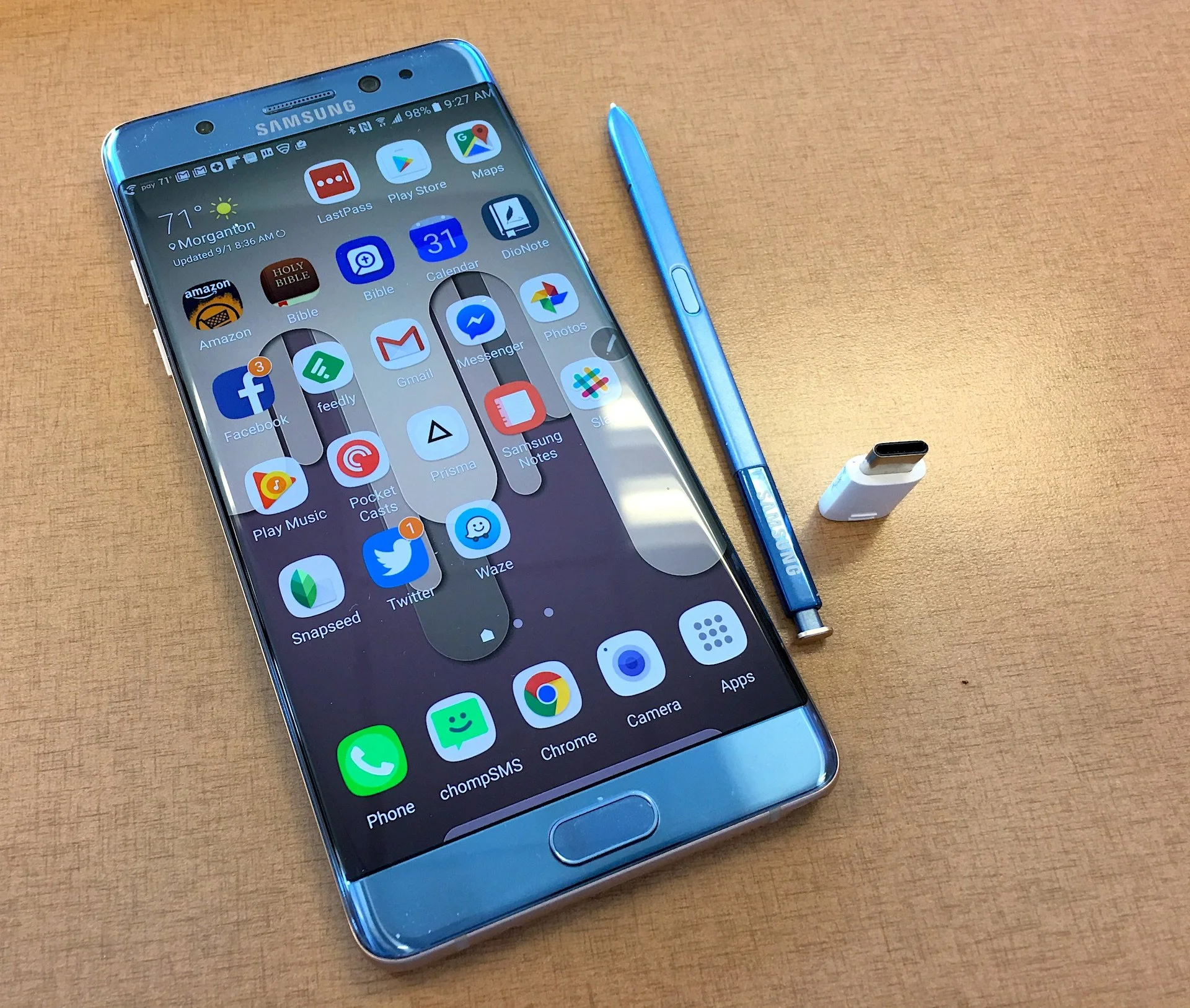
Recently I recommended the Samsung Galaxy Note 7 as a favorite thing, but now Samsung's pulling the phone after the replacement phones are now burning up. A few replacement models seemed to have burned up now in the US.We talked about the Samsung recall for the first third of the show. Then we got to an interesting discussion about how to find the truth about Internet rumors using online truth sites. Some of the most popular sites like this include Snopes.com, Urban Legends and Truth or Fiction. For political rumors there's Fact Check.https://www.youtube.com/watch?v=hUc1f40hQpcWe record the Theotek Podcast every Tuesday at 9:00 p.m.. The best way to get a notification when we go live is to subscribe to our YouTube Channel or our Twitter Feed. You can also just come to this site. Below you'll find the audio version. The podcast link above shows where to download the audio version or how to subscribe using iTunes or Stitcher Radio. Soon we'll be included in the Google Play Store's Podcasting section.
Google Machine Announces Pixel Phone and More: Theotek Podcast #081
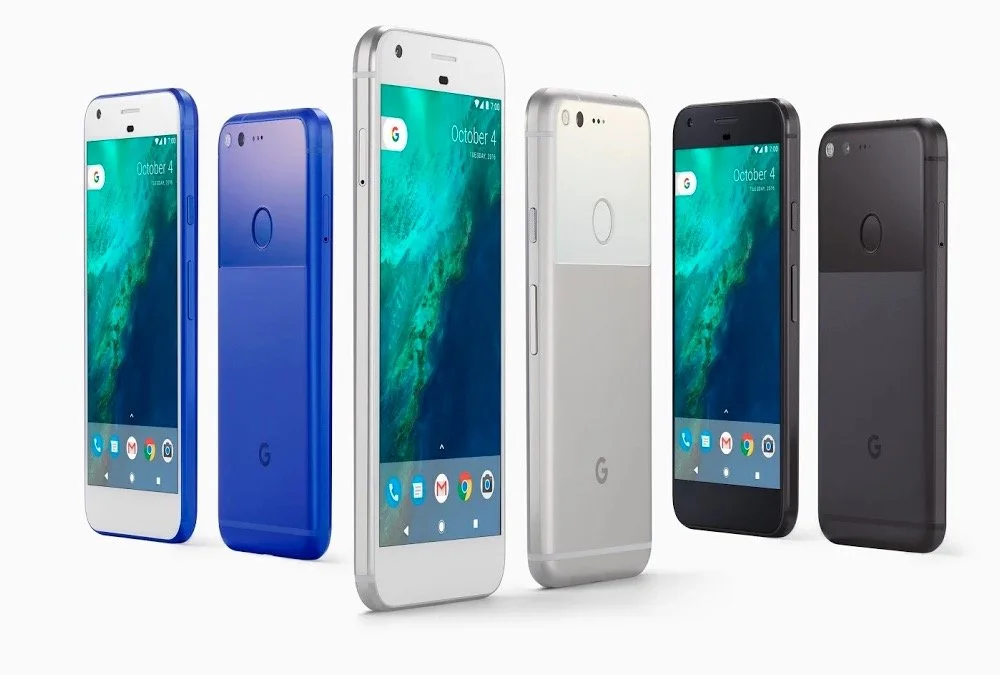
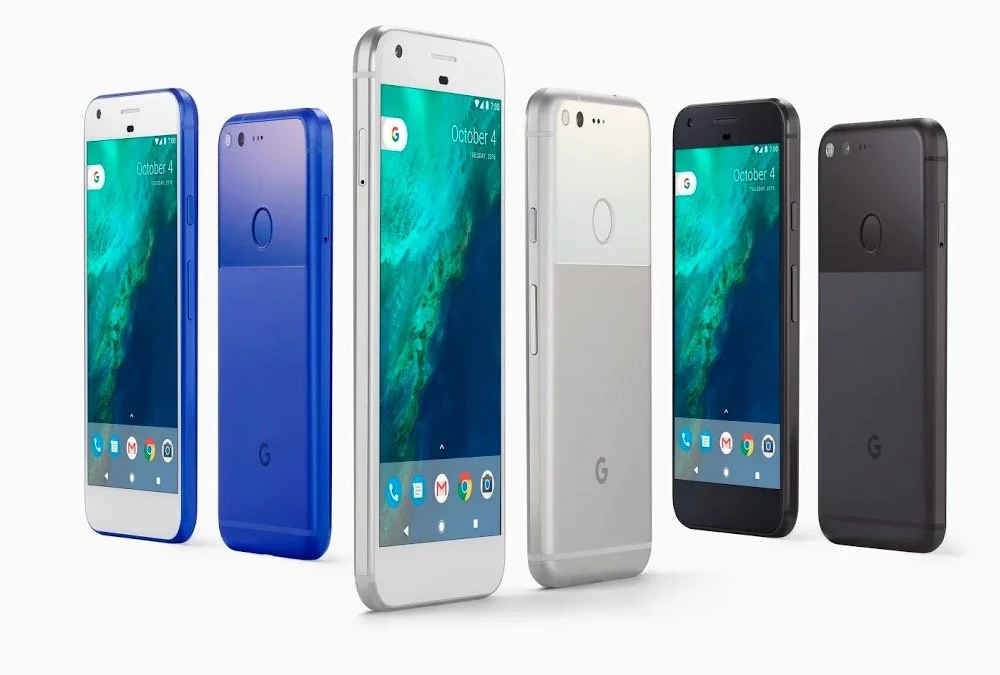
Google announced their new hardware in an event held on October 4. During the event they announced Pixel phones, Google Home, Google Wi-Fi and a new Google Chromecast. The Theotek team talked about the new devices and shared our opinions. Are they desirable for people wanting a new phone or other gadgets? Watch the podcast below or listen to it at the end of this post. Below the podcast is a list of what they offered with a few details and links to their store to order them.https://www.youtube.com/watch?v=VNqBQg-ZCfQ
Pixel and Pixel XL Phones
These two phones will run Android 7.1 operating system. That makes them the most up-to-date Android phones on the market. They hold 5 or 5.5-inch screens powered by the newest Snapdragon 821 processor. Throw in 32GB or 128GB or storage. The announcement event also included the new Google Assistant, a form of their Google Now service akin to Apple's Siri. It's a chatbot essentially and helps people find things, control their phone with voice and look up pertinent information like movie times, directions, appointments and more. It's pretty nifty looking.The 12MP camera on the back got the highest rating from DXOMark, a camera rating service. The company will give users free unlimited Photo storage for the full resolution photos and 4K video the phone can shoot.They look drool-worthy and I've seriously considered picking up the Google Pixel. Right now they're backordered and buyers can't get one till some time in November if they order directly from the company's device store. Verizon customers might get one sooner, but they'll also likely get a phone riddled with Verizon apps they can't get rid of and they won't get OS updates as soon as the unlocked versions sold the device store.
Google Home
 Next up we talked about Google Home ($129). This Amazon Echo or Amazon Alexa replacement works like a voice activated search appliance and speaker. I wrote a post comparing the Amazon Alexa and the Home over at GottaBeMobile.The Google Home connects to the Internet over Wi-Fi and listens for the user to say "Ok Google" like they would on their Android phone or with the Chrome browser on a computer. Search for things like weather, news, local sports scores, nearby movie times, restaurants and more. Also interact with your their services like your Calendar or To Do list. Play music or send videos to your Chromecast connected to a TV.The speaker on the Google Home looks nice and the mic that listens for your voice should work really well. There's a mute button to turn off the listening anytime you want.
Google Wi-Fi
 Our host Wes Allen got excited about Google Wi-Fi because it's a Wi-Fi router that hooks up to your Internet router and then sends the signal throughout your house or office. Get one for $129 or three for $300. If you get three you can set them up as a mesh network which helps offer a strong Wi-Fi connection in larger homes or buildings. That's why Wes got interested. He's been looking for a good Mesh network.
Google Chromecast Ultra
 The Google Chromecast was one of the most popular "set-top" streaming devices when it showed up a few years ago. I think it had more to do with the $35 price than the functionality. However, taking advantage of that popularity, they're testing the market by upping the price to $69 on their new Chromecast Ultra while adding 4K and HDR support. It still plugs in to and HDMI port. Get's power from the USB port on a TV or you can plug it in via an AC adapter. This time around they added an Ethernet port to help with the 4K and HDR streaming bandwidth.
Daydream View
Google Cardboard started almost as a joke or more likely an experiment. However, it took off and helped kick off the VR craze today. The search company announced a competitor to the Samsung VR for $20 less. The Daydream View ($79) holds your Google Pixel phone, the only one that works with it for now, and lets the user enjoy VR content like 360-degree videos or images and games. The device comes with a motion sensing remote to help with gaming controls and video controls. This kind of device offers some interesting possibilities for believers. Imagine 360-degree views of the temple or Jerusalem. A church could give a 360-degree tour of their facilities or stream their worship in 360-degree video so viewers can not only see what's going on up on the platform, but also see the audience.
The Value of Free Stuff: Theotek Podcast #080
Sometimes churches or believers can't afford the high-end or expensive option in many categories like Bible software or web services, so we've got some of the best free stuff or free alternatives for you. We shared our favorite freebies that churches, pastors, and believers can use to help build the kingdom of God in their context without wrecking their wallet or bank account balance.Below the video you'll see the list of freebies starting with the Bible Software free stuff and then a simple list of the other free stuff we talked about in this episode of the Theotek Podcast.https://www.youtube.com/watch?v=b7KWo7eQkLo
Bible Study Free Stuff
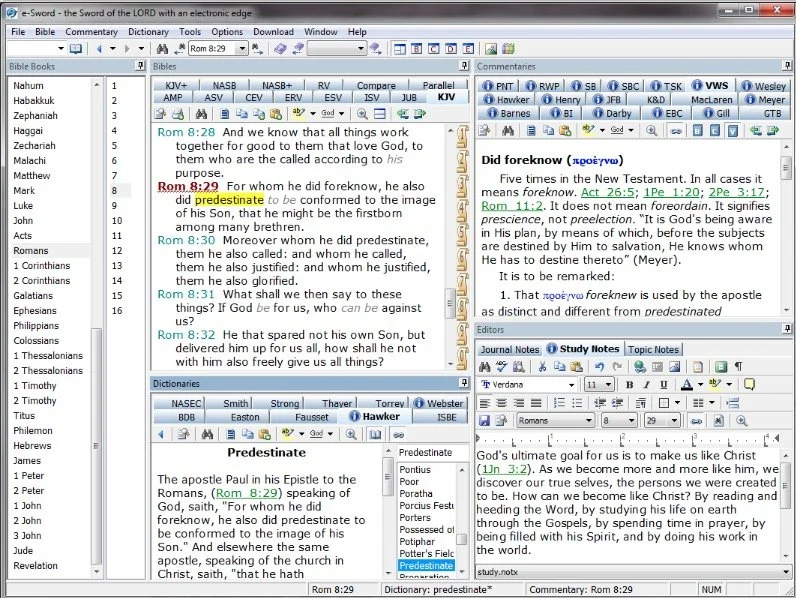
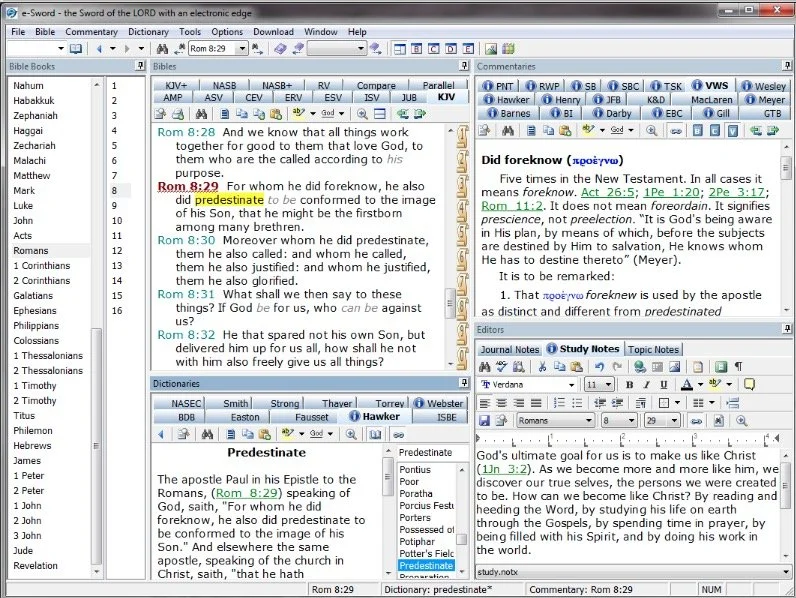
e-Sword is the best free Bible study app available. They make both PC version and a Mac version, that's not free but really inexpensive. Sticking with Bible study Rick Mansfield showed off the free Accordance Mobile app, which people can download on their iPhone or iPad and get a ton of free content, especially if you sign up for a free user account with Accordance. Rick showed off the great ESV interlinear Bible available in the app.
 Antoine showed us his favorite Bible app called Verse3. We had the developer of Verse3 on show #044. It's not free, but only costs $5.
 Olive Tree offers a free version of their Bible app for almost every platform you could want. Download the app on your computer or mobile device, get some free content and then, if you prefer, add some premium content later as needed.
 I showed off some free online Bible study sites that I wrote about a while ago in a two-part series. Here's part two.Finally, LaRosa also reminded us that WORDsearch, his former employer, offers what used to be called Bible Explorer. It's now called WORDsearch Basic and it's now their free option.
The Other Free Stuff
Here's our list of other Free Stuff to help you do your work for free or almost free.
- WordPress website management system also called a content management system or CMS. You can set up a free website and even buy a domain from a company like Hover that will forward that domain to your free WordPress site.‘
- YouTube for video hosting and for playing videos. Find tons of content from entertainment to music to educational content all on YouTube. Of course we use it to stream our Theotek Podcast.
- Microsoft Sway is a great presentation app that lets users share images and pictures. Think of it as a PowerPoint or Keynote alternative for online presentations.
- Facebook Live lets you record and host live video which people can then find later in recorded form on your Facebook wall.
- Libre Office offers a full free office suite with alternatives for Word, Excel, PowerPoint and more.
- Google gives away tons of free tools, including free office software like Google Docs, Sheets, Slides and Forms.
iPhone 7
We ended the show discussing the new iPhone 7, which Rick and I both had our hands on. I did an unboxing of the wrong phone. Watch me get totally disappointed because T-Mobile screwed up and sent me an iPhone 7 instead of the iPhone 7 Plus I actually ordered. Watch the above video to hear what Rick thinks of his iPhone 7 Plus.https://www.youtube.com/watch?v=OkI6psZCfdA
Sia Later iPhone 7 Headphone Jack: Theotek Podcast #079
Apple announced the new iPhone 7 and Apple Watch Series 2 on September 7. We talked about it because we can't help ourselves when it comes to Apple News.We also debated the value of removing the headphone jack in the iPhone 7. I'm certain Apple did it for one reason, profit. The others seem a little more favorable of the idea, and that's okay. What do you think? Post a comment below, on the video at YouTube or hit us up on Twitter.https://www.youtube.com/watch?v=btVvsFdPaUQSome of the highlights of Apple's accounement include...
- Updates to iWork suite for collaboration
- A new camera on the iPhone 7 and 7 Plus with a 2nd lens on the 7 Plus that does zoom and adds narrow depth of field like a DSLR
- No more headphone jack
- Faster processor
- Higher storage levels for the same prices starting at 32 instead of 16GB and now a 256GB offering
The Theotek Podcast covers technology for the church and Christians. We do it normally every Tuesday night at 9pm Eastern. Follow us @TheotekPodcast for more information and please subscribe on Youtube.
Our Favorite Things Fest: Theotek Podcast #078
Every once in a while we dispense with the news about church and Bible technology and don't talk about Bible software and only deal with what we call Our Favorite Things. These are recommendations of a tool, accessory, gadget, software, app, service or really anything that we enjoy using in our lives. They come from our ministries in church and Bible tech, church life, family, entertainment or hobbies. We'll each shared some of our favorite things in this edition of the Theotek Podcast.https://www.youtube.com/watch?v=MFQ89N-T2x8Here's everyone's list of recommendations with links.
Wes Allen's Our Favorite Things
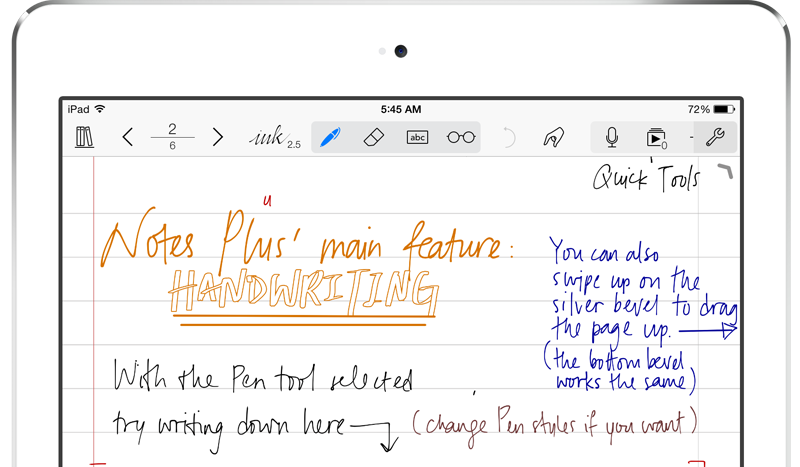
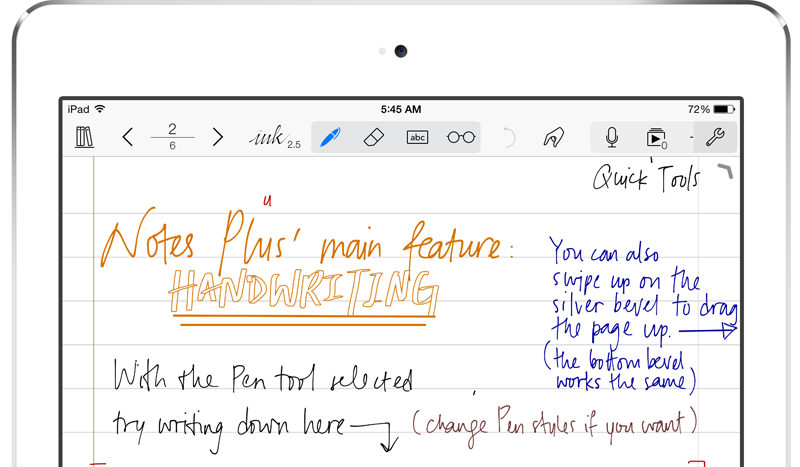
Wes talked about using a tablet for note taking purposes and recommended the app Notes Plus for iPad. You can write in your own handwriting and take advantage of Apple Pencil support. It's great for recording the meeting and for adding images, drawings and text as well.Second, Wes recommended Adobe Spark, one of the great Adobe mobile apps. Spark puts together your images and videos into a nice presentation on the web or on mobile devices. See more about the Adobe Mobile apps over at GottaBeMobile where I wrote a full article about the most useful of the Adobe Mobile apps.
LaRosa Johnson's Our Favorite Things
 LaRosa recommended two great alternatives to Adobe Photoshop and Indesign from a company called Serif. Affinity Photo Editor is a great cheaper alternative to Photoshop with layered photo editing tools without the expensive subscription. Get it for $49.99 in the Mac App Store or download the free trial available at their website.
 We also learned about Affinity Designer, a pro-level graphic design tool. Both of these tools work with Adobe file formats making it easy to work with others who also use Adobe products. Get a free trial or buy it on the Mac App Store for $49.99 also.LaRosa's last recommendation is the iPhone app Over, another graphic tool. It lets users create nice slides with images and text. He uses this to make some nice images for his website devos.hiphop which will launch soon. Get Over on iPhone for free.
Rick Mansfield's Our Favorite Things
Rick shared a couple of tools. First, he likes his 4TB Seagate Backup Plus Fast drive. It's an external hard drive that costs $179.99 and connects via USB 3.o and runs at 220MB/s.

Sonny Software's Bookends software helps students with their research. The software helps you keep tabs on your reference works for writing projects.
Finally, Rick doesn't recommend Verizon Wireless, but he talked about why he and his wife returned to the service. As a tip he said make sure to ask if you can get a discount based on your job. For example, my wife works for the local school district and that means she gets a discount on all the major wireless carriers.
Kevin Purcell's Our Favorite Things

I focused on apps for my recommendations. This started with some not taking apps. The first is MyScript Nebo for Surface Pro or Surface Book and iPad. It takes advantage of the Surface Pen or the Apple Pencil. Write in your own handwriting and quickly convert it to text. Add drawings and diagrams. Draw complex math equations and then tap to have the problem solved. The app's free now for a limited time and $8.99 later.
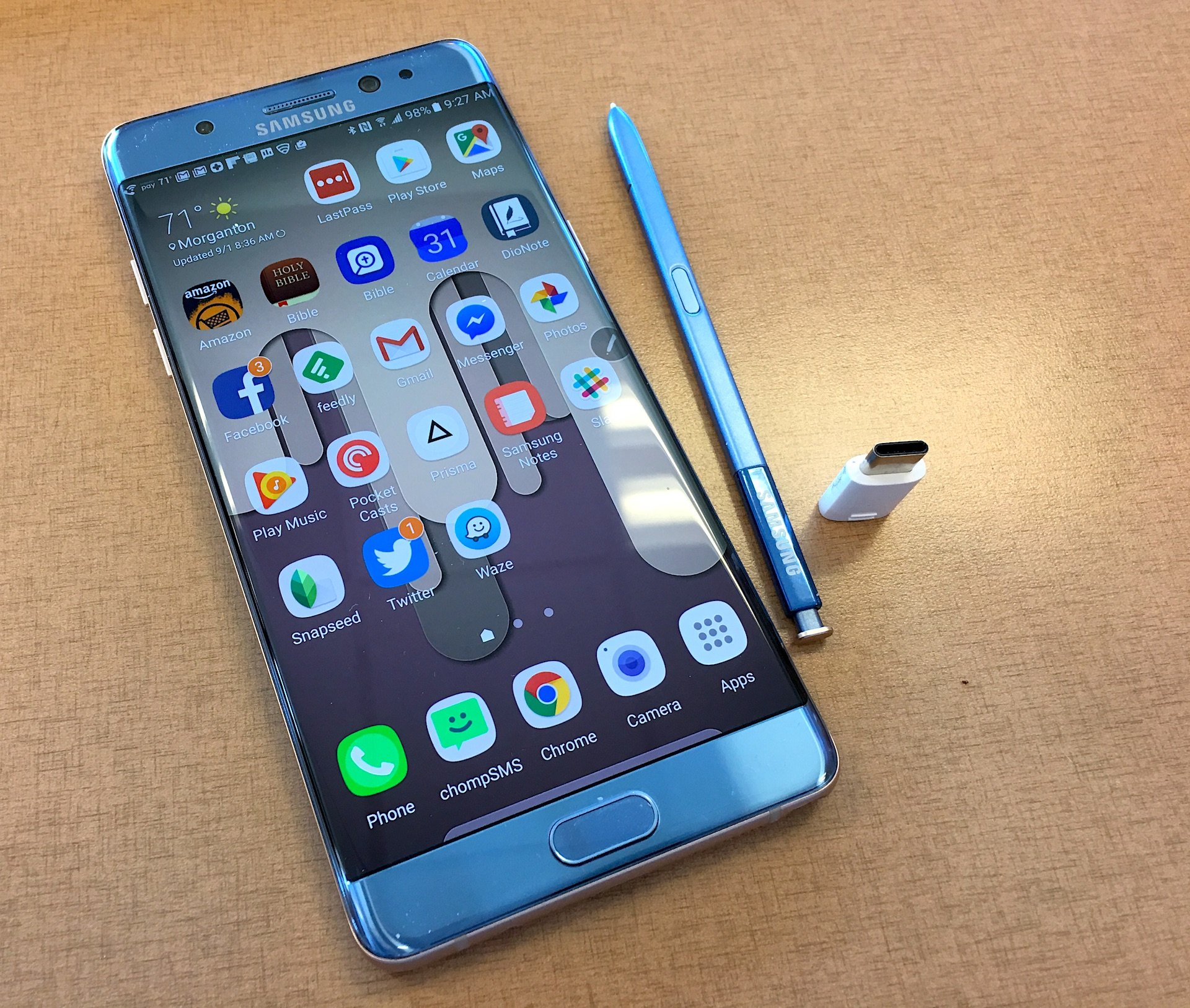
Another note taking app works on Android. DioNote also writes in your own handwriting. Add drawings and diagrams. It's simple and free.
I recommended a program called Noteburner, which strips iTunes DRM so you can use the movies and videos you've purchased through Apple and watch them on any other device or platform. It's not cheap at $69.99, but there's a free trial version.
Logos 7 Arrives: Theotek Podcast #077
Faithlife shipped Logos 7. The update comes with a lot of new features for users of Logos 6. Logos Now users will feel like it's a pretty minor update.We covered the major new features in Logos 7 and talked about how users can upgrade or subscribe to Logos Now.https://www.youtube.com/watch?v=mkjflAmUXyM
What's New in Logos 7
 Logos 7 incorporates a bunch of new features including the QuickStart Layouts accessible from the Layouts menu. You'll find it on the toolbar towards the right next to the question mark icon. A box pops up and along the left inside that box you'll see a list of layouts. The top section shows your QuickStart Layouts. Think of them as predefined layouts ready for your use. Logos lets users arrange all the books on their desk the way they prefer and then save the layout. See the Saved Layouts in the bottom of the left hand list in the screenshot above. The QuickStart Layouts are layouts made by Logos designers.
 The Sermon Editor, accessed from the Sermon item in the Documents menu, gives users a sermon creation tool inside Logos 7. The sermons become searchable and show up when the user creates a Passage Guide search on a passage that includes a Sermon made in Sermon Editor.Inside the Sermon Editor users can instantly add the text of Bible verses by typing the reference. It will replace the reference with the text of that passage.
 The editor also makes slides instantly out of Headings, Bible passages and more. The user can export these slides to Faithlife's Proclaim presentation service or PowerPoint and others.
 The Courses Tool takes advantage of the Mobile Education feature introduced in earlier versions of Logos. The Courses quickly takes content from a user's library and creates a course. This feature will eventually make it possible for a person to make a course on their own or for teachers and professors to create their own courses for use in Sunday school classes, small groups or formal education settings. Until that happens in a future version, the user must use some of the courses already included in their library. It comes with some and users can buy more.Select from the list along the left of the tool's box that shows up when you open it from the Tools menu. Click a course and it offers to set it up on for a specific number of days or you can customize how fast you want to move through the course.There's a long list of new features with links to explanations of what the new features are in the Logos forums.
Samsung Galaxy Note 7
After looking at Logos 7, I showed off my new Samsung Galaxy Note 7. The Note 7 is a great Android phone with an active Stylus and now includes a USB Type-C connector. It has a great screen and camera. I love this phone.
In Scrivener We Trust: Theotek Podcast #076
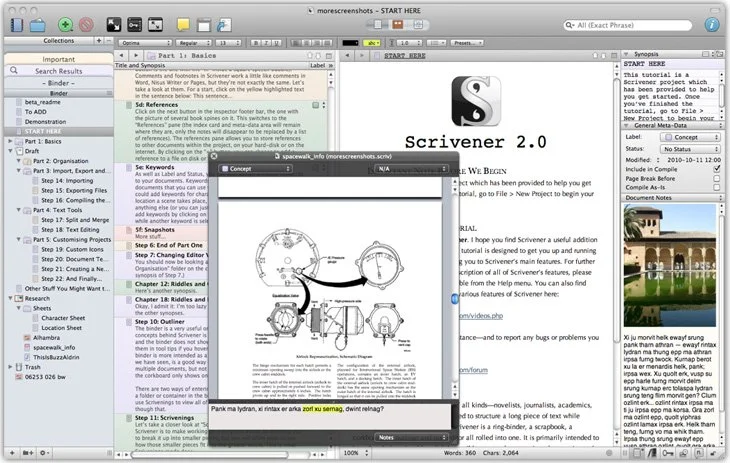
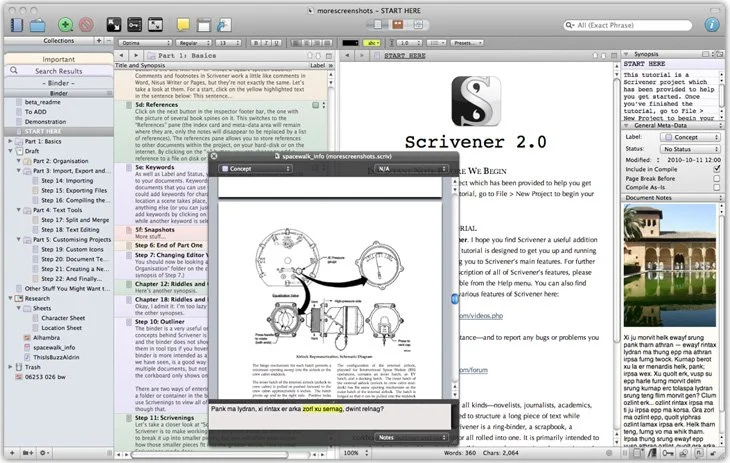
Our crew talked about a great tool for writing long form documents and projects called Scrivener. It's now out on both Mac and iOS. Windows users can also get it. It helps you organize your writing and research all in one place and then export it to multiple formats.https://www.youtube.com/watch?v=7YOMJq12HdEWe shared how to use Scrivener in writing ministry and church life as we talk Church and Bible Tech with Theotek. Tuesday Nights via YouTube Live Stream now. After that we talked about some of our favorite things.
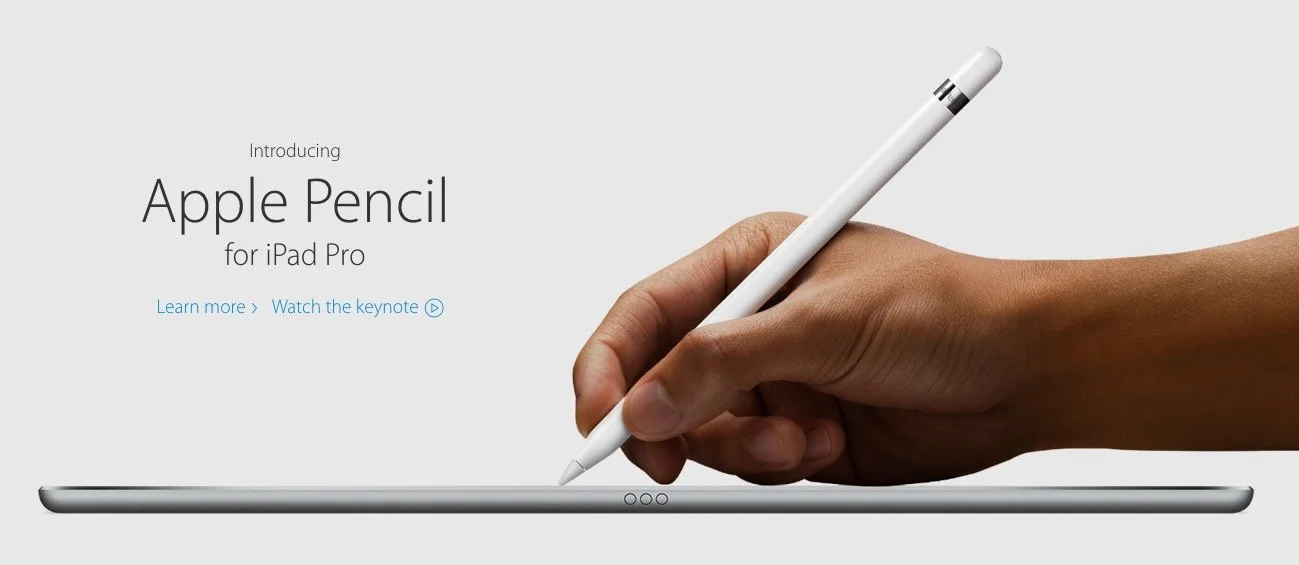
Apple iPad Pro 9 Months Later: Theotek Podcast #075
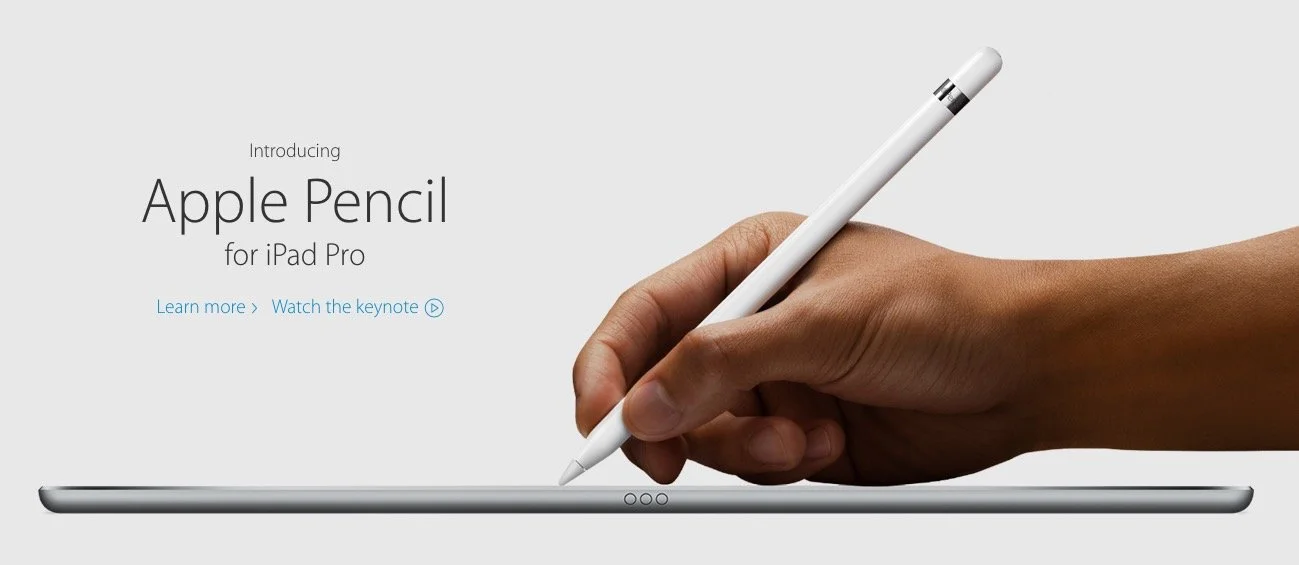
Our crew talked about our experiences in the last 9 months using the iPad Pro for our Bible study, preaching, and general work/play. Then we looked at Our Favorite Things. We planned to talk about Scrivener, a great writing tool that a few of our team members use. However, we went long talking about the iPad, so we'll save that discussion for next week. In the meantime, watch or listen below to our thoughts on using the iPad Pro.
- What's it great for?
- How could Apple improve it?
- How does it compare to Surface Pro 4?
- How are we using ours?
- What does Wes think just hours into owning one?
https://www.youtube.com/watch?v=rBgBqB8jomUFor Our Favorite Things this week, I talked quickly about SideClick, a little remote attachment for streaming set-top boxes, like Amazon Fire TV, Apple TV and Roku. Check it out at their website.
Windows 10 Anniversary Update & Samsung Galaxy Note 7: Theotek Podcast #074
Microsoft released the Windows 10 Anniversary Update with a few cool new features for Windows 10 fans. Also Samsung tried to steal the thunder by announcing the Samsung Galaxy Note 7. We'll talk about both stories and discuss our favorite things.
Windows 10 Anniversary Update
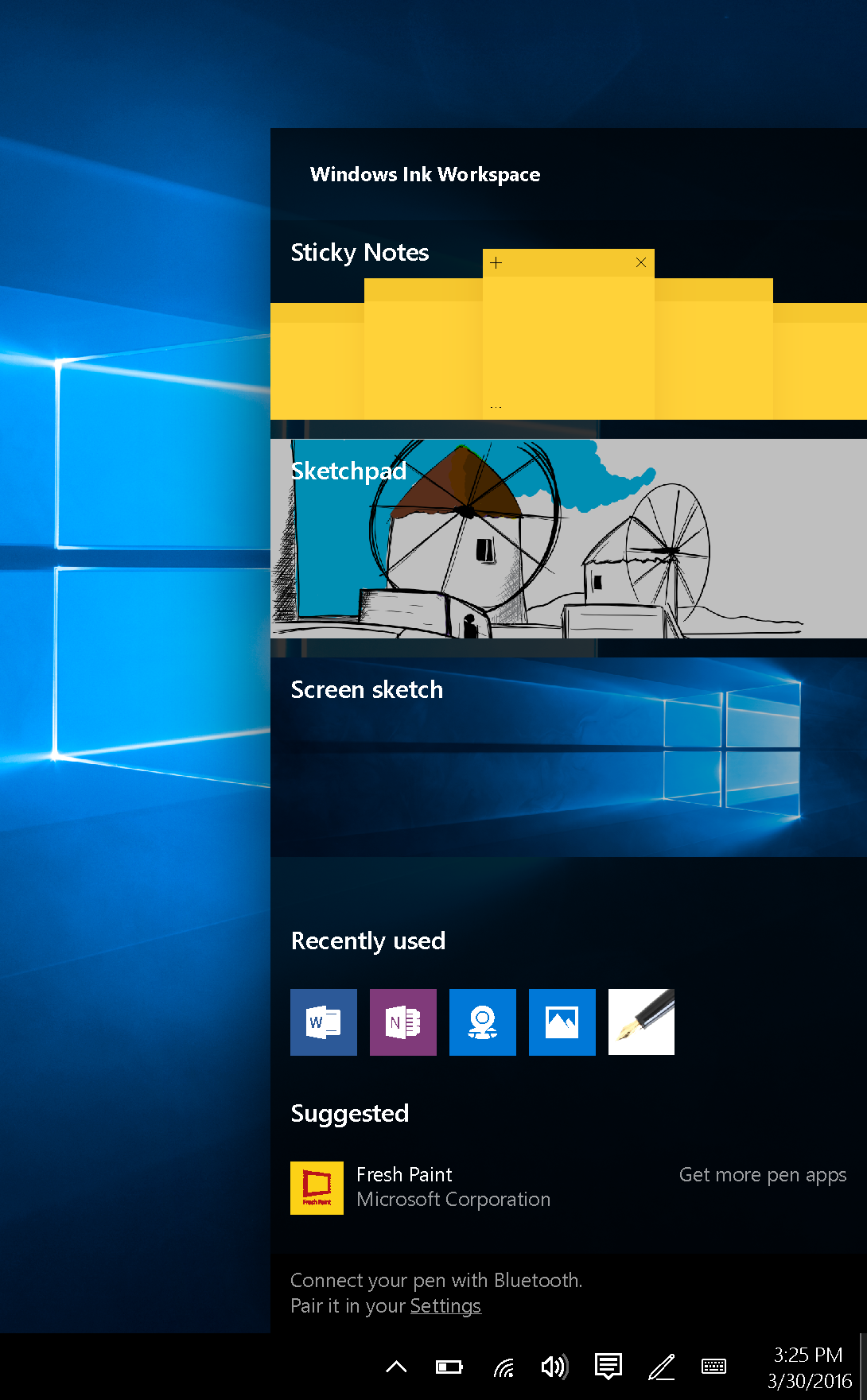
 While most of our Theotek team runs on Mac most of the time, Kevin and Rick often use Windows. The update to Windows 10 Anniversary Update brings some interesting new features for those of us who use it with a PC that includes pen support. For example, the new Windows Ink technology baked in will improve inking performance in many places, including Office 2016 apps and in a new Windows Ink tool that shows up behind a pen icon in the system tray.
Samsung Galaxy Note 7
The new specialized Samsung Galaxy Note 7 from Samsung isn't a big update compared to the Note 5, last year's model. They added some water proof protection, an iris scanner for security and gave it a fine tip on the Note Pen. Other than that it looks like a slightly bigger Samsung Galaxy S7 Edge, thanks to the 5.7-inch screen.
Our Favorite Things
In this week's edition of Our Favorite Things, we get an iPhone case, a new phone and Antoine likes his new phone, the Jolla C Smartphone. It's not readily available in the US, runs Sailfish OS and seems like a novelty, but he loves it.
 LaRosa likes his new iPhone case from Baseballism. It's made of real baseball leather with stitching like a baseball. We all wanted him to get some grass stains on it to prove to use it's really the same material. I don't think he'll run out soon and do that for us.
 Rick recommends the new Bellboy Bluetooth headphones. They look like and fit like the iPhone ear buds.Wes bought an Apple Watch!

Pokémon Go Home: Theotek Podcast #073

Does Pokémon Go matter to the church? It can and in some places should, but not in the traditional way that churches get all commercial with the latest crazes.Pokémon Go is the latest rage and everyone's using it as link bait to draw traffic to their sites, so we decided to join in the fun. Actually we talked about the craze, describing what it is and the basics of how to play. An expert joined us this week - my 18 year-old son Daniel, a Pokémon Go player.
How One Pastor Showed Love to Pokémon Go PlayersAs part of our podcast Wes Allen talked about how he started sitting outside his church in the Philadelphia area during the hot afternoons to pass out water to the Pokémon Go players that came by his church, a PokeStop. If you want to read more about this phenomena, then head over to the site I write for - GottaBeMobile. They 're covering the craze with some interesting articles.
Our Favorite Things
 We shared our favorite things again. Mine was the Brother ADS-1500W scanner. I'm scanning things like workbooks or paperbacks I don't care about cutting the binders off of. I also have reduced office clutter by scanning receipts and billing statements. Rick Mansfield does this with a Fujitsu scanner.A couple of our hosts, LaRosa Johnson and Wes Allen, picked Scrivener's new iPad app. It's a serious app for authors who like to write long form documents like books. Although, Wes bragged about posting to his blog with the app.Rick just got back from his world wind tour of Asia where he did some Accordance Bible Software training and took a lot of photos. We followed them as he posted them from the different countries. He used the same Canon camera he boasted getting before he left.
 Antoine likes his new NFC Ring, a ring that you wear like any other. However, this ring has an NFC chip built into it. You can program it to unlock a tablet or smart phone, unlock doors if you have the right kind of door locks, transfer information like business card details and more.Finally, Wes and I recommended Adobe Lightroom for iPad. It's a photo organizer and editor that works along with the Adobe Creative Cloud of applications. Import your photos and create collections. They sync to the cloud where you can then get them using the desktop version of Lightroom. You can also access them in an online version. It's free, but to get the most use out of it, get a Creative Cloud subscription starting as low as $10/month or $100/year.
Bible Apps on ChromeOS and More: Theotek Podcast #072
We have a few topic for this week's Theotek Podcast. We'll see how well Android Bible apps run on a Chromebook with the new Android Apps on ChromeOS on the ASUS Chromebook Flip. Olive Tree Bible Study 6 for Mac came out this week so LaRosa Johnson will show that off. Finally, Rick Mansfield comes to us live from Asia where he's training for Accordance. We'll learn about the perils and pleasures of traveling internationally.https://www.youtube.com/watch?v=mia5KPRHDH0Check out the end for our Favorite Things too.
Sermon Prep Part 5: Theotek Podcast #069
We're in the home stretch in our series on writing your sermons and Bible studies using digital tools like Bible study software or online Bible sites. This episode covers tips and trips for actually writing the sermon outline or manuscript. How can digital BIble study tools help in forming your notes and outline?https://www.youtube.com/watch?v=akZN22Rls6YSome of this can be done on an iPad. The new iPad Pro plus the Microsoft Word iPad app makes it easier than ever. See below.
Sermon Prep Part 4: Theotek Podcast #068
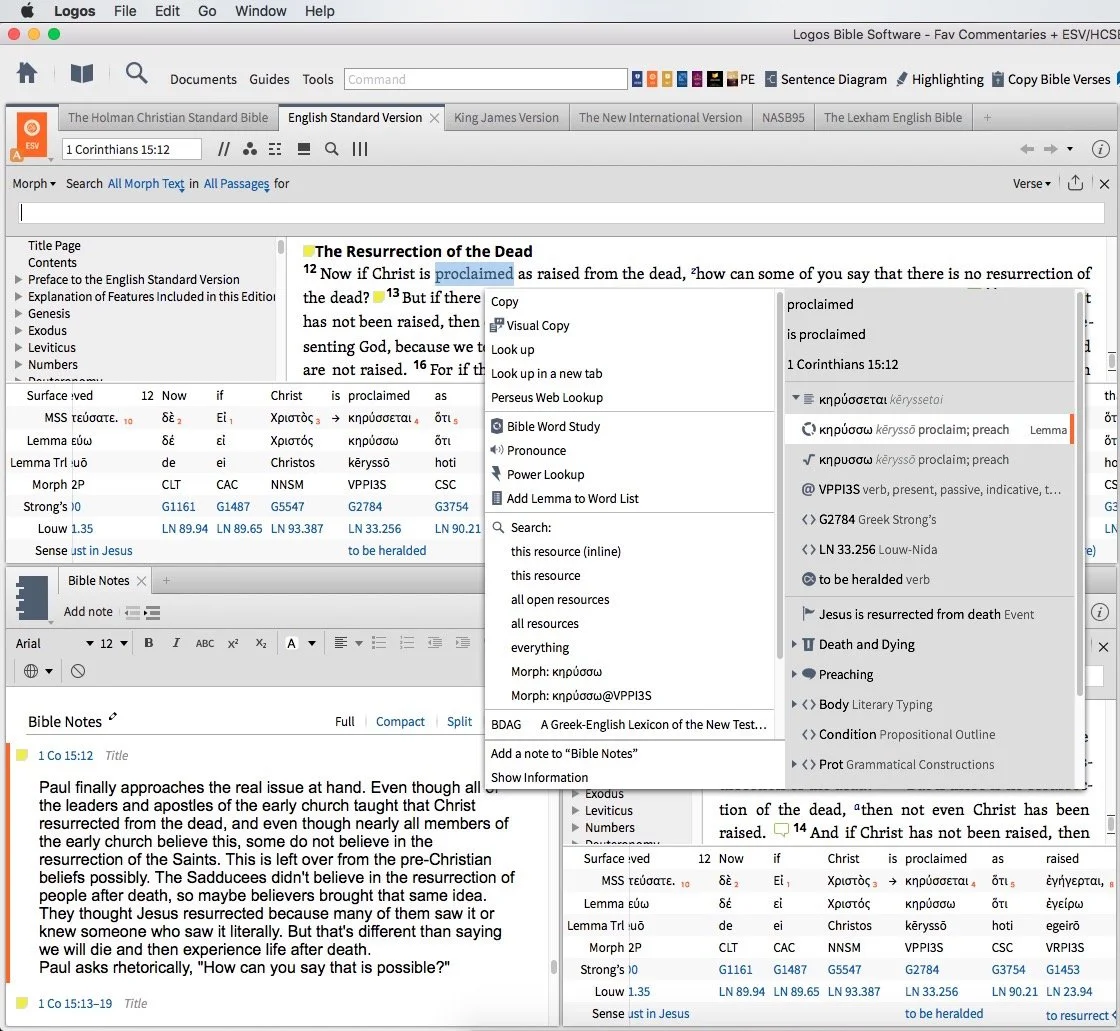
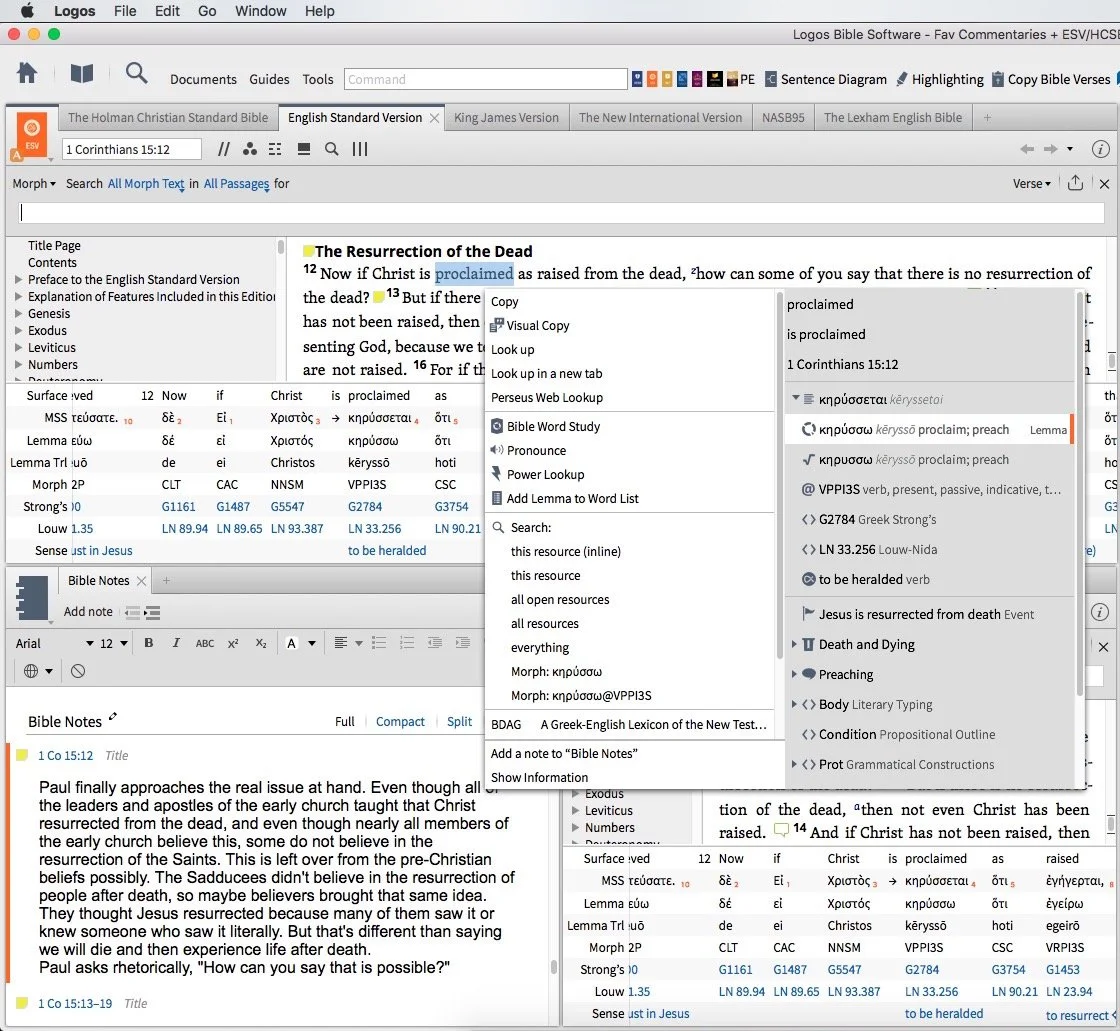
We talked about using Digital study tools to do word studies. Specifically we looked at Accordance Bible Software, Logos Bible Software and Bible Reader from Olive Tree.https://www.youtube.com/watch?v=W-v8fk3uhhMWe focused on studying the Bible in English using the tools built into Bible software that help users find the Greek or Hebrew words behind our English translations. Good language study tools focused on Greek and Hebrew tagging using Strong's numbers helps users get at the Biblical meaning of each word and words in context. Regardless of which software you use, start with a text that includes Strong's tagging. Usually they will let you right-click or double-click or even triple-click the word you want to study.Start this process by searching for a word and read it in context in the different places it's used in the Bible. Then use your software's built-in word study tools. For example both Accordance and Logos show you how the author uses words with graphs and charts that show how many times a word gets used in each book of the Bible or how many times the original word gets translated one way versus another. The next step, after searching the word, is to look up the word in Greek or Hebrew Lexicons. Most Bible software tools include some in base packages. Users can buy more advanced tools.Finally, if you still need some help, look up the word in an English Bible dictionary. Start with exegetical dictionaries like the Holman Treasury of Key Words or the AMG Complete Word Study Dictionary of the Greek or Hebrew.
Our Favorite Things
 This week in "Our Favorite Things" we got some interesting recommendations. First, Antoine recommended the 29 Watt Apple USB-C charger to charge your iPad Pro. It charges the iPad in about an hour, but costs $49. It also requires a USB-C to Lightning cable which adds $35. He still loves the speed of the charging and wished Apple included this charger with the iPad Pro.
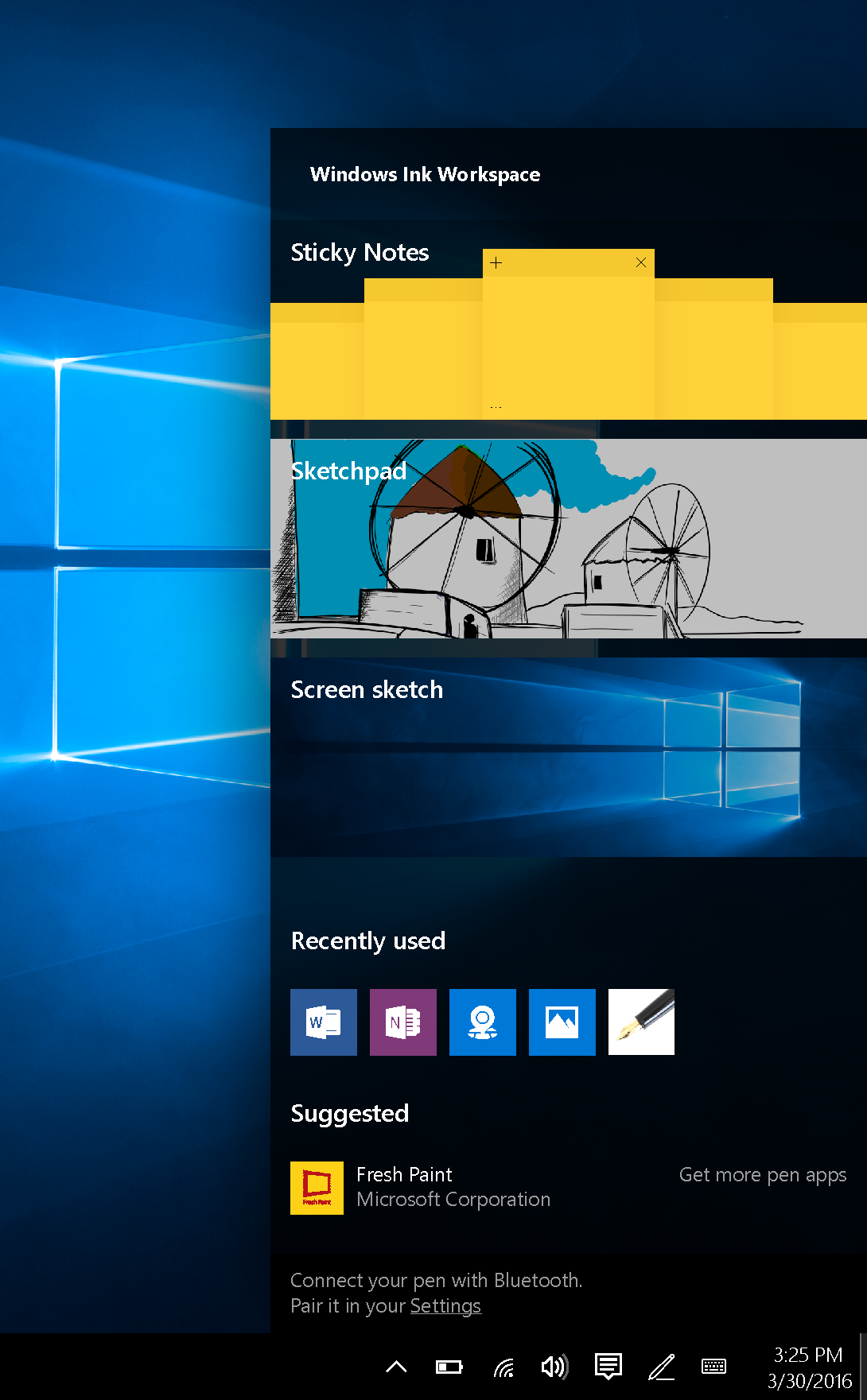
 Rick recommended a similar device, the PowerCore+ 26800 & PowerPort+ 1 charger. It includes QuickCharge technology and with 2.4amp USB ports. It's got 3 ports and can even charge the MacBook or other USB-C devices that need a lot of power. The 26,800mAh battery handles almost anything you can throw at it.I showed off a new feature in the latest Developer Preview version of Windows 10. Microsoft has what they call the fast ring and slow ring for beta testers of their operating system. The fast ring version added a new feature that shows up in the system tray. The icon for this feature looks like a pen with a drawn line. Tap or click on it and a new pen-focused menu pops up with a few options as follows:
- Sticky notes
- Sketchpad - a white board
- Screen sketch - the ability to do a screenshot that opens into an editor with pen/pencil drawing on the screen shot
- Recently used - a few of the most recently opened Windows 10 Universal apps
- Suggested - pen/stylus focused apps from the Windows store
- Connect your pen - a link to the Settings where you can connect your Bluetooth Surface Pen or other stylus
Microsoft calls this the Windows Ink Workspace.In the "Least Favorite Things" folder, I talked about Vufine. This was originally a Kickstarter project that I mistakenly backed. They call it an HD wearable display that fastens to your glasses and shows a tiny screen inside the little device that sits just off the front of your glasses. It comes with a cheap, flimsy pair of plastic glasses if you don't wear glasses regularly.The problem is the Vufine is to tiny it's nearly useless for anything. Some use it connected to a GoPro to see what the GoPro sees. But using at an actual display is nearly impossible since text is so small.
Sermon Prep Part 3: Theotek Podcast
In part 3 of the Sermon Prep series on Theotek, we covered digital reference books. Each member of the team recommends our favorite tools like Bible dictionaries, lexicons, and more.https://www.youtube.com/watch?v=6rsSX2N-shQFor review we covered the first steps of sermon prep in part one of our series. Then inWe started out with English Bible dictionaries. Here's a list of what we recommended.
- Anchor Bible Dictionary
- IVP Bible Dictionary
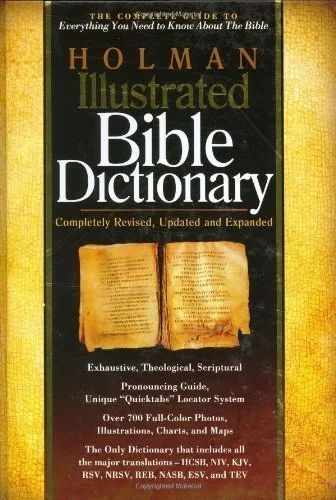
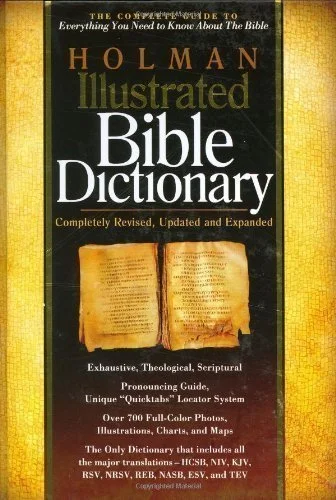
- Holman Illustrated Bible Dictionary
- Biblical Archaeology Review
- Hermeneia
- Bible Illustration from Holman
- Accordance Photo Guide
- Wikipedia
- CCEL
- Harper's Bible Dictionary
- Dictionary of Early Christian Beliefs
Here's a couple of Bible Background sources we prefer. These help you get at the cultural information that tells us more about the world of the Biblical writers.
- Zondervan Illustrated Bible Backgrounds Commentary
- Accordance Atlas - one of the best digital atlas resources in Bible software
Next we look at Bible commentaries. The series that we each picked included...
- Word Biblical Commentary
- Zondervan Illustrated Bible Backgrounds Commentary
- New American Commentary
- Ancient Christian Commentary
- IVP Bible Background Commentary
- JPS Commentary
 To find the best sources, we all agree that just one series isn't the best approach to building a good library of commentaries. Instead check out Best Commentaries on the web. It lists the commentaries by book of the Bible and rates the best options available. They update it when new works come out.
Our Favorite Things
 I recommend Visual Theology, a work that Olive Tree released recently.
 Antoine recommended the Google Cardboard, their inexpensive Virtual Reality tool that the user can put their phone into to get a VR experience. There are other VR options like Samsung Gear VR, which I don't recommend. The children's version comes from Mattel and uses the old View Master idea.Rick went the opposite direction and shared one of his least favorite things. He doesn't like the 12-inch MacBook. The screen's nice but the keyboard doesn't feel very good and performance suffers when doing more than word processing or surfing the web.
Sermon Prep Part Two: Theotek Podcast #066
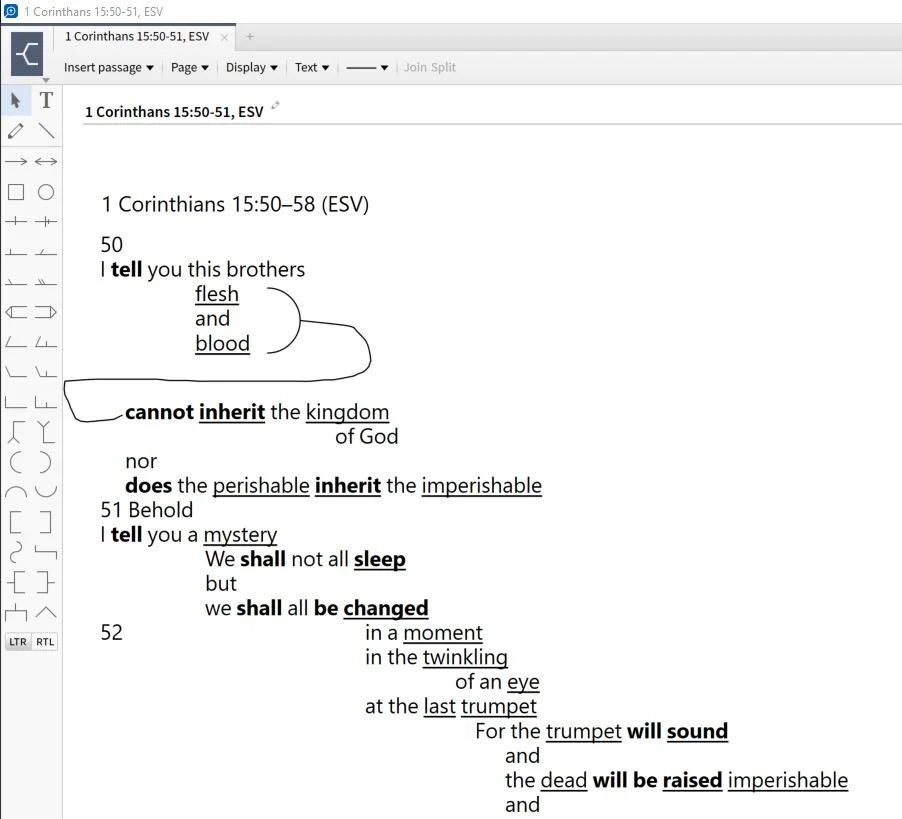
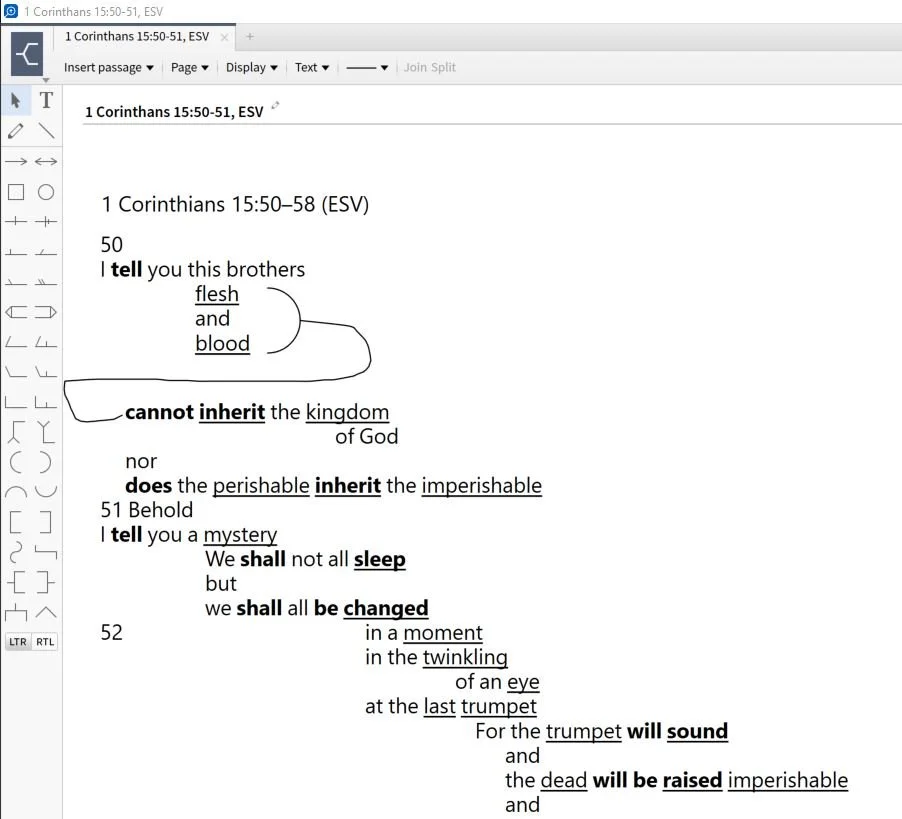
It's part two of our sermon prep series using Bible software to help us write a message. This week just Rick Mansfield and I tackle a little used tool - the passage outline. We show how to do so in a few BIble software packages and talk about doing it in the Notes tool of any program.https://www.youtube.com/watch?v=_1fzw6BndZ4&list=PL1-Xf_HZquDEcTTK8MLMMdmwvB--o1ShY&index=1We looked at the outlining features of both Accordance Bible Software and Logos. You can also do one of these in the notes tool of any Bible software that includes one. Just copy and past the text into the note and use the space or tab keys and the return button to arrange the text on-screen in way that shows the relationship of the ideas. For a good book on how to do good Bible passage outlines in English, see The 12 Essential Skills of Great Preaching by Dr. Wayne McDill, my preaching professor at Southeastern Baptist Theological Seminary.