

7 Best Apps for Writing Sermons Digitally
What are the best apps for writing sermons? We have a bunch of options in 7 categories for sermon writing tools.
What tools do you use to write your sermons digitally? We've got the best apps for writing sermons digitally and we'll explain why each works great and recommend the best single option.
Most of us no longer write out sermons by hand or type them on an old-fashioned typewriter. We write in Bible study software, a word processor, a notepad app, a note program, or some other software.
Microsoft Word or Another Word Processor are Some of the Best Apps for Writing Sermons Digitally
The granddaddy of word processors comes from Microsoft. Most people who use a word processor write with Microsoft Word. Other options include a form of the open-source OpenOffice, like Libre Office Writer. OpenOffice is the foundation for Libre Office. It's a great tool if you use Linus or want a powerful tool that you can get for free.

and then open the notes on an iPad or Android tablet to preach from them.
If you write your sermons with one of these powerful word processors, you will likely come up with your sermon outline, copy and paste text from a Bible program or the Internet, and formate it for preaching.
When I write in Microsoft Word, I format the document with large text for each major sermon division (read points). Each sermon has large green text so I can see it in the pulpit easily as I preach with my sermon notes open. Bible quotes use large bright red text and standard quotes from people or commentaries use large purple text.
The sermon syncs to my iPad using OneDrive and I open it in Word. The iPad sits on my podium so I can look down and check my notes as I preach through the sermon.
This works with an Android tablet or a Windows computer like a Microsoft Surface tablet.

If you're all in using Apple Hardware and software, go with Apple Pages and iCloud sync. It works well even if Pages doesn't come with all the powerful features of Word or one of these open-source word processors.
Android and Chromebook users can take advantage of Google Docs and Drive.
Remember that Microsoft Word costs at least $6.99/month for the basic Microsoft 365 subscription. You can often find deals online on eBay or Amazon, but be careful that you're buying from a reputable buyer.
Bible Study Software Sermon Writing Tools

Open the Sermon Builder to create one sermon.
Logos 9 includes a useful Sermon Manager to create your sermon preaching calendar for weeks to years out in advance. Then, you open a single document with a tool called the Sermon Builder. This was a huge part of the Logos 9 upgrade. They worked to overall the sermon writing and organizing features to make it more usable.
Logos 9 users will love the way the built-in Sermon Builder syncs with their Proclaim worship presentation software. If you use it in your church, then you can create sermons in Logos 9 and it will sync to Presentation for the date the preacher is scheduled to preach that sermon.

Using Logos and Proclaim together lets the preacher publish his sermon online in text mode. Plus the church can record both audio and video to publish podcasts or worship service videos.
Accordance Bible Software also lets users write inside the software. The Papers option works best. The video below shows how to create and edit Papers in Accordance 12 and later.
You could also use things like Notes files and most Bible study apps. But the above two options work best for creating sermons that you can store inside the program and search later to reuse part or all of the sermon.
The cost of Bible software varies wildly depending on which vendor you buy from, what package of tools you purchase, and whether it's on sale.
To get Logos 9 10% off, I'd appreciate you using my affiliate link at www.logos.com/KevinPurcell where you can buy a package and get a few free books too. I get a commission which helps me do my work here on this site and on my YouTube channel.
Tools like Olive Tree and Laridian PocketBible are free to cheap to get the basic app.
Note Apps Built Into Your Operating System are Useful Apps for Writing Sermons Digitally
As I said above, you could just write plant text or simply formatted text in a Note attached to a passage inside your Bible study program. If you use something Like Olive Tree or PocketBible, this might offer the best option.

Writing in a note gives you a simpler option when compared to complex word processors or advanced Bible software with a Sermon Builder or Paper feature like Logos or Accordance mentioned above.
Notability or Other iOS Apps for Writing Sermons by Hand
For users on iOS and Mac, try out the great note-taking apps like Notability on iPad and macOS. You can write using your handwriting, or typing. When you're finished you can export the results as a PDF or image file.
There's a segment of users who enjoy mind mapping their sermons. I'm not one but I've read about them. People like this will organize their sermon notes by putting the major subject in the center of the screen in a circle or box. Then they will draw lines away from the center to another shape for each major sermon division or point. Under each or around each they show their explanation, proof, and application for each main sub idea in the sermon. Add an introduction and conclusion and you've got a visual method of displaying the sermon.

Above you'll see a visual form of those from my friend Antoine Wright who visited my church and did what he called a "Sketch Note" of my sermon that day. You could do something like this for your sermon notes. If you're not artistically inclined like Antoine, then you can use text or print instead of images.
You could use other note-taking apps like Apple Notes, Good Notes, and more.
Samsung Notes or Other Apps for Writing Sermons by Hand on Galaxy Android Devices
Another option for Android and Samsung users is Samsung Notes. It's built into Samsung's version of Android. I like using it because it's simple and easy to learn. However, it has fewer features than Notability. If you could use. Notability on an Android device I would.
Use Samsung Notes to create notes with handwriting or type using a keyboard. The strategy is the same as it is for iOS handwriting apps.
Sermonary for Online Sermon Writing the Best of Online Apps for Writing Sermons Digitally
A final option includes a website that lets you write online called Sermonary. Here's how it works. Create a new sermon and then add your sermon elements. Add sermon divisions or points. Then create subpoints for the explanation, proof, and application.

Sermonary includes Templates for different styles of sermons. You can use...
- 3 Point Sermons
- Andy Stanley's ME-WE-GOD-YOU-ME format
- Running commentary format
- Defender's Outline for an apologetics sermon
- Children's Leader
- Youth Pastor

The service adds resources to help you preach the word including some visuals, sermon series ideas, and more.
Sermonary costs nothing for the basic editor. Add more features and you'll pay $19/month or $69/month for a bundle with Sermonary and Ministry Pass. That adds sermon series ideas, visuals for presentations, holiday sermons, plus sermon illustrations.
In addition to Sermonary, instead, you could use any online writing tools like...
- Google Docs
- Word Online
- Grammarly
Text-based Writing Tools with Markup to Write Sermons in Plain Text

Some people prefer simple text editors. Almost every computer or mobile device includes a text-based writing app like Notepad on Windows, Apple Text Edit on macOS, and Apple Notes on iOS, iPadOS, or macOS.

If you're an Android user, you might find a good text editor, but sometimes you need to download one from the Google Play Store. Consider Writer Plus a great Android text editor available on both iOS and Android. Use it as a basic text editor or add markdown to format your text. The app is free with the option to donate via in-app purchase.
Recommendation for Writing Sermons
If you have access to Microsoft Word, then go with it. It's cross-platform meaning you can move from iOS to Android to Windows to Mac and back. Second, it's not tied to one Bible study program. The death of Bibleworks and Wordsearch recently proves we should move carefully deeper into one platform's ecosystem. I like to keep as much as possible separate from my Bible software.
Best Bible Software for Average People in the Pew
What are the best Bible software apps for people who aren't studying the Bible to preach or write a commentary or teach in seminary? This roundup of the best Bible software for the person in the pew will answer your questions.
What is the best Bible software for people in the pew? That question doesn't get a lot of attention, especially here. However, I want to change that with this post. What are the best Bible software options for the lay Bible student? These all run on one of the most popular platforms - Windows, Mac, iPhone, iPad or Android. A few will run on all of these platforms.
Advanced Bible Study software gets most of the focus on this site, but plenty of Bible students don't need the high-powered scholarly Bible study software that a pastor, researcher or Bible translator needs. They only need to do a few things like...
- Search for verses
- Read the Bible
- Study the Bible for teaching a class
- Writing blog posts
- Personally study the Bible
These lay people want more than a simple Bible reading app but don't need as much as the expensive and powerful suites offer for hundreds of dollars. If you're interested in simple Bible study apps to just read the Bible, look up some verses by searching by word or topic, and creating a reading plan, then take a look at my list of the best simple Bible apps that I published over at ChurchTechToday.com. Our purpose in this post is to look at the apps and software that fit between those simple Bible reading apps and the powerful tools that scholars and pastors need.
Olive Tree Bible
Olive Tree Bible fits in an in-between spot. A Bible study software user can get past the simple or basic Bible study level, but it really shines for the user who wants more than just reading plans and sharing to Facebook. You can do both of those, but you can do a lot more.

It runs on almost every platform from computers to smart phones and tablets. The app or software costs nothing and you'll get some public domain books for free plus a modern Bible or two. To get a little more advanced you need to pay for extra commentaries.
Open the app on your computer or mobile device and you can just read the Bible. You can also open the Study Center (the right hand section in the image above) to look at the Resource Guide where you'll find all the books in your library related to that passage open in the current Bible.

Tap or click on words to search, look them up in dictionaries or find out what a Strong's tagged dictionary says about the world. This lets users who don't know Greek or Hebrew understand the original languages behind the English words. You'll need a Bible with Strong's numbers tagging, like the KJV seen above. Olive Tree sells a lot of them.
Keep notes or highlight. You can also bookmark verses. If you enjoy listening to books, then buy some audio books to hear the book instead of read it. They have a lot of titles in the Christian Living category. You can also listen to your Bible or to other books.
Olive Tree Bible runs on all of the top platforms with a free app download and costs extra for the best books.
e-Sword
The top dog in free apps deserves a spot in our list of the best Bible software for lay people because it's free and easy to use. In addition, if you want to spend some money, you can buy some more modern translations, books and commentaries at eStudySource.com.
e-Sword comes with a simple layout in four quadrants plus a list of the books of the Bible along the left. In each quadrant, you get tabs for each Bible or book installed. On each tab you'll find a book or Bible with a toolbar for performing basic tasks.

The program's main toolbar lets users search the Bible or book, jump to passages or change the layout. You don't have to use the four main quadrant layout. You can show just one, two or three as well.

If you use a Bible with Strong's numbers, then you can click on it to see the definitions in a tooltip popup. Also, scripture links in the other books will show up as links. They have tool tips too.
e-Sword has a user note system, bookmarks and highlighting too. Take a look at see if it will fit your needs. The Windows version is totally free. The Mac version is called e-Sword X and will cost $9.99 from the Mac App Store. I wrote about it when it first came out for Mac. The iPad app costs $4.99. Look for e-Sword HD in the app store. The version that runs on an iPhone costs $2.99 in the iPhone app store.
I love that there's a large community of users who've made their own books out of public domain books. Check out eswordlibrary.com, one such source. And you can buy modern translations and recently published commentaries, Bible dictionaries and more from eStudySource.com as mentioned above.
Wordsearch Bible
Wordsearch Bible software offers a lot of power in a simple to use package. However, it only runs on Windows and Mac. There's also a very poor mobile version for Android and iOS, but don't bother if that's where you want to study the most. Also, if you're a Mac and iOS user only, I don't recommend it because it's not a native macOS program. They created it using the Windows software and put it in an emulation package. I include it here, because on Windows it's great! Also, for Chromebook users or Mac and iPad users, MyWSB.com gives access to your library on the web inside a browser. And it's pretty good.
Wordsearch 12 opens by default to a homepage, but the real magic come with you click on the Study tab or Library tab across the top of the windows. They also have links to their social media (bottom right) and app store sites for their mobile and online versions of Wordsearch.

The main Study screen has a Windows Explorer style layout with the Bible displayed on the right and the library and books shown on the left.You can show or hide both of these lists.
Other great features include...
- Parallel Bibles
- Templates to save your study environment
- Integration with OneNote for syncing files
- LessonMaker tool to quickly create studies
- Powerful search features
- A large library of books with a lot of free options
- Free training online
PocketBible
The first Bible study app I ever used came from QuickVerse. The creator of QuickVerse saw the value in mobile Bible study early on before the iPhone even existed. Now you can use PocketBible on all platforms including Windows, Mac, iOS, and Android. It comes from Laridian and the creator, Craig Rairdin is a pioneer in Bible software.

Notice above that the app can show a lot on screen at the same time. This is true, not only on Windows and Mac, but also on the iPad and Android tablets. Few mobile apps let you view more than one or two books at a time.
The mobile version is also very capable. You can use it on iPad, iPhone and Android.
You can use the “Advanced Feature Set” that comes at a small upgrade price of $17.99 on all of these platforms. It’s slightly less on just one platform. There’s a journal feature, an auto study feature that finds all of your books with content related to a particular passage or a word. There’s an audio Bible included. On iOS you can use a reading mode that shows only the text on screen without the toolbars for a distraction free environment. There’s more so check it out at their website related to the advanced features.
Bible Software Choice: Power House or Simple Software
People with simple Bible study needs often pick the simple Bible programs and apps. They are easy to learn and cost less if anything. But will the app or program grow with the user? Can a powerhouse program help people with simple needs study the Bible as well as a the simple apps? We'll take a look and answer those questions.
Three Kinds of Bible Software Users
Bible software or Bible app users fall into one of three categories usually.
- Bible Reader - average believer who plans to read the Bible on their phone or tablet and maybe a computer.
- Pastor or Scholar - these users will need a good app or program that can do advanced searches, study the Bible in Greek or Hebrew and study the word at a deeper level to teach, preach or write scholarly books or articles.
- Growing Student - some people start as a #1 but over time grow into the #2 or they just really like to study the Bible at an interim or advanced level for personal edification or to prepare for a family or small group Bible study.
A program like Accordance, Logos, Wordsearch or even Olive Tree will handle the #2 kind of user easily. Some people will never graduate above the #1 type of Bible student and that’s fine. I often recommend the Bible app from Life.Church, also called the YouVersion Bible app. In the past I've recommended Bible Gateway, Laridian's Pocket Bible, e-Sword and Tecarta's great Bible apps. Those all fall in the simple group even though Laridian also does some of the Power House tasks. So what should you use even if you're not a power user? What do we do with the third group of Bible students? Should these users consider using a more powerful Bible program and the companion mobile app? Since few people who move from the first group into the second group know they will, shouldn’t all believers start out with the more advanced tools knowing it might happen? I’m going to argue for that approach below.
Reasons Both Groups Should Use the Power House Bible Software
A seminary professor or a Sunday school teacher leading the youth class can enjoy a quality Bible app or Bible software. Here’s why the youth class teacher should consider the power house Bible software.
Room to Grow
I know of a young couple that recently built a new house. They put in only one large bathroom. They said that didn't need more. However, what if they have another child or two? A second bathroom will seem like a necessity and not a luxury. Similarly, more powerful Bible software gives Bible students of any level room to grow. They can go from a person who just wants to read and do simple Bible searches to a Greek or Hebrew scholar. You can’t do that if you invest in an app.Many pastors, missionaries and Bible scholars share testimonies of teaching a youth Sunday school class when God called them to vocational ministry. If such a person invested a hundred or two hundred dollars in books to use with their simple Bible study tool, they would later need to buy another program to get the more powerful features these programs include. God doesn’t call everyone to become a pastor or scholar. If this was the only reason our simple users have to buy power house software, then I’d recommend they save their money and go with the Bible app. However, we’ve got a few other reasons.
Powerful Apps Also Do Simple Tasks
 While you wouldn't use a sledge-hammer to pound in a finishing nail sticking out of a chair rail in the dining room, you could. Buying a sledge-hammer and a small hammer won't break most carpenter's bank accounts. However, Bible users won't likely buy a $10 program for simple tasks and a $200-$3,000 program for Bible study. A lot of us use a free app and then buy the more powerful app, but some pay for an app that includes a few Bibles and commentaries to help them understand their daily Bible reading or teach their Sunday school class. Why not buy the books in a more powerful app since it does the complex and simple tasks?Remember that you spend more than just money. It takes time and effort to learn the program and get to a point where you're thinking about the Bible passage or theological topic more than the steps to get your study done. Take it from someone withe experience with a dozen Bible programs and apps over they years. Just knowing how to do what you want without thinking is a huge time saver.Accordance handles deep searching for every instance of a certain Greek verb in one tense or Hebrew word with a particular grammatical form. It will also let you read a Bible passage in multiple translations and share them online. You can use Logos to do create complex diagrams of a Hebrew text or instantly compare a passage in multiple translations with a visual report. Students can also buy the latest popular Christian books and read them on a computer, phone or tablet tracking your reading process. They can highlight every future passage verb and highlight your favorite verses in these programs. The more advanced programs all offer a way to share Bible memes online too, something that characterizes the best simple apps too.
See my round up of Simple Bible apps at ChurchTechToday.
Support for Multiple Devices
McDonald's sells billions of hamburgers even though they're universally criticized for lack of nutrition and taste. (Don't tell anyone, but I really like Quarter Pounders, but I'm in the minority). They sell so many burgers because you can find one in almost every town bigger than 500 people in America. You can also find the same quality at a store in New York City and Bangkok, Thailand. Consistency is key. It's the same with the best Bible software. Some apps work fine on a phone or on a tablet or on a computer. Few of these apps work great on all three and some app makers don't publish apps for all three. Sometimes the simple app makers offer a great desktop program, but a pretty weak iPhone version. Other developers sell great Android apps, but offer an iOS app that's pretty weak in comparison. Throw in the Kindle Fire tablet, and you get fewer options that work on all platforms.While your chosen simple Bible app might work great on your iPhone and iPad, maybe the app developer doesn't create a decent alternative for the Mac. And what if you need to switch to a Windows PC or an Android phone or tablet? That's why the big power house programs make the best choice for some people who need cross-platform support.Get the more powerful apps from companies like Faithlife Logos and Accordance Bible Software.
Contrarian View
I support the above arguments without reservation. However, some people will never become a student of the Bible who needs more advanced features of Logos or Accordance. The simple Bible app, Laridian’s PocketBible or even better Olive Tree Bible Reader does the job. In fact, most Christians should probably use Olive Tree as their simple program that can grow since that app does the basics and offers some advanced features. If such a person ever becomes a seminary professor, he or she will need more. But save money and time learning the intermediate app that works almost the same on all the major platforms.
Our Favorite Things Fest: Theotek Podcast #078
Every once in a while we dispense with the news about church and Bible technology and don't talk about Bible software and only deal with what we call Our Favorite Things. These are recommendations of a tool, accessory, gadget, software, app, service or really anything that we enjoy using in our lives. They come from our ministries in church and Bible tech, church life, family, entertainment or hobbies. We'll each shared some of our favorite things in this edition of the Theotek Podcast.https://www.youtube.com/watch?v=MFQ89N-T2x8Here's everyone's list of recommendations with links.
Wes Allen's Our Favorite Things
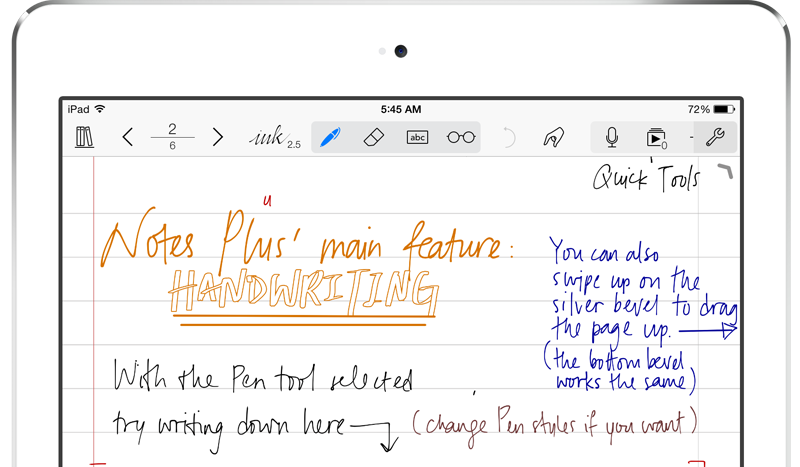
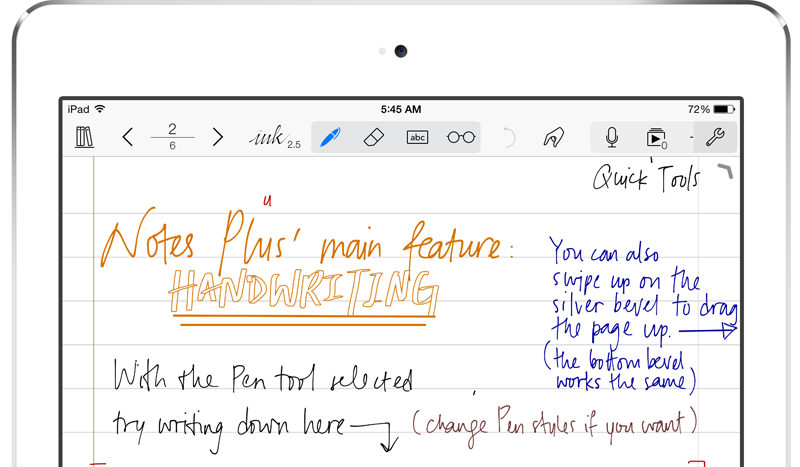
Wes talked about using a tablet for note taking purposes and recommended the app Notes Plus for iPad. You can write in your own handwriting and take advantage of Apple Pencil support. It's great for recording the meeting and for adding images, drawings and text as well.Second, Wes recommended Adobe Spark, one of the great Adobe mobile apps. Spark puts together your images and videos into a nice presentation on the web or on mobile devices. See more about the Adobe Mobile apps over at GottaBeMobile where I wrote a full article about the most useful of the Adobe Mobile apps.
LaRosa Johnson's Our Favorite Things
 LaRosa recommended two great alternatives to Adobe Photoshop and Indesign from a company called Serif. Affinity Photo Editor is a great cheaper alternative to Photoshop with layered photo editing tools without the expensive subscription. Get it for $49.99 in the Mac App Store or download the free trial available at their website.
 We also learned about Affinity Designer, a pro-level graphic design tool. Both of these tools work with Adobe file formats making it easy to work with others who also use Adobe products. Get a free trial or buy it on the Mac App Store for $49.99 also.LaRosa's last recommendation is the iPhone app Over, another graphic tool. It lets users create nice slides with images and text. He uses this to make some nice images for his website devos.hiphop which will launch soon. Get Over on iPhone for free.
Rick Mansfield's Our Favorite Things
Rick shared a couple of tools. First, he likes his 4TB Seagate Backup Plus Fast drive. It's an external hard drive that costs $179.99 and connects via USB 3.o and runs at 220MB/s.

Sonny Software's Bookends software helps students with their research. The software helps you keep tabs on your reference works for writing projects.
Finally, Rick doesn't recommend Verizon Wireless, but he talked about why he and his wife returned to the service. As a tip he said make sure to ask if you can get a discount based on your job. For example, my wife works for the local school district and that means she gets a discount on all the major wireless carriers.
Kevin Purcell's Our Favorite Things

I focused on apps for my recommendations. This started with some not taking apps. The first is MyScript Nebo for Surface Pro or Surface Book and iPad. It takes advantage of the Surface Pen or the Apple Pencil. Write in your own handwriting and quickly convert it to text. Add drawings and diagrams. Draw complex math equations and then tap to have the problem solved. The app's free now for a limited time and $8.99 later.
Another note taking app works on Android. DioNote also writes in your own handwriting. Add drawings and diagrams. It's simple and free.
I recommended a program called Noteburner, which strips iTunes DRM so you can use the movies and videos you've purchased through Apple and watch them on any other device or platform. It's not cheap at $69.99, but there's a free trial version.
In Scrivener We Trust: Theotek Podcast #076
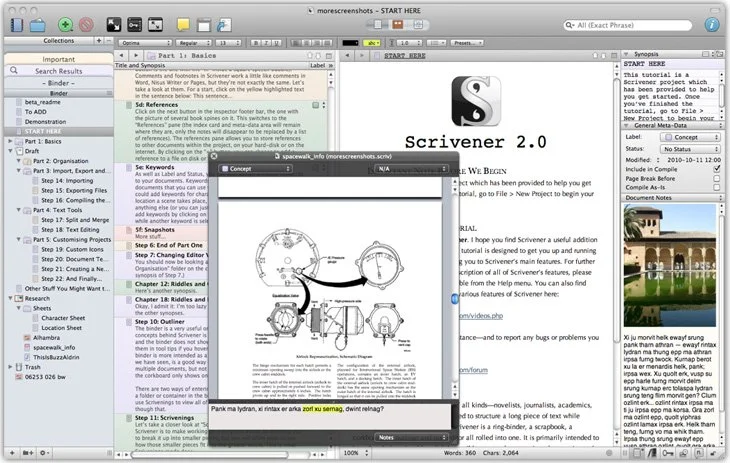
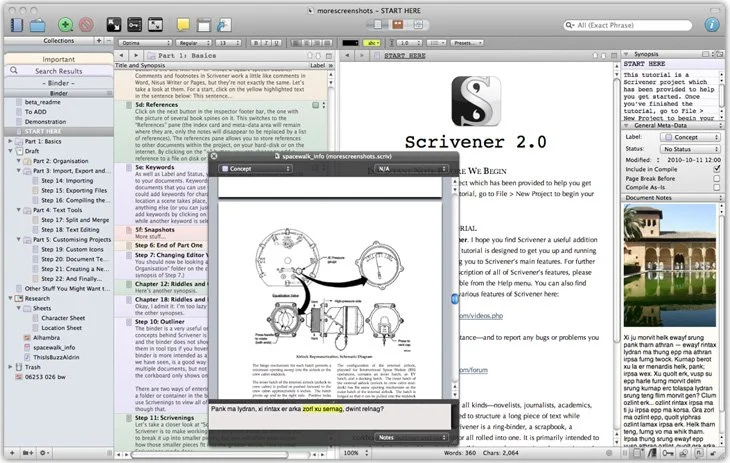
Our crew talked about a great tool for writing long form documents and projects called Scrivener. It's now out on both Mac and iOS. Windows users can also get it. It helps you organize your writing and research all in one place and then export it to multiple formats.https://www.youtube.com/watch?v=7YOMJq12HdEWe shared how to use Scrivener in writing ministry and church life as we talk Church and Bible Tech with Theotek. Tuesday Nights via YouTube Live Stream now. After that we talked about some of our favorite things.