

The New Logos Subscription Model and How to Save Money
What's with all these new Logos subscription tiers and libraries. We'll explain what's going on and what you should get. We've also got a deal for 2 months free.
Logos released a new version of Logos Bible Study on October 21. It includes some interesting new features and a new user interface; however, they also introduced a new subscription model. So, what's new in the new Logos, and should you subscribe to one of the three new tiers of Logos version 37?
What Do You Call the New Logos?
For over 20 years, I've used Logos 3, 4, or some other version that ended in a small number. When Logos 10 came out, that became the last version that we'd described that way. What we called Logos 10 was called something like Logos 10.24.01. They just dropped the final numbers and called it Logos 10. We're dropping the 10 and getting Logos 37 as the first version of the new Logos (my Partner Link gets you 2 free months), which we thought they'd call Logos 11.
Logos Changed the Way You Buy the Logos Bible Study Platform
In the past, most people upgraded to Logos XX by paying for new features plus a library of new books. Now, you pay for a monthly, annual, or two-year subscription and add a library of books in a separate purchase.

Think of it like this. You decide to lease a home to own. YOu're paying monthly for the right to live there and over time you build up enough equity that you can buy it and own it outright. However, you decided you also want to make some improvements, so you add on a new bedroom and bathroom. You turn on of the rooms into a home theater and you build a nice gazebo out back.
Logos asks you to subscribe to get the new version and then asks you to add-on. You pay monthly for the new version of Logos like you pay monthly for the house. You add onto the house and make improvements like you buy a 2025 Library for the new Logos 37. If you quit paying for the home, the bank will kick you out. If you quit paying for the new Logos, then you lose the new features, unless you subscribe for a minium time. I'll explain that below when we discuss the "Legacy Fallback License".
To get new features, you will have to subscribe. Logos told me:
We will no longer sell a perpetual license to feature sets to consumers. For software, subscription will be the only way to get a premium Logos experience.
The subscription doesn't give you libraries of books. You will get the tools needed to use the new features. These will mostly come from Logos and not other publishers like Zondervan, Holman, or Baker, to name a few.
Three Tiers of Subscriptions
Logos reduced the number of different groups of features from nine to only three. They are as follows:
- Logos Premium - Focused on lay leaders who teach a small group in their church or community. The tools sit at the intermediate level of skill or knowledge and focus on English language study. Think of the old Bronze level of feature sets.
- Logos Pro - Focused on pastors and preachers who pastor a church or often preach and teach the Bible. They need advanced-level tools and will get access to intermediate-level language tools in Greek and Hebrew. People who study deuterocanonical books will need this level of subscription. Think of the old Preaching Suite or Silver packages.
- Logos Max - Bible students who need serious language study tools for advanced research will want to pay for this level. You get the whole feature set at this level to study Greek, Hebrew, Latin, Syriac, and more. Scholars or language nerds will want this subscription.
Most Logos users will want the Logos Pro level unless they need hardcore Bible study tools. However, lay people should get Premium, and then if they think they need more, they should jump up to Pro. Start lower and move up if you need it.
Logos Subscription Pricing and Benefits

How much does the new Logos subscription cost, and what do you enjoy besides the latest features? We'll share the full price. You can get discounts if you own Logos 10 or an older version.
- Logos Premium - $9.99/month, $99.99/year, or $189.80 for two years.
- Logos Pro - $ 14.99/month, $149.99/year, or $284.80 for two years.
- Logos Max - $19.99/month, $199.99/year, or $379.80 for two years.
If you own Logos 10 Bronze or higher, take $3, $5, or $7 off the monthly price of the three tiers. What if you own something lower than Logos 10 Bronze now? The discount gets smaller ($1, $2, $3).
Logos also offers discounts for Faculty and Students who subscribe annually. These users also get excellent deals on libraries—more on those below.
What else do you get besides the new features? Take 5% off every purchase from the store. Get another free book each month and up to eight Logos Mobile Ed courses each quarter. Pro and Max subscribers get access to the Logos Sermons service, which lets you host sermons online in a podcast or transcript format.
Pro and Max subscribers will earn an annual coupon worth 5% of all purchases the previous year. This coupon arrives in February each year and is only for current subscribers. So, if you plan to cancel your subscription, don't do it until after February, or you'll lose this perk.
Legacy Fallback License
What happens if you cancel your subscription? You will lose access to the features that you get by subscribing. However, there's something Logos calls a "Legacy Fallback License," which allows users to keep offline features when they end their subscription after 24 straight months of subscribing. You'll keep the features that don't need cloud or AI. If you have any questions about this, contact Logos to see what you'll lose before you cancel.
What Do You Get in the New Logos Subscription?
What's available in Logos after a user subscribes? We'll cover the new features in another fuller article, but here's a quick listing of new features taken from Logos PR documents:

- Dark mode without restart.
- Get Started Wizard - shows up on the new Logos Dashboard.
- Smart Search - use regular language to search your library.
- Insights - quick looks at your most essential library tools with one click.
- Dynamic toolbar - we covered this in a previous article.
- Help Center (see screenshot below).
- Factbook improvements - new sections and "lenses" to see what's in their passage.
- Smart Synopsis - AI-generated synopsis from search results with footnotes.
- Summarize tool - quick summaries of books, passages, or search results. More is coming.
- Bible Study Builder - the Wordsearch Lesson Maker, but reimagined for Logos and with better-resulting questions.
- Sermon Assistant - Only for Logos Pro and Max Subscribers...
- Outlines - AI-suggested sermon themes and outlines.
- Questions - AI-suggested questions for discussion based on your sermons built using Logos Sermon Builder
- Applications and illustrations - AI-generated sermon applications and illustrations from your sermons.
- Sermon Builder/Manager on Android - Android users can now use this tool, not just iOS users.

New 2025 Libraries to Add More Books to Logos

If the three subscription tiers didn't confuse you, the three tracks of libraries with eight different levels will. Each comes with books you own and can use if you subscribe to Logos. We'll offer a more in-depth recommendation in another article. But let's look at the three tracks and who they're meant for.
The tree tracks focus on who's using Logos. For example, the Standard Track Libraries help people who use Logos for personal use and to teach a Bible study or small group. If you buy a Logos Premium subscription, then you'll likely want to consider the Standard Track Libraries. Take a look at the price and what each includes, and you can buy what you can afford or need.
Next, we see the Leader Track, which focuses on church leaders. Again, if you teach a class or Bible study, you'll want to take a look at this track. You'll get more intermediate-level books.
The Preacher Track Libraries were designed for preachers and pastors. Logos Premium subscribers will likely want to look here.
Finally, the Research Track Libraries will help people who subscribe to Logos Premium or Max. These users write commentaries, translate for new Bibles or in missionary settings, or teach at a seminary or Bible college.
Look for more complexity with Denominational Libraries coming in January 2025.
Recommended Upgrade Path for Different Users
What should you do if you want to upgrade to Logos. First, consider using my Partner Link. Logos gives you one month free and using my link gets you a second month free if you upgrade to a subscription.

First, choose a subscription level. Most users will want Logos Pro, the mid-level tier. You get the most bank for your buck. Since the majority of my readers are pastors, teachers, and serious Bible students who need to do language study, but might not possess an advanced level of Hebrew and Greek skill, then get this tier for $14.99/month, unless you already own Logos 10 Bronze or above. Then it's just $9.99. You can save more with an annual subscription.
Second, you need to pick a library of books. You can get the subscription alone, but why not add some books to your library at a discount. Take a look at the Libraries for 2025 and choose what you an afford. Logos will let you split up payments into a couple of months up to a year to pay off your purchase.
As we said above, they offer several tiers of libraries too. For now, go with Standard and then add to it later. Or jump to the Preacher level if you're subscribing to Pro. They seem to fit together well.
Logos gave me the the Gold Library, but if they hadn't, that's what I would have bought. You add the Preacher's Outline and Semon Bible, the ESV Expository Commentary Collection, and Theologocial Wordbook of the Old Testament to name a few. It's only $600 and if I wanted, I could pay for it over several months to make it more affordable. Logos doesn't charge interest, but you do pay a small fee for processing.
6 Reasons to Switch from Accordance to Logos Bible Software
A lot of people who use Bible software want to know if there's a good reason to switch from Accordance to Logos Bible Software. we've got 6 reasons to switch.
With the upcoming release of a new version of Logos Bible Software, many Bible software users might want to switch from Accordance to Logos. Why would someone go through the hassle of making the switch from Accordance to Logos Bible Software even though it means buying much of the same content you already own in the other program? Switching also involves learning a new user interface and finding new sources of learning or support for the new Logos.

Here are 6 reasons to switch from Accordance to Logos Bible Software.
Get Logos 10 With Biggest Discounts Ever Offered
In August, Logos will offer the most significant discounts on Logos 10. They called it their "Farewell Tour 2024 because Logos 11 will hit their store soon.

Click the image above, which will take you to my affiliate link to get...
- Full Feature Upgrades at up to 65% Off if you own Logos 10.
- Get a new Logos 10 base package and save up to 50% off for those upgrading from an earlier version.
- For first time buyers of Logos 10, get 5 free books.
Learn about the new era of Logos that will come with Logos 11.
Robust Sync Elements in Logos Bible Software Way Ahead of Accordance
This might seem like a strange place to begin, but it's one of the features promised when Accordance 14 came out a long time ago, and they still don't have it.
Syncing does more than keep your content, settings, and user-created content in more places. Change settings on your desktop, and it will sync to your laptop. Add notes on a verse with your phone while listening to your pastor, and they'll end up on your desktop. If you're studying on a friend's or family's computer, you can hit the Logos Web App, and your work will sync to other devices.
Syncing makes Logos great, but it also helps back up your work. If your computer dies, you can work on an iPad or a Samsung Android tablet. Then, once you get a new computer, install Logos, and your work will be ready to use after it finishes downloading and indexing your library.
Great Features that Make Logos Easier to Use for Bible Study
I could write a post on this topic alone. We may discuss it later, but here's a bullet list of why these features make Logos Bible Software a superior option.

- Advanced Search Features—Logos struggled with basic search, so many of us searched Google instead. That's changed with versions 10 and 11, which promised to improve it with built-in AI features. You won't get these in Accordance. See the link to learn more about how Advanced Search in Logos simplifies your research.
- Use of Louw-Nida Numbers—Louw-Nida Numbers offers access to the lexicon that many students love. The book description on Logos.com says, "This lexicon differs from other lexicons in that it does not arrange words alphabetically and does not give one listing of a word with all of that word's meanings after it. Instead, it breaks words down by their various shades of meaning." (See Above)
- Unicode Fonts - Biblical languages work better when they use Unicode fonts. You can type in Greek or Hebrew; they will look more readable.
- Print Library ISBN Scanner—Logos will let you scan your physical library books and show you search results from those books in your library if they offer them as Logos books. You can see where the search hit shows up in your book. You can take it off the shelf and read it or buy it from Logos. We learned about this new feature in our article on what's new in Logos Mobile 10. (See Below)
- Search books you don't even own - When you search your library, Logos also offers links to books you don't own. Some might not like this, calling it spam. But, if you need some information in a book you don't own, you can quickly buy it, download it, and incorporate it into your research.

Switch from Accordance to Logos Because of the Logos Mobile App's Full Set of Features
For years, I complained about Accordance's weaknesses on Android and iOS. Sadly, it never got better. Now, you can't even download the Android app from the Google Play Store. You must get it from the Amazon App Store for Android or Accordance's website. Even that link tells you it's on the Google Play Store, but if you click their link, you'll get an error saying the link isn't available.

Many Accordance users report issues with syncing content directly via their terrible sync feature or Dropbox. To sync with your computer installation of Accordance, you have to set both the app and the desktop program to sync over local Wi-Fi.
You can also connect both apps to your Dropbox, requiring you to rely on a third party. People complain that Dropbox sync often corrupts notes files.
Compare that to the iOS and Android versions of Logos. They include a large percentage of the desktop features. Syncing works quickly and automatically in the background soon after you open any version of Logos while connected to the Internet.
Accordance includes less than a third of the desktop program's features. That's a generous percentage.
iOS includes a little more than Android, but not much. Both are essentially book reader apps with unreliable note-taking and highlighting features. You can do some Bible study.
Logos includes many great language study tools, commentary searching, and much more.
Quick and Useful Updates
Logos updates their app often and usually with more stability than less. Accordance updates slowly, and the mobile seldom gets updates. Logos mobile on iOS went from version 30 to version to version 35 (all minor updates) in 8 months. That's a massive benefit if you use a feature that doesn't work. Logos will take your bug report and create a ticket, and their developers will work on it quickly. If they can fix it easily, it often gets fixed in a week or a month. Occasionally, it takes a little longer.
Accordance received only four updates on iOS in the last two years. All of them were minor bug fixes. As we said, you can't even get it on Google Play Store. The latest version (2.2.3) came out in Summer 2021. Not even one minor bug fix has come out since.
Significant updates on Logos for Desktop come out about once every two years. Accordance went from 13 to 14 two years ago. However, Logos aggressively updates their Desktop app with minor releases that add new features. They come out often monthly. Accordance for desktop doesn't update nearly as quickly.
The update to version 14 promised many great features. Two years later, we still do not see many of these, like an online version and syncing over the internet without needing Dropbox.
Best Online Bible App Bar None

We've looked at online Bible study apps in the past. We posted that here in 2020, and it needs an update. However, the best still comes from Logos.
The Logos Web App includes many features available in the Logos Bible Study App for your desktop or laptop. It's as good as or better than the mobile version.
The user-interface looks different on the web, but once you open your books and get to work it behaves much like the desktop. You have word study tools like the Exegetical Guide, reverse interlinear features, great searching features, and other guides (Bible Word Study, Sermon Starter, Passage Guide).
The Factbook offers a lot of the features from the Desktop as well.
Sadly, Accordance users don't have an online version. There's a promise that it will come soon, but I doubt it will. When it does, it won't likely offer more than basic book reading and searching tools. I hope I'm wrong, but I don't think so.
New AI Features in Logos Bible Software
I'm working on an article for ChurchTechToday.com regarding their new AI tools, and I'll link to it here.

The new features include Insights. Open a book, and you'll see a button on the book's toolbar labeled Insights. This button gives you cards showing information from Related books, Related passages, and Cross References.
A nice addition to the Search tool lets users search with natural language. Open Search and set it to Smart using the drop-down list button at the top right. Then, enter a natural language search. I entered "Where did Jesus first talk about discipleship?" and it returned hits from several spots in multiple translations since I had it set to search my Top Bibles.
The Synopsis tool in the resulting search will give you an overview of your search results.
I then switched my search to Downloaded Books, which yielded results for many book types. Again, the Synopsis tools summarized the results. You will see a number referencing the sources of the synopsis summary.
Those are just a few of the new AI-empowered features in Logos. I don't think Accordance has AI tools on its radar since it's still working to release the promised features from version 14. The company has a tiny programming team, so I understand why it's taking a long time, but I fear it will get left behind.

New Logos Insights Sidebar with AI for Logos Pro Users
Logos released a new feature as part of the Logos Pro subscription service that uses AI to help you see information related to your passage. Here's how to use the new Logos Insights Toolbar in Logos Pro.
Everyone wants AI in their service, applications, mobile apps, and websites. Logos jumped on the bandwagon recently with new features, including the new Logos Insights Sidebar. Think of the Insights Sidebar as a simpler guide that shows you 3 things:
- Top books.
- AI translation of the text.
- AI-powered summary of the currently displayed content.
To get the new Logos Insights Sidebar, users must subscribe to Logos Pro, the new subscription service that gives users early access to new features. It costs $9.99/month and replaces Faithlife Connect, which did the same thing. Along with the Logos Insights Sidebar, you'll get the following:

- Smart Search with AI - You don't need complicated syntax search commands.
- AI Summaries of Content in Books - Tell Logos to summarize a Bible chapter, a book section, or other library content.
- Sermon Assistant - Find sermon illustrations or quotes using AI in Sermon Builder, a sermon editor in Logos 10.

In addition to the new Insights Sidebar and the three features listed above, you'll also get access to hundreds of books.
How to Use the New Logos Insights Sidebar on Desktop
Open a Bible or other book to use the new Logos Insights Sidebar. You'll see a button on the right end of the toolbar in that book's window (see screenshot below).

You'll see a new window that opens to the right of the book's window. It has three buttons on the toolbar.
- Translation - Translates the content in the book window from one language to another using AI Translation.
- Summarize - Gives the user a summary of the Bible chapter or the book article.
- Insights - This shows you three things: Related Books, a Commentary, and Related Passages.
The third button is new. Logos describes it as a simplified Passage Guide. You don't always need all of the features in the default Passage Guide. The Logos Insights Toolbar will give you just a few references to help you understand your passage. You can click on More>> to read the whole article.
Logos chooses what to show based on your prioritization. You'll get your highest prioritized study Bible or commentary. It also shows your top cross-reference tool.
The third section of the Insights Panel shows cross-references, such as the New Testament Use of the Old Testament. You'll get a quick cross-reference for the current verse. Click the book title at the bottom of the box to open it and show the full entry for that passage.
How to use the New Logos Insights Toolbar on the Web App
When you use the Logos Web app, there's no window to open. Instead, you'll see the three tabs on the main Bible toolbar. You still get the Translate, Summarize, and Insights buttons on the right side of the toolbar. After you click on the button, the Web app opens the new window.

The Logos Insights Toolbar button opens the same content in the new window, related books and related passages. It works the same as the Desktop version described above.
How to Choose Different References in the Logos Insights on Desktop and Web App

On your desktop, you can change the book in the related books section of Insights. Click on the down arrow next to the book title, and a list of books you can use instead will appear (see above). It looks different in the Web app (see below).

On the Web app, click on Change, and the drop-down menu shows books you can open to replace what's shown in the Insights window.
New Deals in Logos for April 2024
Logos users get steep discounts on upgrade packages with up to 25% off. For example, buy the Logos 10 Silver package and get 15% off. Get 20% off Gold or Platinum and 25% off Diamond or Portfolio. Use the affiliate link to get the deals, and make sure you see PARTNERDISCOUNT10 in the coupon code box.
If you'd like the Baptist upgrade packages, you can also save 15-20 percent.
3 Great Logos Bible Software Deals You Should Buy
Here are 3 great Logos Bible Software deals that you can get now and save a lot of money. Find out how to gets free books and deeply discounted books, commentaries, and collections for Logos.
You know that I use Logos Bible Software for most of my Bible study needs. As a result, I'm happy to recommend these 3 great Logos Bible Software deals on some excellent books, collections, and upgrades to Logos 10 or even Logos 9 if you haven't updated to the new Logos 10 version.
Logos Bible Software Deals on Logos 9 Legacy Libraries

The first of our Logos Bible Software deals lets you update your collection of resources with Logos 9 Legacy Libraries. A legacy library includes books like the CSB Study Bible, Tyndale New Testament Commentaries, the Anchor Yale Bible Dictionary, and Theological Diction of the New Testament. Not only will the Logos 9 Legacy Libraries cost as little as $35, but also you can get a huge collection for thousands of dollars. Here's a recommendation:
- Get the Logos 9 Gold Legacy Library which includes excellent resources like...
- Pillar NT Commentary
- Baker Sermon Outlines Collection
- Anchor Yale Bible Dictionary
- Cornerstone Biblical Commentary
- John Piper's Sermon Archive
- Take a look at your denomination's library
- Baptist
- Lutheran
- Messianic
- Anglican
- Methodist/Wesleyan
- Pentecostal
- Orthodox
- Reformed
- Verbum (Catholic)
Free Book of the Month and Other Sharply Discounted Books

The free book for June comes from R. C. Sproul. Get The Consequences of Ideas: Understanding the Concepts that Shaped Our World for free. This book covers the "influential philosophies" from impactful minds in theology, education, arts, and more. Each of the 14 chapters covers a different philosopher or group of philosophers.
Sproul explained why we need to study Philosophy with the following quote:
Philosophy forces us to think foundationally. By foundational I mean first principles or basic truths. Most ideas that shape our lives are accepted (at least initially) somewhat uncritically. We do not create a world or environment from scratch and then live in it. Rather we step into a world and culture that already exists, and we learn to interact with it.
R. C. Sproul, The Consequences of Ideas: Understanding the Concepts that Shaped Our World
Likewise, the other books available for steep discounts include:
- Kingdom Race Theology: God's Answer to Our Racial Crisis by Tony Evans
- The Sabbath as Rest and Hope for the People of God (Short Studies in Biblical Theology) by Guy Prentiss Waters
- The Psalms: Language for All Seasons of the Soul by Andrew J. Schmutzer and David M. Howard Jr.
- Understanding and Applying the Bible by Robertson McQuilkin
- A Merciful and Faithful High Priest: Studies in the Book of Hebrews by Martin Lloyd-Jones
- The Heart in Pilgrimage: A Treasury of Classic Devotionals on the Christian Life by Leland Ryken et. al.
- Creative Bible Teaching by Lawrence Richards and Gary Bredfeldt
- A Biblical-Theological Introduction to the Old Testament: The Gospel Promised by Miles Van Pelt
- The New Moody Atlas of the Bible by Barry J. Beitzel
- Theistic Evolution: A Scientific, Philosophical, and Theological Critique by J. P. Moreland, Stephen C. Meyer, Christopher Shaw, Ann Gauger, Wayne Grudem
- Covenant Theology: Biblical, Theological, and Historical Perspectives by Guy Waters, J. Nicholas Reid, John R. Muether
- Unlocking the Bible Story (4 vols.) by Colin Smith
- The Holy Spirit: The Helper (The Complete Works of John Owen, vol. 7) by John Owen, Andrew S. Ballitch (PREORDER)
Publisher Spotlight: Eerdmans Collections

You can get deals on Eerdmans books. Specifically, the publisher offers 40% off the New International Commentary of the Old and New Testament, a great series with many volumes listed in Best Commentaries. More than 20 of the OT volumes are ranked in the top 5 while all but 4 of the NT volumes show up in the top 5. Amazingly, this collection retails from Logos for nearly $1,800 but will cost you only $1,061.99 with this sale offering 40% off. If you own any single volumes dynamic pricing will reduce the price.
You can also get several collections in the Old Testament, Soren Kierkegaard, Theological Dictionary of the Old and New Testament, the Pauline Collection of commentaries, and dated collections from the last several years.
What's new in Accordance 14?
What's new in Accordance 14 Bible software. We go over what those new features are and how to use them with video.
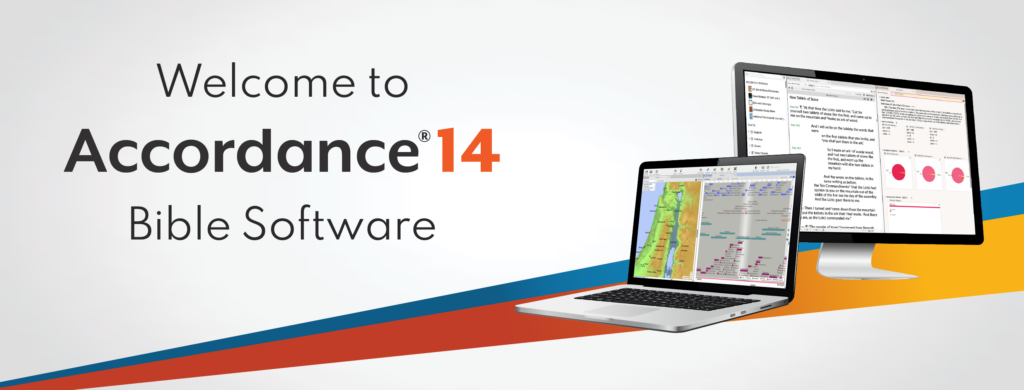
The Accordance 14 update came out with interesting new features and a troubling lack of quality control. Even though Accordance 14 came to users' computers last fall, I held off writing this until it became stable. While it's still not great, it's better on Mac, so let's look at what's new in Accordance 14 Bible software. Check out the sections below for each major new feature and the video demonstrating the Accordance 14 update on macOS. It looks and works the same on Windows with minor exceptions.
Below you can watch the demo video made by Accordance.
Open Accordance 14 Dynamic Word Study
Accordance 14 adds a new word study tool that you can use to study English, Greek, or Hebrew words. Bible students can understand the word and learn how to teach, preach, or apply it personally.
The most used way of opening these word studies comes from the context menu. Select a word in your Bible and right-click on it. Then look for the Research section of the right-click menu. Under that, you'll see Word Study. Select it to show the fly-out menu. You'll see options for Word or Key Number.

Each option shows content about the Word you're studying. Choose Word, and it will search the English term. Choose Key Number, and it will search using Hebrew or Greek Key Numbers as the foundation. A Word-based Word Study shows details about that word, like...
- Word Count - how many times it shows up in the Bible.
- Definition - shows the word in your highest-ranked dictionary.
- Text Compare - shows the difference between translations in English.
- Visual Details - pie or bar graphs on what Hebrew or Greek words were translated into English words.
- Dictionaries - shows your top five Bible dictionaries for that word.
The choice opens a new window with a Word Study tab open

Users open an Accordance 14 Word Study using the File menu. Click on File and New Tab. Then look for the Research section. Under it, you'll see Word Study with a fly-out menu offering three options for English, Greek, or Hebrew word studies. Choose one by clicking it. This opens a new tab ready to perform word studies based on the open Bible.

If you haven't opened a Bible yet, Accordance 14 will connect the new tab to your top-ranked Bible with language study tagging. You can also open the new tab using the New Tab button on your toolbar. Find the Research section, and click Word Study just below the section title. Choose one of the three language options to open a new Word Study tab.
How to Use Accordance 14 Dynamic Word Study
With the Word Study tab open, type in a word. You can type English words, and the results showing up after you hit enter come from that word in the translation selected in the drop-down menu in the upper left of the Word Study Tab.
Change your translation by clicking on the drop-down and selecting a new translation. This changes the results in the tab.
You'll see a few sections in this tab based on what kind of word you searched for. For example, an English search gives you...
- Word Info - content from your top English Bible dictionary.
- Text Compare - shows a list of the instances of your English word in the top translation. Click the plus icon to add other translations based on your text ranking in the Library.
- Word Graphs - includes Pie, Bar, and Frequency Graphs based on usage in your top Text. Add texts to see more graphs.
- Dictionaries - a list of your Bible dictionaries with that word in them.
Custom Phrasing
With the new Custom Phrasing feature, users can create diagrams of the text to show the text in a visual way. This shows the relationship between parts of the text to other parts.

Go into a Bible text in any language and use the setting drop-down box in the upper right corner of the pane.

Select Phrasing, and a new menu flies out to the right. The options include...
- Phrasing Break [Shift + Enter] adds a new line to a verse so you can show a phrase below another in a single verse.
- Phrasing Indent [Shift+Tab]moves the margin on the left of English texts over one tab at a time to place that phrase below a specific word above it.
- Phrasing Delete [Shift+Backspace] removes the tabs created with Phrasing Indent or Break.
- Hide Phrasing [No KB Shortcut] temporarily returns the look to the prior state. After doing this, go to the menu and click on Show Phrasing to bring it back.
- Lock Phrasing [No KB Shortcut] keeps the changes in place.
Why would a user want to create Custom Phrasing? This shows how various parts of the text relate to other parts of an idea. I use them to show things like major ideas and subpoints. You can also create visual lists in a text, like Galatians 5:22-23 which tells us about the "fruit of the Spirit."
Learn the keyboard shortcuts listed above to create these diagrams. It will speed up creating these Custom Phrasing outlines.
Easy Answers

Some books include things like questions with space to answer. In paper form, users could write in the space provided. Think about a workbook for your Hebrew class in Bible college or seminary class.
Digital versions of these books may still show discussion questions at the end of a section or in a workbook, but they're not easy to work with. You can add notes. But now Easy Answers helps for books that take advantage of the feature.

Easy Answers promises to make this possible in Accordance 14. You'll have to own a book that supports the feature. So look for this in future updates to books. I don't own any I know of, so I can't recommend or show you this feature. You'll have to search your library or the Accordance store for books with Easy Answers support. I know that Christian Worker's Commentary has this feature. See the screenshot above.
I will warn you that this feature is buggy on Mac. I experienced a few crashes while using it. It seems that when you open a Bible by clicking a link in the commentary, that it crashes once you click in the text box to add your answer.
Accordance 14 Offers New Citation Formats
Accordance added a few new official citation formats. You could always use Turabian, SBL, and Simple citations. But now you can use APA, Chicago Manual of Style, and MLA.

To change the default format, go into your preferences or settings. On a Mac, use the Accordance menu in the upper left of the menu bar. Then choose Preferences. You can also use the keyboard shortcut COMMAND + , (the Command key and the comma).

The above sets the default form of citation. Select something you want to copy with your preferred citation format. Right-click the selection and choose Copy As in the pop-up menu. Then choose Citation in the new flout menu. You could also use the keyboard shortcut COMMAND + CONTROL + C on a Mac.

Unicode Text in User-Created Tools
Tools created by the user can now use Unicode Text. Why is this important? Users creating tools in languages like Asian or other non-Latin languages.
Quick-Click Verse Picker - AKA Book/Chapter/Verse Chooser

Click on the new Quick-Click Verse Picker tool in the upper left corner of the Bible window in Accordance 14. Then a drop-down shows up with abbreviated Bible book names. Pick your book, then the chapter, and the verse. It opens the Bible to that reference. See the above animated GIF.
User Created Dictionaries & Commentaries

Accordance 14 offers new options for user-created tools. As a result, you can now create custom dictionaries, lexicons, and commentaries.

To create these, open the File menu, choose User Files, and then New User Tool.... Creating these tools is similar to creating General tools in previous versions.
Recommendations on Buying and Using Accordance 14
Should you go and upgrade to Accordance 14? Because it's not that expensive, I'd recommend you do so. At this point, version 14 has a lot of bugs that the company needs to fix. The Windows version has many more than the Mac version. Also, the iOS and Android verses are woefully behind the competition. If you buy the upgrade, you might want to keep 13 around by entering your Applications folder in macOS and renaming Accordance to Accordance 13. Then you can install Accordance 14. Look at our post on downgrading from 14 if you already installed it.
Logos Black Friday Deals on Books on Software
You can save a nice stack of cash by taking advantage Logos Black Friday Deals this month. We've got what's on offer and how much they cost.
I hate Black Friday, but these days few have to wait in line a store to get deals. In fact you don't even have to wait till Black Friday anymore if you shop on line at places like Logos Bible Software. They've already got Logos Black Friday deals going. Here's what you can get and save money on this month on books and the upgrade to Logos 10, which I shared with you in my overview of the new version.

Logos Black Friday Deals on Zondervan Courses and Mobile Education
These deals go from November 8th to 15th. You can save up to 85% on these courses. For example, save on courses to learn Biblical Greek or Hebrew. You can go for something as simple as a quick course on how to learn the alphabet for either $15.52 (Greek) or $21.36 (Hebrew). Then study the languages for $189.99 for Greek and Hebrew. Find them on my Affiliate page.

You can find other courses on Theology, Church History, Counseling, and Preaching. One thing I like to do is preach through books of the Bible. So, I get a course on a book of the Bible and study it as I prepare to preach through the book.
Other Deals Coming the Rest of the Month
Other deals are coming in the Logos Black Friday Deals include things like Commentary Mini-Bundles and Publisher Spotlight deals.
In addition, you can still get a nice discount on Logos 10. If you're new to Logos, you'll get 15% off. Prior customers get 30% off. And everyone will get 5 free books when they buy Logos 10 and a package deal, like the denomination collections, collections for preacher or counselors, or the basic color-themed collections, like Gold, Silver, etc.
You can use my affiliate link to get the 5 free books in this deal.

Every month Logos also offers free books and heavily discounted books. You can find the list of November's free and discounted titles here. Here's whats on offer this month...
- Luke (The Preacher's Commentary Series, Volume 26 | TPC) - Free
- Jon Courson's Application Commentary: New Testament - Free
- Thru the Bible Vol. 56: The Epistles (1 John) - 99 cents
- Did You Know? More Than 6,000 Bible Questions and Answers - 99 cents
- MacArthur's Quick Reference Guide to the Bible - $1.99
- Visual Survey of the Bible - $1.99
- God in the Manger - $2.99
- All the Parables of the Bible - $2.99
- KJV Bible Commentary - $3.99
- Proverbs (The Preacher's Commentary, Volume 15 | TPC) - $3.99
- 1 Peter (NIV Application Commentary | NIVAC) - $4.99
- Sermon on the Mount (Story of God Bible Commentary | SGBC) - $4.99
- 1 and 2 Thessalonians (Story of God Bible Commentary | SGBC)
- New International Bible Dictionary
- Ecclesiastes (Word Biblical Commentary, Volume 23a | WBC)
- Illustrated Manners and Customs of the Bible
- Joel: A Discourse Analysis of the Hebrew Bible (Zondervan Exegetical Commentary on the Old Testament)
- Believer’s Bible Commentary
- Mark (Zondervan Exegetical Commentary on the New Testament | ZECNT)
- Acts (NIV Application Commentary | NIVAC)
- John, 2nd ed. (Word Biblical Commentary, vol. 36 | WBC)
- Thinking through Paul: An Introduction to His Life, Letters, and Theology
In addition, Logos offers a pre-order for $34.99, It's the Leviticus: A Discourse Analysis of the Hebrew Bible from Zondervan Exegetical Commentary on the Old Testament (AKA: ZECOT)

3 Great Logos Deals You Can Get Right Now
Logos Bible software users can get 3 great Logos deals right now.

Logos Bible software users can get 3 great Logos deals right now. The first one is an older deal that remains in place until June 15. The other three just started this June.
Do you use Logos Bible Software for your study? Logos 9 is a great package to study the Bible personally, for sermons, Bible studies, teaching, preaching, and for your scholarly study.

Save 15% on Logos Deal on Logos 9 Base Package Sales
We shared last month during our 6-month later review. You can get 5 free books from a select collection of titles plus get 15% off Logos 9 Base Packages. Here's the link to get the deal.
The base packages will let you upgrade to Logos 9 if you haven't already. If you did, you can jump up to a higher level or get the next level for your denominational base package.
50% Off Eerdmen Publishing Resources for Logos

Check out these great deals and add to your research or study library books like...
- NICOT and NICNT - a great in-depth commentary series on the Bible with "thorough and modern scholarship" on the books of the Bible covered by the New International Commentary series. You save over $600 off the $1599.99 regular price.
- Eerdman's Biblical Reference Collection - resources on language study, additions to the Factbook, and the Theological Dictionary of the OT and NT. The collection retails for $1,138.99, but you can buy it in this sale for $569.99.

- Theological Dictionary of the OT and NT - a great set for theological linguistic research and study. It normally costs $849.99, but with this Logos deal, save 40% and pay $509.99.
- International Standard Bible Encyclopedia Revised - ISBE was a standard reference for almost any important word or topic in the Bible with a huge collection of 1,500 photos and 342 maps. Instead of paying $129.99, you only pay $77.99.
- Two Horizons Commentary Series - get 23 volumes with excellent biblical exegesis and theological study. It covers the Bible paragraph by paragraph rather than verse by verse. Pay just $249.99, saving 28% off the $349.99.
Logos Deal on Free Book of the Month
Every month Logos offers a free book of the month, where users can save and get a free book. Sign up for the email to get the book. You can also get other books drastically discounted. For example, this month get...
- Hard Sayings of the Bible - explains over 500 passages difficult to understand. Free
- The Spirit of Grace - part of the Christian Belief for Everyone Series, which gives readers an accessible explanation of the doctrines of the faith. This is the 4th volume covering "the Holy Spirit, the holy Catholic Church, the communion of the Saints, and the forgiveness of sins." $.99
- Psalms: An Introduction and Commentary - part of the Tyndale Commentaries series. $1.99
- The Person of Christ - focuses on the person of Christ in the history of church doctrine. $2.99
- 2 Corinthians The IVP NT Commentary - part of this commentary series and covers the book in a practical and theological way covering passage by passage comments. $3.99
- The Temple and the Church's Mission: A Biblical Theology of the Dwelling Place of God - G.K. Beale discusses the OT tabernacle and temple as symbols of the indwelling of Christ and talks about how this applies to NT understanding thanks to Christ. $4.99
- The Bible for Everyone - a new version of the Bible written to make it more accessible for everyone. $5.99
- Exodus Apollos OT Commentary - discusses the book focusing on the Exodus event and how we learn of God's love for his people as he changes the lives of people who were similarly victimized. $6.99
- Foundations of the Christian Faith: A Comprehensive & Readable Theology Revised and Expanded - a readable theology for the average believer. $7.99
- The Revelation to John: A Commentary on the Greek Text of the Apocalypse - Dr. Stephen Smalley offers a commentary on the Greek text of the book of Revelation. $8.99
- Pre-order Changed into His Likeness: A Biblical Theology of Personal Transformation - Gary Miller covers the issue of the Gospel where many promise too much and others expect too little of converts. $7.99
Logos 9 Factbook: How To Get the Most Out of the New Features in Logos 9
What is the new Logos 9 Factbook and how can it help you study the Bible more efficiently. We'll look at it in this series on new Logos 9 features.
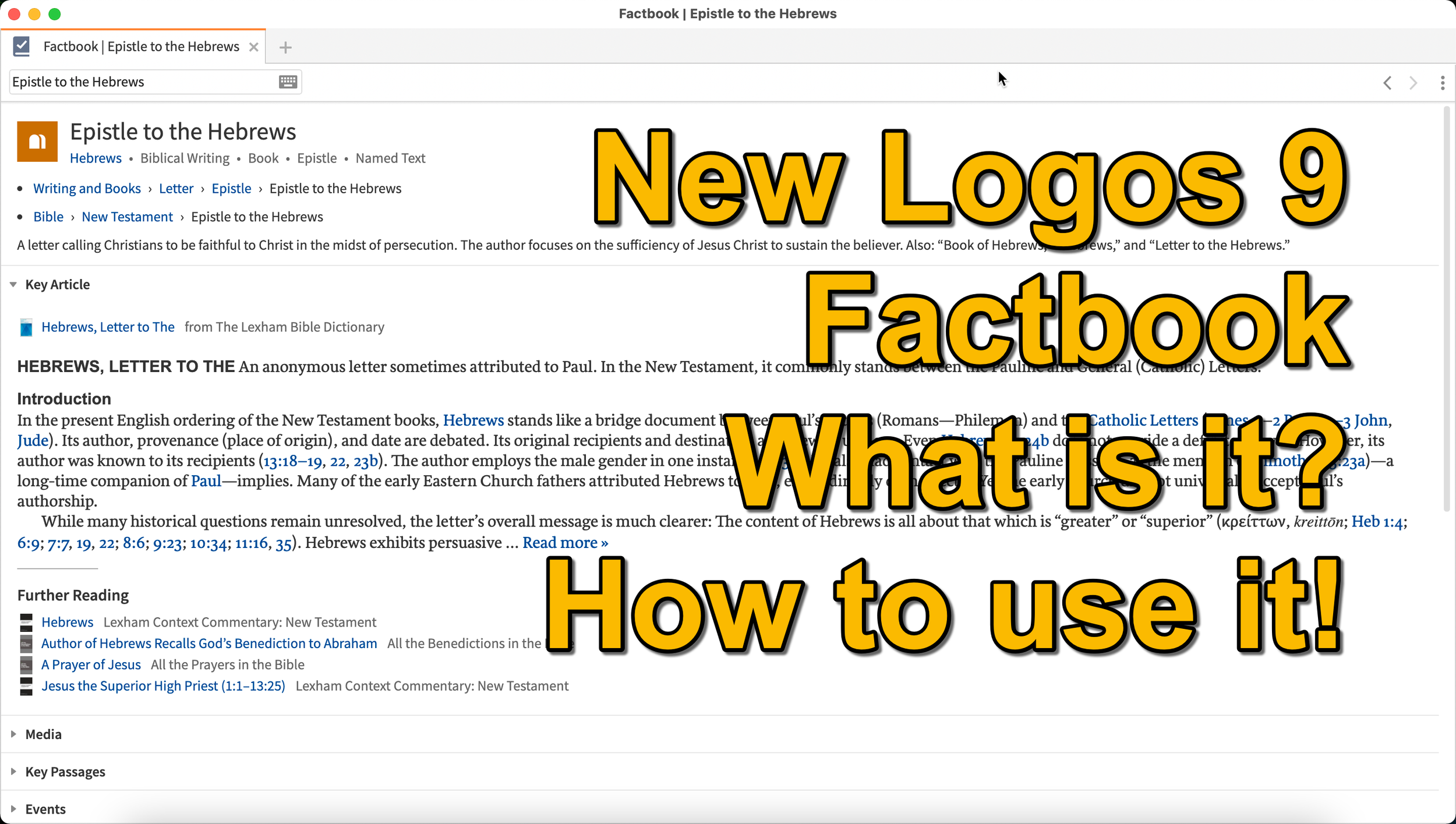
What is the Logos 9 Factbook, and how can you get the most out of this new feature if you upgraded to Logos 9? We'll take a look at each of the new features in Logos 9 now that we've had plenty of time to use them.
It's now been six months+ since Logos 9 came out. Since we've had it in hand that long I wrote a 6-months-later review. In addition to reading that, you can see my original post about the release of Logos 9. In this post, we will do a deep dive into all the new features starting with the one Logos made the most of in their advertising of Logos 9, the Logos 9 Factbook.

If you'd like to get a discount on Logos 9, you can use my affiliate link to give you 15% off, some free books, and my appreciation. I get a kickback to help me with expenses related to my website, podcast, and YouTube channels. Use the code PARTNEROFFER9 when you follow that link to get the discount and free books.
What is the Logos 9 Factbook?
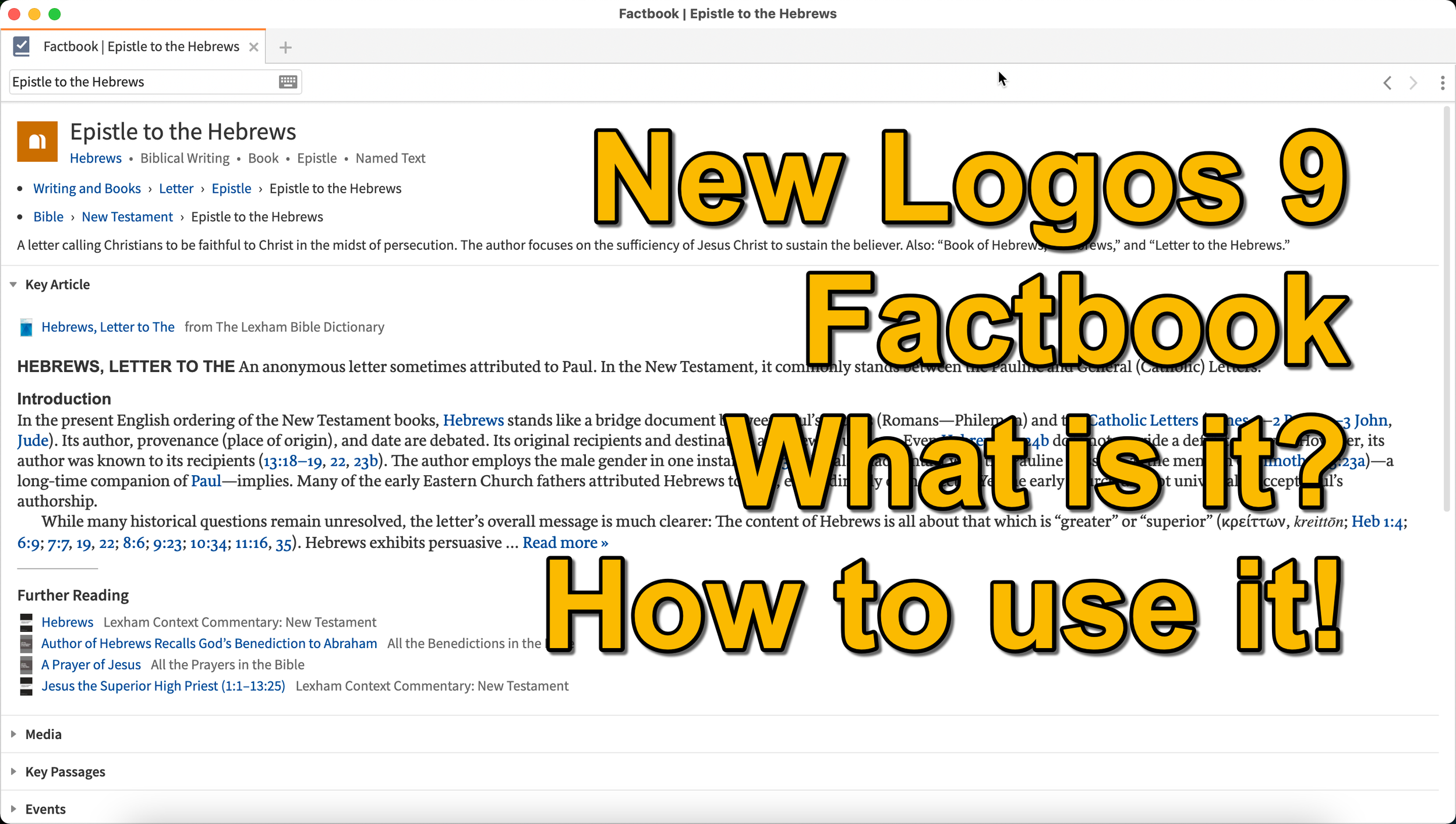
Logos says, "The Factbook is one of the most powerful features of Logos, and it makes almost any biblical or theological term easily searchable." I compare it to a Bible encyclopedia on steroids. Just about anything you want to learn about in a Bible text will show up in the Factbook.
Past versions of Logos included the Factbook. However, it received a lot of attention in the update to version 9. A minor update comes in the form of the new icon. It now looks like a book with a checkmark on it.

New Sections in the Factbook
Second, Logos added a bunch of new topics to search for in Factbook. The new things include...
- Biblical Senses - these are translations of the Greek or Hebrew word. Biblical Senses give you an understanding of different ways the original language terms were translated in various places.
- Hebrew & Greek lemmas - you can now start a Greek or Hebrew word study from the Factbook report.
- Counseling Guide - start a study of the counseling guide on topics related to counseling, like marriage or addiction.
- Theological Guide - start a study of theological words or concepts from Factbook.
- Denominational Content - find all content on the topic from a denominational library, like Baptist or Lutheran.
- Lists as Topics - when you search for a topic, like a person's name. You'll see entries in the Factbook with lists related to that person's name or book of the Bible. For example, if I search for Matthew, it will find people named Matthew, topics or preaching themes from the book of Matthew, and more.
- Show All Topics - when you type a search term in the box in the Factbook, it will show a drop-down list of some searches you might be wanting as you type. At the bottom of the list, you'll see Show All Topics, which gives you a new list with all the Factbook topics containing your search term.
- Pericopes as Topics - search for a reference like John 3:16, and you'll get a list of pericopes (passages) with links to open the passage in the Lexham Context Commentary plus Media, Events, Sermons, and a See Also section.
These make up the list of the major new parts found in the updated Factbook.
Other Parts of the Logos 9 Factbook Still Available
Below, you'll see a list of other topics still included (from Logos support). The sections that show up in it are listed below:
- Info - basic information about the item search. This shows up in every search.
- Key Article - a section at the top from one of the common books in your library. Logos says the Lexham Bible Dictionary is an example of the book this Key Article will show. You get part of that article shown there in the list. Faithlife picked what Key Articles will show up for each kind of search item. The company focuses on its own tools, like Lexham Theological Library for original language terms.
- Media - images from any of your media resources.
- Letters - Personal Letter resources by an author if that's what you searched.
- Works - works created by the author showing links either to books in your library or store pages on Logos.com.
- Passages - shows a list of passages, like concordance of the word, topic, or thing. A link lets you instantly create a Passage List from the resulting list in the Passages section.
- Events - links to the Timeline and Biblical Event Navigator if a user owns that book.
- Dictionaries - articles in your dictionaries.
- Preaching Resources - topics from your preaching-themed resources.
- Referred To As - Bible verses organized by the way the search item is referred to with a list of the verses and a graph showing where that shows up in the Bible.
- Cultural Concepts - shows links to the Lexham Cultural Ontology Glossary, "which shows a hierarchy of the concept’s type, and search results for the concept within your Library" (from Logos Support site).
- Library - books in your library with content related to the search item.
- Journals - links to journals in your library with content related to the search.
- Sermons - links to sermons found in your library with content related to the search.
- Community Tags - these are tags that Logos users added to a section related to the search item. If I tagged a part of a book as "grace," then it would show up in other users' searches for grace.
- Bookstore - shows books for sale related to the search item.
- See Also - shows other things in your library that don't fit in the above section.
How to Open the Logos 9 Factbook
To open the Factbook you can do one of the following...
- Toolbar - Click the Factbook icon on the main window's toolbar. Enter what you want to search for in the search box.
- Go Box - start typing in the Go Box, and Logos 9 shows links to Open the Factbook to that topic, word, passage, etc. It also shows up as one of the taps that opens when you enter a search term and hit enter or click on the Go button.
- Tools Menu - You can also open it from the Tools menu. Either look for Factbook or type that in the search box at the top of the menu. Or it usually shows up in the shortcuts area at the top of the Tools menu.
- Context or Right-click Menu - Select a word in the text of your book or Bible and right-click, bringing up the context menu. You'll see the Factbook links in many places usuually in the right when you highlight a subject on the left.
- Visual Filters Button - There's now a toolbar icon in the Bible window for the Factbook. Click to turn it on and from now on you'll see blue dotted lines under words with Factbook entries. Don't confuse those with other solid blue lines that may show up if you've created other visual filters, like I did for parts of speech. Click those words to open a Factbook window for that word.
- Search Panels - When you search for things in a search box, the Factbook sits near the top somewhere in your search results. It moves around depending on what you searched for, but it will show up near the top of the results.

If you use the last method to turn on the Factbook, you can turn on or off what Factbook features will show when you click using Visual filters (see image above). Turn on or off different parts of the Factbook by clicking the down arrow next to the Factbook button. A list with checkboxes shows up, ready to turn off and on.
Bible Book Guides

The Bible Book Guides in the new Logos 9 Factbook shows up when looking at a book of the Bible in the Factbook. For example, if you search for the book of Hebrews, it will show you a section about the book. This section will help if you're going to do a study of a book of the Bible. You'll see the following sections:
- Content - Introduction, outlines, and contents mostly from commentaries on the book that you search for in Factbook
- Origin - Links to the books in your library with information about the book's author, date, and purpose.
- Background - Shows books with content about historical context, recipients of a book, and the author's location when writing the book.
- Objects - Books with geographical, date, location, and key people in the book.
- Canon - Discussions about the canonization of the book.
- Form - Discussions of the book's composition, text, title, style, and structure.
- Meaning - Books with info on the book's themes, emphases, interpretation, theology, significance, and spiritual content.
- Additional Information - Links to Bible dictionaries and commentaries with additional info about the book.


5 Best Bible Apps for Android and Fire Tablets for 2021
What are the 5 best Bible apps for Android for 2021? These run on Android phones, tablets, and the Amazon Fire tablet.

If you own an Android smartphone or tablet or maybe an Amazon Fire Tablet, then we've got the 5 best Bible apps for Android. This list usually stays the same each year. So what has changed for 2021?

I tested these apps on the Samsung Galaxy Tab S6 Lite. I used to own the Tab S7 but handed it down to my son, an Android first guy. Most of the time, I use the iPad, but Android works great too. So, here's my list for 2021!
What's your favorite Bible app on Android or Amazon Fire Tablet. Comment below or head over to the YouTube video above and comment there.
Bible App by Olive Tree
Olive Tree's Bible App sits atop our list because it's still the best mobile Bible app available for reading, study, and sermon prep. Why do I call it the "best"? Olive Tree presents the Bible and Bible study material with the perfect balance of usefulness and simplicity. That's hard to do. Just ask the other more technical Bible study apps listed below.
UPDATE: The Bible App by Olive Tree is no longer supported on Amazon Fire tablets.

Open Olive Tree on a tablet, and you get two areas by default. On the left, you'll see a kind of Windows Explorer or macOS Finder kind of navigation window that takes up the left half of the screen when you tap the menu. To see this menu, you'll need to tap the menu button that looks like three horizontal lines in the upper left corner.

The Bible sits on the left when the menu isn't open. On the right, you'll see the Resource Guide. These two can link up so that when you scroll or swipe from page to page in the Bible, it will move the commentary you have open to the right.

Add word study features by opening a tagged Bible. Tap on a tagged word, and you'll see a popup window that defines the word in its original language. You also get Audiobooks, reading plans, devotionals, maps, highlights, note-taking, and it all syncs up with your computer version of Olive Tree.
There's more to this app, but this hits the highlights and explains why I put it first in my 5 Best Bible Apps for Android list.
Logos Bible App from Faithlife
The Logos Bible App (Amazon Fire App) and its other similar apps from Faithlife come in second in our roundup because of its power and array of useful features. It's a little bloated, but I'd rather have too many features that don't get in the way of the basics than not enough, like the ability to add user notes.

When you look at all that Faithlife packs into Logos, you can only say wow! There's a reason this ends up in our 5 Best Bible Apps for Android, but not at the number one spot.
The app divides into a few main areas.
- Home Screen - layouts for study are here, along with information from Faithlife about sales or books.
- Library - find your books to open and read.
- Book Reader - you can open a bunch of books, and they will show up on screen accessible via the center button, the toolbar at the bottom of the screen.
- Search Screen - use it to search your Bible or books.
- Main Menu - find all the major features of the Logos app here, like the Guides.

You can open multiple books and sync them using the center button on the bottom toolbar. Set up some or all of the books to sync up or don't. I have a few Bible translations and a few study Bible's or commentaries open all the time, all of which I set to sync up, so they move from verse to verse together. I also open books I'm reading too, but they don't sync with a Bible.

On the Bible, you can do word studies, searches, and add notes or highlights. Open the menu, and you can search your library in one of the Guides. A passage guide finds everything about your passage. The Exegetical Guide searches for content related to language study. Other guides work similarly.

You'll find many other features, mainly in the main menu at the far right on the bottom toolbar. And remember, it all syncs nicely with the computer app or their web app.
Faithlife also offers a few other apps for Bible study and reading. You can download...
- Faithlife Study Bible - focused on their study Bible and the Lexham English Bible translation.
- Faithlife eBooks - a simplified version of the app for reading books primarily, but still has some study features.
- Biblia - Spanish language version of the app.
- Verbum Catholic Bible - app focused on Catholic users.
The Bible App from Life.Church

I always fight with myself about adding The Bible App (Amazon Fire App) to my roundup of best Bible apps for any platform, but I always do it for one reason. It's the most popular Bible app available on mobile devices.
I don't like including The Bible App because it's not really a complete Bible study app. You can't do word studies or read commentaries and Bible dictionaries. But that's not what Life.Church intended for its users to do.

Instead of more advanced Bible study, The Bible App excels as a simple Bible reading app that also includes social networking built-in and sharing to social media easily and elegantly. You can...
- Download and read hundreds of versions of the Bible, most of them available offline.
- Listen to audio Bibles.
- Set the app to remind you to read a daily reading and devotion or see a verse of the day in text or visual format.
- See what your friends are reading, highlighting, sharing, or commenting about the Bible.
- Watch videos to help you understand the Bible.
- Bookmark verses.
- Share verses with others via social media, email, or text.

Accordance Bible Software
The Accordance App (Amazon Fire App) on Android has gotten better but still lags behind its iOS cousin and the other apps in our roundup for a couple of glaring weaknesses. First, you can't add your own user notes yet. That's gotta change, and Accordance should feel embarrassed they haven't added the feature in 2021.

Second, the syncing features in the app are weak by comparison. Accordance should add its own syncing tool to keep your user content fresh on Android and a computer.

While Accordance really needs the improvements above, it still deserves a spot in our top 5. Of course, you can read the Bible and other books in your library. Accordance sells a lot of great Bible study tools, thanks to a huge library of quality resources. They are often the first company to release a book when it gets published. For example, they released the new 2020 version of the NASB before the others on the list. Logos doesn't even have it out yet.

Accordance works great as a Bible or book reader. It lets you search, and you can select a word and Amplify it, which means study by searching for related content.
Tecarta Bible
Bible study observers may not know as much about Tecarta Bible (Amazon Fire App $5.99 for NIV) as the others in this roundup. But they should because it's a decent app.

The app includes the most-used translations. You can download the KJV for free and buy others for download. If you don't want to pay for a translation, you can "stream" them, which means use them as long as you have an Internet connection on your phone or tablet. You'll have to buy commentaries, but unlike others, Tecarta lets you try them.

The app displays parallel translations and shows the commentary in a 2nd or 3rd window. Add notes, bookmarks, highlights, or share verses.

If you tap and hold on a word, the app shows a box popup that says "Define," and it will go online to give you a definition from an Internet search.
5 Best Bible Apps for Android and Fire Tablets for 2021 Summary
Which of the 5 apps included in our roundup of the 5 Best Bible Apps for Android should you download? Why not download all of them? Of course, you should start with the app from the company you already use on a computer, if you own one. I'm a Logos Bible Software user on my Macs, so I primarily use Logos, even though I like Olive Tree better on mobile.
UPDATE: If you use an Amazon Fire Tablet, you can't download the Olive Tree app since it's no longer supported. For a fifth Bible app on a Fire Tablet, look at Laridian's Pocket Bible. It's also terrific.
Update: You can also install the Google Play Store on an Amazon Fire Tablet. It's complicated, but if you think you can handle it, fire up the Silk browser on your Fire and head over to the helpful how-to article at Android Police.
If you must make me recommend one over another, then I'm going with Olive Tree first. It's got the cleanest and simplest interface. It has enough features for most users. People who need more advanced tools will likely not work on a tablet or smartphone very long. They're using a computer-level Bible study suite from either Logos or Accordance. However, don't end your search with Olive Tree. You can try out all of them for free and settle on one with the best features for your needs.
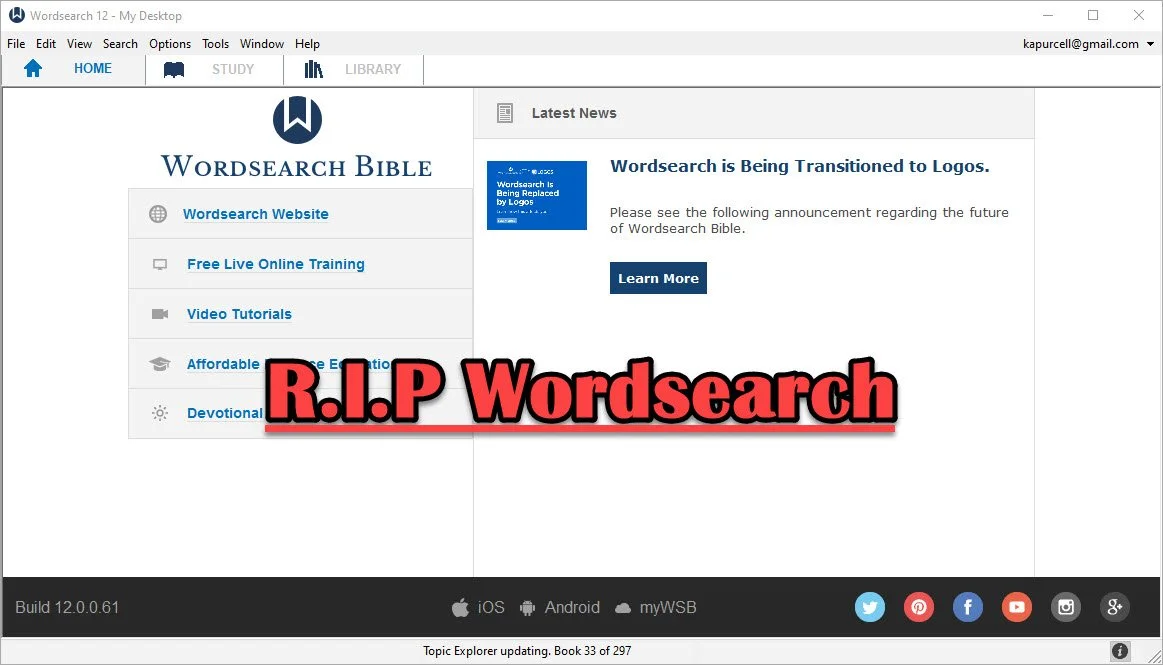
Logos Bible Software Bought Wordsearch. What does it mean for me?
Now that Faithlife bought Wordsearch, what does it mean for users of both programs and where will Bible software go in the future?
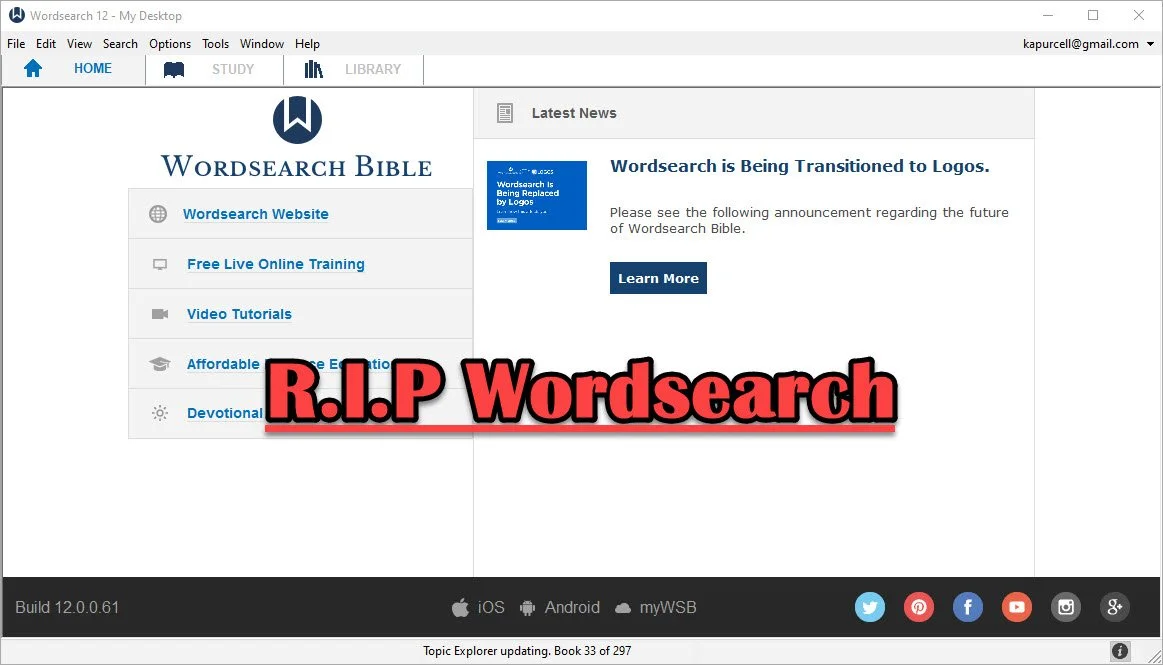
In case you didn't know, the publishers of Logos Bible Software and Proclaim Worship Software, Faithlife, bought Wordsearch Bible Software from LifeWay, the publishing arm of the Southern Baptist Convention. I shared a little about it here and at ChurchTechToday.com, where I sometimes write.
When we face significant changes, we feel afraid and wonder what will happen and how will it affect us. Those feelings will affect Wordsearch customers more than Logos customers. However, it will also offer some positive changes. We'll look at both the negatives and the positives and then consider the future of Bible software.
Simplicity and Comfort with Wordsearch for Users
People who used Wordsearch for a long time liked that they could collect a large library of excellent Bible study tools and ministry books from excellent publishers. Wordsearch produced a lot of great digital content for their software users. Wordsearch also presented those excellent tools in a simple, familiar format. The program added features and changed the way it looked over time, but it always had a look that reminded us of Windows Explorer or macOS Finder. The list of content showed up in easy to recognize folders along the left, while the content showed up on the right. You could display a Bible in one window, a commentary in another, and notes in a third. It all made sense.

Moving from Wordsearch to another program felt more jarring than most moves because the other high-powered windows software looked very different. At least Accordance had the library list on the left. Logos hid their library in a drop-down list that you could open as a window and put on the left, but it took some work to set up a familiar layout that Wordsearch users would consider familiar.

Disappearing ZipScript; Gone But Not Forgotten
ZipScript appealed to Wordsearch users and many of those trying to jump to Logos, the new Wordsearch overlords, experience consternation at seeing it go away when the program stops working. Understand that the deadline won't come anytime soon. But one day it will quit.

ZipScript ran in the background and grabbed scripture from a chosen Bible from the Wordsearch library. Users could quickly paste it into a Word document or some other text editor or even a website. It worked simply and elegantly.

Logos has something similar in the Copy Bible Verse tool, but you have to open Logos to get at it. We'll show you how to use Copy Bible Verses in Logos below.

And that leads me to some hope for Wordsearch users. You can do most of what you really love in Logos or some other third-party application. It will take some time and training to get the most out of it. So let's look at the hopeful side of the buyout of Wordsearch by Faithlife.
Reasons for Hope for Both Logos and Wordsearch Bible Software Users
Logos users will experience the most hopefulness with the purchase of Wordsearch. Users now can access a large library of books and tools not available before in Logos.
The Complete Biblical Library includes a commentary and some language study tools to name a few resources. Logos didn't offer this package until now. Wordsearch and Accordance did. That's just one of the hundreds of books Logos users can now buy and use. More will become available as they finish converting the digital files into Logos book formats.
Wordsearch users will also get access to a lot of resources that weren't available to them before. Both customer bases could buy thousands of Bibles, commentaries, reference books, and other titles. Now they can get even more.
In addition to more books, Wordsearch users willing to take the time to learn how to use the powerful and complex features in Logos 9 will discover that their new program is more like owning an aircraft carrier than a 400-foot luxury yacht. Both float in the water and both will get you across the Pacific Ocean, but one can do it in a simple familiar way while the other feels more like a highly technical piece of machinery ready to attack any task with skill and advanced expertise like nothing else in existence. I think Accordance would disagree with that last bit. It's similarly powerful, but I hope you get the meaning of my flawed analogy.
I recommend that Wordsearch users patiently take the time to learn to use Logos. Here are a few ways to help...
- Logos Support Page has plenty of training
- Logos community forums is full of helpful users
- Check out one of the advanced training schools online like Morris Proctor and LearnLogos
- Visit Theotek here and on YouTube
- Take time to look around the software
- Open Wordsearch and Logos at the same time and take a look at what you love about Wordsearch and try to mimic that capability inside Logos
- Take a look at other Bible software like Accordance, Olive Tree, e-Sword, PocketBible and more.
- Keep using Wordsearch until you can't
The last recommendation above is important. Just because you won't likely get any software updates in the future from Logos, the program will probably keep running fine until Microsoft updates Windows and breaks it. If that happens, then don't upgrade windows. I'm guessing you can keep using Wordsearch for at least another year or more. That might extend for years, especially if you don't mind staying on current versions of Windows. Eventually, however, it will shut down and you'll have to move on.
The Future of Bible Software
Where will the Bible software community end up in a couple of years or longer? That's a hard question to answer and I've never been a good prognosticator. I thought Covid would last a few weeks at most. But let's give it a try.
Bible software is both expanding and contracting at the same time. Over at ChurchTechToday.com my editor, Lauren Hunter, wrote about the future of Bible software quoting Rick Meyers, the generous creator of e-Sword. He said...
“This same decade has seen new Bible software companies emerge who are embracing these new hardware/platform changes. So, in the decade which saw WORDsearch first sold to LifeWay, and now to Faithlife, we have seen the rise of YouVersion. One generation of programmers hands off the baton to the next generation of programmers; meanwhile, God’s Word remains as popular as ever.”
I agree. We see more options for quality Bible software. At the same time, we now have fewer options for the advanced Bible study needed for academic Bible study or translating the Bible into more languages on the mission field.
With that, I think that Bible software companies that offer a strong online presence will win in the long run. And that means Logos. They are the only advanced Bible study option that works on all platforms including...
- Windows
- Mac
- iPhone
- iPad
- Android
- Online
- Chromebooks
- Kindle
Others work on many of those like Olive Tree, but they don't offer a website for Bible study. Accordance is in the same boat.
Some of the best online sites work great in a desktop browser, but not as well on mobile. Some of those show up as apps in the app store, but not all.
With the contraction of the number of powerful programs, it may seem like Bible software is in trouble. However, the big names are strong and not going anywhere soon. So, I'm hopeful.
M1 MacBook Pro and Bible Study Apps
How well do the top five Mac Bible study apps run on the new M1 MacBook Pro? We ran five of the best programs and share our results.
Are you curious how the new M1 MacBook Pro handles Bible study apps and programs? I was too and couldn't wait to test this out. You can find the results as I tested Logos 9, Accordance 13, Olive Tree, Laridian Pocket Bible, and e-Sword X on the new M1 MacBook Pro.

UPDATE: Added a video under the Logos 9 on M1 MacBook Pro section below.
Why I Bought the M1 MacBook Pro
For the past year, I actually transitioned to a Windows-centric computer experience by giving my 2018 MacBook Pro to my son, a videographer and photographer who really wanted to go Mac. I bought an excellent HP Spectre x360 13 2-in-1, but then reluctantly decided to go back to Apple after my office PC failed and I got a Mac mini from a friend.
I bought the 2020 MacBook Pro that Apple released earlier this year based on Intel's processor. That was in late October and then Apple released the new M1 MacBook Air, M1 MacBook Pro, and M1 Mac mini. Fortunately, I got mine at Best Buy and I could return so I did and picked the M1 MacBook Pro with 8GB of RAM and 500. It's not the highest-end M1 MacBook, but it's what could get in exchange without paying too much more.

Best Buy shocked me and told me I could get the new computer the next day, but that was wrong. It showed up the Monday before Thanksgiving instead of one week before Thanksgiving. That's not bad considering Apple shows a date in mid-December before you can get one directly from them.
Installing Bible Programs on the M1 MacBook Pro
The new M1 MacBook Pro showed up and I unboxed it and starting setting things up. Soon I was installing my Bible study programs. I use three Bible apps but for this test, I installed five of the best Mac Bible study programs you can buy today.
- Accordance 13
- e-Sword X
- Laridian Pocket Bible
- Logos 9
- Olive Tree Bible Study
For the most part, these apps installed without much concern. It's interesting that the first time you install a program that's not optimized for the M1 chip, macOS 11 Big Sur will ask you if you want to install something called Rosetta 2. It didn't take long to download and install, but it stops you from launching your app. I had to launch Logos 9 again after Rosetta 2 finished installing.
The other apps installed quickly. Accordance takes a little while to download your books if you have a large library. Olive Tree Bible Reader, Laridian PocketBible and e-Sword X don't take as long. In fact PocketBible has the best installation process of the group. It takes little time at all.
Logos 9 on M1 MacBook Pro
Let's first talk about Logos 9 because it's the most demanding of the five programs. It Typically, I start the installation, plug in my laptop, and leave for hours. When I come overnight or after a full day away, it finishes and we're ready to study the Bible.
As you can see from the video above showing the installation and indexing process, it took 3 hours and 47 minutes to install, download my 27GB library, and index the library. The download seemed faster than normal. Then indexing went quickly.
My friend LaRosa compared the indexing process to taking a long trip on an Interstate. It takes a little while to get on the road, but once you do and get up to speed, it runs quickly. Then, the off-ramp time slows down. That's how things went with the M1 MacBook Pro. It starts slow, speeds up, and then finishes slowly.
Normally, when Logos 9 indexes the library it takes up a lot of resources and you can't really use your computer much. You can, but it's infuriating because Logos takes up all the memory and processor. However, with the M1 MacBook Pro, Logos 9 ran slowly, but the rest of the system ran smoothly. For example, I hit the Home button in Logos 9 and scrolled through the Home page. It stuttered running haltingly. It's not smooth at all.
In spite of how slowly Logos 9 itself performs, the rest of the system runs smoothly during the indexing. That's abnormal with Intel or AMD based computers. They usually don't run smoothly.
Battery Life for Running Bible Study Apps on M1 MacBook Pro

The battery life stood out on my new M1 MacBook Pro. The process of installing Logos 9 on laptops usually kills a battery. On my previous HP x360 13 and my older 2018 MacBook Pro, I would never attempt to install Logos without plugging in. I didn't have to on this computer.
Add the wonderfully bright screen and crisp text, you get a fantastic experience writing and reading. I put the screen at 50 percent and it looks like other computers I'm used to using when they are set to 75-80 percent.
After I killed the battery installing Logos I used it for a couple hours and went to bed with it at 40 percent. This morning, after running on battery at 50% for about 4 hours, my battery reads 76% left. That's fantastic. My 2020 12.9-inch iPad Pro doesn't last as long in real-world use.
Hard to Tell Difference on M1 MacBook Pro

What's the final takeaway for running Bible study apps on the M1 MacBook Pro? For four out of our five apps, there's little to no different. I couldn't tell the difference between running Accordance, e-Sword X, Olive Tree Bible, or PocketBible on this computer.
Logos 9 is a little different. Installation was a slightly better experience. You can set it to download and index your library and get some other work done while it happens in the background. That's a huge improvement compared to running the program's installation on other computers.
Once you install Logos 9, it runs well. There's one issue that's more a Big Sur problem than an M1 MacBook Pro problem. Over in the Logos 9 forum, there's a post listing one issue as follows:
The Logos Desktop Team has tested Logos 9 and Logos 8 on macOS 11 "Big Sur." So far we discovered some minor styling issues (see below), but have not encountered any major issues.
Known Issue: Table of Contents arrows are duplicated.From Logos 9 forum

The above issue with arrows is an extremely minor issue. You may find others, but right now that's all.
In another Logos forum post, Phil Gons from Faithlife said the company has no definite plans to make Logos 9 run as an M1 Mac application. That's not saying they won't do it, but they are not announcing anything publicly. I'd expect this to take a long time since the current version of the software works so well. I look forward to the time when these five all run as a native app.
There's one thing that you can say about running Bible study applications on the new M1 MacBook Pro. Launching these apps takes a lot less time than they used to. Of our five, Laridian PocketBible and e-Sword X jump onto the screen instantly. Olive Tree Bible Reader loads in a couple of seconds and Accordance launches in a few seconds. Sadly, Logos 9 still takes longer than the others. But it loads faster than it did on Intel Macs. Running the programs speeds up on these new M1 chips too.

Is Bible Software Getting Too Complicated

No matter what software program I bet there are features you never used, seldom use or don't even know exist. My dad owned an old ‘72 Oldsmobile and he worked on it a lot, mostly because it was a piece of junk. But he could work on it. Now, you need an engineering degree to work on an Oldsmobile or almost any car. You can do a few simple things like change tires, batteries and plugs. But the real work needs a computer system and a specialist with training most of us don’t possess. Bible software feels like that today.

Early Days of Bible Software
I've been using Bible software since I got my first computer back in the early 90s. It was QuickVerse, a program that back then, ran on a handful of 5.25-inch black floppy disks because the hard drive didn’t have space for it. It pretty much did two things, that I can remember anyway. You could read and search the NIV Bible.

If you searched for a broad term like grace or God, then you had to swap out the disks one after another as you looked through the hits on your search. The Pentateuch sat on disk one, the rest of the history books on disk two, poetry and major prophets on three and so on. I may be wrong about the break down, because ... you know ... it was nearly 30 years ago. But that was all I think it could do - search and display the NIV.
Now, you can install 24 GB of books and content on your hard drive. The menu of features rolls off the screen when you click it. You look at the books and you see dozens of ways to look at the data included. If I used everything in my chosen programs, I'd never have to time actually write my sermons. I'd study the passage for 60 hours.
I know that some people need very advanced searching and data presentation tools, but for the ordinary pastor who preaches simple sermons week-in-and week out, the answer is an YES!!! Many Bible Software programs are way too complicated.
Why is Bible Software So Complicated?
When I first started writing Bible study software reviews, I felt like I could share with my readers all the great features with some depth. Now, I'm just scratching the surface in a 2,000 word review. Recently I shared a 3,000 word review and still felt like I didn’t really cover all that the program could do.
Why is this so complicated? First, I think the developers are trying to please everyone in one package. More people are reading the Bible digitally than ever before, but few people go in depth the way a pastor or Bible scholar needs to. So, the program developer wants to make it useful for the person who just wants to read devotions on their Bible and the scholar who needs to do intricate searches.

Average Christians want to read the Bible and occasionally find out who King Darius was or see a map of where Edom might be. They would like the notes they get with their physical copy of a favorite Study Bible.
However, a pastor needs more. He wants to study what the original author intended to say and how translation effects the meaning of key ideas in a passage. What does it mean when Paul says in 1 Thessalonians 5:18 “Give thanks in everything for that is God’s will in Christ Jesus.” He can look up the words translated “give thangs” and “will” in any number of great lexicons. He can search on the Greek term and find every form of it in Paul’s letters, the whole New Testament or even the Old Testament Septuagint.

A scholar studying an obscure topic like the use of prepositions in poetry can get deep into technical things like textual criticism, Hebrew or even Aramaic study and more.
All of these purposes show up in some of the more complicated and powerful programs like Accordance Bible Software and Logos Bible Software. Some used to use BibleWorks before it went out of business.
Should Average Christians Use Complicated Bible Software?
Yes! That was easy. Here’s why.
The Christian is meant to grow deeper in their understanding and appreciation of God’s word. Sure, you can do that with a simple Bible app so long as you have some books in your library. But it’s just easier to grow more advanced with a program that offers a higher ceiling.
Let me illustrate with my own life. When I left home I took with me a trunk, a suitcase and a few boxes of belongings. This included some clothes, a radio and some mementos. Then I met my wife and we joined our simple collections of belongings. Soon we had our first and then our second son. What fit in the back of my family’s Pontiac Station Wagon in the summer of 1987 got replaced with a house full of stuff that we would struggle to fit in the average Uhaul.
Similarly, a Christians needs for Bible study can and often will grow with their discipleship. At first, you do well to read a few verses a day out of the Bible. Then you start needing to know more and you want a Bible dictionary, an atlas and a good study Bible. If you start to teach a Bible study now that you’ve grown into Christian maturity, a good commentary might help. Then what if God calls you to preach or scholarship.
The biggest mistake yo can make is buy books repeatedly. However, with Digital Bible Study that’s easy to do. Why not start with a powerful program that can grow with you but also makes it easy to read devotions in the early days?
What Should Bible Software Makers Do to Make Their Programs Simpler?
Stop making them too complicated? Again, that was easy. But you know I can’t leave it there. Here’s what I’d like to see from the larger companies.
I’d like to see the Bible software companies focus on a few things. First, focus on speed and simplicity of the User Interface. Bring in customers and experts in design. I have a friend who’s very good at this and he looks at Bible software shaking his head. It could be so much easier to use. Find a UI design genius like Antoine to help with strategies.
Second, make sure your program is fast. I regularly use three programs and one loads in seconds. They all load in seconds actually, but the fastest loads in under 5 seconds on a fast computer. The second one still loads quickly but it does take a little longer. A third takes half a minute to a minute depending in which system I use. Then, when I do work on that third one it takes longer to finish.
During installation all three programs take forever to get set up. I own very large libraries in all three. I wish they would find a way to download and sync with little to no interaction from me. Two of the three require me to reorganize my library each time I install the program because they don’t sync the books list as I have them organized. The slower program does sync the settings and library listings. I don’t know how to solve all these, but I would like to see them focus their creativity here before adding new whiz-bang features.
Let me turn off advertising. I know they gotta make money to keep offering cool features, but I’m going to go months between buying new books for my library. This annoys users and we should be able to limit the amount of advertising.
Focus on feature parity between platforms. Bible software runs on a Mac, Windows, Android tablets and phones, iPhones and iPads, and the Web. Before adding new features to any of those platforms, make them all look and act essentially the same.
I’ll use Wordsearch as an example since it’s now nearly defunct. They had a nice desktop program, a decent web app and a horrendously bad mobile app. One reason I think they got bought out and discontinued by Logos is the pitiful mobile app. If they had spent more time updating the mobile app, they would have succeeded. They didn’t and floundered into failure.
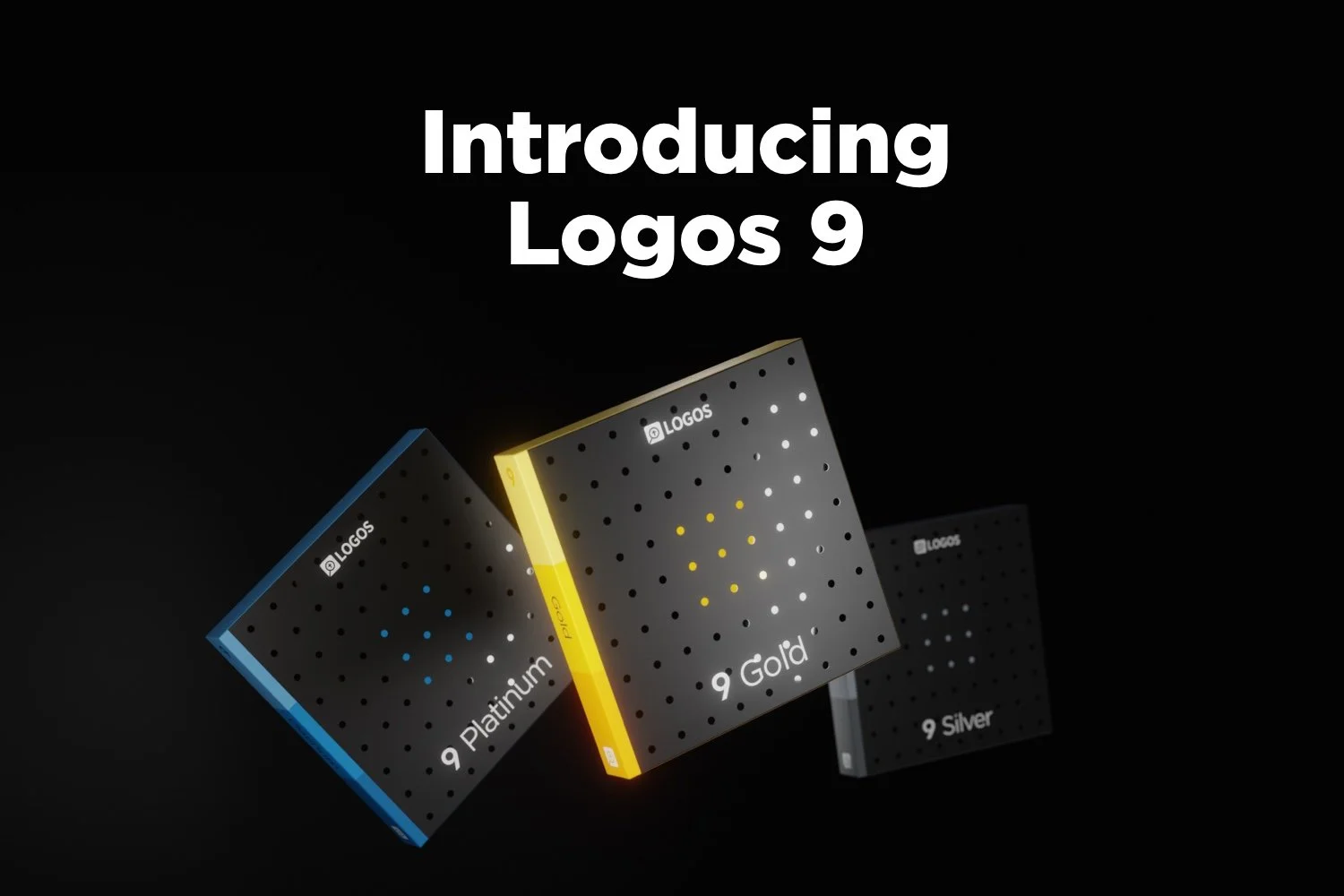
Logos 9 Upgrade is Here: Get a Discount Here
Logos 9 upgrade came out and you can get 15% off using my affiliate link, but should you? We’ll give you a recommendation here.
Logos 9 dropped October 26 with some updates to the program. A lot of you will upgrade and you can get Logos 9 for 15% off using this link.
For full disclosure, Logos gives me a commission if you use this link. I don’t normally use affiliate links, but I’m placing this here so you can save some money by buying the upgrade using that link. If you do it helps me out too.
I wrote an article at Church Tech Today about what are the most important updates to the program. To learn more for yourself before that post comes out, head over to the Logos 9 page at the company’s website.
Logos 9: Top 5 New Features
The best new features included in the Logos 9 upgrade includes the following top 5 new features...
- Factbook Upgrade - click a word in your text with the Factbook feature turned using a toolbar button and it opens the Factbook to that subject.
- Sermon Builder - an upgrade sermon planning feature that takes passages from your favorite lectionary and populates a calendar that you can display in list mode or a kind of pie graph.
- Commentaries in Guides - users can now sort commentaries section in the Passage Guide by different ways including the author’s denomination.
- Dark Mode - I’m not a fan of dark mode, but people love it, so it’s here in Logos 9.
- Images in Notes - you can now add images to your notes.
That’s not a complete list, but it shows what most people will find interesting.
I will upgrade because I am that guy who always wants the latest greatest of the programs I use. If there’s an update to Windows, macOS, MS Office, I’ve used it in Beta for the last few months to help write my article for Church Tech Today.
Logos upgrades every couple of years. If you’re a Logos fan you’ll likely want to get the upgrade. For Wordsearch users who came over when Logos bought it, you may want to wait till you get used to using Logos 8 to make sure you’re a good candidate for the update
Logos 9 Free Engine Upgrade
The free Logos 9 software without all the new bells and whistles will likely show up in 2021. It comes with nothing but the basic program update. However, you can’t get it this year. So, if you’re patient and don’t think you really see anything that interesting in the new features list, then hold off till next year.
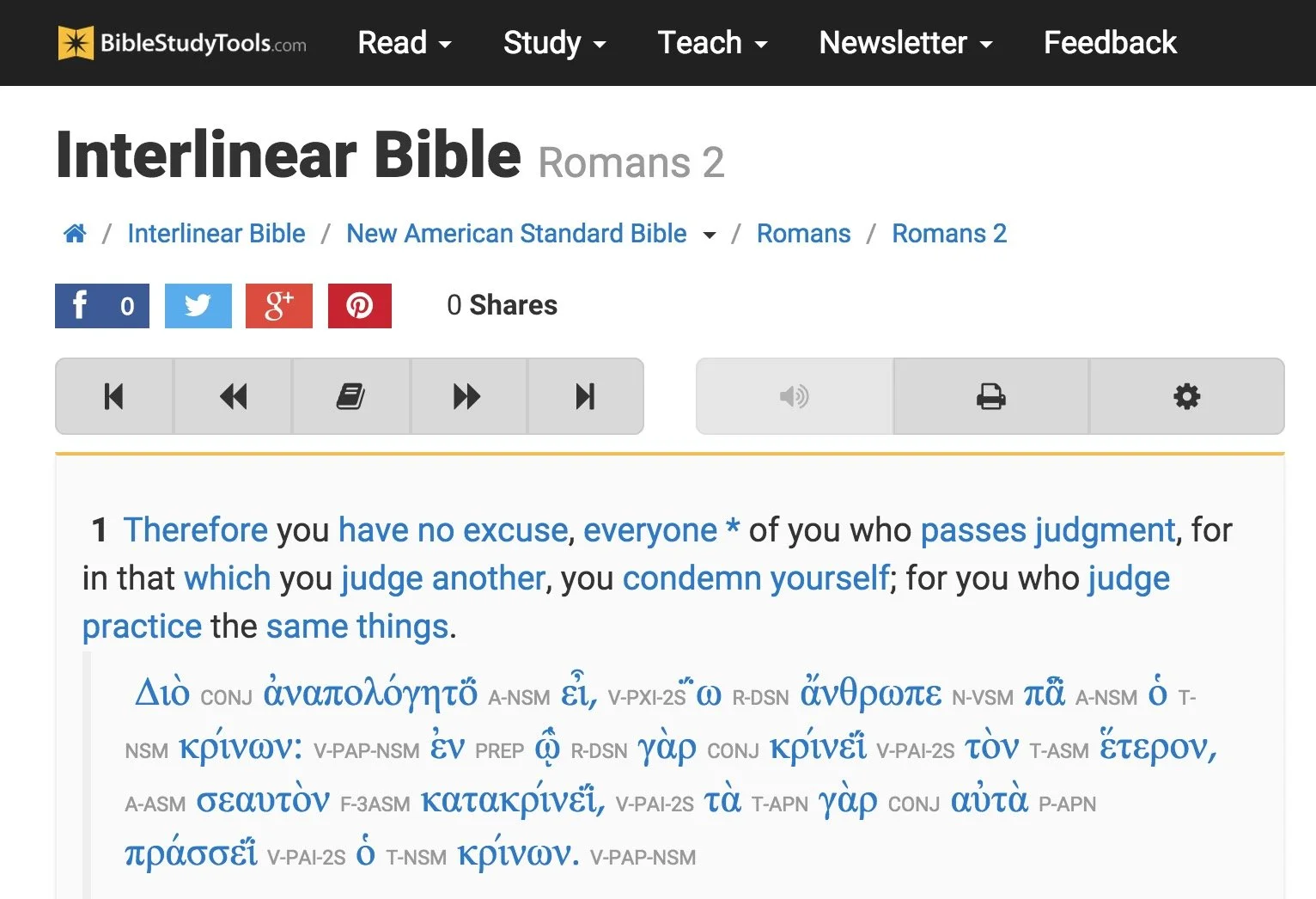
6 Best Online Bible Study Sites in 2020 - Part One
With Wordsearch about to bite the dust, we lose one of the best online Bible study sites probably by the end of 2020 or early in 2021. So, that means we need to reexamine the online platform for studying God's word.
Five years ago I wrote, "Bible study's going online, not entirely, but increasingly so." Today online bible study is more mainstream, but still not the primary way most people study their Bibles. However, it's better than ever in 2020.
So here's the first 3 of my 6 best online Bible study sites that you can use on a Chromebook, a tablet, or even a smartphone. Fire up any web browser and study your Bible. You'll find that you might not need to run one of the complicated Bible study suites that you install on a Mac or Windows computer.
Why Use Online Bible Study Sites?

With limited storage these computers can't handle huge libraries from the complex Bible study programs like Logos, Accordance or Olive Tree to name some of the most popular.
BibleStudyTools.com

We first look at BibleStudyTools.com. What makes this a viable option for intermediate level Bible study software? Users can search the Bible, read it, track daily Bible reading plans and share scripture via copy/paste or links to post to popular social media outlets. Almost every online Bible can do those things. Here's what this site offers in addition to the basics.
Bible Study Tools adds some public domain tools like ...
- Commentaries
- Dictionaries
- The International Standard Bible Encyclopedia
- Old and New Testament Greek Lexicons
- Classic sermons from past scholars and preachers

The site includes a number of modern and public domain Bible translations. The list of Bibles includes...
- ASV
- CEB
- Douay-Rheims Catholic Bible
- ESV
- God's Word
- Good News
- CSB
- Jubile Bible 2000
- KJV
- Lexham English Bible
- NASB
- NIV
- NKJV
- NLT
- NRSV
- RSV
- The Message
There's also some limited original language study. You can use an Interlinear Bible for languages study.
The site will collect user notes and highlights for those who sign up for a free account. The Bible student can mark up their Bibles and save their study findings for future reference.

While the site doesn't offer as many modern reference tools, a user with simple needs can get a lot done. Read a text, highlight it and write observations in a note attached to a verse. Then open the interlinear Bibles based on the KJV and NASB to do some original language study. Search the text for some cross references related to the topics in the passage. This gives any Bible student a good start in understanding their passage.
The Interlinear Hebrew text comes from Biblia Hebraica Stuttgartensia from United Bible Societies. The Greek text comes from Center For Computer Analysis of Texts, University of Pennsylvania based on Nestle Aland 26.
Here's a demo of the old 2015 site. Look for an updated video soon.
After these early steps, open some commentaries, dictionaries or the ISBE and learn more about the passage and what others said years ago. Record those findings in the notes. Then find the passage's Big Idea and come up with an outline using an online word processor like Google Docs or Office 365's version of Word online.
If I had to compare the site to a piece of Bible software, I'd say it can do almost as much as e-Sword with a few modern translations added to it.
Bible Hub

The next of these six best online Bible study websites comes from Online Parallel Bible Project in the form of BibleHub.com. The interface looks a little cluttered, but it's still a useful site with plenty of resources. In fact, it's a deceptively useful tool.
Enter a Bible reference in the top search box and the site opens the verse in all the translations and commentaries available in the left column. Along the right column we find some helpful tools like the context of the passage, cross references and Treasury of Scripture Knowledge.
Here's a demo of the old 2015 site. Look for an updated video soon.
Across the top of the site there's a toolbar that helps people navigate to specific passages in any of the supported translations. The site includes a large collection of modern and public domain translations. The toolbar also includes some public domain commentaries. Access them through drop down lists.
The toolbar buttons put many of the tools a click away. We get a parallel Bible button, cross references and a context button that shows the single verse within the pericope. In addition there's links to a few specific commentaries and more.
Like the other sites, Bible Hub lets me share to Facebook, Twitter and Google+. It includes some nice pictures, maps and outlines.
Biblia

Logos Bible Software users will want to go first to Biblia.com. The site offers a simplified version of what the company offers their customers in their Logos 9 Webapp. You'll need to own one of their expensive software packages or subscribe to Faithlife Connect to access the webapp. You can also check it out because it's very powerful for an online site. We'll look at it in part two of this article.
Biblia gives users access to their Logos Bible Software library online and a selection of tools and features even if you just sign up for a free account. You'll want to pay to really make good use of Biblia. And in that case you'd do better to use the Logos 9 Webapp. However, mobile users may like Biblia since it has a very nice Mobile version of the site.
Here's a demo of the old 2015 site. Look for an updated video soon.
The left hand column includes four tabs with the following features:
- Home - Shows reading plans and the About Biblia list of links.
- Library - List of books available to a user whether they pay for the suite of Faithlife Bible tools, subscribe to Faithlife Connect or sign up for a free account.
- Search - Search one book or other books in the library.
- Notes - Shows notes on a particular verse or book passage from the Faithflife.com community, but not a Logos Bile Software user's notes created in the computer program or mobile apps. You also have to sign into even see this tab.
The main part of the Biblia screen includes two window pane. The user can open books in either side. For example, open a Bible in the center column and a commentary on the right. The two will sync up to the same verse when a user turns the feature on using instructions explained below.
Use a mouse wheel or swipe on a laptop trackpad to scroll through the Bible from Genesis 1:1 all the way to the end of Revelations 22.

Click on the menu button (three dots) in the upper right corner of the window pane to show view settings. The user can do the following:
- Change the font size
- Sync the two panes
- Open the book's table of contents
- Change the reading view from column, stretched across both pans or full-screen reading view
- Toggle the community notes from other Faithlife users (but not personal notes from the computer or mobile apps_
The sharing tool will let you post to Twitter or Facebook, get a link to the verse on Biblia.com to post online or email, and an embed code to post to a website. See image below.

Here's part two of this roundup of the 6 best online Bible study sites.
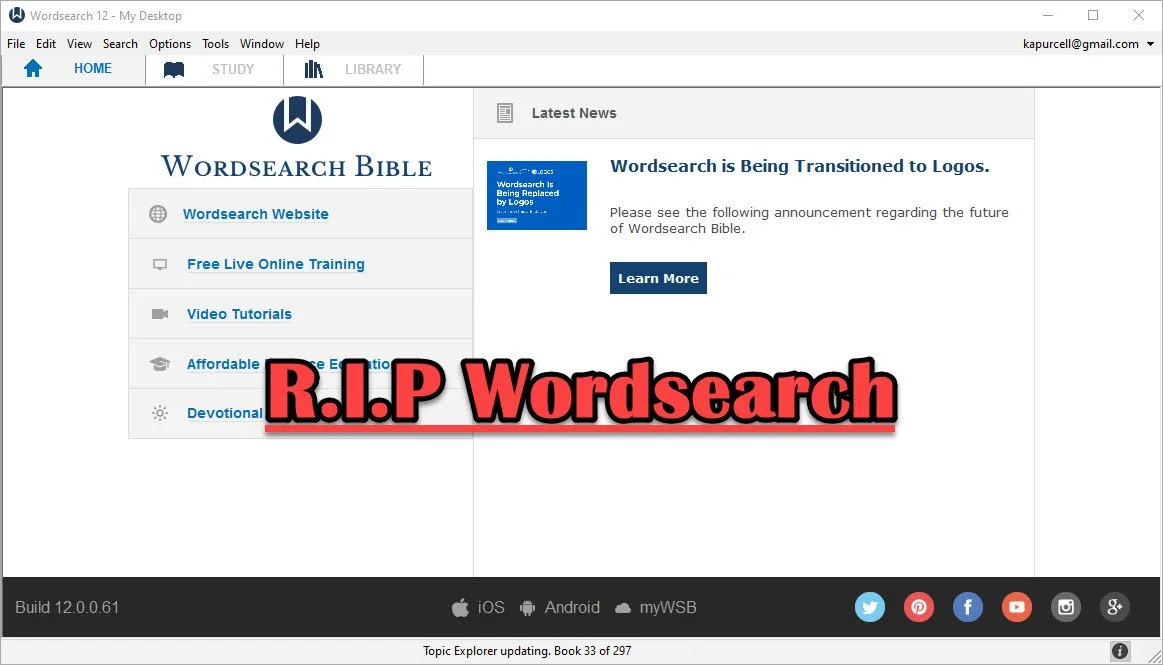
Wordsearch is Dead, Long Live Wordsearch with Logos
Wordsearch, one of the more popular Bible study packages, went the way of Bibleworks when Faithlife bought the company from LifeWay Christian Resources.Whoo. That's a lot of company names!
Some people may not recognize Faithlife's name, but they make Logos Bible Software. The company announced on September 18, 2020 that they acquired the software and the rights to the large library of distributed for use in Wordsearch. They also get their large customer base.

What Wordsearch Customers Can Expect
Heading over to the old Wordsearch website directs users to a site on LifeWay.com announcing the transition.

Click the Learn More link at the top to read the FAQ about the transition. Here's a list of the highlights...Your old Wordsearch/LifeWay account will convert over to a Logos/Faithlife account automatically if you use the same email address for your old Wordsearch account and have one already with Logos.
- If you didn't already have a Logos account, the company created one using your email address from Wordsearch. If you need help just reach out to Logos Customer Service by email.
- You can set up your new Logos account by adding a password on their account setup site.
- For those who used a different email for their two accounts, contact Logos Customer Service by email to get help merging them.
- Most of your old Wordsearch books will transfer to Logos. In fact many are ready for you to download in Logos right now. However, be patient as they have a huge backlog of people needing help.
- If your books are not yet available it could be for one of a few reasons...
- Logos doesn't have that book yet set up to work in Logos but will by the end of the year, hopefully. That's their target at least.
- Some books never will transfer because Wordsearch lost the rights to those books and so when Logos bought them, they didn't get the rights to distribute them. Sadly, that's the penalty for using digital books. You might lose them if your software company dies.
- If you just bought Wordsearch and want a refund, they will honor that at LifeWay. This time contact LifeWay Customer Service.
Wordsearch customers will likely experience some frustration from this transition. Your old user created content won't make the move with you until 2021, according to LifeWay. Some features in Wordsearch may never make the journey. You can find some good alternatives. The Logos user forums will help.
Users of both Wordsearch and Logos might recognize Nathan Parker. He created a great post in the Logos user forums that lists the Wordsearch features and then shows the name of the similar feature in Logos.

Speaking of the user forums, long time Wordsearch customers will remember that Wordsearch used to have a great community of users built into the software. That fell by the wayside a long time ago. Logos still has an incredibly active user forum as well, plus their own social media site. I've never really used the social part, but you'll find me in the user forums occasionally. Ask a question there and you'll get an answer from at least a few of the knowledgeable user and sometimes the staff at Faithlife chime in too including Bob Pritchett the CEO. You'll want to go over the Wordsearch sub forum first.
UPDATE: Faithlife added a page that will summarize your migration of books from Wordsearch to Logos. See if your books show up, if they will already show up in your Logos library or if they’re in progress of being created or not yet started. You can also see if the book shows up as a full Logos book or just an eBooks. Faithlife eBooks don’t come with as many custom links or tags. Often books start as simple eBooks and then get converted to full Logos book. Both work in Logos, but eBooks don’t include as many features.
What If I Don't Want to Use Logos?
My first reaction is this: give it a shot. Take a look. You now own it for free, if you were a Wordsearch customers. Download it and try it out for awhile.
If you're not happy with Logos, then continue to use Wordsearch while you search for an alternative. When Bibleworks went out of business two years ago, I posted about the best options. Here's a list of the programs I recommended.
- Accordance Bible Software - powerful and free to try with large library
- Olive Tree Bible Software - not as powerful, but simpler and also a large library
- e-Sword - free and simple to use, but mostly public domain content with a smaller library of premium paid books available from third-parties
- Laridian PocketBible - a simple and useful program that works great on mobile and has a decent library of tools
- Online sites like the ones I published in part one and part two of the best online Bible sites.
Wordsearch Not the Only Buyout
With Bibleworks dying two years ago and Wordsearch this year, it makes users wonder how much longer their favorite Bible study suite will work.
Six years ago Harper Collins bought out Olive Tree Bible Software and ran it until recently. A new company bought them from Harper Collins and plans to continue development. Steven Cummings, who was Vice President of Operations with Olive Tree created Gospel Technologies and bought the company from Harper Collins.
Accordance Bible Software 25-Day Switch: Observations
Conclusions about my 25-day switch from Logos Bible Software to Accordance Bible Software are here.
It's been more than 25 days since I decided to use only Accordance Bible Software and Accordance Mobile for my Bible study needs. During that time I both enjoyed using Accordance and felt frustrated using Accordance. I really wanted to choose to switch over to Accordance as my primary Bible study tool. Here's a list of the 3 reasons to choose Accordance over Logos.

Accordance Bible Software Speed
Accordance runs faster than Logos. It starts faster, it takes less time to install and there's no indexing stage that forces the user to step away from their computer. You can keep using Logos, but unless you own a super powerful computer, then it's just better to step away for an hour or more. Once you install both systems, Accordance runs faster.
The mobile apps run similarly on tablets and phones. However, Accordance does pop to attention faster than Logos.
Accordance Bible Software Simplicity
On desktop and on mobile, the user interface looks simpler on Accordance. On mobile Accordance looks deceptively simple, but it's still an advanced Bible study app.
The desktop apps both have incredible features with a high ceiling for Bible study users. You can start out as a avid Bible student. Then if God calls you to the ministry, a seminary student can grow into the more powerful features of both. Then, if you want to become a Biblical linguist or an Old Testament or New Testament scholar, you can't find two more powerful programs.
With all the power contained in both programs, when a new user opens Accordance and Logos, they will not feel as lost in Accordance. It has the traditional File Explorer or Finder look with your folders of library book genres on the left and the contents of books on the right and a toolbar across the top.
Accordance Bible Software Cost and Library Simplicity
You can get a decent library for a decent price from both companies. However, the cost of ownership of Accordance is lower. You need less powerful hardware. The cost of books are similar, however to move from say Olive Tree or Wordsearch to Accordance will cost much less thanks to their crossgrade program. You can buy a book that you own in the other programs and pay far less with Accordance than Logos. Also, upgrades to the software comes with every feature in Accordance while Logos requires you to pay to get all the features. You don't have to, but if you want them you'll pay more.
Buying a commentary set in Logos and Accordance outright usually costs about the same. On occasion a publisher will give one company a special discount they don't offer the other company's customers. But that's rare.
Logos Strengths
Understanding the above Accordance strengths, there are also some important strengths from Logos. I will outline those in the next article coming soon...

Bible Software Choice: Power House or Simple Software

People with simple Bible study needs often pick the simple Bible programs and apps. They are easy to learn and cost less if anything. But will the app or program grow with the user? Can a powerhouse program help people with simple needs study the Bible as well as a the simple apps? We'll take a look and answer those questions.
Three Kinds of Bible Software Users
Bible software or Bible app users fall into one of three categories usually.
- Bible Reader - average believer who plans to read the Bible on their phone or tablet and maybe a computer.
- Pastor or Scholar - these users will need a good app or program that can do advanced searches, study the Bible in Greek or Hebrew and study the word at a deeper level to teach, preach or write scholarly books or articles.
- Growing Student - some people start as a #1 but over time grow into the #2 or they just really like to study the Bible at an interim or advanced level for personal edification or to prepare for a family or small group Bible study.
A program like Accordance, Logos, Wordsearch or even Olive Tree will handle the #2 kind of user easily. Some people will never graduate above the #1 type of Bible student and that’s fine. I often recommend the Bible app from Life.Church, also called the YouVersion Bible app. In the past I've recommended Bible Gateway, Laridian's Pocket Bible, e-Sword and Tecarta's great Bible apps. Those all fall in the simple group even though Laridian also does some of the Power House tasks. So what should you use even if you're not a power user? What do we do with the third group of Bible students? Should these users consider using a more powerful Bible program and the companion mobile app? Since few people who move from the first group into the second group know they will, shouldn’t all believers start out with the more advanced tools knowing it might happen? I’m going to argue for that approach below.
Reasons Both Groups Should Use the Power House Bible Software
A seminary professor or a Sunday school teacher leading the youth class can enjoy a quality Bible app or Bible software. Here’s why the youth class teacher should consider the power house Bible software.
Room to Grow
I know of a young couple that recently built a new house. They put in only one large bathroom. They said that didn't need more. However, what if they have another child or two? A second bathroom will seem like a necessity and not a luxury. Similarly, more powerful Bible software gives Bible students of any level room to grow. They can go from a person who just wants to read and do simple Bible searches to a Greek or Hebrew scholar. You can’t do that if you invest in an app.Many pastors, missionaries and Bible scholars share testimonies of teaching a youth Sunday school class when God called them to vocational ministry. If such a person invested a hundred or two hundred dollars in books to use with their simple Bible study tool, they would later need to buy another program to get the more powerful features these programs include. God doesn’t call everyone to become a pastor or scholar. If this was the only reason our simple users have to buy power house software, then I’d recommend they save their money and go with the Bible app. However, we’ve got a few other reasons.
Powerful Apps Also Do Simple Tasks
 While you wouldn't use a sledge-hammer to pound in a finishing nail sticking out of a chair rail in the dining room, you could. Buying a sledge-hammer and a small hammer won't break most carpenter's bank accounts. However, Bible users won't likely buy a $10 program for simple tasks and a $200-$3,000 program for Bible study. A lot of us use a free app and then buy the more powerful app, but some pay for an app that includes a few Bibles and commentaries to help them understand their daily Bible reading or teach their Sunday school class. Why not buy the books in a more powerful app since it does the complex and simple tasks?Remember that you spend more than just money. It takes time and effort to learn the program and get to a point where you're thinking about the Bible passage or theological topic more than the steps to get your study done. Take it from someone withe experience with a dozen Bible programs and apps over they years. Just knowing how to do what you want without thinking is a huge time saver.Accordance handles deep searching for every instance of a certain Greek verb in one tense or Hebrew word with a particular grammatical form. It will also let you read a Bible passage in multiple translations and share them online. You can use Logos to do create complex diagrams of a Hebrew text or instantly compare a passage in multiple translations with a visual report. Students can also buy the latest popular Christian books and read them on a computer, phone or tablet tracking your reading process. They can highlight every future passage verb and highlight your favorite verses in these programs. The more advanced programs all offer a way to share Bible memes online too, something that characterizes the best simple apps too.
See my round up of Simple Bible apps at ChurchTechToday.
Support for Multiple Devices
McDonald's sells billions of hamburgers even though they're universally criticized for lack of nutrition and taste. (Don't tell anyone, but I really like Quarter Pounders, but I'm in the minority). They sell so many burgers because you can find one in almost every town bigger than 500 people in America. You can also find the same quality at a store in New York City and Bangkok, Thailand. Consistency is key. It's the same with the best Bible software. Some apps work fine on a phone or on a tablet or on a computer. Few of these apps work great on all three and some app makers don't publish apps for all three. Sometimes the simple app makers offer a great desktop program, but a pretty weak iPhone version. Other developers sell great Android apps, but offer an iOS app that's pretty weak in comparison. Throw in the Kindle Fire tablet, and you get fewer options that work on all platforms.While your chosen simple Bible app might work great on your iPhone and iPad, maybe the app developer doesn't create a decent alternative for the Mac. And what if you need to switch to a Windows PC or an Android phone or tablet? That's why the big power house programs make the best choice for some people who need cross-platform support.Get the more powerful apps from companies like Faithlife Logos and Accordance Bible Software.
Contrarian View
I support the above arguments without reservation. However, some people will never become a student of the Bible who needs more advanced features of Logos or Accordance. The simple Bible app, Laridian’s PocketBible or even better Olive Tree Bible Reader does the job. In fact, most Christians should probably use Olive Tree as their simple program that can grow since that app does the basics and offers some advanced features. If such a person ever becomes a seminary professor, he or she will need more. But save money and time learning the intermediate app that works almost the same on all the major platforms.
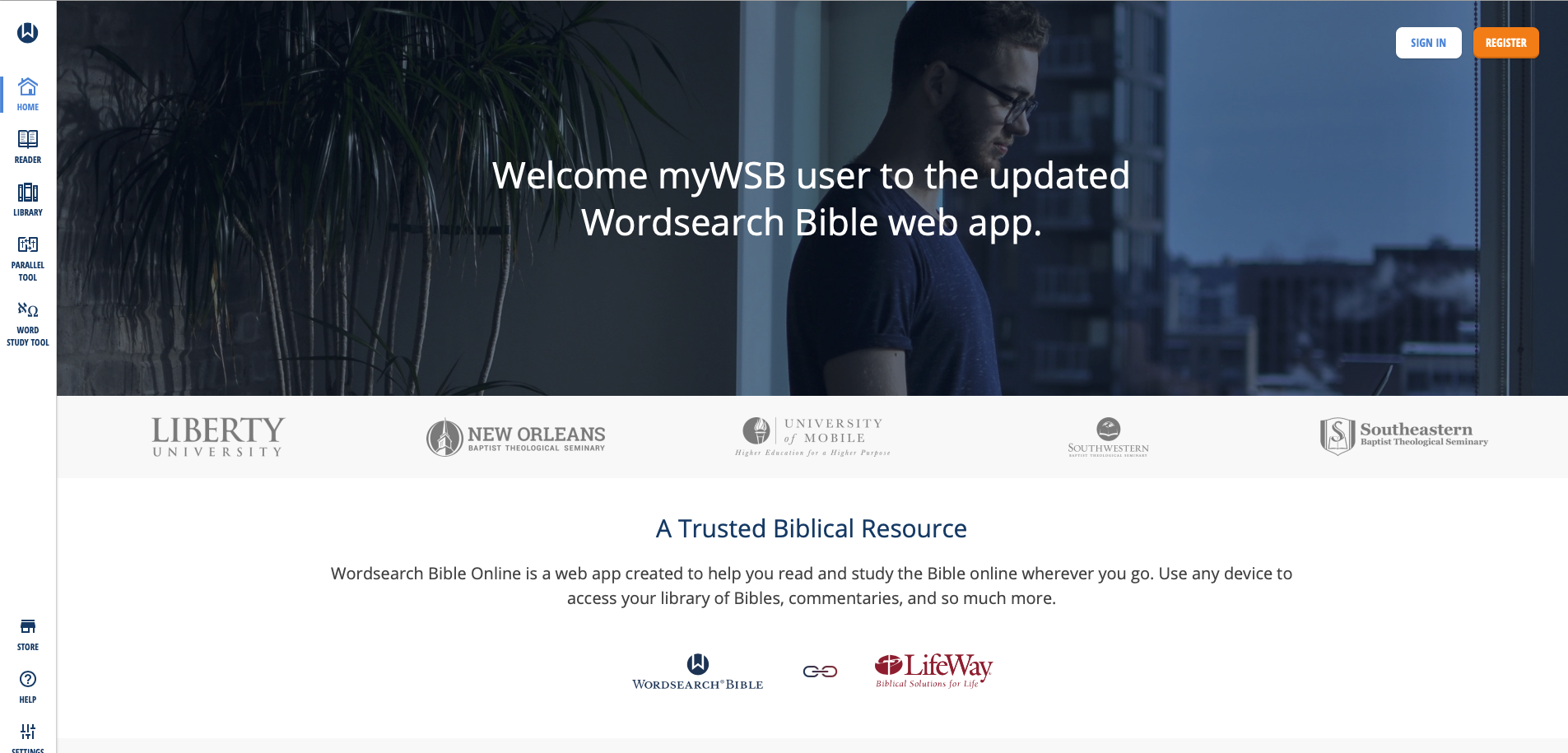
MyWSB Brings Wordsearch Bible Software to the Internet
Wordsearch has a new online Bible study website called MyWSB.com. How good is it and can you use it instead of their mobile apps?
Lifeway updated the MyWSB website for a better online experience for Wordsearch Bible Software customers.
If you use an iPad or another tablet or you own a Chromebook then using Wordsearch Bible Software wasn't possible. They offer a simple book reader for iOS and Android, but it's not enough for most students of the Bible. The MyWSB web app doesn't give us everything found in the Wordsearch 12 program for desktops and laptops. However, it's better than what you get with the iOS or Android mobile apps. They're pretty horrible for anything other than simple book reading.

What's New in MyWSB Wordsearch Online?
What's new in the online app? Most important, Wordsearch updated the user interface. Take a look at the screen shot above and you'll see the modern look. Sign in and see the home page that offers news about the website. Along the left there's a sidebar of links represented by icons. That's where you access your tools for Bible study.
Here's what each icon does...
- Home - shows the main page seen above.
- Reader - the reader lets users open books and read them with window panes (see more below).
- Library - see all the books in your library with categories of books along the left and cover icons in the main section.
- Parallel Tool - opens a window pane with parallel bibles in the Reader.
- Word Study Tool - opens a Word Study Tool pane in the Reader.
- Store - towards the bottom fo the sidebar we see the Store link where you can find new books to add to your library.
- Help - learn how to use MyWSB.
- Settings - change how the app works.
- Profile - manage the Lifeway account profile details.
The MyWSB Reader

The Reader will display your books in window panes with a toolbar. The toolbar has navigation buttons with back and forward buttons represented by large left and right pointing block arrows. These go back and forward one chapter in the Bible or section in a book. They sit at extreme ends of the toolbar. There's also a thin back arrow button that takes you back to the previous passage displayed. There's a table of contents that shows a list view of the contents of the book. Bibles or books tied to passages also have a menu that shows a grid-based book/chapter/verse chooser menu.

There's also a button to search the book or Bible. The small AA button decreases or increases the size of the book's font. And the full screen button sits to the right of that.
On the top you see name of the book open in that window pane. Left of the name is the book's info button. On the right end of the title bar you'll find a bookmark button, which opens the bookmarks toolbar. The next button returns to the regular toolbar described above. Then there's an X that closes the book.
The user can resize the window panes using the handle seen in the center of the screen in the screen shot seen under the section heading.
If you highlight some text in a Bible or book, a new toolbar appears at the bottom. It gives options to highlight the text, bookmark it, add a user note or copy a link to that verse. The link will take the person who clicks it back to this spot on MyWSB.com.

Regular readers of this page will know I am a Bible study notes afianado. The notes tool in MyWSB are pretty basic. You can type in basic text, add tags and that's it.
Word Study Tool

Some Bibles support Strong's Numbers. These books also have a button to show or hide them inline. Also, some books support displaying the Bible in paragraph or one verse per line. Those books have a button which toggles that method of display. See the NASB95 above with the Bible in verse-per-line mode and with Strong's numbers showing.
The Word Study tool is open on the right. It shows the Strong's concordance entry first. Then we see a section named Dictionary Reference. It has the dictionary entry showing a transliteration of the Hebrew or Greek word, a phonetic pronunciation, and the dictionary definition. You can choose which translation with Strong's tagging you want to use. The drop down is in the toolbar at the top of the Window.
The final section shows the Usage Study section. This lists all the entries of that word in your chosen Bible. Expand each book of the Bible to see the references for that book. The Word Study Tool will show the text of the verses in your chosen translation.
Combining Lifeway and Wordsearch Accounts
The other major change in MyWSB comes in the account backend. Ever since Lifeway bought Wordseach, they've wanted to combine accounts so that users have one single sign-on email and password. Finally, they've achieved that with this update.
In the past users had to link their two accounts. Now, after they link them one time, they will use their Lifeway user account to log into MyWSB.
Better Mobile Browser Support
The website works much better on a mobile browser. I use an iPad Pro for sermon prep and the iOS app doesn't work that well. From now on I'll use the MyWSB app. In fact, I created a website app icon on my iPad home screen.

Add a bookmark to the Home Screen on your iPad by tapping the share button on the Safari toolbar. Find the Add to Home Screen (black box with plus icon in center of the second row above). The Home Screen icon's not very attractive. Lifeway needs to fix that with a better site icon.
My Evaluation & Recommendation
I really like MyWSB.com for online Bible study. Logos really stepped up their game and they offer an excellent tool, but Wordsearch users will find a lot to like about this site. They site is simple to use and has enough features to make it useful. You can do nice Word Studies and general reading. Make sure to check it out.
I'd rank MyWSB second on my list of favorite online Bible study tools ahead of Bible Gateway and below Logos. That's only because I have a large Logos library and it has more advanced Bible study tools. It also syncs with their mobile and desktop programs.
Alternatives to BibleWorks - Shutting Down June 15
Many BibleWorks users got a shocking email on June 1 from the maker of one of the best original language Digital Bible Study tools on the market today. The email, which you can read on the BibleWorks website, included the following statement from owner Michael Bushell:
A special note to our friendsBibleWorks has been serving the church for 26 years by providing a suite of professional tools aimed at enabling students of the Word to "rightly divide the word of truth". But it has become increasingly apparent over the last few years that the need for our services has diminished to the point where we believe the Lord would have us use our gifts in other ways. Accordingly as of June 15, 2018 BibleWorks will cease operation as a provider of Bible software tools. We make this announcement with sadness, but also with gratitude to God and thankfulness to a multitude of faithful users who have stayed with us for a large part of their adult lives. We know that you will have many questions going forward and we will do our best to answer some of them here.
 We covered the release of Bibleworks 10 with a lot of excitement a few years ago. BibleWorks power user Dan Phillips joined us to demo the new features. He tweeted the morning of the announcement:
This is horrible news: https://t.co/2hWKy2Rw3C
Don't ask me what to do. I have no idea. I've written them. This hits hard. I cannot exaggerate, and you can't imagine, the investment of research and work I have in @BibleWorks.— Dan Phillips (@BibChr) June 1, 2018
I'm sure other long time users of the software feel or will feel the same way when they learn the news. It's a painful reminder that your Bible software may feel like yours, but it's really not. You buy permission to use THEIR software, regardless of what they say. QuickVerse and Pradis and other Bible software owners probably felt as shocked when their chosen company's operations ceased or sold out to another company which then shut down development.So what now? Who knows?BibleWorks said that you can continue to use the software. They hope to "continue to provide compatibility fixes for BibleWorks 10 well into the future." Make sure you get a working copy installed now and download all of your content if you don't already have it. After June 15 you can't get any support for the program. Then plan to keep the forums and their Knowledge Base up after that date, but I wouldn't count on this.If you don't own version 10 already, you will not even get compatibility updates. They say you can update to version 10 for $200, but don't. That's like buying the 2018 model of a car after the manufacturer says their closing down the company.
Alternatives to BibleWorks
So what should you do if you want a program that's functional and comes from a company that should support the software for a long time into the future. Here's my list of recommended alternatives to BibleWorks. The first list includes programs that will do most if not all of what you can do with BibleWorks 10.
- Accordance Bible Software - many used to call Accordance the Mac BibleWorks because of it's power. The company makes a great Windows and iOS version and is working to improve their Android app as well. BibleWorks users who don't want digital commentaries or other books can stick with the basics of language study like they had with BibleWorks. However, you'll now have access to a nice library of other digital books. Get the free version to try it out.
- Logos Bible Software - going from BibleWorks to Logos will feel like an Italian learning to speak Spanish. It's similar but also incredibly different. However, Logos has a huge library of content and BibleWorks users will suddenly have access to large collection of resources. They also will have to pay since Logos often costs more than the competition. Logos sells a subscription model called Faithlife Connect with a large library starting at $108/year. See my series on using Logos for Sermon Prep on YouTube or the Theotek Facebook Page.
https://www.youtube.com/watch?list=PL1-Xf_HZquDGvCiJtyisBrEULSH3McCSO&v=GZTrMB0PnuQ
Lower Price Means Fewer Features
The rest of these offer less expensive alternatives even if they don't match BibleWorks in language study prowess.
- Olive Tree Bible - many BibleWorks users who wanted a good mobile Bible app probably already invested in Olive Tree one of the best mobile Bible apps available on all platforms. They have a nice library of books to buy. They also are better at language study than they used to, but BibleWorks users may feel constrained on the desktop with this option.
- Laridian PocketBible - like Olive Tree, PocketBible has a long history of supporting mobile platforms. It predates the iPhone and Android, but has great apps for both. It also runs on Windows and Mac. They have a smaller library, but the programmer is a pioneer in Bible software and does a great job of updating and making the app run smoothly on every platform. Plus it's one of the cheapest options. However, like Olive Tree users might find the program limited in language study.
- e-Sword - if you don't have any money and just want to start getting into an alternative slowly, then grab e-Sword as a good free interim option.
- WORDsearch - the company just updated to version 12 and I'll have more to say about the program over at ChurchTechToday and on the Theotek Podcast. It's a good simple library reader with a better tool for language study in version 12 than it used to have, but like Olive Tree BibleWorks may feel a little constrained in language study with WORDsearch.
Hold Off and Wait
Another option might be to patiently wait. You can still use BibleWorks 10 for the foreseeable future. Get the free versions of the above tools to try them out. Then wait for sales. I know that a few of the companies are thinking about special deals for BibleWorks users to take advantage of the news.
What Happened?
I don't have any inside information, but I have some opinions.
- Mobile - they company didn't embrace iPhone or Android and this failure to embrace mobile meant Bible software users with limited funds didn't want to buy their books twice, once for BibleWorks and once for a mobile app, like OliveTree.
- Shrinking Bible Software Market - like the church in America, I think interest in Bible software is shrinking. Biblical literacy is at an all time low. Pastors who want Bible software is a niche market and fewer of those pastors will buy a program like BibleWorks due to their failure to offer a mobile app and because of the following reasons...
- No Native Mac App - the company's Mac app is a WINE port. That's not acceptable to a lot of Mac users. I see more and more of my colleagues in ministry using Macs instead of Windows.
- No Library to Speak Of - BibleWorks offers some of the best tools for original language study and searching. However, they offer relatively few resources like commentaries and Christian Living titles. So buyers don't want to buy BibleWorks even if it is superior in original language study if they can get something nearly as good like Accordance or Logos that also offers a these other digital resources all in one package.
- Updates Drive Business - as a consumer I don't really like the business model of putting out a big new update every year since it makes me change the way I work to learn new features, it makes me shell out anywhere from $20 to $200 for an update annually, and it turns the program into bloatware, something Logos and others seem to do. However, like it or not, that makes money for Bible programs. What would you rather get? Annual updates that you can buy or skip or an email about a shutdown from your software company after you invested hundreds or thousands of dollars in over the years?
Logos Sermon Prep Part Five: Taking Notes for Observations and Questions
Logos Bible Software helps preachers and teachers prepare their messages thanks to some useful Logos sermon prep tools, but the Notes feature gets more use than any other feature besides offering a library of Bibles, books and reference books. I use Notes extensively for the following:
- Recording my thoughts about a text.
- Keeping rack of ideas for how to preach a passage.
- Record things learned in research of a text.
- Write down questions I need to research.
I use a process called Inductive Bible Study in my Logos sermon prep, where the student reads the text and thinks about the context of the passage before every consulting third-party tools like lexicons, Bible dictionaries, atlases, concordances and commentaries. Those tools help me check my conclusions, find information I couldn't get from my simple observations and learn about things like cultural backgrounds, geography, and language studies.https://www.youtube.com/watch?v=MzyYMcxTIzc&feature=youtu.be
Taking Notes in Logos Sermon Prep
Bible software notes attach text and more to a specific word, phrase, verse or passage. Some programs will also let you record them as topics unattached to anything in a book. In Logos, you can also add notes to other kinds of books and even to tools, like a Passage Guide generated for a passage of Scripture.I attach notes to the passage I'm studying, a range of verses or a single verse. I almost never attach them to a single word in a verse, but you can if you like.Logos lets users create a new Note document for each message or keep on document for all notes attached to a book or the Bible. If I were starting over today, I'd attach one note to each book of the Bible. Instead I have a large notes document called Bible Notes and record all of my notes in that document. I create other documents for other books I read.
Creating and Using the Notes Document in Logos
 To get started, create a new note document, if you don't already have one you want to use. Open Logos and then click on Documents from the toolbar. Then in the window that pops open click on Notes. A new window opens with the new notes document in it. It has the title "Untitled Notes". Click that name in the new document and it turns into an editable text box. Give it a name like Sermon Notes or Ezekiel Notes. I call mine Bible Notes.The ensuing Notes Document will look like a simple word processor. It has the same control box in the upper left corner that all Logos windows show. Click it to see the menu that pops up. Users can sort their notes using different things like name, reference, and date to name a few. This also lets users print their notes or export the note as a passage list or sermon document.
Purpose of Making Observations
After I read and re-read my passage, I take notes on the passage using nothing but the English text at first. I do my language study at a later date. This has a few benefits.
- My first thoughts are not clouded by the views of another researcher.
- This lets me think through the text for myself with the Holy Spirit's inspiration only at first.
- I am going through my passage again, which helps me to internalize the message of the text.
What kinds of observations do I make? I record thoughts and ideas about almost every word in a verse. Let's take John 3:16 as an example.
John 3:16, CSBFor God loved the world in this way: He gave his one and only Son, so that everyone who believes in him will not perish but have eternal life."For" connects this verse with the previous passage. This tells us why Jesus was "lifted up" (John 3:15).God is the one who actively showed us his love in the work he did in giving us his son.The term "loves" shows this is an ongoing, active love. Is this present tense and from agape?God's love is directed not just at his people or Christians, but the entire world. The world refers to all of humanity making his love universal even if salvation isn't universal.How does he show that love? "In this way" denotes the means of his demonstration is presented in the ensuing phrases.
The above observations only cover the first part of the verse. I will go over the entire verse putting a note for nearly every word and definitely every phrase.The underlined part of the observations shows a question that I will need to find an answer by doing a word study of the word "loved". It's a good idea to mark the questions so you can easily find them in your research phase. When I do the research, I will add the answer either replacing the question with the answer or putting the answer right after the question and then removing the marking (underlining in this case).Finish this step by going through every word or phrase in your passage. I also add a note to the entire passage by selecting the range of verses and choosing adding a single note to all the verses using the steps below. In that passage note I will write about the context of the passage showing how it fits in the chapter, the book and the entirety of the Bible. I'll also give a brief outline fo the passage showing the flow of thought. Later I'll come back to this note and record my passage Big Idea.
Working with Notes Documents in Logos
 When you discover something you want to record in a note, create a new note for that verse, word or passage. You can do this by selecting it and right-clicking it. Then choose either the "selection" or the passage in the right-hand column of the pop-up. Use selection (the top item in the list), which shows the text of the words you selected, if you want to add notes to those words or a word and not to a passage. The note will attach to that translation of the Bible only. For example, I've got the Christian Standard Bible open above. If I open the same passage in the KJV, that note won't show up because it's attached the note to the words I selected in the CSB and note the verse reference.To add the note to a verse reference that will show up in any translation that includes that verse, choose the reference. It will attach the note to say John 3:16 instead of that translation of John 3:16. That way when I close CSB or open KJV the note will still show up.After you pick between selection or the passage, click on Add note, Add note to "Bible Notes" or Add community note.
- Add note - this is a new feature that relates to the new Notes features that Faithlife is adding to Logos. These notes will show up in the desktop, the mobile apps and the Logos Web app. Logos is in transition and the new notes feature will become the default soon. Some users might not see this yet in their installation of Logos. You can convert your old notes to the new version when it ships in the final form. For now, I'd avoid this I you don't use the web app.
- Add note to "Bible Notes" - you will add your note to the Notes Document you created above. Its title will show up instead of "Bible Notes". If your preferred Notes Document doesn't show up in the pop-up, then open the Notes Document first from the Document's menu.
- Add community note - Community Notes are public to all people who use them. You can turn these off or on from the Visual Filters toolbar button in the Bible's window. It looks like three dots arranged in a triangular shape (see below).
 I add all my notes to my "Bible Notes" document and will convert them later when the new notes feature gets launched. I'll write a full review and how to article about the new notes feature when it ships, so keep an eye out here.
Other Ways to Record Thoughts and Research
In addition to a Notes Document, users can record research or thoughts using other kinds of documents in Logos. I don't use these features as much, but other users swear by them and use them more than notes. They include...
- Clippings - select text from a commentary, dictionary or other reference tool while studying your passage and shave it to a Clippings Document. Think of this like note cards that you used to use while researching a paper in college or seminary. Clippings helps copy a bunch of snippets of information from other books. At this phase we're focused on the Bible text only, so it's not the best tool for the Observations phase of inductive Bible study.
- Passage List - keep a list of key passages. You might use this to keep cross references from a search performed on a word in your passage.
- Sermon - write your sermon within Logos and then export it or preach from the document in the mobile version of Logos. You can also convert a Notes Document into a Sermon Document.
- Word List - Like a Passage List, but for Greek or Hebrew words instead of passages. Make a list of every theological term in a passage to help you know what word studies you need to do after you've finished taking notes on the English text.