

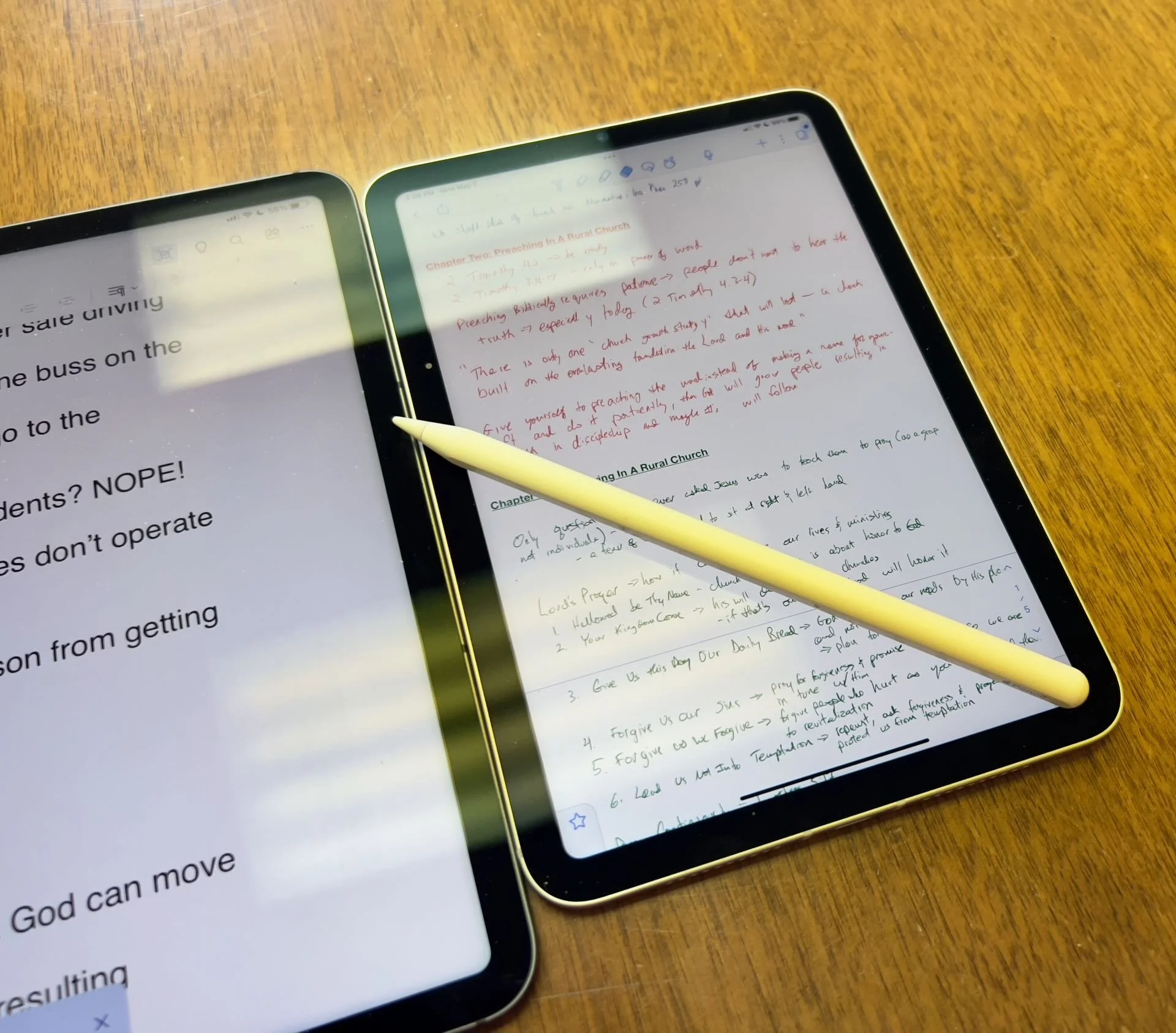
Which Apple iPad is Best for Bible Study?
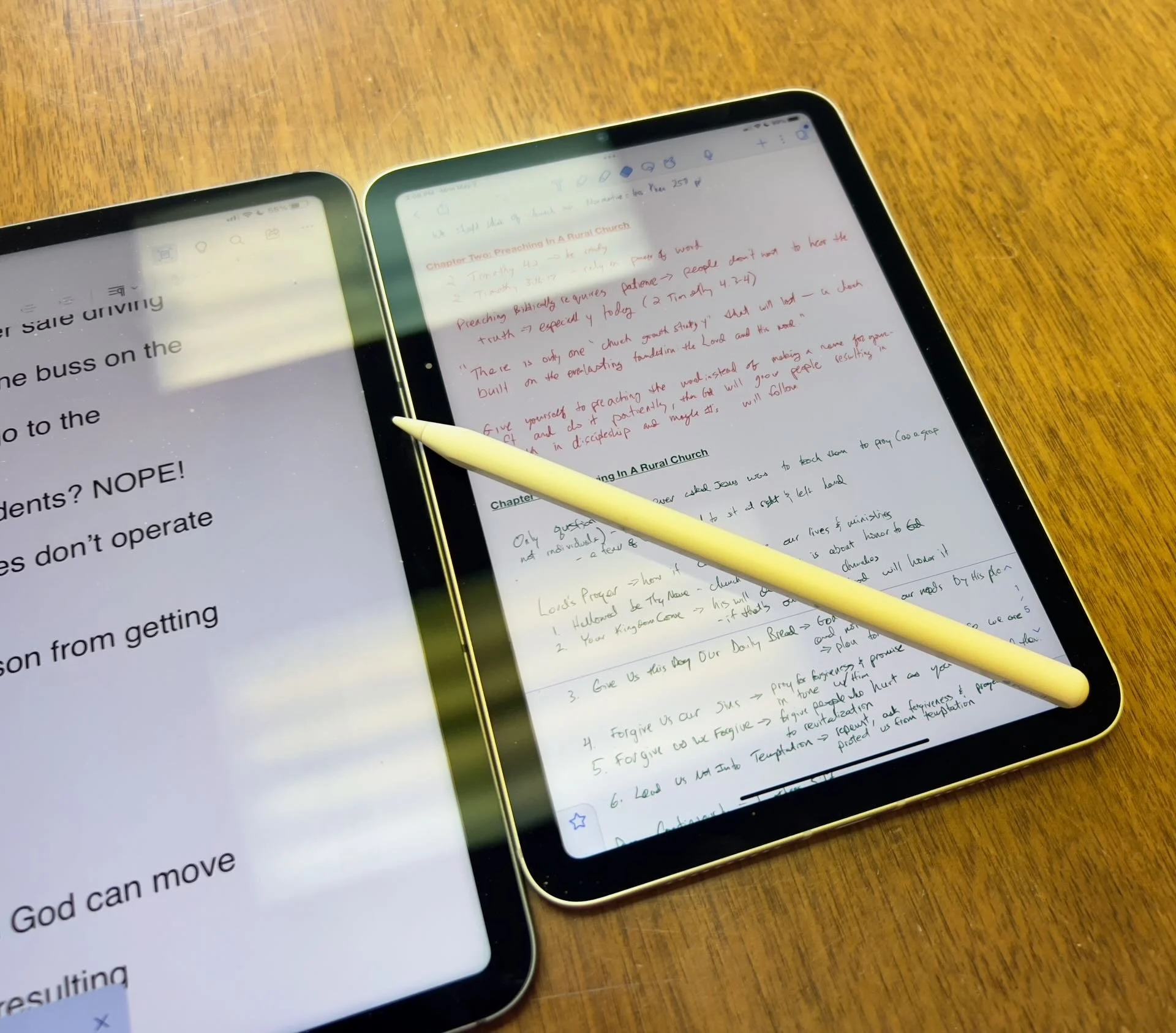
The Apple iPad in whatever form factor destroys the Android competition for great Bible study on a tablet. Windows comes in a close second because you can install a desktop-class Bible study program on it if you have the storage.
Even if you assume I’m correct about the iPad, which is a big assumption, what iPad should Bible students choose and why?

To just get the conclusion, jump to the end for my Conclusion at the end of the page.
The 4 Apple iPad Form Factors
All four Apple iPads include a slab of glass housed in a rectangular case. They come with varying qualities of screens, speakers, and speed. However, users will not see a huge difference in running the most popular Bible study apps from Logos, Olive Tree, Accordance, and more on any of the four current-generation Apple iPad. Still, let's take a look at each starting from smallest to largest.

The smallest iPad also gives users the most mobile experience. The iPad mini feels more like reading a book than the other iPads. It comes with an 8.3-inch liquid retina screen when measured diagonally. That's 7.69-inches tall and 5.3-inches wide, about the same size as a small Bible but capable of carrying an entire theological library.

The iPad Air has Touch ID on the power button, a convenient security feature. You will also get some pretty decent speakers on the two shorter edges and USB-C for connecting chargers or accessories.
If you want to carry your whole theological library, then you’ll likely also want one with 256GB of storage. Unfortunately Apple stubbornly only offers two storage options. You can get a meager 64GB or too much for Bible students with the larger 256GB option. Most people need more than 64 and less than 256.

The two storage options cost $499 for the base model iPad mini 6 with Wi-Fi only. With 256GB you add $150. That's ridiculous, but necessary because after you own the mini for a while, you'll want to use it more and more because it's so convenient to carry out. So plan to pay the extra coin.
I personally chose to add Cellular as well making it cost $$800. I like that I can just open the cover and start working no matter where I am, almost since there are some areas without coverage in my semi-rural community.
Throw in an Apple Pencil 2 and a cover and you're over $900. That's a lot of money, but you can get it on a 0% interest payment plan with your wireless carrier or with an Apple Card.
The newer Apple Pencil 2 connects and charges while connected to the side of the iPad. It's a great stylus but costs. More on that below.

Some people call the basic model the iPad 9 or iPad nothing because it doesn't include a descriptive name like the mini, Air, or Pro. It's the cheapest option at only $329 for 64GB of storage and no Cellular.
It includes a larger screen at 10.2-inches diagonally or 9.8-inches by 6.8-inches when measuring the long and wide sizes of the entire device.
The iPad doesn't support Face ID but you can unlock it by touching the Home button, which has Touch ID built-in. It uses older technology than the Air or even the mini. However, it's a great starter iPad for most people. And if you only plan to study the Bible, strongly consider it since it costs less than any other device. Users can use the Smart Keyboard.
The iPad 9 comes with the same problems as the iPad mini with only two storage options - 64 and 256 GB. So you really want the larger storage option which brings the price to $479. If you want Cellular, then add $130 bringing your total to $609. Most looking for this budget model won't want Cellular, but get the 256 because 64 isn't enough.
The other problems with the regular iPad include...
- Lightning connector is slower and makes accessories more expensive since creators have to pay Apple for the right to include Lightning.
- Lower resolution screen that's not as good as the mini and much worse than the Air or Pro models.
- Slower A13 Bionic Chip compared to the A15 in the mini and the M1 Chips in the Air and Pro models
- Uses the older first-generation Apple Pencil that charges by sticking it into the Lightning port making it easier to break off the connector or lose the cap.
Apple offers the iPad as the budget option and that makes it a great tool for people who want a device for basic needs, including Bible study, reading, and Bible app research. You can also pair it with a Bluetooth keyboard for writing. Just don't expect the latest and greatest. Those tech specs aren't included.
Some call this the best deal on an iPad today. You get the most bang for your buck. However, it will cost you more than the iPad and iPad mini. It has a much better screen and a super fast and efficient M1 chip. Plus it records 4K video with the back camera and has a front camera that follows you when you're video conferencing. They call that Center Stage because it centers the camera on the subject.
The Air speakers sound great and the screen looks amazing. You can use the awesome iPad Magic Keyboard case or the awesome Smart Keyboard Folio with the trackpad. I love this keyboard. Also, the newer Apple Pencil 2 connects and charges while connected to the side of the iPad.
However, we still see the annoying storage issue with only 64GB or 256GB. Plus Cellular swells the price by another $150. That brings the total with 256GB and Cellular to $899. For Wi-Fi alone, you pay $749. Why does Cellular cost more on the Air than on the mini or the basic iPad?

The iPad Air is the prettiest coming in one of five colors including Space Gray, Pink, Purple, Blue, and Starlight.
The iPad Pro below comes in two sizes, 12.9 inches, and 11 inches. Don't get the 11-inch iPad Pro. Instead, get the iPad Air.

The most expensive, powerful, and feature-rich iPad seems more like a mobile computer than a tablet. The iPad Pro which you can get in 11-inch or 12.9-inch screen sizes offers the most power of the four sizes. It costs $799 for the 11-inch and $1099 for the 12.9-inch.
Apple offers 128GB for the base price. That's the sweet spot and should be the lowest storage offered on any device made by Apple. It's the perfect storage for most buyers. However, you can get 256, 512, 1TB, or 2TB. You don't need anything more than 128 for Bible study. However, you may want to choose higher storage if you plan to use this iPad for much more than Bible studies, like video and photo editing, gaming, and more complex uses.
Users may want the large 12.9-inch screen because they want more screen real estate for Bible study.
Other specs to excite buyers include:
- Liquid Retina XDR Display
- ProMotion
- M1 Chip with more memory than the others
- Face ID and Center Stage camera
- 5G Cellular optional along with Wi-Fi 6
- LiDar support for things like 3D modeling
- Thunderbolt USB-C port that's fast and will connect to a Thunderbolt monitor or incredible docks with a lot of ports
Recommendation for Bible Study Only

If you only want to study the Bible then you have to ask yourself a few questions. Do you want something small and easy to carry around like a small Bible? Then get the iPad mini. If you need a bigger screen then get the iPad Air. It's the most future-proof and with all the tech inside it will last for a long time. However, budget-conscious buyers should go with yesterday's technology in the basic Apple iPad.
Just remember this. I've never met anyone who actually used a tablet only for Bible study. So, you can see yourself possibly needing a little more power, a good typing experience, or some screen real estate to edit your photos or make video masterpieces, then get the Apple iPad Air.
Recommendation for Bible Study and High-End Multimedia
If you just read the above paragraph, then you know I recommend the Apple iPad Air for people who want to study their Bible with Logos, Accordance, Olive Tree, or some other Bible app and work with multimedia. But which iPad Air should you get?
The 256 is, unfortunately, the best option until Apple gets its head out of the sand and starts offering a 128GB option.
Recommendation for Those Needing a Large Screen

Buy the Apple iPad Pro 12.9-inch model with 128 GB if you only want to study the Bible or 256GB or more if you want to do high-end work like multimedia creation.
I bought the 12.9 Pro because I teach and preach from my iPad and due to my aging eyes the mini's just not big enough. The iPad Pro 12.9 means typing on a keyboard that's wide enough to enjoy. The Air was too narrow for my big hands. I spent more than I needed to. Until Apple offers a larger Air with 128GB, I'll happily keep my Apple iPad Pro 12.9-inch.
Recommendation for Buyers on a Budget
This one's simple. Get the basic Apple iPad for $329 if you don't own a large Bible library or pay more for the 256GB model. You won't get all the power and specs and it may feel old in a shorter time since it's not as fast, but for buyers on a budget, it's the best way to go.
The only other budget option is to buy a used device or get an older one. Look at your budget and something that fits in your budget that also fits your preferred form factor.
You can check out Apple's Refurbished store. For example, they offer the iPad mini 5 for the same price as the newest base model iPad. For slightly more than the base model you can get an Air with Wi-Fi for just $419.
Check out eBay, Facebook Marketplace, and Swappa as other options for used and refurbished products. You can get a great deal.
Must-Have Accessories
When you buy an iPad, you also have to factor in buying accessories. Other tables like the Samsung Galaxy Tabs come with at least a writing device. You can use the tablet alone, but I wouldn't. You'll need the following accessories.

- Cover or Case - you will want to protect your device.
- Keyboard or Keyboard Cover - you can study the Bible on your iPad more efficiently with a keyboard connected.
- Apple Pencil - you may want a Pencil to write or take handwritten notes in apps that you can use alongside your Bible apps.
- Screen Protector - I used to not protect the screens on my tablets, but when you carry it around naked you should.
- Headphones - many Bible apps include audiobooks or videos.

Let me offer my top recommendation for each category above.
- The Apple covers or cases work best, but if you want to save money go with cases from Moko, Spigen, or Moshi.
- Apple's Keyboards or Keyboard Covers are the best options for the Air or Pro. The Magic Keyboard is $300 and the Smart Keyboard Folio costs $180. I love typing on my Magic Keyboard cover connected to my iPad Pro 12.9. However, Logitech makes great keyboards too if you want to use your iPad at a desktop. I have the Logitech MX Keys and MX Keys mini. You can also buy Apple's Magic Keyboards with or without Touch ID.
- Apple Pencil is the best writing device and I wouldn't buy another one. However, the Logitech Crayon is a $70 alternative.

- Screen Protectors are a budget item. They shouldn't cost a lot of money. Just get a glass screen protector. However, here's one alternative that some people really like. Get a Paperlike screen protector, which does two things. It protects the screen and gives users a paper-like experience for drawing and writing.
- Get the Apple Airpods or Beats to use for Headphones. They work best with Apple products and sound really good. However, not everyone wants to pay that much. Be careful which ones you buy, because sub-$100 Bluetooth earbuds usually sound like junk. To save money get Apple's USB-C to stereo adapter and plug-in wired headphones.
Conclusion

To do only Bible study, then get the iPad mini. You'll enjoy using it for hand-held study. If you want to put it on a table and need more screen real estate, then buy the iPad Air with an Apple Magic Keyboard. Add an Apple Pencil to either device if you plan to take notes in your own handwriting or want to write. Add a handwriting keyboard replacement app like Handwriting Keyboard ($3.99). Throw in a great note-taking app like Notability or Good Notes. This way you can have the Bible app on one side and the note-taking app on the other while holding the tablet.
Get Logos Legacy Library for 25% Off
If you need to buy a good Bible software package, consider using my affiliate link to get Logos Bible Software. You can get what they call "Legacy Libraries" for a nice discount of 25% off. A legacy library is a collection of books that they sold when they released previous versions of Logos from versions 5 through 8.
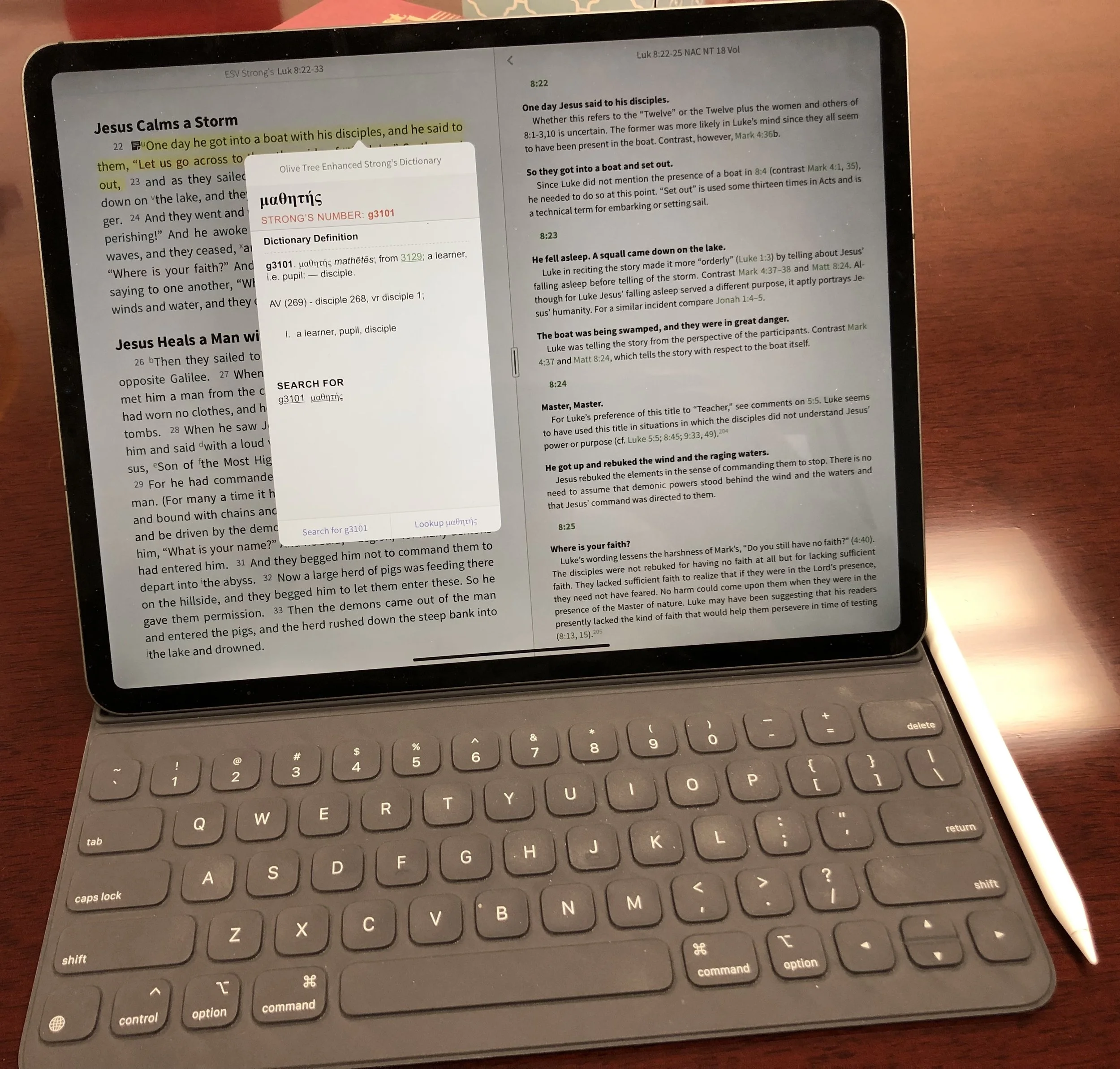
New 2018 Apple iPad Pro for Bible Study
The new 2018 Apple iPad Pro is getting a lot of love from reviewers. How well does it handle Bible study? We’ll look at it from a pastor’s perspective.
The new 2018 Apple iPad Pro is a beautiful piece of hardware and works great for Bible study, sermon prep and general use for pastors and ministers. In fact, I'm really tempted to make it my primary computer for 90% of what I do.
Is the New iPad Pro Better for Bible Study?
Not really! The major difference between the older iPad Pro and the new 2018 Apple iPad Pro comes from the speed and size and the new Pencil. Apple gave it a little facelift to modernize the look.https://youtu.be/HoLs0V8T5AAAn Apple A12X Bionic CPU powers the new 2018 iPad Pro, or as some say it over powers it. That's sounds really cool and gives me memories of Steve Austin, the Bionic Man (see video above) running really slowly as that wonderful music plays behind him. However, there's nothing slow about this chip. I did a review of Olive Tree Bible Study for all the platforms they support. I edited the video on my new 2018 Apple iPad Pro with Luma Fusion, a great video editing app. The video ran about ten minutes and took about a minute to render on the iPad. That's half the time it used to take. It's also faster than Premiere Pro can render a ten minute 1080p video on my 2017 MacBook Pro.In spite of the great speed, the Bible app makers don't exactly require that much power. Few digital Bible students own the new iPad so they can't make their apps to take advantage of the power. However, the faster CPU will help with the initial start-up of apps like Faithlife's Logos Bible app, which does some data crunching in the background after you first start it up.In addition to speed we get a nice looking design with a new keyboard and Apple Pencil. The physical redesign means two things. First, the screen covers more of the front with smaller bezels. That means you'll need to hold it more carefully, however, the accidental touch detection keeps you from accidentally tapping as you hold it and your thumb or fingers accidentally touch the screen. The iPad weighs a little less and takes up less space in your computer bag, if you use one. However, you wont notice that unless you hold them side-by-side. I like that the new Apple Smart Keyboard now covers the back as well as the screen. The screen's beautiful, which makes it a great tool for Bible study. Reading text on a screen for long periods of time requires a high quality screen with great resolution and excellent contrast.
Apple Pencil and Bible Study
 Why won't Bible study creators integrate the Apple Pencil or any stylus in their apps? It would feel so natural to add a handwritten note or highlight with the Pencil. I would love it if the Bible apps would recognize the Apple Pencil and put the app in a special mode where anything the Pencil writes would get saved as a vector drawing attached to the verse or the paragraph with an indicator icon, like they do with text notes now.Developers working at some of the Bible app makers tell me that adding drawing is not a simple thing. Do they spend limited development time on something that a small fraction of the population can take advantage of or on features in great demand that a large percentage of users want? However, I think that the first Bible app maker who figures this out will really stand out and could easily demand a nice premium for this.Until some app maker puts my inking dream into reality, we'll have to use the Pencil as a glorified finger, pointing and selecting. The tip is finer than my man paw fingers. So, I can get more fine pointing with it than I can with my massive digits.
 I love that the Pencil snaps into place on the edge of the iPad Pro when not in use. it also charges wirelessly so that it's always ready to go. The old Pencil would use battery power even while not in use. You had to charge it by plugging into the Lightning port on the bottom/side fo the iPad. This was awkward.I use my iPad for presentations during Bible studies. The Pencil lets me ink on the slides of Bible verses. Sometimes I would plug in my cable to send the video signal over a Lightning to HDMI adapter to our projector. The old Pencil would lose it's connection and if I forgot to plug it in before each Bible study I often had to do without or unplug the video cable, something not ideal while a room of 20-30 people are staring at the screen.The new 2018 iPad Pro and Apple Pencil solves most of these problems. However, carrying it around with the Pencil along the edge makes me nervous. I hit the iPad in just the right way with a hand or my side while carrying it and the iPad goes flying off. Today it landed in a puddle and scared me to death. I can share that a puddle won't destroy the Pencil immediately. We'll see if it has an effects over time.
Writing on the Apple Smart Keyboard
 The new Apple Smart Keyboard is both smaller and heavier at the same time. The old keyboard felt like folding origami at time, especially if you tried to use it as a stand with the keyboard on the back. The new Smart Keyboard's simpler. The special connector sits on the back of the iPad. The new keyboard has two grooves that the long edge of the iPad sit in. This gives the user two angles.
 Since the new 2018 iPad Pro measures less width than the old one, the keyboard does too. However, the keys go edge-to-edge so you still get a comfortably sized keyboard for touch-typing. I can work on it for a long time without problem. The keys give you enough travel to feel nice while typing. I actually type more accurately on my iPad than on my MacBook with its terrible butterfly keyboard.
Conclusion
Using the new 2018 iPad Pro for my work as a pastor is an improvement for a few reasons.
- Smaller size
- Better Apple Pencil
- Nice keyboard
- Excellent display
- Super fast processor
If you own the most recent iPad Pro, then I don't think this thing's enough of an upgrade to make the jump. It is a big change, but can you justify the expense when your "old" iPad will last you for many years to come. I upgraded, but I'm crazy about having the latest greatest.People who own an older iPad or who don't have one now and want and iPad for doing a lot of their work can with this iPad. Here's a few things I enjoy more on my iPad Pro than on another device:
- Editing video
- Typing
- Playing games
- Casual web surfing
- Short stints of reading
- Checking email and social media
However, I'll still prefer my MacBook Pro over my iPad for the following:
- Serious Bible study with desktop class Bible software instead of mobile apps
- Creating slides for my sermons/Bible study presentations
I don't use it for long stints reading. The Kindle Paperwhite works best for reading for extended periods of time. The TV is my choice for watching movies and videos; call me old-fashioned.What would it take to use the iPad Pro 100% of the day? The Bible apps have to get better. Mobile apps do a better job today than they did when I bought my first iPad back in April 2010. I'm not very good at creating my slides on the iPad, but I hope to get there. I could if I was better with using Affinity Photo, which is good enough. But using Adobe Photoshop on my desktop is easy because I have a decade of muscle memory that helps me do things quickly.
Apple iPad Pro 9 Months Later: Theotek Podcast #075
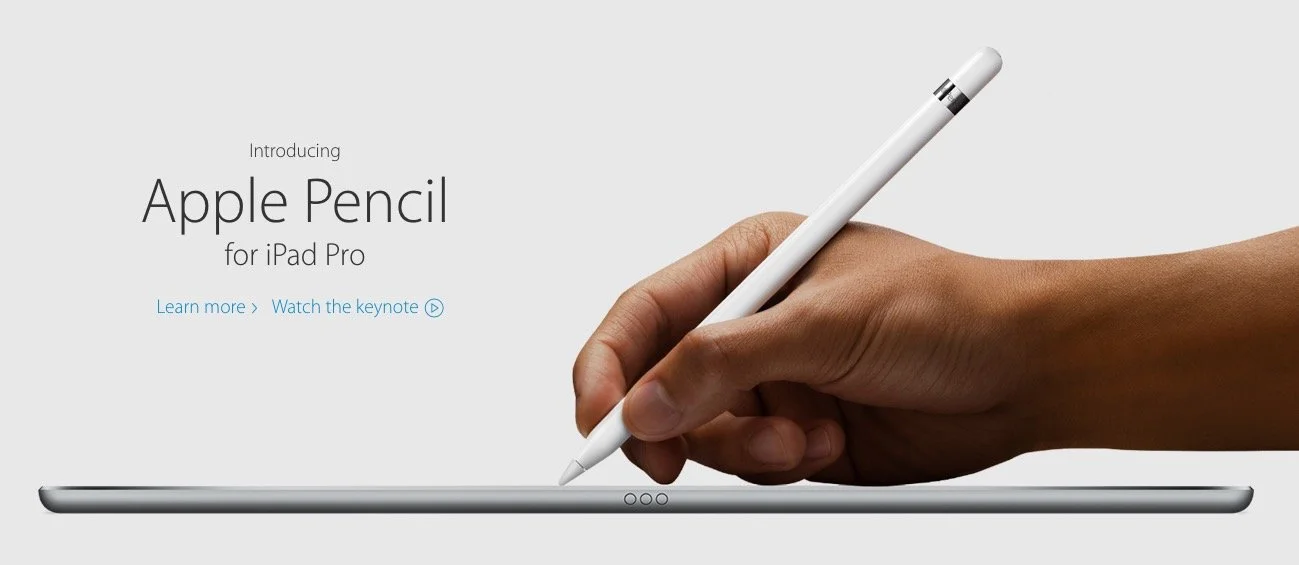
Our crew talked about our experiences in the last 9 months using the iPad Pro for our Bible study, preaching, and general work/play. Then we looked at Our Favorite Things. We planned to talk about Scrivener, a great writing tool that a few of our team members use. However, we went long talking about the iPad, so we'll save that discussion for next week. In the meantime, watch or listen below to our thoughts on using the iPad Pro.
- What's it great for?
- How could Apple improve it?
- How does it compare to Surface Pro 4?
- How are we using ours?
- What does Wes think just hours into owning one?
https://www.youtube.com/watch?v=rBgBqB8jomUFor Our Favorite Things this week, I talked quickly about SideClick, a little remote attachment for streaming set-top boxes, like Amazon Fire TV, Apple TV and Roku. Check it out at their website.
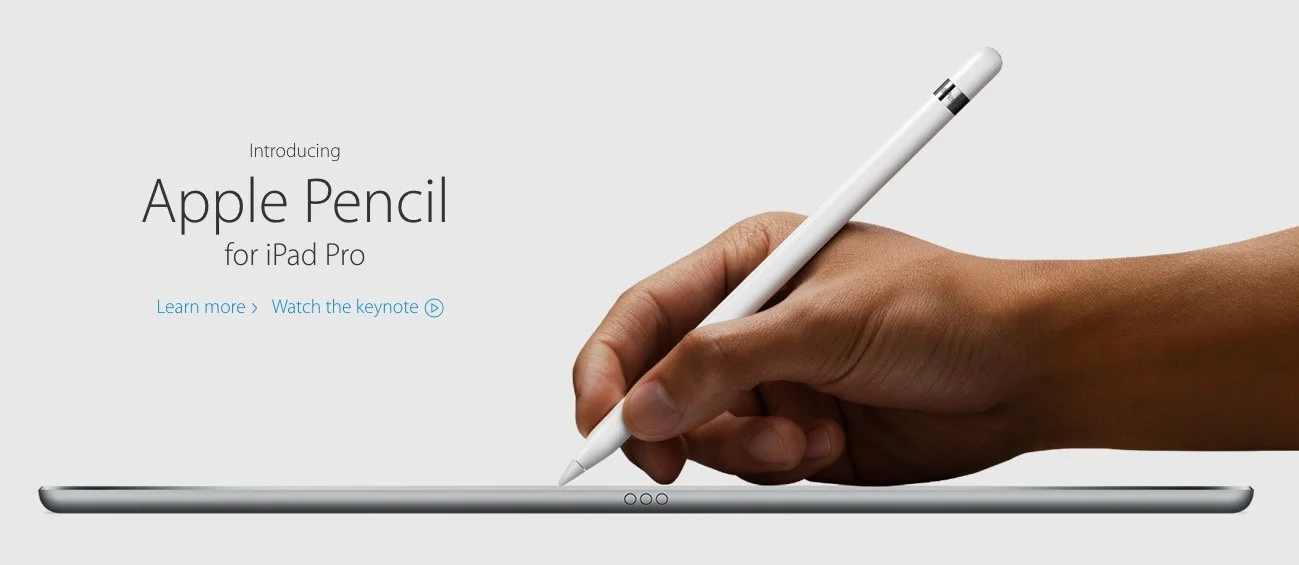
Apple iPad Pro and More: Theotek Podcast #061
Apple introduced the new iPad Pro 9.7-inch model, which is basically and iPad Air 2 with an update and the iPad Pro display. It uses the Apple Pencil and comes with an optional Smart Keyboard that fits the smaller iPad. They also announced a new iPhone SE.https://www.youtube.com/watch?v=ngOcCSwPCGAWe talked about the new Apple news and shared Our Favorite Things! We had some fun with this one as Rick shared his excitement of the new Batman v. Superman movie that released that week. I talked again about my Samsung Galaxy S7 Edge. Wes mentioned his new WD NAS backup storage device.
Sermon Prep on iPad Pro Only
Now that I've used my iPad Pro for a couple of years, people ask me if it's really a good tool for writing sermons and doing digital Bible study. The answer is and resounding, "Sort of!"The iPad Pro works great for people with simple needs and some complex needs depending on your chosen Bible study software and app. iOS Bible study apps reached a maturity level in recent iterations with great original language tools, awesome library organization and decent layouts. No Bible study app provider takes the Apple Pencil seriously with my dream of writing in the margins or freeform drawing and highlighting. In fact using the Pencil creates a challenge for highlighting in some apps. It's supposed to mimic using a finger, but doesn't sometimes.
Studying the Bible on iPad Pro
Bible study apps on iOS work great. The best options include the following:
A few others deserve honorable mention. They're not as complete as the above programs, but preachers and teachers of the Bible can use them to develop sermons and studies.
You'll find dozens of other apps in the Apple App Store, but the top four will certainly give you what you need to do advanced digital Bible study for sermon prep. The second tier will work great if you already own them and feel familiar with the tools.I won't get into how to do digital sermon prep on an iPad. If you need help with the steps, consider checking out Biblical Preaching by Haddon Robinson or The 12 Essential Skills of Great Preaching by Wayne McDill or Christ-Centered Expository Preaching by Bryan Chapel. All three will teach you to write a sermon that focuses on the text instead of creating an outline and then plugging in some proof texts.Use your Bible study app to...
- Choose a text - read it in context and then select the beginning and ending of the passage or pericope.
- Familiarize yourself with the text - re-read it repeatedly in multiple translations
- Take notes - record your observations of what you already know and then ask good interpretive questions of the text like "who, what, when, where, why and how".
- Study the key words - search the bible for the Hebrew or Greek root, then look them up in lexicons, grammars, Bible dictionaries, and atlases, recording the answers in the notes created in step 3.
- Consult commentaries - by this step, you should already know what this passage teaches. Consulting commentaries can help confirm or correct your self-discovery. It also helps you find things you weren't thinking about as you studied.
I'm creating a video series on YouTube that shows how to do this with Logos on a desktop. The principles apply to the iPad apps somewhat.https://www.youtube.com/watch?v=GZTrMB0PnuQ&list=PL1-Xf_HZquDGvCiJtyisBrEULSH3McCSO&index=1Your Bible app will need the following features to do the above steps of study:
- Display multiple Bible translations and it's helpful to show them all on one screen.
- It's helpful if the app will show you the pericopes from the modern translations (section titles), but don't let them force you into following them since experts disagree how to divide the passages into pericopes.
- A notes feature with formatting and the ability to link to a verse, not just a word.
- Hebrew and Greek tools like looking up words using things like Strong's numbers and preferably the ability to search by root words.
- A great tool that will find all your reference works for you like a digital assistant that stacks all the lexicons, dictionaries, commentaries, etc.
- Parallel windows of at least two or more books open at a time.
- An export feature to copy passages to a word processor.
 I use Logos since that's where most of my library resides. However, I prefer the Olive Tree user interface the most. Only PocketBible will show more than 2 books on-screen at a time in 3 or more window panes.
Writing Sermons on iPad Pro
The Apple App Store on the iPad Pro boasts dozens if not hundreds of options for writing your sermons. Some of the above iOS apps include sermon document creation within the app, like the Logos Bible Study app. While the Sermon Editor shows your sermon created in the desktop app, it's read-only now.Bible study apps often come with a Notes tool. Users could simply write their messages inside the notes, however, I don't recommend that either. Get one of the great word processing apps or writing apps instead. Which one depends on how you work. Here are some recommended apps for the writing process.
Microsoft Word iPad App
 Users of Word on a desktop or laptop should probably also use the mobile Microsoft Word for iPad app. If you're an Office 365 subscriber you'll get automatic sync between the computer program for Windows or Mac and your iPad app. I have a template set up with all the formatting I like and even have some basic tools in the template like an outline. It has some styles set up and a list of things I want to write down before I actually begin the writing process. These include the passage's picture of God, sins dealt with, solution to the sin problem and subject/complement as well as the purpose for the message.
Pages for iPad
I'm not a big Pages fan, but plenty of people who own a Mac and an iPad prefer it. They come free with both machines. It has all the tools most preachers or teachers need. You can even create a template of sorts like I do in Word.
Evernote
 I used to use Evernote all the time. It's a great tool for recording and saving content for later use. It's billed as an organizer and planner, like an old notebook with calendar, contacts and notes.Writers can use it to write with formatting. Create a template to use like I do with Word. Evernote backs up every document instantly. You can create folders for all your sermons organized the way you'd like to by date, location of preaching, subject, book fo the Bible and more.
Scrivener
Scrivener's a useful writing app that's primarily designed around longer format writing. However, you can use it for shorter things like sermons and Bible studies. We did a show on the old Theotek Podcast about how my friend Wes Allen uses it. We're not doing Theotek anymore, but the show's still there. See how he uses it to write sermons.https://www.youtube.com/watch?v=SHDYJdkAAic
Mind Mapping Apps
I don't use mind mapping apps, but a lot of people do. Consider using that for your sermon prep. Search the app store for a good one. With Apple Pencil, mind mapping works great on the iPad Pro.
Tips for Writing on iPad Pro
Just a couple of tips for people who wish to write on their iPad Pro. Open your Bible study app and then open your writing app. Arrange them side-by-side so you can see both.Get a good keyboard. I prefer the Apple Smart Cover. It connects to the iPad Pro 12.9-inch or 10.5-inch magnetically. It folds so you can use it as a stand with the keyboard ready for typing. You can also fold it to use it as a stand when you're not typing on the iPad. Logitech also makes a nice cover for the iPad with an integrated keyboard. I wrote about them both when I was at GottaBeMobile.https://www.youtube.com/watch?v=Qf7ikwPqLwQWhen I write my sermons I use color-coded text to help me quickly tell what I'm looking at. For example, Headings are larger font green text. I put the Bible passage text in the document and make it bright red. Quotations from other people are bright purple. Transitions from one point to the next are bold, italics text. My font is 14-point so I can see it better.
Preaching from iPad Pro
The workflow for preaching from iPad Pro depends on what apps you're using. Here's how I work.
- Save my Word document to OneDrive and close Word so that it's fully synced up on Sunday morning.
- Open Word on Sunday and turn it to landscape.
- Tap the button in the upper corner that puts the iPad in a special mobile view to make things easier to see while preaching.
- Preach.
 Some people prefer to have their Bible app open next to the document. Others also control a presentation from their iPad while they preach. I do this during a Wednesday Bible study. I open Keynote first and then I open the Word document to the right quarter of the screen in that special mobile mode.While I'm teaching with Keynote, I use my Apple Pencil to annotate the text of the Bible. Sometimes I put blank slides to use as a whiteboard.
A Thankful Tech Heart: Theotek Podcast #047
What technology are you thankful for this year. We did our favorite tech of the year using thanksgiving as our theme since we recorded the podcast the day after Thanksgiving. We welcomed my son Michael Purcell to the Theotek team for this week's podcast. Follow him on Twitter @MichaelJ_Purcel.https://www.youtube.com/watch?v=hfkHNzHjvJgHere's our list of our favorite tech for 2015 that we're thankful for.
 Wes shared Google Translate, which takes voice input from someone and lets him easily translate it to English. He talks to the pastor of an ethnic congregation that's now part of his church using the app. Find it for iOS and Android.
 Antoine talked about Wi-Fi Bible, which he shared a few podcasts ago when he returned from Australia.
 Michael Purcell just got the new LG V10. He claimed the battery was bigger. It's not, but it seems to last longer for him. It's a rugged phone with a great camera and nice fingerprint reader on the back. The headline about this phone is the second screen where he stores app shortcuts, his name and notifications.My first favorite tool is the iPad Pro. I wrote about how it changed the way I work over at GottaBeMobile.Next Wes talked about his love for Adobe Creative Cloud's photo plan, which gives users access to Adobe Photoshop and Lightroom for just $10/month. It's a great deal and he loves using it. It's awesome for editing photos and organizing them as well in Lightroom and Lightroom Mobile.
See my post about editing photos on the iPad Pro.
 A few weeks ago we talked about a new Bible app. Antoine's a real fan of this little app called Verse3 for iOS. We talked to the developer recently.
 Michael's second pick was not as much a thing he's thankful for, but one he's longing for. He loves ChromeOS and wants a Google Chromebook Pixel. He adjusted his pick to say he's thankful for ChromeOS, but still really wants one of these. He's not going get it from me because it's ridiculously priced at $999 or more.For Antoine's second pick he chose FaceTime. That's Apple's video chat technology and he enjoys using it to communicate with family.
 Wes's last pick is his DSLR camera. His form of visual art comes from his Nikon D7000. Check out one of his gallaries at Flickr, "A Black Friday Stroll".
 The Surface Pro 3 is a great tablet that I love. When Microsoft released the Surface Pro 4 I didn't think it had enough to warrant an upgrade. I may do some hand-me-down with the 3 and get the 4 next year. Until then, I grabbed the new accessories. The Surface Pen generation 4 and the Surface Type Cover with the fingerprint reader. I love the Pen's tips which give you a different writing experience. The keyboard is a better keyboard and the fingerprint reader is a nice addition.https://www.youtube.com/watch?v=kRIEdI74uVcThe last pick came from Michael. He hopes to go into ministry with the deaf. So he chose an app that helps you communicate with the deaf even if you don't know sign. The Deaf Bible app includes videos showing someone signing each verse of the Bible. Watch the same above.
Preaching With an iPad Pro: Theotek Podcast #046
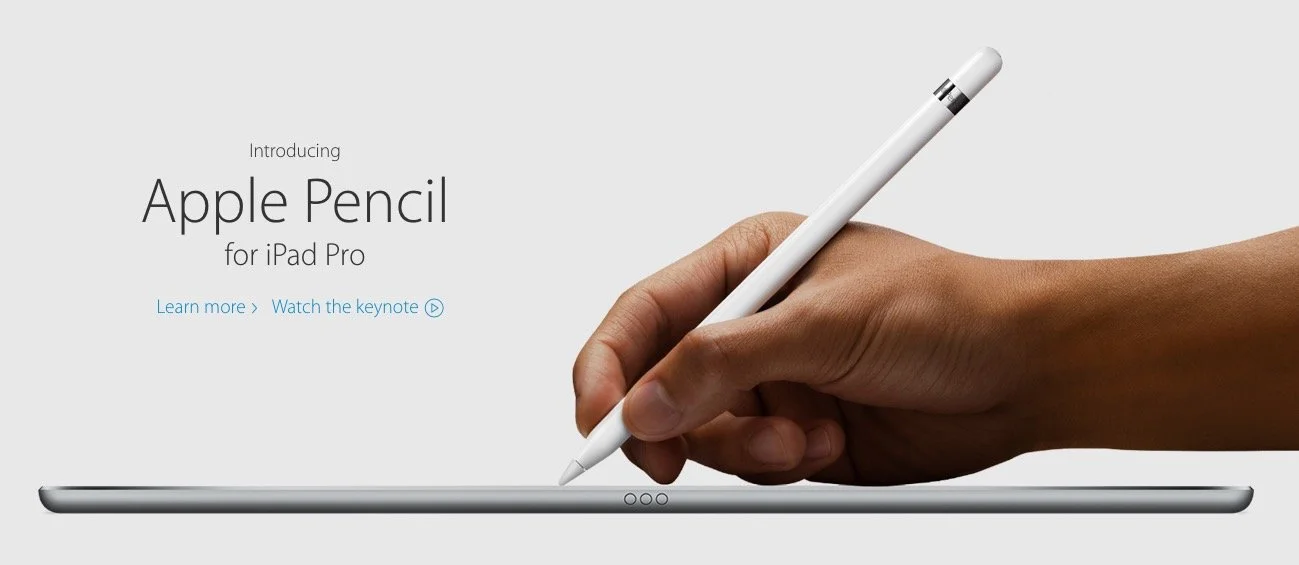
What is the new Apple iPad Pro like for studying the Bible, preaching or teaching? Rick Mansfield (@thislamp and thislamp.com) got one this week and we asked him a lot of questions about using it. Watch or listen below to hear his thoughts.https://www.youtube.com/watch?v=16v6TwpaPvEJust a summary of Rick's conclusions. First, he likes the side-by-side feature so that he can hold his Accordance Bible app next to Microsoft Word. This will help with both Bible study and preaching. The Keynote app and Word can sit on-screen at the same time. He uses the notes feature in Keynote, but after the podcast was over he tested and found out that you can run a Keynote presentation mirrored to an Apple TV and open Word in side-by-side mode.Second, he tested out the iPad keyboard and looks forward to getting one to use. He didn't like the Logitech keyboard case as much because it seems harder to remove from the iPad Pro.We talked about the Pencil, which is hard to come by until December. Wes tested it out at his local Apple Store and found that it was a great experience. They've done a good job of making it work well and feel more like writing on paper than older styli.At the end of the podcast I shared some first impressions of using the Apple TV 4th generation. It's a nice media device and the remote is both good and bad. Siri works great and AirPlay still works as well as before.
Google and Apple - Fight! Theotek Podcast #041
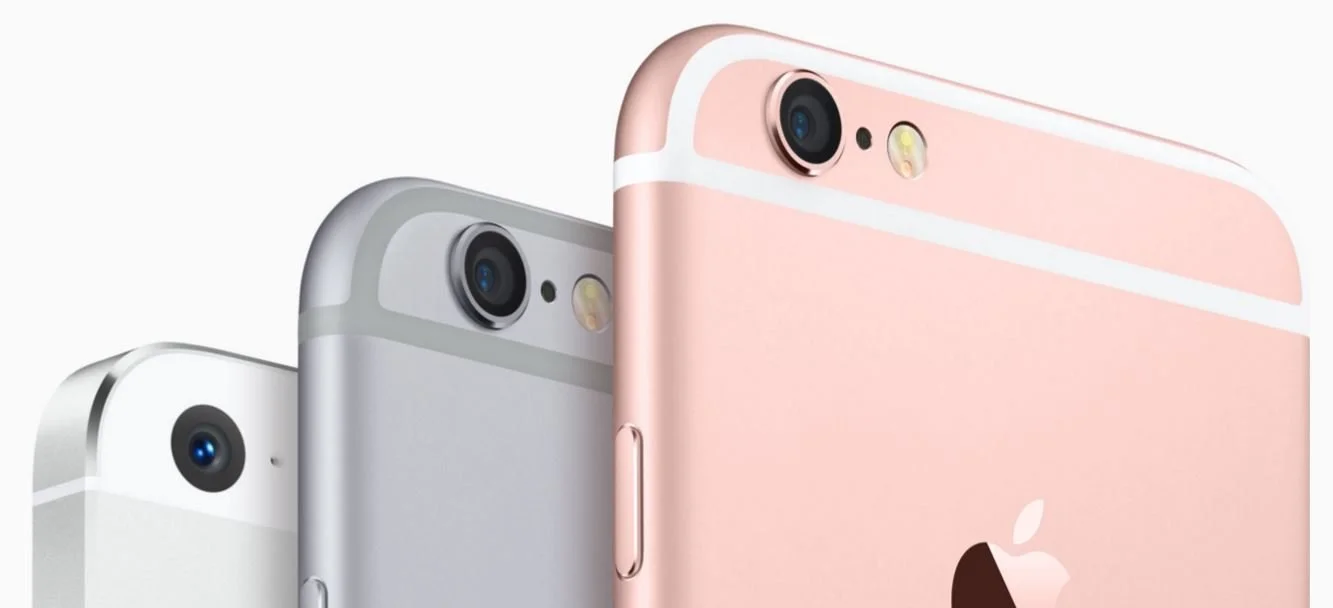
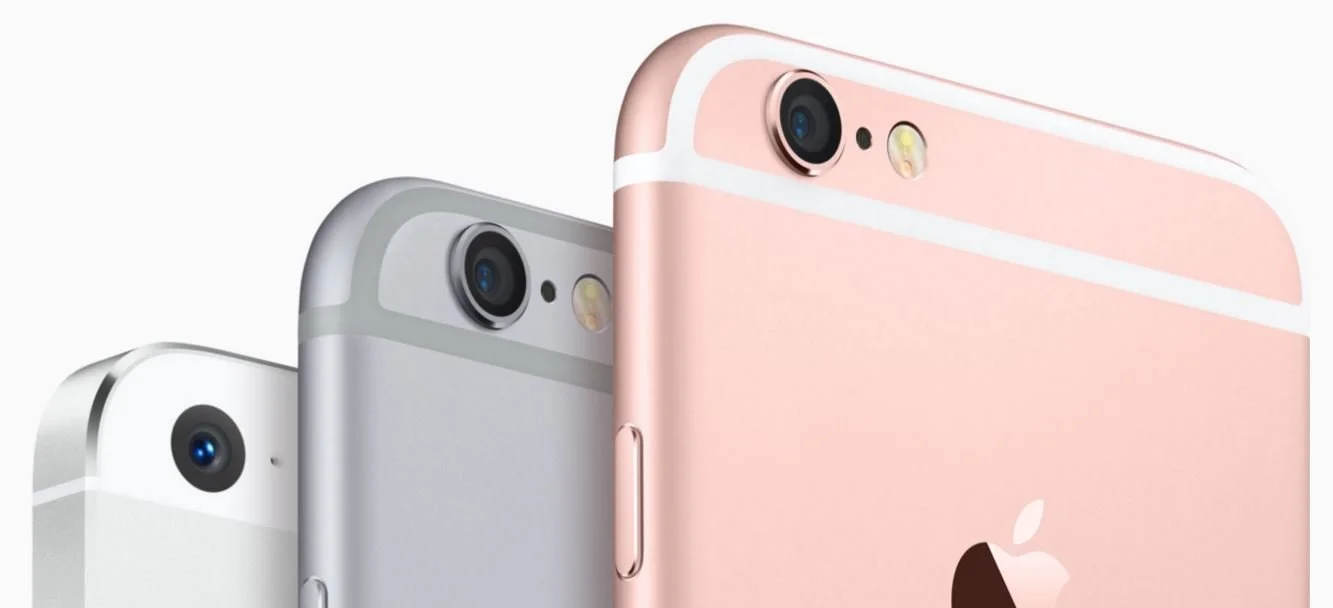
We discuss the new Google and Apple offerings after they announced their new hardware at their fall events. Apple released the iPhone 6s and iPhone 6s Plus as well as iPad Pro, a new iPad that competes with the Surface Pro 3 or now the Surface Pro 4.https://www.youtube.com/watch?v=EznJOU5Tii8Google announced their new goodies also, including a Nexus 5X and Nexus 6P smartphones. Learn more about them from our team in this week's Theotek Podcast.
Apple iPad Pro, iPhone and TV: Theotek Podcast #039
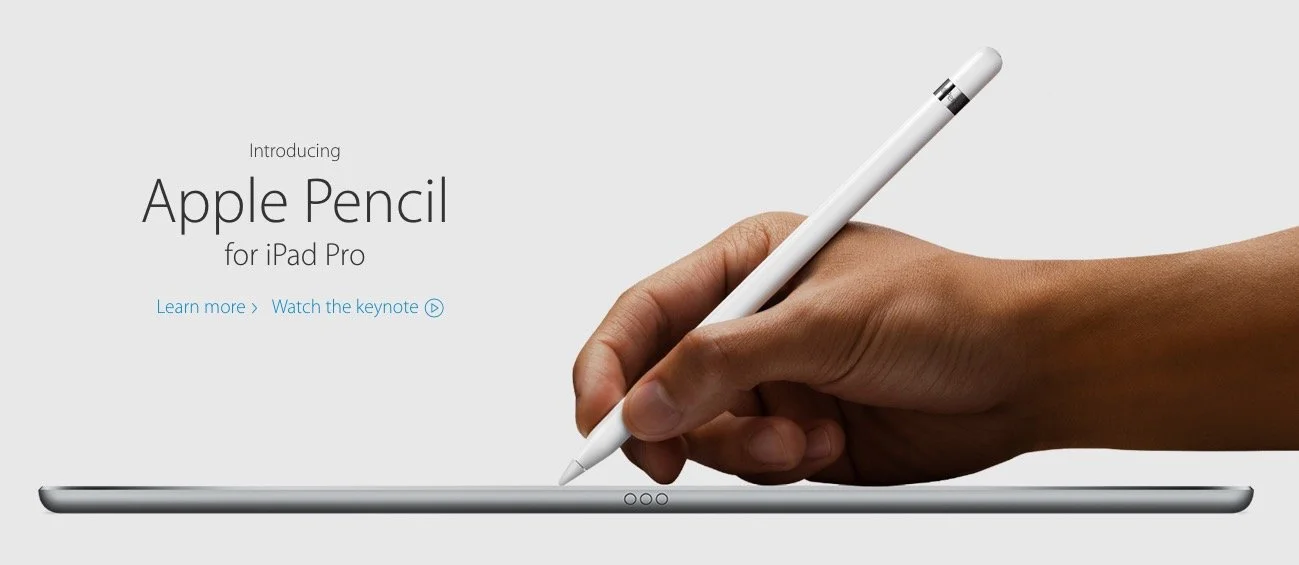
Apple showed off their new iPad Pro, a nearly 13-inch iPad with support for Apple Pencil and a keyboard cover they call a Smart Cover. In addition, we learned about the WatchOS 2.0, Apple iPhone 6S and 6S Plus as well as the updated Apple TV that runs games and apps.The Theotek crew unpacked all the news and gave our opinions of each new product. We also talked a little about how this impacts Bible and church tech users.https://www.youtube.com/watch?v=0Wqx3MEwD5gGive the Theotek Podcast #039 a listen below or watch the video above.